
 Club Benefits







Uncomplicated, straightforward and easy. That's what the best all-in-one printers should be, and exactly why this guide will point you towards the go-to machine for all your printing, copying and scanning needs (along with faxing, if needed).
Whether you need to scan important documents, print letters to loved ones or shipping labels for packages to send off, or quickly make copies of files, the all-in-one printers we've tested and reviewed over the years strive to make your life easier. There are many, though, but I'm here to tell you that, really, there are only a few you need to look at.
If there's one no-fuss printer to put on your radar straight away, it's the Canon Color imageCLASS MF753Cdw II. It does it all: blazing-fast print speeds, easy copy and scanning, and yes, even faxing. Need more options? We've got them, and if you're after more details, our expert testing comes with all the info you need to make the right choice. So, let's find the best all-in-one printer for you.


With the amount of shipping labels I need printed and documents that need copying for my household, a printer has become a quiet essential for my home. That's why I wanted a simple, do-it-all machine, and I refer to our experts, Nikita Achanta and Eric Butterfield, for all the in-depth recommendations they have to offer.
If you just need a simple way to print documents, photos and everything in between without any scanning, copying or faxing, our guide on the best printers will give you all the options you need.
The best all-in-one printers you can buy today
Why you can trust Tom's Guide Our writers and editors spend hours analyzing and reviewing products, services, and apps to help find what's best for you. Find out more about how we test, analyze, and rate.
The best all-in-one printer overall
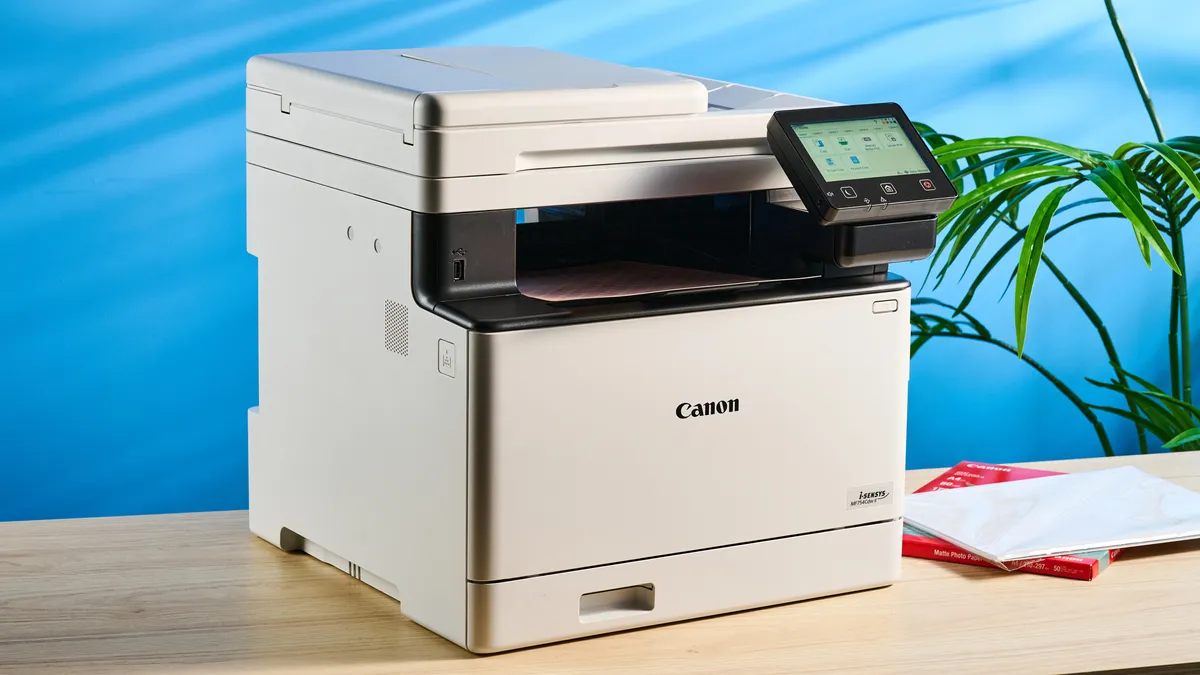

When it comes down to it, the Canon Color imageCLASS MF753Cdw II is quite simply the only printer you'll ever need. Yes, it can print, scan, copy and fax, but it does it all with a hassle-free setup experience and rapid speeds across the board. When a printer actually gives easy step-by-step instructions on how to fix a paper jam, you know it's a good one.
In our tests, it delivered a five-page text print job in just 11.31 seconds (26.5 pages per minute) and scanned in color in 6.22 seconds, and that's faster than its inkjet competitors. And this 250-capacity printer (plus an extra 150 prints in the middle section) with quick start-up, too, as our reviewer, Nikita, found it effortless to get up and running, with warm-up times as quick as 14 seconds from off. It isn't just speed, as print quality is consistently sharp and detailed, both in color and black and white, and everyday jobs came out looking just as sharp as they did on our screens.
Where the MF753Cdw II pulls ahead of inkjet competitors like the more budget-friendly Canon MegaTank Pixma G3290 is in raw speed and features. You get much faster printing and a true all-in-one experience (there's no faxing on it), but running costs are higher if you print in volume. Against the business-class Epson EcoTank Pro ET-5850, the MF753Cdw II still keeps up on print speed and quality but can’t match those rock-bottom ink costs.
That’s the main compromise here: the per-page price is higher than what you’ll find with most ink tank printers (around 51 cents per color page and 27 cents per mono print). But not by that much, and that shouldn't put you off grabbing this workhorse. If you want a dependable, fuss-free machine for everyday tasks — letters, homework, invoices, you name it — the MF753Cdw II is the best fit for most households.
- Read our full Canon Color imageCLASS MF753Cdw II review
The best value all-in-one printer

Unless you need faxing in your life, this is the all-in-one printer to grab if you're after a reliable machine for excellent prints. The Brother INKvestment MFC-T780DW stands out largely thanks to its exceptionally low ink costs: just 0.3 cent per black page and 0.94 cent per color page based on our lab testing. That's value you can't ignore.
In daily use, the T780DW keeps pace with demanding routines. It prints standard text documents at 12.4 pages per minute (ppm) and handles double-sided text at 6.7 ppm. These speeds put it among the fastest inkjets we've tested for both single and duplex jobs, making it reliable for everything from schoolwork to business invoices.
Print and scan quality are equally reassuring. In our hands-on tests, text and graphics came out crisp and accurate, while color scans preserved detail and clarity.
The main compromise is its 20-sheet automatic document feeder. While fine for light multi-page copying and scanning, if you've got a large batch of documents, it will take some time to do. That, and there's no USB thumb drive port, and don't expect to make double-sided copies or scans via the automatic document feeder (ADF).
In any case, for those who want low running costs and easy printing, the Brother MFC-T780DW will fit in nicely with your home or office.
- Read our full Brother INKvestment MFC-T780DW review
The best all-in-one printer for photos


Whether you're a photographer or just need highly detailed, colorful prints, the Canon MegaTank Pixma G3290 is the all-in-one printer for you. Sure, it may come with fewer additional features, but it excels where it matters: print quality and affordability.
It's a modest printer; it has just one paper tray and no document feeder, and it's not the speediest option. But for home use, it's an excellent choice. Expect this to deliver reliable, high-quality prints with the versatility to do documents, photos and double-sided print jobs. Speaking of, those graphics prints and glossy photos will come out with plenty of details and natural, accurate colors.
While the Canon MegaTank Pixma G3290 prints at pretty average speeds, it actually excels at double-sided documents. In our testing, it printed single-sided pages at an average of 9.2 pages per minute, but double-sided text documents that cranked up to 7.2 pages per minute, the fastest duplex print speed we've recorded of any recent ink tank printers.
And thanks to its easy setup process, robust wireless support (this thing can print via Wi-Fi or a smartphone app) and low ink costs (we estimate color prints cost roughly 0.9 cents per page, significantly lower than the 1.9 cent per page category average), I recommend the Canon MegaTank Pixma G3290 for anyone seeking an affordable, reliable ink all-in-one printer, especially for photo printing.
- Read our full Canon MegaTank Pixma G3290 review
The best all-in-one printer for business

I recommend the Epson EcoTank Pro ET-5850 as the best all-in-one for business because it combines impressively low ink costs with a device capable of handling more than 3,000 pages per month.
And the EcoTank design uses refillable ink tanks and comes with enough spare ink bottles to print thousands of pages. The printer can scan, copy and fax, uses dual 250-page paper cassettes and has a 50-sheet automatic document feeder.
In our timed printer tests, the Epson ET-5850 delivered some of the fastest printing we've seen, and produced crisp, clear text that nearly rivals laser printer quality. That same quick, high-quality performance was also seen in copying and scanning, making it the printer of choice for offices that need a full-featured multifunction printer.
But I think the real draw is the ink savings, extremely low per-page costs of 0.4 cents for text pages, and 1.6 cents per color page. The upfront price may be high, but the combination of quality, features and super-low operating expenses makes this one of the best investments you can make for your office.
- Read our full Epson EcoTank Pro ET-5850 review
Also tested
How to choose the best all-in-one printer for you
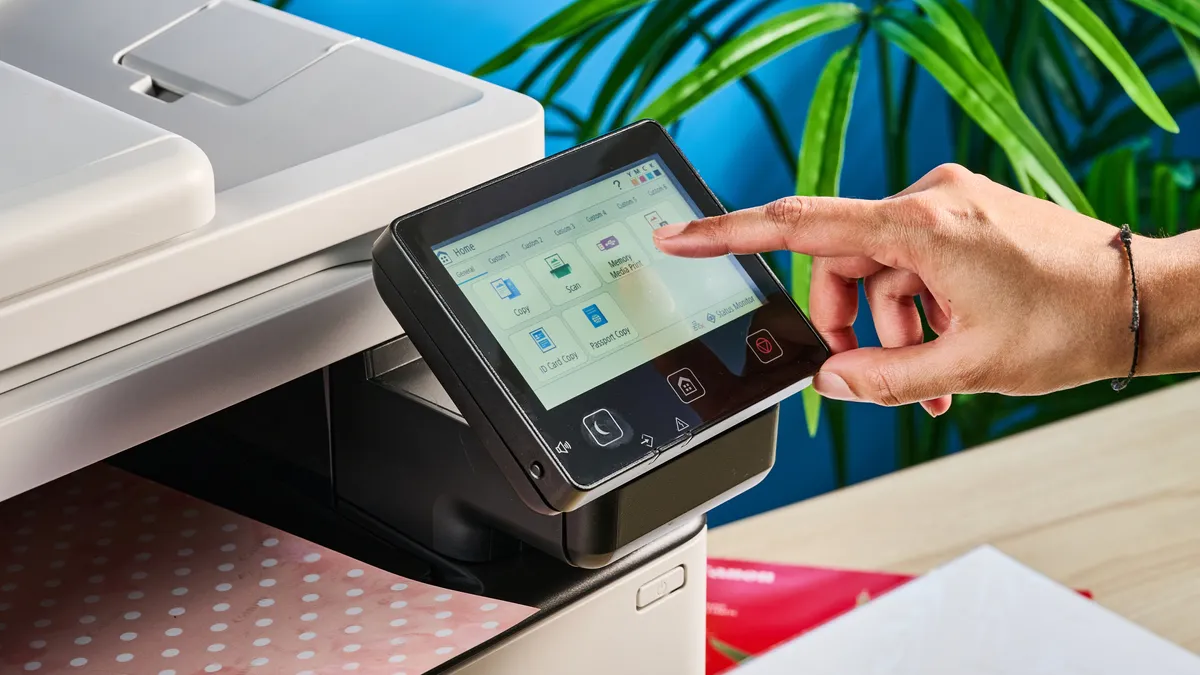
Not sure which all-in-one printer to buy? No worries, I'm here to help.
Obviously, you want a printer that performs well, so all of our reviews and rankings discuss a printer's output quality and speed, but there's more to an all-in-one printer than just how quickly it can crank out documents.
Price: All-in-one printers sell for as little as $60 (£45/AU$90) for inkjet models, and $150 (£170/AU$200) for laser printers, with high-end models costing hundreds of dollars, but offering better print quality, durability, and features. And don’t forget ink and toner, which can range from 1-5 cents per page for basic documents (photos will cost more).
Inkjet or Laser: Next, it helps to determine whether you need an inkjet or a laser printer. Inkjet printers are generally better suited to producing the full range of colors, making them better suited to printing graphics and photos. Laser printers can quickly produce professional-looking text documents, often at a lower cost per page.
Home or Office: Home and office printers differ greatly in their handling of large print volumes. Some printers are built to offer great quality and value for the home user who prints a few pages a week, while others are built for busy offices where multiple users print dozens or hundreds of pages every day. Find the one that’s right for you to avoid paying for features you don’t need.
Use case: Additional use cases, like photo printing, are addressed in our selections above, while specific features are discussed in every printer review we do. Portable printing is another niche area where the right printer can make a world of difference.
Operating expenses: Finally, consider the cost per page. Whether it’s using ink cartridges or toner, printers cost money over time. Check our reviews for a breakdown of the costs to print individual pages as a good measure of how expensive operating costs will be over the life of the printer.
Some companies even offer subscription services that save you money while sending you ink just in time to replace that empty cartridge. Learn more in our article HP Instant Ink vs. Canon vs. Epson: Are ink subscriptions worth it?
How we test the best all-in-one printers
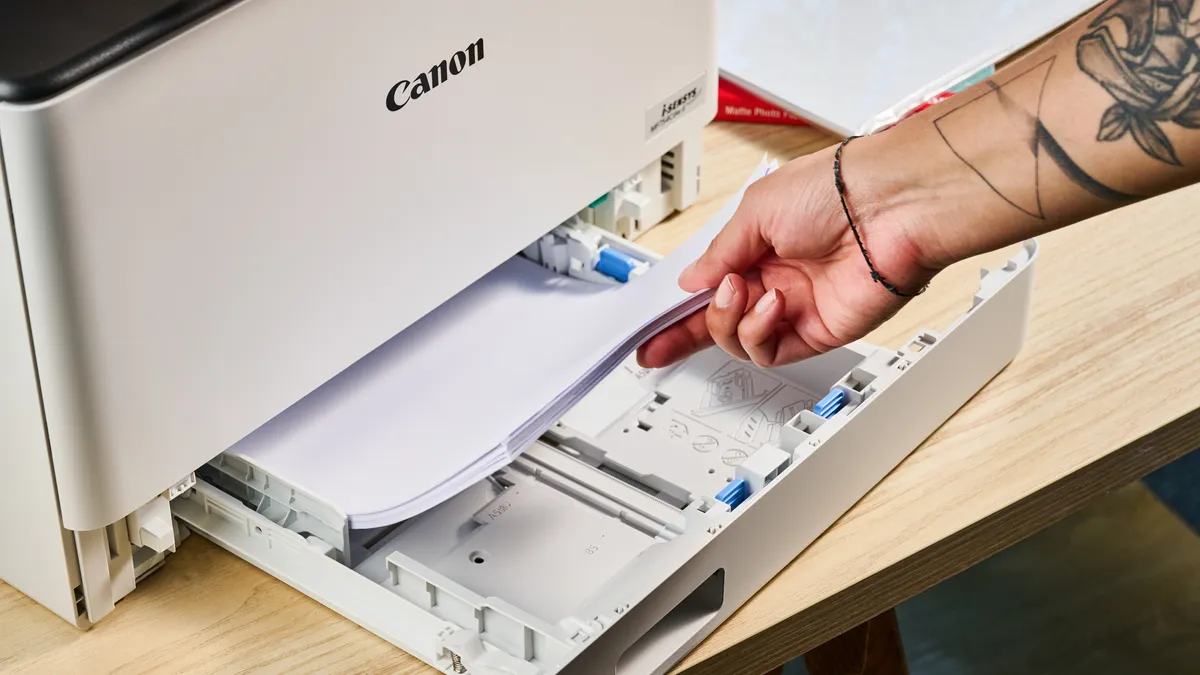
To help you find best all-in-one printer, we put each model through an extensive range of printer tests, including timed prints of text, mixed text and graphics and color photos. The resulting prints are carefully examined for errors and issues, and compared with samples from other printers to determine the print quality.
We time every test print to see how quickly the machine handles document printing, and closely examine the finished product to determine how well different printing tasks are handled.
We also test the scanning and copying functions of the printer, timing how quickly it captures a page and comparing the results to the original images to determine how well it captures color and detail.
To measure the cost of owning and operating a printer, we look at the current street price of ink refills and the estimated number of pages that each cartridge can produce, and calculate the cost for printing a single page.
