







Look, this wouldn't be much of a guide to buying the best printers if I just told you to get the Brother INKvestment MFC-T780DW. I mean, if you just need to print, copy and scan documents with great print quality and low ink costs, then that's the very printer you'll be looking for (and you can see why in our in-depth review).
But here at Tom's Guide, we put the dozens of printers we review each year through a series of tests to see how fast, capable and, most importantly, affordable they are. You see, there are printers that are better for day-to-day work, but others offer up incredible detail for photo printing or the space for scanning those lengthy documents.
That's why I'm here to point you towards a variety of options to sort your printing needs. So, no more messy prints, runaway ink costs and terrible interfaces. Just mean, clean printing machines (that scan and copy, too). Let's take the pain out of printing with our top recommendations on the best printers around.

Gone are the days when I worked on a print magazine, so my printing needs aren't as vital to my day-to-day as they once were. But when it comes to printing advice, I refer to our printer experts, Nikita Achanta and Eric Butterfield, who test the latest printers for a living. Through his thorough reviews, I'm here to show you all the printers he recommends buying.
- View our Canon promo codes for a 10% discount
The best printers you can buy now
Why you can trust Tom's Guide Our writers and editors spend hours analyzing and reviewing products, services, and apps to help find what's best for you. Find out more about how we test, analyze, and rate.
The best printer overall


The Brother INKvestment MFC-T780DW is the No. 1 printer for home use and the office, thanks to its exceptionally low running costs, just 0.3 cents per text page and under a penny per color page, and its snappy print speeds. When a printer produces a five-page text document in just 24.2 seconds, you know it's just the machine to get the job done.
When it comes to print quality, the MFC-T780DW delivers sharp text and attractive graphics, though text tends to be slightly lighter than what you’d see from a laser printer. The output on glossy photo paper looks vibrant and detailed, a strong showing for a printer that isn’t marketed as photo-centric.
Beyond printing, the MFC-T780DW proves itself as a true multifunction machine. Its four-tank ink system keeps you prepared for any print job, and scanning is notably fast: a 600 dpi color scan to JPEG took just over 50 seconds in our testing, well ahead of the category average. These features make it a reliable option for scanning, copying, and general document handling.
Compared to other models in this price range, the MFC-T780DW holds its own, as its per-page ink costs even rival those of the Brother HL-L2390DW. While the HP Smart Tank 760 can print photos faster, the MFC-T780DW’s balance of low ink costs and consistent print quality makes it the better all-purpose choice. The Canon Pixma TR8620 leads in photo output with its 5-ink system, but the MFC-T780DW keeps ongoing expenses lower and is better suited for regular office work.
There are some trade-offs. The automatic document feeder holds only 20 sheets, which might be limiting for higher-volume users. The small, simple LCD lacks the convenience of a touchscreen, and setup can be finicky. Wireless connections sometimes require a manual reset, and filling the ink tanks may get messy. That being said, the Brother INKvestment MFC-T780DW still stands out for anyone after dependable, cost-effective printing and scanning.
- Read our full Brother INKvestment MFC-T780DW review
The best budget printer

The Canon MegaTank Pixma G3290 is an ink tank all-in-one that delivers great prints with low ink costs and an affordable up-front price, making it my top recommendation for folks seeking a great budget printer.
Of course, you shouldn't expect a lot of bells and whistles on this entry-level all-in-one. It has no document feeder and only one paper tray, plus the speed of copies and prints is pretty average, so you won't be flying through big print jobs.
But if you don't need to be printing all the time, this is a great choice because it delivers what most of us are looking for in a great all-in-one: reliable, high-quality prints with the versatility to do documents, photos and double-sided print jobs.
In our testing, this machine managed to print an average of 9.2 pages per minute, which is pretty on par with the competition. But when printing double-sided text documents that cranked up to 7.2 pages per minute, the fastest duplex print speed we've recorded of any recent ink tank printers.
And thanks to its easy setup process, robust wireless support (this thing can print via Wi-Fi, Bluetooth or a smartphone app) and low ink costs (we estimate color prints cost roughly 0.9 cents per page, significantly lower than the 1.9 cent per page category average), this is a great printer for anyone seeking a cheap, reliable ink printer for photos and documents.
- Read our full Canon MegaTank Pixma G3290 review
The best printer for students

The HP Smart Tank 7602 is a wireless multifunction printer that we regularly recommend as the best printer for students (most of the time) because it's easy to set up and prints good-quality prints quickly, with very low ink costs.
I know because our printer expert exhaustively tested it himself in his own home, and the HP Smart Tank 7602 surprised him by printing an 8x-10-inch glossy photo at high resolution in under 2 minutes, which is more than twice as fast as the category average (4 minutes 1 second).
It also scans and prints quite quickly, and is speedy at kicking out color and black-and-white documents. However, printed scans often showed small discolorations and pixelations, so this isn't a great printer for photojournalism students or others who prize perfection in prints.
However, our reviewer definitely had some hassles when trying to set up the printer via its included HP Smart software. You can connect the printer to a PC via either USB, Wi-Fi or Bluetooth, and unfortunately, you'll need a (free) HP Smart account to take full advantage of all the printer's features.
Still, despite these setup headaches, this printer is our top recommendation for students because of its ease of use, good print quality and low ink costs.
- Read our full HP Smart Tank 7602 review
The best photo printer
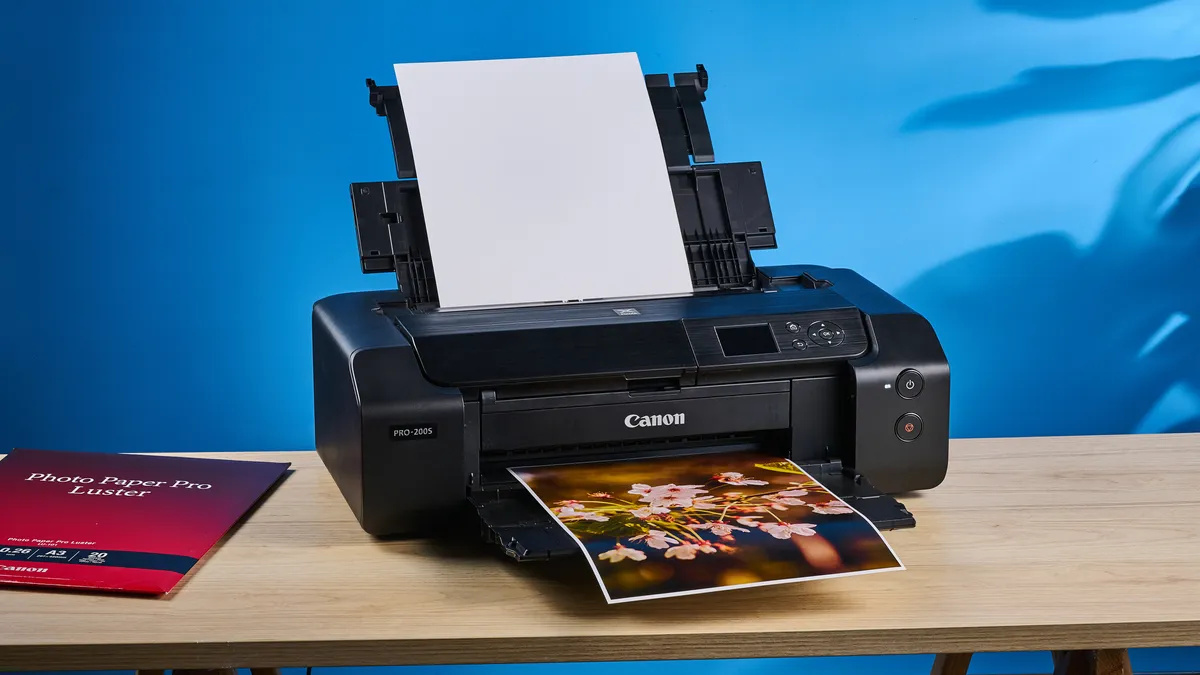

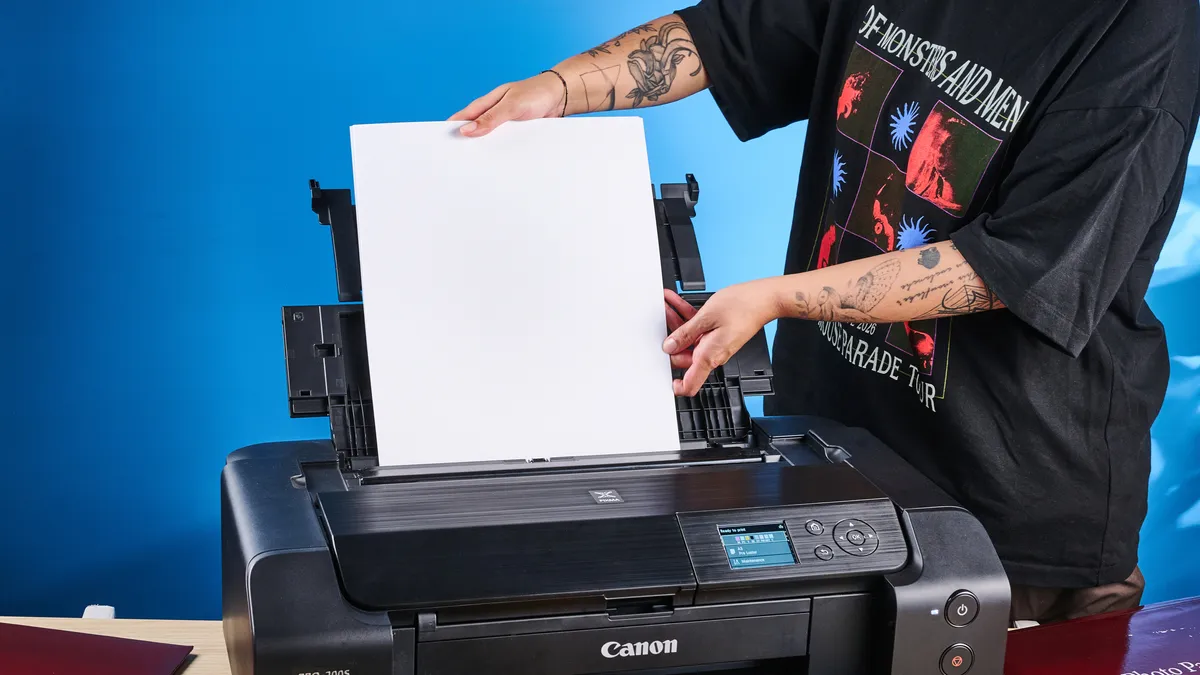
Photographers can see their work in fine detail on screens, but it's all for naught if the quality and colors don't match once it's printed out. That's where the Canon PIXMA Pro-200S comes in, as it's the printer with the best print quality. It's our top recommendation for photo enthusiasts who want to print gallery-worthy images at home.
With its wide-format support up to A3+ and an 8-ink dye system (double the ink tanks of any we've tested), it delivers vibrant color accuracy and flexibility for everything from panoramic landscapes to finely detailed portraits.
In our hands-on tests, the Pro-200S delivered images with remarkably true-to-life greens and bright blues that feel almost textured, details that often get lost on lesser printers. Fine textures in skin and foliage held up beautifully, and color transitions were smooth, making this an excellent choice for anyone obsessed with faithful photographic reproduction.
And it won't be slow printing off your masterpieces, either. On A3 Pro luster paper, the Pro-200S turned out borderless prints in just over a minute. Even when pushed to the highest quality mode, times stayed under four minutes, making it a fine choice for batch printing.
The Pro-200S isn’t perfect for everyone. Wi-Fi setup can be a little fiddly, and ink costs are higher than document-centric printers, especially if you print lots of large photos. Mono page yield isn't the best, so it’s not a great fit for heavy office use. But for photographers who care most about image quality and print flexibility, these trade-offs are worth it.
- Read our full Canon PIXMA Pro-200S review
The best all-in-one printer
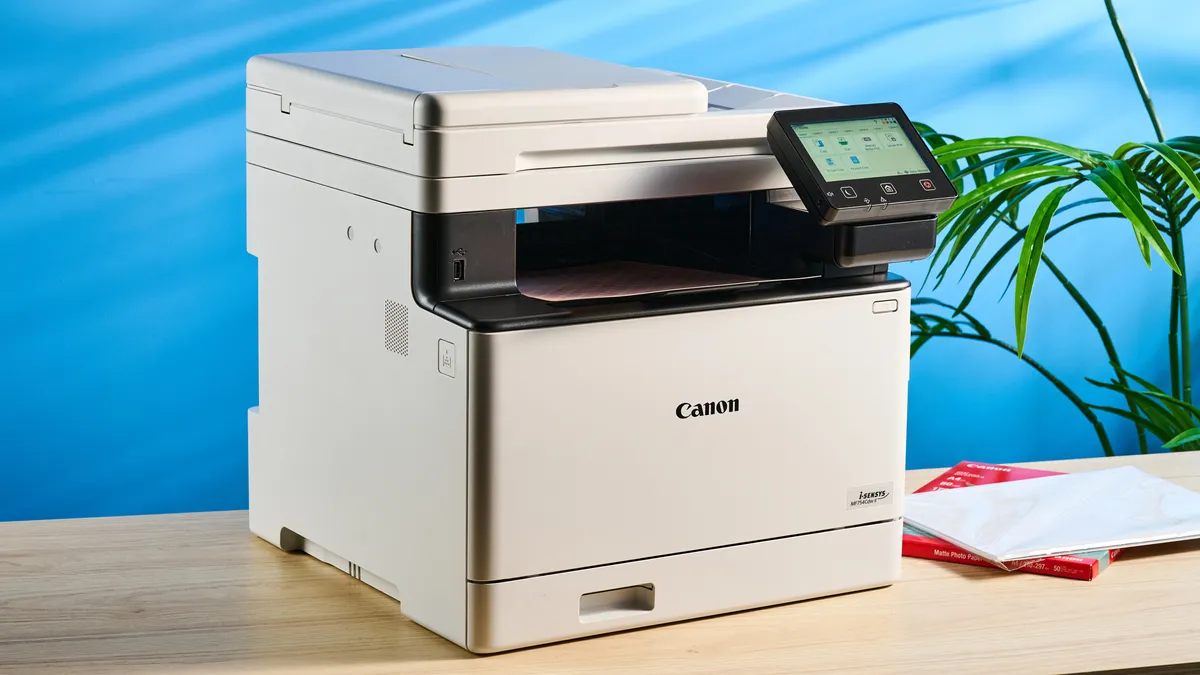
If you just want a printer that does it all and will last you for any printing jobs for years to come, the Canon Color imageCLASS MF753Cdw II is the highest-rated all-in-one printer we've tested, offering true all-in-one functionality with print, copy, scan and fax in a single device and a generous 250-sheet main paper tray.
Everyday tasks feel streamlined on this machine. The 5-inch touchscreen is responsive and intuitive, simplifying everything from walk-up copying to complex scan jobs. More impressively, print quality impressed us across the board: text was sharp in black and white, and color documents showed plenty of detail and vibrancy.
It's easy to set up, too, which means none of those typical printer pain points. As in, the touchscreen actually makes resolving paper jams much less of a hassle, guiding you step by step. Now that's a welcome feature. But you're also getting rapid print speeds here. In our lab tests, it printed a five-page text document in 11.31 seconds, equivalent to 26.5 pages per minute, meaning you'll be printing out documents on the fly.
If you’re weighing cost efficiency, the Canon Color imageCLASS MF753Cdw II is on the more expensive end with its pricier running costs. It's also heavy, so it's the type of printer that you'll want to stay in one spot in your home or office. In the grand scheme of how well this printer performs, though, those are only small nuisances.
From the blazing-fast print speeds to the sharp print quality it offers, the Canon Color imageCLASS MF753Cdw II is one reliable laser printer that's hard to pass up, especially for homes or offices that need a workhorse for all printing needs.
- Read our full Canon Color imageCLASS MF753Cdw II review
Also tested
There are lots of other great printers out there that don't quite have what it takes to knock any of our best printers off their perch. But it's awfully close, and when we test and review a printer that's nearly good enough to earn a spot on this list, you should know about it.
If you're after more printers to suit your needs, check out the other models we've tested.
How to choose the best printer for you
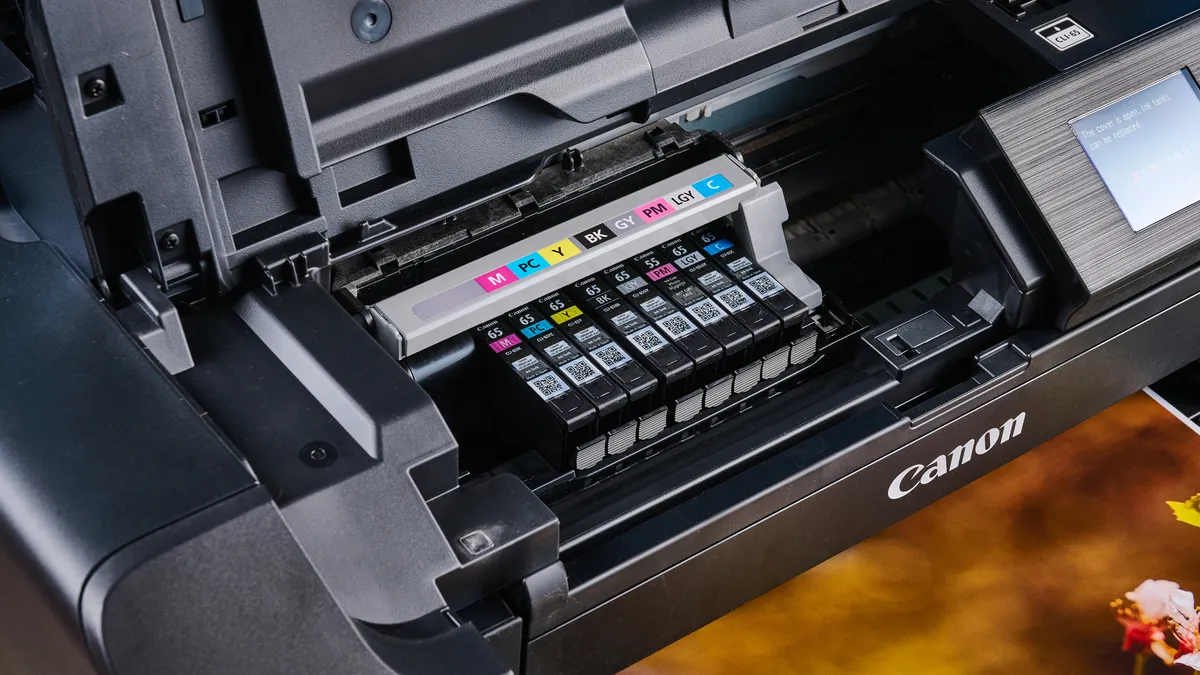
Finding the right printer starts with defining what you need that printer to do. There's a drastic difference between a large multifunction printer that will copy, scan and fax, and a pocket-sized photo printer that's perfect for printing snapshots on the go. The best place to start is to narrow down what functions you want and what aspects of printing are most important to you.
Inkjet or Laser: Inkjet printers are generally better at producing the full range of colors, making them more suited for printing graphics and photos. Laser printers, on the other hand, can quickly produce professional-looking text documents, often at a lower cost per page. Three ways to cut printing costs to a minimum include: Switching to a laser printer, opting for a tank-based inkjet printer or signing up for a subscription ink service. (See our article Inkjet vs. Laser: Which printer is right for you? to learn more.)
All-in-One printers offer more than just printing, with built-in scanners that can scan and copy everything from forms to photos. Some (but not all) will also have fax capability.
Photo printing is a separate concern, requiring support for printing on glossy paper, handling different photo paper sizes and sometimes requiring additional (and potentially expensive) inks to deliver better print quality.
Portable printing is all about mobility. Compact designs are paired with batteries and sometimes exotic print technologies to let you print from a hotel room, in your car, or even out at the beach.
Frequently Asked Questions
Which brand printer is best?
At the end of the day, printers are made to do one thing... print. If they manage to do that? Fantastic! But if you're after the best, you'll find these machines can be hugely cost-effective and work as efficiently as needed.
The top brands include Brother, HP, Canon and Epson, as each offers excellent print quality, speeds and ink costs. By our testing, Brother offers the best printers for most people, and it's a reliable brand for easy-to-use printers. However, Canon and HP printers offer their own perks, with Canon being great for image printers and HP offering wallet-friendly, user-friendly printers that are simple yet effective.
That said, these brands offer a wide selection of printers, and one may suit your needs more than the other. So, when buying a printer, keep these factors in mind when making a purchase:
Print speed refers to how quickly the printer will complete a page in a document, measured in pages per minute. If you need to print frequently or in high volumes, faster print speeds are a must-have.
Print quality comes down to how well the printer lays ink on the page, and whether it produces sharp details and legible letterforms. Most inkjet printers deliver "good enough" levels of quality, but if you want crisp-looking text every time, you'll probably want a laser printer. And photo printing varies widely between general-use printers, so check out the recommended models on our best photo printers list.
Ink costs are an ongoing concern for any printer, since ink refills are part of the operating expenses for any printer. Ink can get very expensive, but some new models are designed to reduce both the expense and the hassle of finding the right ink cartridges. And this isn't purely an issue for inkjet printers, as laser printers use toner cartridges. Look for a lower cost-per-page and check out our reviews for a detailed discussion of how print costs might make one printer better than another.
What is better, laser or inkjet?
When it comes to deciding which type of printer to get, this comes down to either inkjet or laser printers.
Inkjet printers are generally better suited to producing the full range of colors, making them better suited to printing graphics and photos. Plus, these are usually cheaper to buy, making them a good choice for those who don't print much but still need a printer.
Laser printers can quickly produce professional-looking text documents, often at a lower cost per page due to toner being cheaper on a per-page basis. These come with better print quality, too, and can print documents at a faster rate. For a small office or for work, these are a good pick.
Each have their perks, but for a better look at whether you need an inkjet or a laser printer, we've got you covered.
Should I get an all-in-one printer?
You may have noticed that printers come in all shapes and sizes, and the larger, more expensive ones tend to have at least one or two extra functions besides printing: scanning, faxing and high-speed copying are common features on the best all-in-one printers like the Brother INKestment MFC-T780DW.
But if you don't need all that extra functionality, it's typically not worth paying extra for a printer that has extraneous features you'll rarely use. And honestly, these days smartphone cameras are so good that you can get by just photographing paperwork and scanning/saving/signing/sending it via an app on your phone, so there's rarely a need for an individual to own things like a printer that faxes and copies. The Canon MegaTank Pixma G3290 is our top budget pick, for example, and it includes no fax module — but most people won't miss that.
However, if you're buying a printer for a busy home office or small business, a high-quality multifunction laser printer like the Canon Color imageCLASS MF753Cdw II may be exactly what you need.
How do I find a deal on a printer?
Typically, the best time to find a great deal on a printer is during major sales events like Memorial Day (in the U.S.), Black Friday and the many Amazon Prime Days.
In addition to keeping your eye peeled for great sales on our top picks, here are two key things I recommend you keep in mind to avoid spending too much on a new printer.
Avoid features you don't need: Check the printers you're looking at to make sure they offer every feature you need, and avoid those with features you don't. For example, there's no need to pay for a model with a second paper tray or a fancy touchscreen if you're only going to print things occasionally because you'll barely use those features.
Consider cost per page: Laser printer toner is typically cheaper than ink cartridges for inkjet printers, but the price can still add up. So once you pick the best laser printer for your needs, read our full review and price out the cost-per-page to see if you can save money by investing in a high-capacity toner cartridge.
For more tips and recommendations covering both laser and inkjet printer deals, check out our longer guide to how to find the best cheap printer for your needs.
How we test the best printers
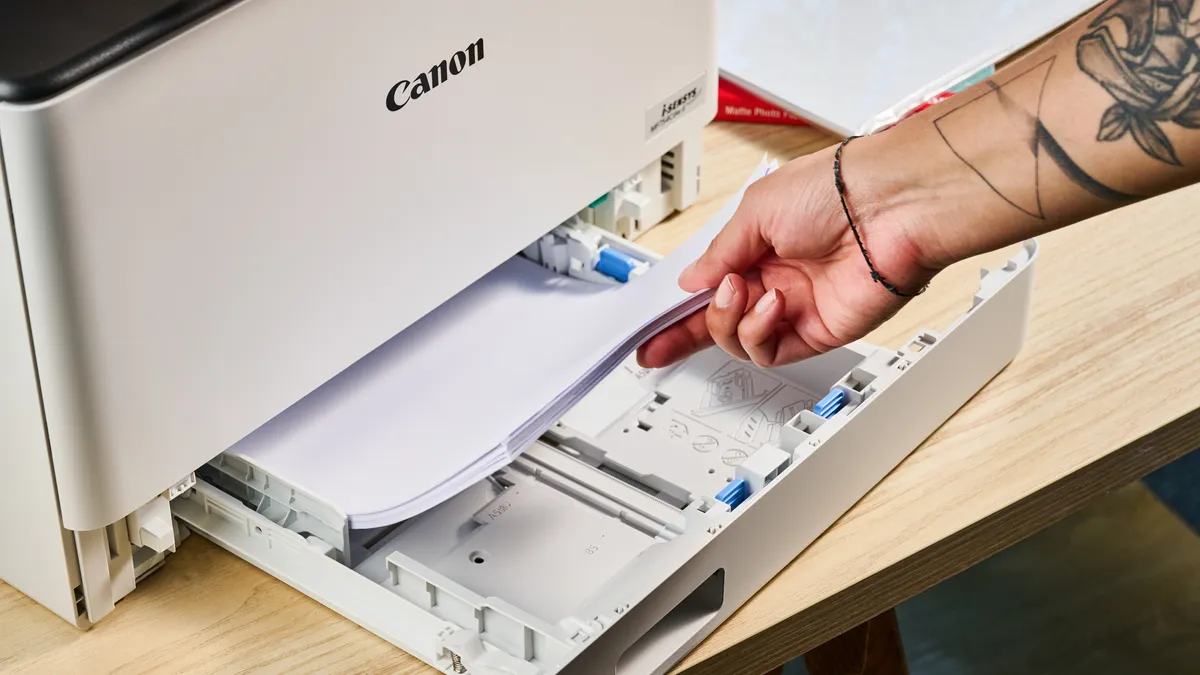
Every printer we review is extensively tested to give us a clear idea of how well it performs, in terms of print capability, general ease of use and expense over time. Our testing procedures include timed print tests to determine print speeds, with a set of standardized documents that have a mix of text and graphics and color photos.
Every print is examined and compared, with errors and print problems noted in the review and overall quality measured against the other printers on the market.
We also test the scanning and copying functions (when they are offered), timing how quickly it captures a page and comparing the results to the original images to determine how well it captures color and detail.
To measure the cost of owning and operating a printer, we look at the current street price of ink refills and the estimated number of pages that each cartridge can produce, and calculate the cost for printing a single page.
These specific tests are adapted as needed to handle all sorts of printers, from monochrome laser printers and portable snapshot printers to full-featured all-in-one inkjets. Wherever possible, we make sure that the tests are done in such a way that they can not only be compared within a specific category, but also across all printer types generally.
For more information on our testing process, check out our guide to how we test.
