




You're here to find the best gaming keyboard for your PC setup, but there are many to choose from. And we would know, after testing over 100 keyboards of all shapes and types, from mechanical to Hall Effect (magnetic). To make it easy, we've pinned down all the keyboards for gaming that are worth your money.
At Tom’s Guide, we put every keyboard through its paces by playing hours of the latest titles, from high-stakes FPS titles like Counter-Strike to open-world RPGs. We also use these boards as our daily drivers for work, making sure they’re as comfortable for a 3,000-word report as they are for a late-night gaming session.
With so many to pick, what's the best? Right now, that's the Keychron K2 HE, as it ticks all the right boxes when it comes to latency, switch type and price. But there's plenty more we recommend for all types of gamers. After testing dozens of models for their build quality, gaming features and long-term durability, we’ve narrowed down the absolute best gaming keyboards you can buy in 2026.
These days, gaming keyboards come with a boatload of features geared towards, you guessed it, gamers. For a better look at what to look out for, we've got you covered here. Already know what to choose? Head on down to our recommendations.
Read more ▼

How do I choose the best gaming keyboard?
There are three things to consider when trying to find the best gaming keyboard for your setup: Design, features and price. All three are interconnected; however, keyboards with more complex designs and fancier features cost more money. Simpler keyboards are cheaper. There are no special tricks here.
The first thing you'll want to determine is whether you want a full-size or TKL (tenkeyless) keyboard. This is a pretty simple decision: Full-size keyboards have separate number pads on the right, while tenkeyless models don't. If you do a ton of productivity work, a numpad is worthwhile; if not, you can forgo it and save a few bucks.
During this time, you should also consider what kind of switches you'd like. If you're buying a mechanical model. Cherry MX is generally the gold standard. The most common types of Cherry switches are Red, which is quiet and linear, Brown, which is quiet and tactile, and Blue, which is noisy and tactile. Other switch manufacturers generally offer similar styles, although the color coding may be different.
Some features cost more money than others. RGB lighting can tack a few dozen bucks onto a gaming keyboard's price tag, and wireless connectivity can make a peripheral even more expensive. Though I prefer wireless keyboards to minimize the number of wires on my desk, wired keyboards are perfectly fine — especially since keyboards are (generally) stationary devices.
To complete your gaming PC setup, it's worth pairing one of our top-rated keyboards with the best gaming mouse, and we have just the guide.

Darragh here, and as a PC gamer, a gaming keyboard is a must during my long sessions in the latest titles, whether it be a competitive FPS, third-person shooters or RPGs. With the decks my team of experts and I have tested, you'll find all the keyboards that give you an edge, for both gaming and general typing.
The best gaming keyboard you can buy today
Why you can trust Tom's Guide Our writers and editors spend hours analyzing and reviewing products, services, and apps to help find what's best for you. Find out more about how we test, analyze, and rate.
The best gaming keyboard overall
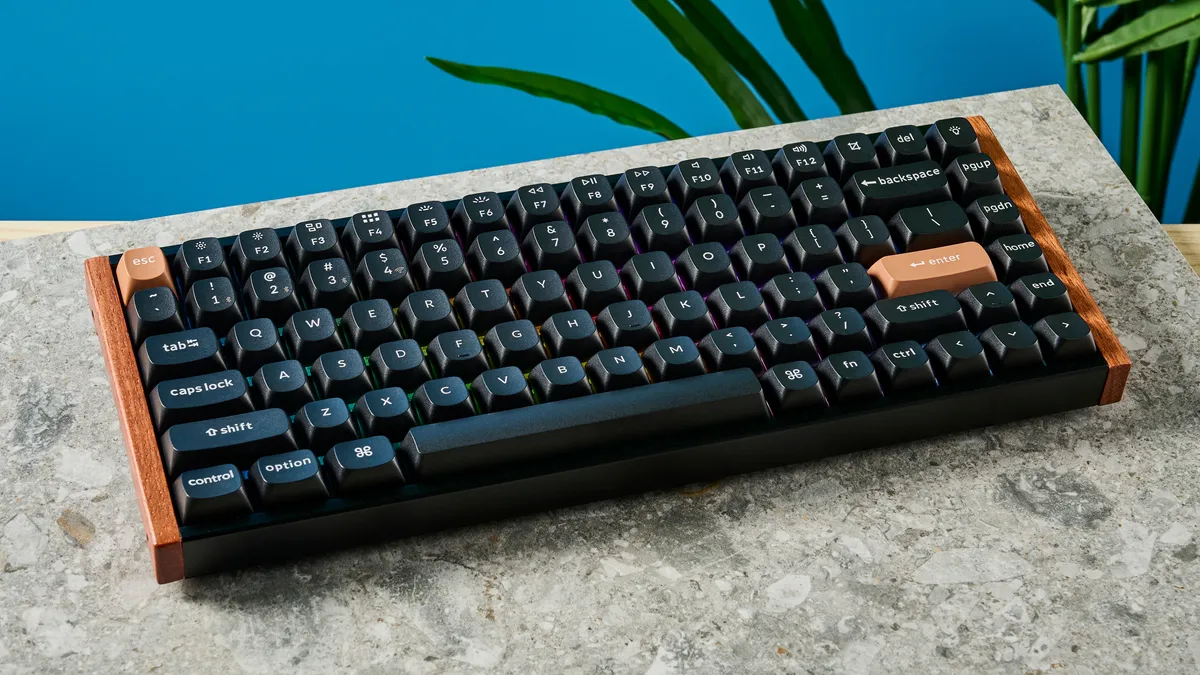
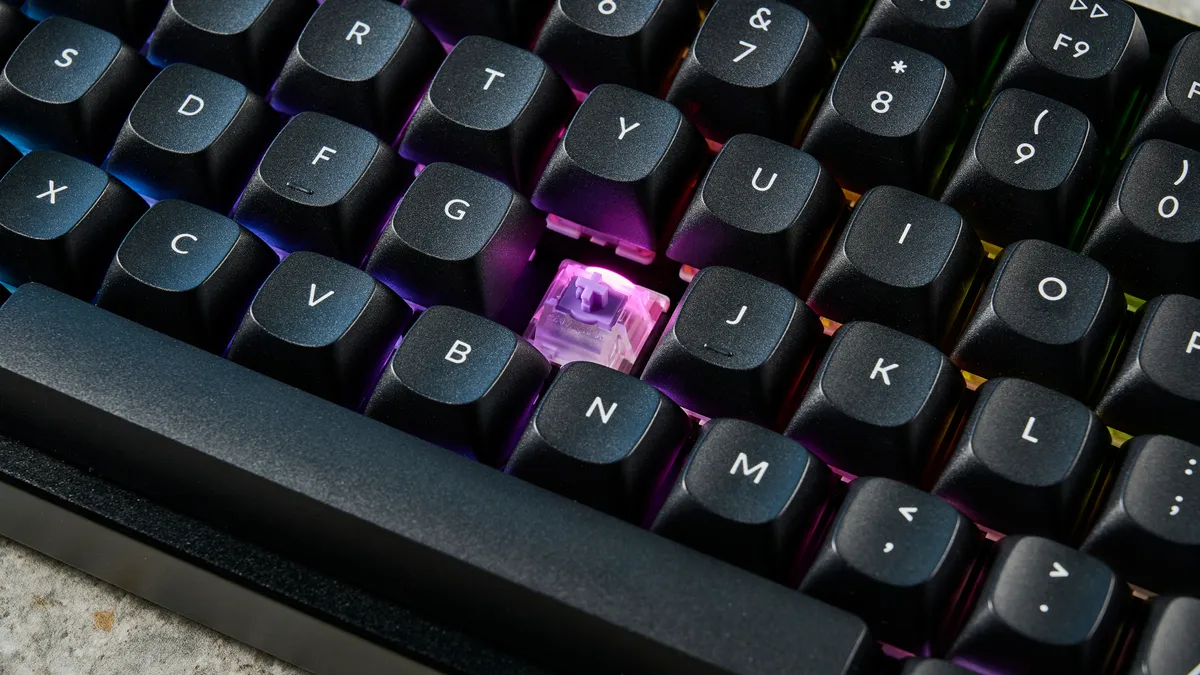


"The original Keychron K2 was just like the Toyota Camry: a humble hero; an all-rounder that does everything for pretty much everyone. The K2 HE is like a Camry with a tune up and a fat supercharger. It still does everything to all people, but now this sleeper can drag muscle cars at the lights. Its gaming credentials are top drawer, and prove that you don’t need a garish RGB-clad gaming board to mince a few games of Valorant."
The K2 HE is the latest version of Keychron’s legendary K2. Now equipped with Hall Effect magnetic switches, it makes an ideal peripheral for folks who want a board that’s equally reliable for competitive gaming and productivity.
Despite coming from a typically productivity-oriented manufacturer, the K2 HE’s magnetic switches provide a roster of gaming features you’d usually only see in top-tier gaming keyboards. We’re talking Rapid Trigger and last key prioritization (Snap Tap), allowing for rapid movements and counter-strafing in FPS games like Counter-Strike or Valorant. It also features multiple actuation points, meaning a single keystroke can have multiple inputs throughout the press cycle.
That said, the K2 HE is still a productivity weapon. Thanks to adjustable actuation points, the Gateron magnetic switches are epic for typing, although we found they weren’t quite as comfortable as tactile switches. In testing, we backed off the actuation from the default 1.6mm to 3.2mm and saw typing speeds and accuracy skyrocket, making this one of the best boards for anyone who writes.
Our only criticism in testing was the limited switch choices available. Still, it looks great, is hot-swappable and remains relatively affordable at $130. For the best around, pick this one up. Oh, and if you're looking for something a tad bigger with a number pad, check out the Keychron K4 HE.
- Read our full Keychron K2 HE review
The best budget gaming keyboard



"The Lemokey X1 ticks a lot of my boxes. I type for a living and I’m an avid gamer, and the X1 is comfortable for both. It’s built so well that you probably won’t guess it costs less than $40 when you see it for the first time. It’s also got customizable backlighting and intuitive companion software that can be used to tweak it and remap keys."
You don’t have to sacrifice quality when purchasing a budget gaming keyboard, and the Lemokey X1 is a perfect example of that. While this board has some issues, we found it better than most keyboards at its price point.
Currently priced at just $36, the Lemokey X1 offers awesome performance for both typing and gaming, boasting features typically found in more expensive models. Its body feels premium and robust, and the tactile brown switches we tested offer a delightful typing experience. The keyboard's 1,000Hz polling rate ensures fun gaming responsiveness.
The X1 also has red-only backlighting, which can be customized via Lemokey Launcher and can also be used to remap keys, program macros and more. The keyboard isn’t without its flaws, as the ABS keycaps feel less than premium and may suffer wear and tear over time. Moreover, it lacks hot-swappable switches.
Despite these minor drawbacks, the X1 remains an outstanding choice for anyone seeking a budget-friendly mechanical keyboard with premium features. If you’re new to the world of gaming keyboards (or even mechanical keyboards), this makes for a solid introduction.
- Read our full Lemokey X1 review
The best wired gaming keyboard
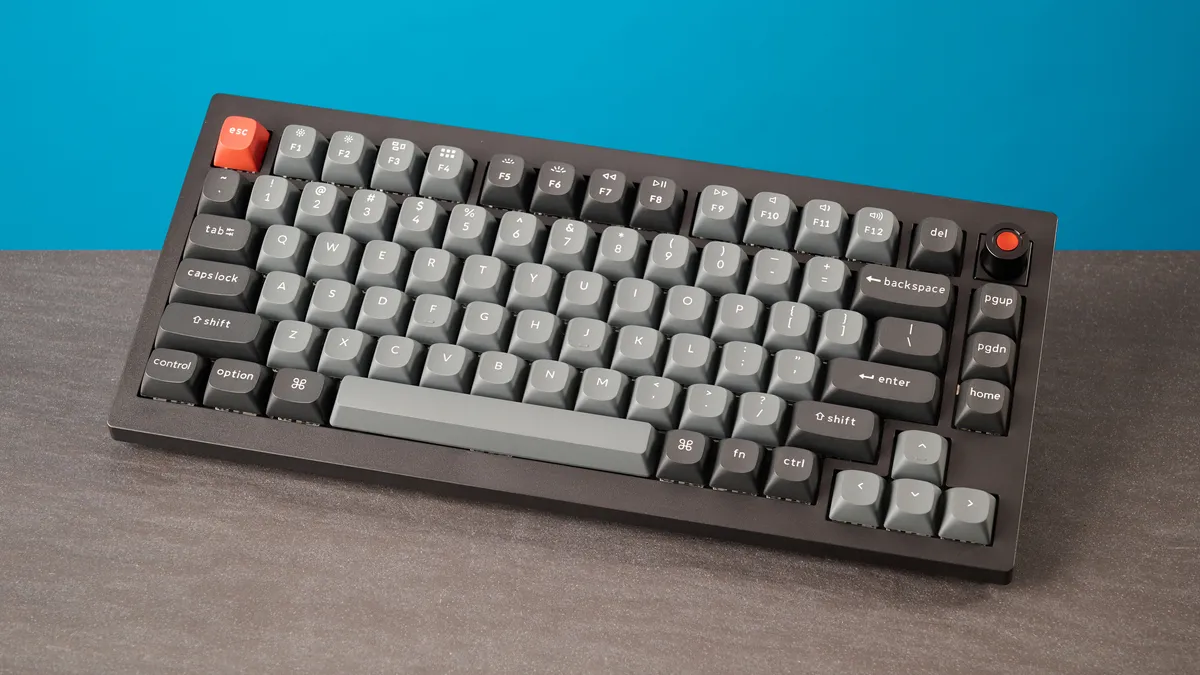
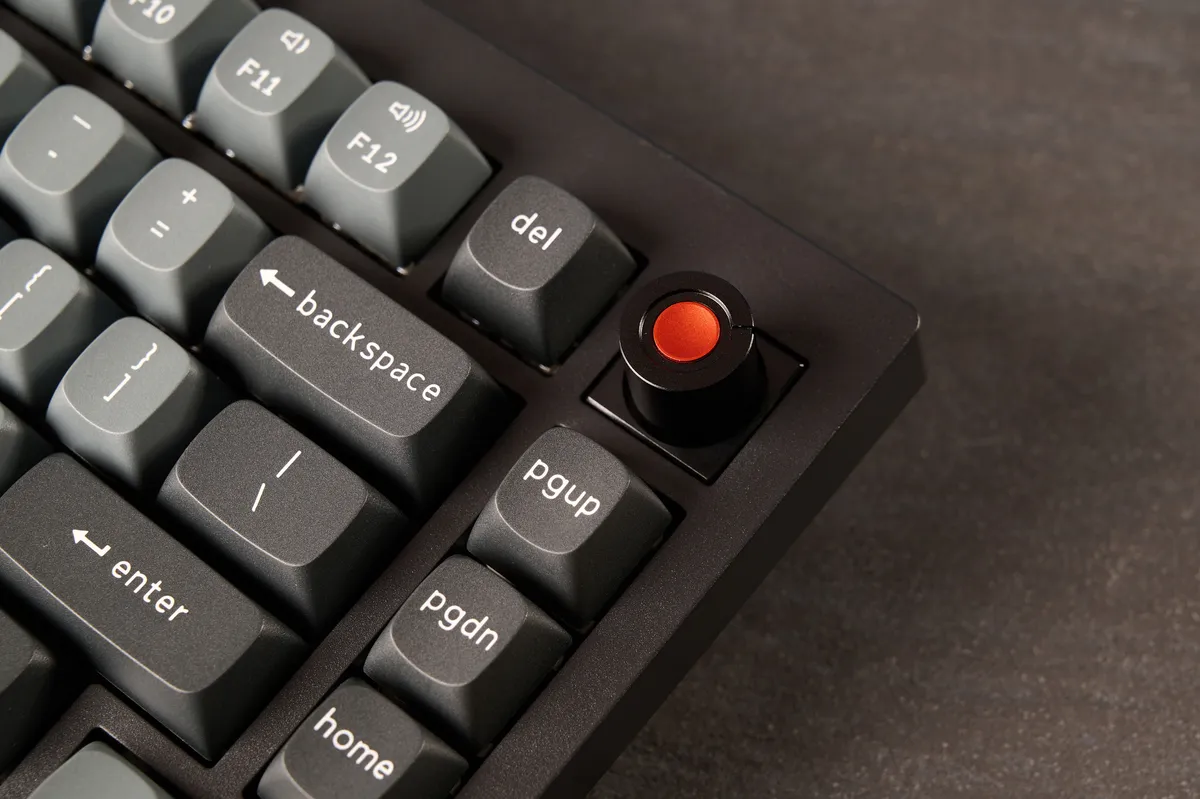
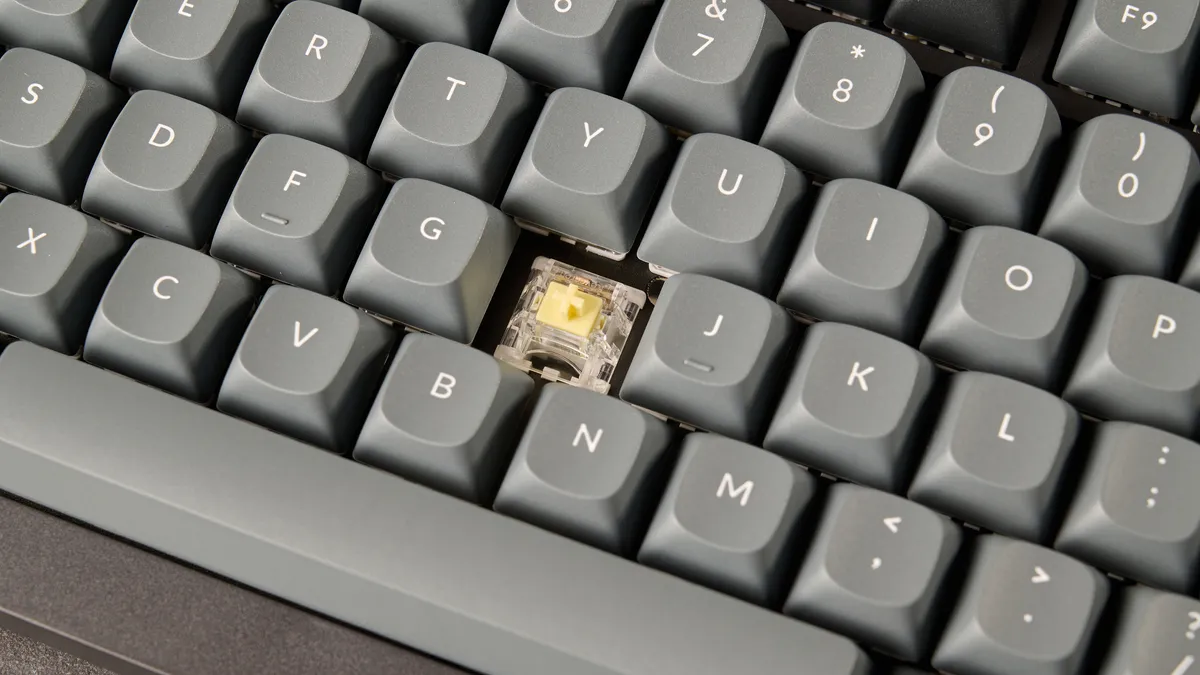
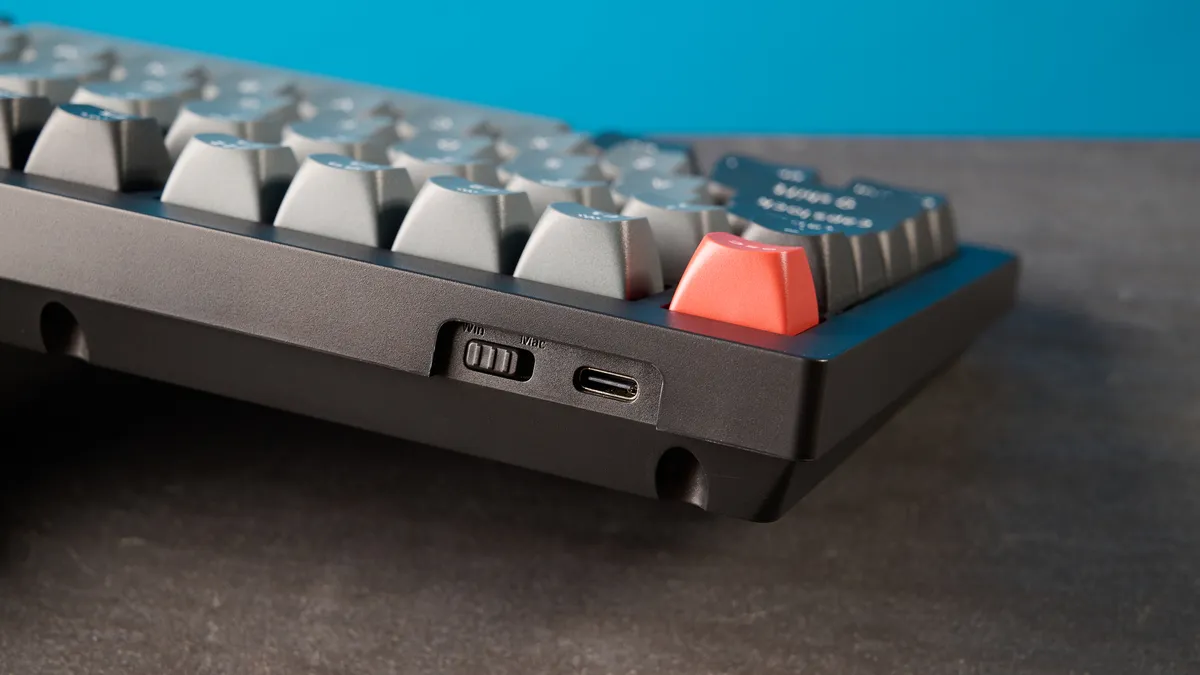


"Three things in life are certain: death, taxes, and most Keychron keyboards being outstanding. The Keychron V1 8K is a lovely little mechanical keyboard, packing responsive switches for typing and 8,000Hz polling for gaming. This is a great-looking board, thanks to its combination of per-key and mix RGB, and customizing said lighting is a walk in the park, as the web-based Keychron Launcher is a delight to use."
If you're on a strict budget, wired keyboards offer plenty of value. But you don't have to lower your expectations on what you get, and the Keychron V1 8K proves it. At just under $75, we found it delivers a level of comfort and utility that’s rare at this price, including marathon gaming sessions without fatigue.
Performance is where the V1 8K truly punches above its class. Its 8,000Hz polling rate meant we never experienced input lag, meaning it excels at esports-level competitive gaming, and in standardized testing at 10fastfingers.com, Nikita achieved 99 words per minute with 95.03% accuracy — matching boards that cost twice as much.
The double-shot PBT keycaps feel robust and are built to withstand heavy daily use, and even after typing for seven hours straight, there was zero discomfort — a rare feat for boards at this price. Customization is straightforward thanks to the web-based Keychron Launcher, which makes remapping keys and adjusting RGB lighting simple. Oh, and it comes with plenty of RGB customization to give your gaming setup a splash of personality.
Despite its wired-only connectivity option and lack of some flagship features (a more premium build or Rapid Trigger), the V1 8K is easily one of the most recommendable gaming keyboards for anyone prioritizing value over luxury. If you want the essentials done right and done well, without the premium price tag, this is the board to get.
- Read our full Keychron V1 8K review
The best mechanical gaming keyboard


"Typing on the V1 Ultra 8K is just as delightful as it was on the OG V1, and with powerful gaming performance to boot, it has now become my go-to keyboard for everything — whether that’s writing my reviews or playing video games in my downtime. As long as you don’t mind the slightly flexing body, I really can’t think of many reasons to not recommend the V1 Ultra 8K."
Look familiar? It should, but this is a step up from the V1 8K. The Keychron V1 Ultra 8K is an example of just how glorious a mechanical gaming keyboard can be. I mean, whether it's for work or productivity, this deck does it all. As its namesake, one of its standout features is its wireless 8,000Hz polling rate, and while not all gamers need this instantaneous registration of every keystroke (1K polling is enough), professional-level players will appreciate this nonetheless.
Beyond its raw speed, the V1 Ultra 8K is a masterclass in tactile feel with Keychron’s Banana switches we tested, and it's only made better with the gasket-mount design and premium double-shot PBT keycaps. Oh, and if you're after something else, its hot-swappable (of course), so switch away.
Keychron has integrated multi-layered acoustic foam to kill any hint of metallic ping, resulting in a deep, "poppy" sound profile that is as addictive for office productivity as it is for midnight gaming sessions. It hits the sweet spot between a customizable enthusiast platform and a pro-grade tool for gaming (and typing).
When you factor in the VIA/QMK support for key-remapping and the stunning dual RGB lighting system, the V1 Ultra 8K easily hits this list as the best mechanical gaming keyboard on the market.
- Read our full Keychron V1 Ultra 8K review
The best TKL gaming keyboard


"I enjoyed using the Logitech G515 and will easily recommend it to anyone looking for a low profile keyboard, especially if you need a board for both gaming and productivity. The fantastic companion app, G Hub, allows for a wealth of customization, although the out-of-the-box performance of the keyboard will be good enough for most users."
The Logitech G515 Lightspeed TKL is marketed as a gaming keyboard, but it’s just as viable for productivity. This is thanks to its low-profile mechanical keys and a slew of customization options. Its slim compact TKL design and light weight also make it easy to travel with.
Speaking of design, the case has a smooth matte coating, while the keycaps have a gorgeous textured finish that feels good to type on. We prefer the G515’s aesthetic over the shiny metallic finish of some other gaming boards. That said, some might find this admittedly plain-ish-looking keyboard boring. But you likely won’t notice thanks to the awesome typing experience the low-profile keys and sound-dampening design deliver.
RGB lighting on gaming keyboards can be hit or miss for some. However, even an RGB skeptic like me has to give respect to the G515’s robust lighting options. Customizable via the G Hub companion app, you can select from several preset lighting options or create your own profiles from scratch. The lighting isn’t too garish, which is good if you plan to use this peripheral in the office.
The Logitech G515 is an easy recommendation for anyone looking for a low-profile TKL keyboard that’s ideal for both gaming and productivity. With responsive, low-actuation switches and keycaps that are a joy to use, this sleek keyboard will serve you well.
- Read our full Logitech G515 Lightspeed TKL review and view our Logitech promo codes
The best mini gaming keyboard


"I’m really impressed by the Lemokey P2 HE. It packs into a tiny package everything that usually makes Lemokey/Keychron boards so great — gaming performance, type feel, customizability etc — and throws in a long-overdue ball-catch quick-release case for easy modding. Sure, it’s tall case and lack of feet make it a little awkward to use, and it’s objectively quite a lot of money to spend on a keyboard — but the P2 HE isn’t outrageously priced versus its competition, and more than justifies its MSRP through its features. What a lovable little keyboard!"
Lemokey makes a return with a tiny powerhouse suitable for gamers with limited desk space, and it's a verified hit. Despite its compact size, this 65% magnetic gaming keyboard comes packed with today's must-have gaming features.
From Snap Tap to Rapid Trigger, and even Dynamic Key Stroke (DKS) to assign four inputs per keystroke, the Lemokey P2 HE brings the heat to shape the way you want to play (and give you an edge). Good thing it's an absolute pleasure to type on, too, with adjustable actuation down to 0.2mm for ultra-snappy and responsive inputs, and multiple switches to choose from, with the medium-weight Gateron Nebula switches being a highlight for us. And that 1,000Hz polling rate is more than enough responsiveness for most gamers, offering virtually zero input lag.
If you think this board looks sturdy, that's because it is. It's a supremely sleek build that will look stylish on any desk, and the best part is its ball-catch quick-release top case for easy modifications under the hood. If you like to tinker, then the P2 HE will impress.
Now, even though it's smaller, it's still on the pricey side at $169, and don't expect to move this around much at its slightly heavier 3.15-pound weight. To top it off, it also has quite a tall profile without any adjustable feet, so get used to its angle. Regardless, if you're searching for a mini gaming keyboard that does it all, the Lemokey P2 HE has you covered.
- Read our full Lemokey P2 HE review
The best low profile gaming keyboard


"If you’re looking for a low-profile elite gaming keyboard, neither of the NuPhy Air60 HE’s flaws should dissuade you from buying it. It’s wired-only, so you’ll just need to remember your USB cable when hitting the LAN party. The choice of switches will increase in time, too, although the entire point of this board is its switches, so I’m not sure why you’d need to care about hot-swapping anyway. If either of those matters, you should’ve been looking at the Air60 V2 in the first place."
The NuPhy Air60 HE is the best low-profile gaming keyboard you can buy, so if you need an ultra-lightweight and portable gaming deck with elite magnetic features, this is it. While it’s super thin and compact, it’s also a 60% layout mini-board, making it perfect for both your backpack and a compact or minimal gaming desk setup.
This keyboard features Gateron’s Low Profile magnetic Jade or Jade Pro switches, which are unbelievably good. NuPhy has put Gateron’s magnetic technology to better use than anyone else here, too, extracting as many features and as much control out of these fantastic switches as possible. There’s rapid trigger, last key prioritization (a.k.a. Snap Tap) and 0.1mm actuation.
There’s also quad actuation, plus a range of other features, including Mod Tap, which performs different actions based on whether you hold or tap a key. Interestingly, this board features two modes called Rapid Shift and Hyper Tap, which can both help with counter-strafing like LKP/Snap Tap, although they function differently, meaning they may not get you kicked from games like LKP (for now). It also polls at 8,000Hz to minimize input lag.
We were blown away by the performance of this board, especially for its fairly modest $139 price tag. It also looks brilliant and sounds pretty decent, too. There are a couple of drawbacks. As a 60% board, it can be a bit of a pain for general productivity thanks to the lack of arrow and function keys. That goes for all mini 60% layout boards, though, so it's just something to consider before you buy. If you need ultra performance in a low-profile deck, though, the Air60 HE is the board for you.
- Read our full NuPhy Air60 HE review
The best full size gaming keyboard


"If you’re on the hunt for a powerful gaming keyboard and don’t mind a hefty deck that stays put on your desk, I can’t recommend the Keychron Q6 HE 8K enough. Its super-responsive Ultra-Fast Lime switches are a joy to play and type on, thanks to the adjustable actuation all the way down to 0.01mm. This means that you can tailor each key to suit your style."
Believe it or not, the Keychron Q6 HE 8K is the most powerful gaming keyboard you can get right now. How so? Well, with its 8,000Hz polling, gamer-ready features like Rapid Trigger and Snap Tap, and actuation that can be adjusted to a crazy 0.01mm, this full-sized keyboard with a 100% layout (number pad included) is an absolute dream to play and type on.
Any keyboard asking for over $200 better come with all the bells and whistles, so we're happy to see the Q6 HE 8K deliver. Those Keychron Ultra-Fast Lime magnetic switches boast a buttery smooth typing experience with a satisfying soft yet thocky sound, all made better when combined with the board's PBT keycaps, gasket design and several layers of acoustic foam.
In fact, not only are these one of the lightest switches we've ever tested, but they're also the most advanced. Being able to adjust each key's actuation point between 0.01mm and 3.35mm works wonders in both competitive and casual play, and it's only made better with Rapid Trigger and Snap Tap.
Along with its premium, tank-like build and easy customization through its web-based app, the Keychron Q6 HE 8K is a winner. The thing is, it's wired only, and while it's hot-swappable, you're limited to just the magnetic switches it comes with. Good thing those switches are amazing.
- Read our full Keychron Q6 HE 8K review
Also tested
Here at Tom's Guide, we test hundreds of keyboards for gaming. We've narrowed down the best, but just because the latest we've reviewed don't make the cut doesn't mean they won't suit your specific playstyle. So, keep these keyboards in mind, too.
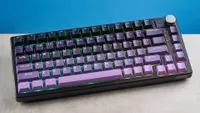
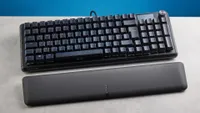
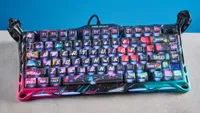
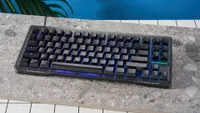
Testing results
As part of our testing, we do typing speed tests at 10fastfingers.com. This lets us know just how well we type on the various types of boards with different switches, actuation points and keycap shapes.
But just because we reach certain speeds and accuracy doesn't mean you will too. In fact, you may go above and beyond! It's a matter of the keyboard you're most comfortable typing on, but our testing below will give you a good gauge of how well each board performs.
Best Gaming Keyboards Performance Results
Slide through to see our type test speeds (measured in words per minute) and type test accuracy, via 10fastfingers.com
Type test speed (WPM)
| Product | Value |
|---|---|
| Keychron K2 HE (1.6mm actuation) | 95 |
| Lemokey X1 | 89 |
| Keychron V1 8K | 99 |
| Keychron V1 Ultra 8K | 94 |
| Logitech G515 Lightspeed TKL | 88 |
| Lemokey P2 HE | 100 |
| NuPhy Air60 HE (2.6mm actuation) | 101 |
| Keychron Q6 HE 8K (0.5mm actuation) | 106 |

FAQ
Should I get a magnetic keyboard or mechanical keyboard?
These days, gaming keyboards with Hall Effect switches, otherwise known as magnetic, are in the spotlight. And for good reason, considering these high-performance switches offer fast response times, are hugely customizable with adjustable actuation points (down to an incredible 0.01mm, as the Keychron Q6 HE 8K delivers), come with excellent features like Rapid Trigger and still offer a lovely typing experience.
Magnetic keyboards have become popular in recent years since they allow you to assign multiple actions to a single key. Not only that, but their magnetic switches arguably provide smoother actuation than traditional mechanical keyboards. If you're after the latest gaming tech a keyboard can offer, magnetic is the way to go.
But mechanical keyboards haven't stepped out of the ring. As you can see with the Keychron V1 Ultra 8K, these are still an excellent shout for gaming. These are supremely customizable with the different switches they offer, giving you more of a consistent type-feel, even if actuation can't be adjusted on the fly. Plus, these give you a choice of the type of sound you'd really want from a keyboard. And, they still come with crazy performance, like 8,000Hz polling rate.
The choice is yours, and despite the advantages a magnetic keyboard brings to gamers, we'd still pick a mechanical deck for plenty of reasons in 2026.
Do I need an 8,000Hz polling rate?
The polling rate of keyboards determines how fast a key input is registered on your PC. It's measured in Hertz (Hz), telling you how many times per second a keyboard sends an update to your PC. So, the higher the polling rate, the less input lag you'll see.
For gaming, especially in highly competitive titles like Counter-Strike, it's an important factor to negate input lag. For example, a 1,000Hz polling rate sends data every 1 millisecond (ms), whereas an 8,000Hz polling rate does this every 0.125ms. So, the higher, the better, right?
As you may find in many of our reviews, an 8,000Hz polling rate can seem like a gimmick. As impressive as it is, most players (including ourselves) won't be able to tell the difference between 8KHz and 1KHz polling. Plus, 8KHz is a massive drain on your system resources as well as a wireless keyboard's battery life, and may even affect the performance of the games you play on older PCs.
For esports-level gameplay on a macro level, this is where an 8KHz polling rate really shines, but that isn't for all of us. If you opt for a 1KHz gaming keyboard, just like the Keychron K2 HE, expect rapid response times all the same (and a more affordable price).
What is Snap Tap?
Snap Tap, or Last Key Prioritization (LKP), is a type of Simultaneous Opposing Cardinal Direction (SOCD) resolution, used to answer the question: “How does the keyboard resolve two keys with opposing outcomes that actuate at the same time and conflict?” In simple terms, with LKP enabled, the Q6 HE 8K prioritizes the last key pressed. This means that you can draw to a complete stop from a sideways strafe by pressing the opposite direction key (W and S or A and D), in games like Counter-Strike 2. This allows you to stop moving quicker and remove accuracy debuffs, improving your chances of hitting an enemy.
There’s a caveat, though. LKP can be useful in single-player games, like Cyberpunk 2077, but Valve’s official servers, specifically Counter-Strike 2, prohibit the use of Snap Tap as it’s basically a cheat code. Be warned that utilizing this feature in Valve’s games could (and probably will) get you booted out of matches and lobbies.
What is Rapid Trigger?
Rapid Trigger is a common feature found on gaming keyboards these days. It resets your keys virtually instantaneously on release, so you don't need to wait for the switches to physically cycle through actuation and back to a mechanical reset point before the keypress is considered over. This allows quick-fire keypresses in succession, allowing you to combat accuracy penalties when moving in FPS games like Counter Strike.
How we test the best gaming keyboards

Supplied by: MSI | Tom's Guide
CPU: AMD Ryzen 7 7700X | Graphics card: MSI RTX 5070 Ti 16GB Vanguard SOC | Motherboard: MSI B850E Gaming Plus WiFi | RAM: Kingston Fury Renegade DDR5 32GB | Cooler: Noctua NH-U12S | PSU: MSI MEG Ai1300P PCIE5 | Case: MSI MPG GUNGNIR 110R
To determine the best gaming keyboard, we run each board we review through a variety of tests. The first, and most important, test is to play numerous games and see how the keyboard holds up. I usually like to try at least one FPS, RTS, RPG and MMO apiece, since these are the genres that benefit most from a good keyboard. (You can generally get away with a controller for most action/adventure titles.)
After that, we take a deep dive into a keyboard's software suite, evaluating how easy (or difficult) it is to reprogram keys, set up macros, adjust lighting and create profiles for games. Particularly intuitive software gets high marks; convoluted software can lose some points, even if it's very robust otherwise.
Finally, we make sure to use a keyboard for productivity for at least two or three days. Most gamers don't swap keyboards in and out; what they use for gaming, they'll need to use for work and general computing as well. The better a keyboard is at everyday tasks, the better its recommendation.
