






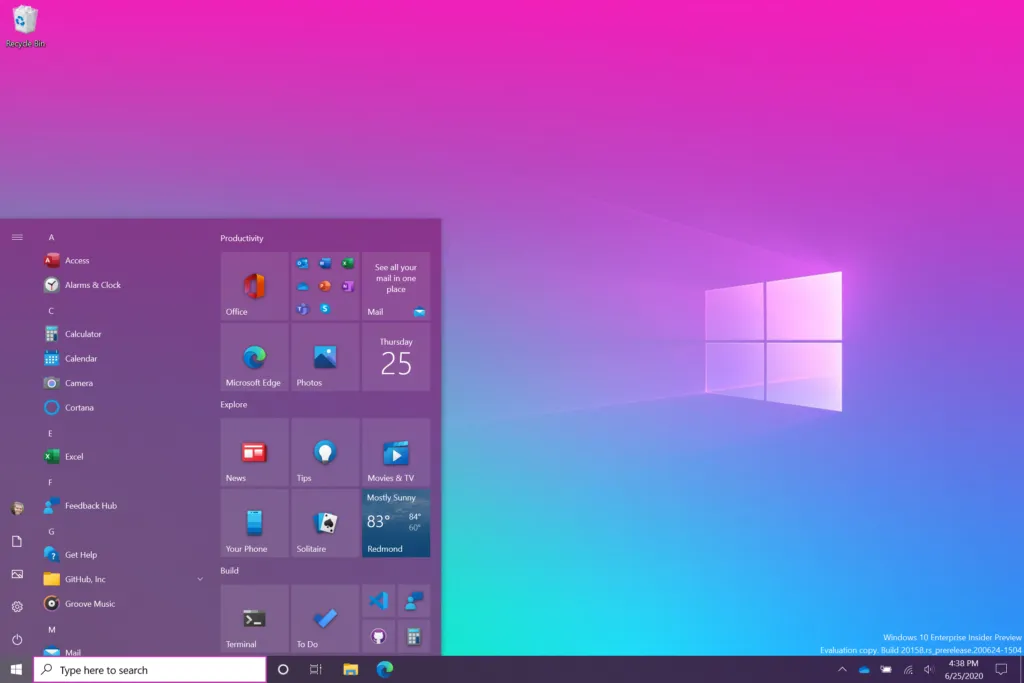
Microsoft has started rolling out its new Windows 10 Start menu to Insiders, starting the process of ushering in a cleaner and more streamlined interface.
The Redmond company already teased the look of its redesigned Start menu, so we knew it was coming. But now it looks on the cusp of a proper rollout. Don’t expect a huge change though, as this redesign is more of an aesthetic tweak that aims to streamline the menu.
- Upgrade your display with one of the best monitors
- 4th of July sales: The best deals right now
- Just in: Xbox Series S specs leak hints at major disappointment
“We are freshening up the Start menu with a more streamlined design that removes the solid color backplates behind the logos in the apps list and applies a uniform, partially transparent background to the tiles,” said Brandon LeBlanc, senior program manager at the Windows 10 Insider Program. “This design creates a beautiful stage for your apps, especially the Fluent Design icons for Office and Microsoft Edge, as well as the redesigned icons for built-in apps like Calculator, Mail, and Calendar that we started rolling out earlier this year.”
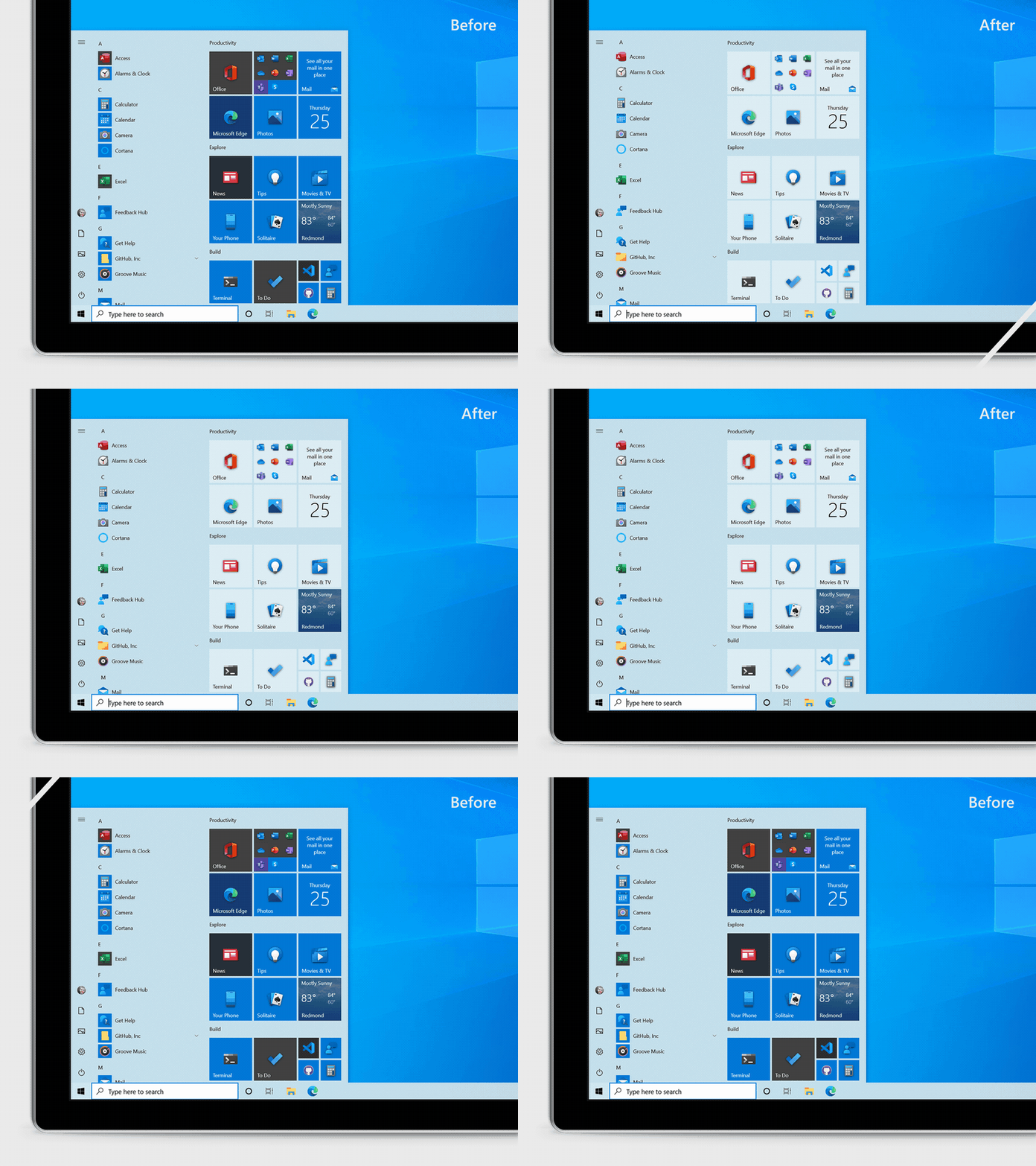
While LeBlanc’s description is a tad hyperbolic, the new Start menu does indeed look a lot more streamlined. By simply removing heavy blocks of color in the tiles, which have previously meant that it can be hard to identify app icons at a glance, the interface looks a lot easier to use at speed.
The new Start menu also works with the darker Windows 10 themes as well as the light theme, which means dark mode fans aren’t going to lose out on the tweaks Redmond’s software engineers have been working on.
But the new Start menu design isn’t the only tweak Microsoft is bringing to Windows 10. It’s also testing a “more personalized” Taskbar, aiming to tailor the content layout of a user’s taskbar to their preferences and use. The goal is to offer “a cleaner, more personalized, out-of-box experience to give you the content you want and less clutter.”
As this is a feature being rolled out to members of the Windows Insiders Program, it’s not guaranteed to make it into the full release of Windows 10 if it’s not well received.
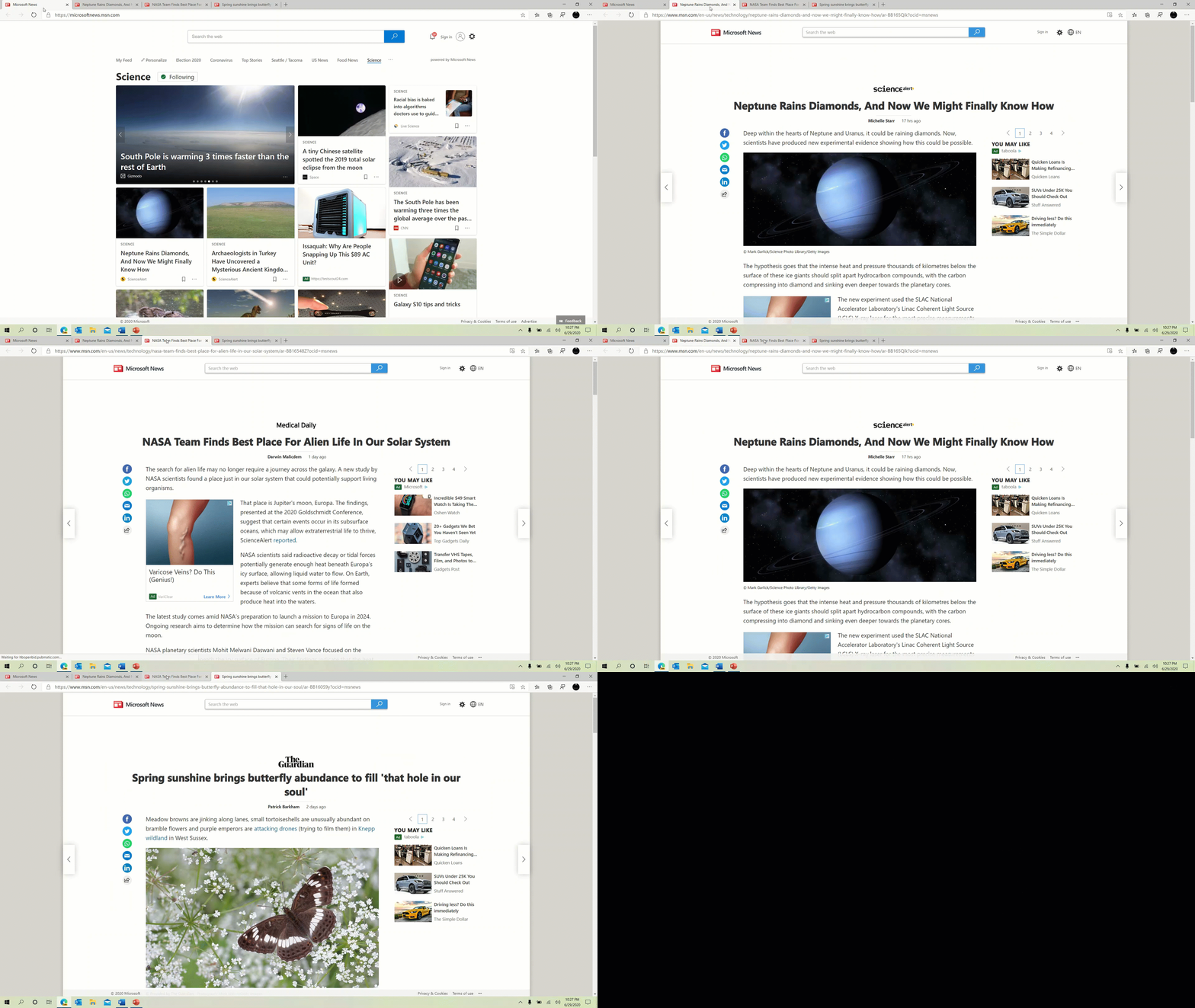
Microsoft is also adding in the ability to ALT + Tab between all tabs open in the Microsoft Edge browser rather than just the active ones in each browser. Again, it’s a minor change but still one that could be a boon to heavy multitaskers.
Overall, these small tweaks and changes to Windows 10 are an indication of Microsoft working to make its operating system cleaner and easier to use, yet not compromising on customization and the open nature of Windows 10. So if you’re a Windows 10 user, expect to see a few changes pop up in the form of updates in the coming months.
- More: How to stay protected with the best Windows 10 VPN

