




The amount of smart home tech in my own house has been slowly growing over the past few years, covering basics like heating and security, to more niche aspects like keeping the ambient humidity low enough. But as much as I can appreciate having it all at my disposal, nothing really compares to being able to set up customizable smart buttons.
So the news that Google Home is finally adding support for physical smart buttons is quite exciting. The worst thing about smart home software is that it’s all scattered across various apps and ecosystems. So the more I can consolidate into a single place, the happier I will be. Especially if it means more cross-platform support.
The news itself comes via 9to5Google and features as part of a wider automation update in Google Home. Some new features include the ability to trigger automations at certain humidity levels, when one of the best robot vacuums returns to its dock, using battery status and, of course, with smart buttons. Google’s added support for single and multi-presses, long press and when that long press is released.
Obviously, that opens up a whole bunch of new possibilities for controlling your smart home, and without having to rely on either your phone or a voice assistant.
Smart buttons are simple, and effective

For the most part, my smart buttons are used to control lights across my house. I do have normal wall-mounted light switches, but I don’t always like using them. For starters, they’re only able to control the main light — and sometimes I’d rather switch on a lamp or some other light source. Likewise, light switches only control the flow of power.
In an age of smart bulbs with all kinds of wacky colors and features, simply being able to switch a light on or off just doesn’t cut it. Especially not when I have a Tapo smart button with a built-in dial. So not only can I switch a light bulb on or off, I also have the button configured so I can spin the button to dial the brightness down whenever I feel like it.
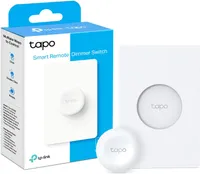
With a three-month-old that prefers to sleep on someone, instead of inside his crib, it’s a great way to make sure the light is dim enough to avoid disturbing him — while still being bright enough that I don’t have to stumble around in the dark.
Freedom of control

While smart home hubs are all the rage, and people generally have their phones on their person all the time, actually controlling your tech from them can be a pain. Especially if you’re like me, and have a dislike for voice controls and the AI assistants that are always listening for you to summon them.
Having a physical button to hand means anyone in my house can control the lights, so long as they know where the button is. Which, I’ll admit, isn’t always easy considering these buttons are wireless, magnetic, and can be moved just about anywhere. Thankfully, my son is currently too young to start moving my stuff around, but that might end up being a problem in the future — and might force me to reevaluate my enthusiasm for smart buttons that could be left within reach.
But, at the very least, it means that he will be able to control the lights without having access to a phone or tablet. As will my wife, who is always being locked out of smart home apps, usually because I changed the password and she never bothered to log in with the new one until it was too late.
Bottom line
Right now, it isn’t clear which smart buttons are supported in Google Home, and 9to5Google notes that they haven’t been able to get Ikea’s BILRESA buttons working yet. So there’s going to be some trial and error while users figure out what the situation is with their own smart home tech.
Still, the ability to add smart buttons to Google Home is long overdue, and if it means being able to control a much wider range of smart home devices, then you will not be hearing any complaints from me. Frankly, I can’t wait to try it out for myself and see what other things I can control with my current setup.

Follow Tom's Guide on Google News and add us as a preferred source to get our up-to-date news, analysis, and reviews in your feeds.
More from Tom's Guide

