


Tom's Guide Verdict
The Legend of Zelda: Ocarina of Time is a joy to revisit from start to finish thanks to its gorgeous 4K visuals, full orchestral score, and slick modern controls. It may not be a brand-new adventure, but it’s the definitive remake fans have always wanted and easily the best way to experience the legendary game that started it all.
Reasons to buy
- +
Hyrule truly shines in 4K/60 fps
- +
Smart quality-of-life upgrades throughout
- +
Intuitive, modern controls with gyro support
- +
Orchestral soundtrack feels grand and cinematic
Reasons to avoid
- -
Z-targeting is still hit or miss
Why you can trust Tom's Guide Our writers and editors spend hours analyzing and reviewing products, services, and apps to help find what's best for you. Find out more about how we test, analyze, and rate.
Platforms: Nintendo Switch 2
Price: $69.99 / $59.99 (digital), £58.99 / £49.99 (digital), $109.95 AUD / $94.95 AUD (digital)
Release Date: November 4, 2026
Genre: Action-adventure
The Legend of Zelda: Ocarina of Time is exactly what I wanted from one of the most anticipated remakes yet. Instead of a reimagining, it’s a one-to-one remake that does exactly what it needs to — overhauling the N64 classic’s visuals and gameplay — but despite being based on a 28-year-old game, it still manages to feel fresh.
Even though the updated art style initially drew criticism, it really grew on me over the course of my 20+ hour playthrough. From the details in the fabric of Link’s clothes to the way the water moved around him while diving for rupees, the game’s overhauled graphics continued to impress me. In fact, I had to remind myself to cut through the grass and shrubbery in Hyrule Field to look for items instead of just staring at it in awe. Then to top it all off, the new orchestral score makes the game feel incredibly cinematic.
Although Nintendo didn’t reimagine Ocarina of Time, it did take common complaints to heart. Being able to jump on command is big enough on its own, but the game makes exploring dungeons easier too with a fully controllable camera and having key gear mapped to your D-pad instead of hidden away behind menus. Gyro aiming also makes solving puzzles with your bow or grabbing Gold Skulltulas with your hookshot feel that much more rewarding.
Is it worth experiencing the boy without a fairy transform into the Hero of Time once again on the Nintendo Switch 2 though? Find out in my full review.
The Legend of Zelda: Ocarina of Time: The Basics
- What is it? A modern, one-to-one remake of the N64 classic with overhauled visuals, modern controls and plenty of quality-of-life improvements.
- Who is it for? Fans of the original and newcomers alike who enjoy classic 3D Zelda gameplay.
- What’s the price? The game costs $59 for the digital version or $69 for a physical copy on the Nintendo Switch 2.
- What other games has the developer made? It’s developed internally by Nintendo EPD, the same core team behind Breath of the Wild, Tears of the Kingdom and Echoes of Wisdom.
- What games is it similar to? Besides other Zelda titles, it shares its dungeon and puzzle-solving DNA with games like Okami and Darksiders.
Hyrule just as I imagined
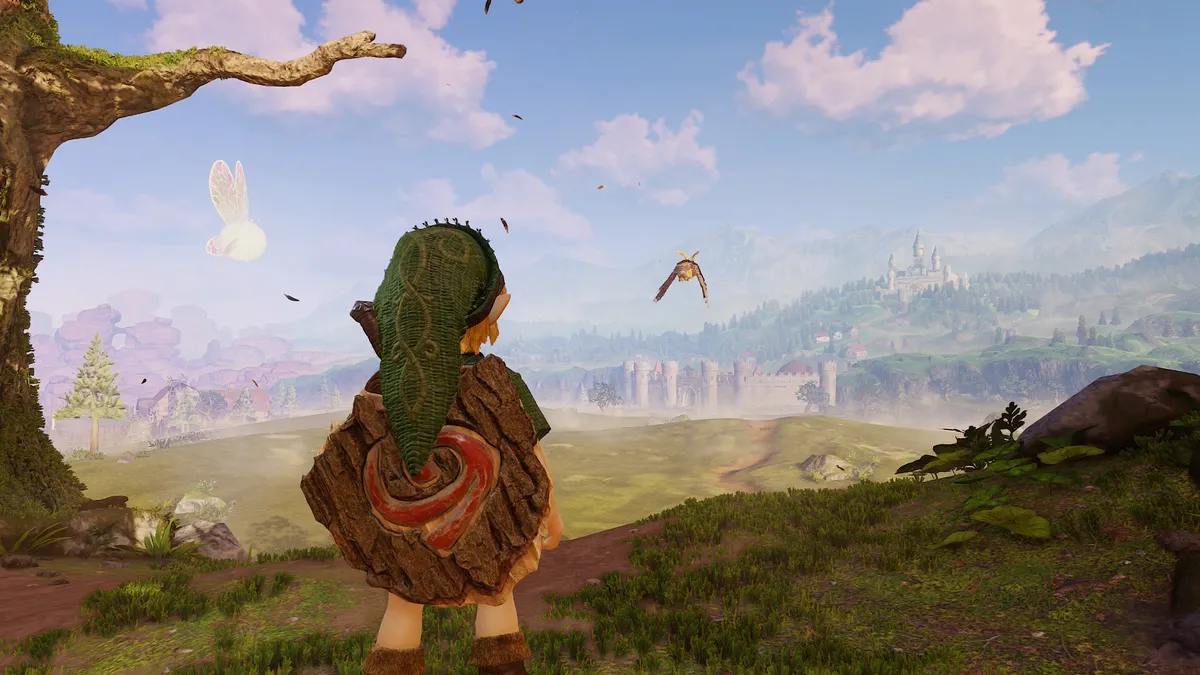
When it comes to classics like Ocarina of Time, it’s hard not to remember how you experienced them with rose-tinted glasses. Just go back and play the original on Nintendo Switch Online to see what I mean. With the new remake on the Nintendo Switch 2 though, it looks and feels the way my childhood imagination always convinced me it did.
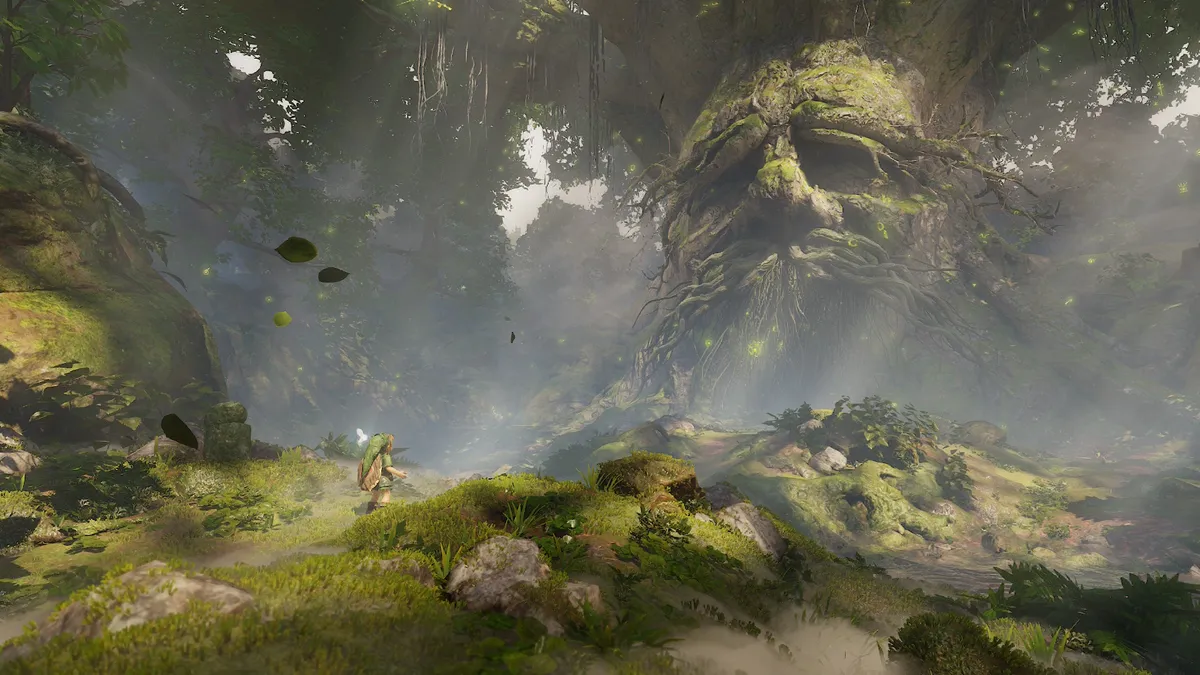
The Great Deku Tree looks absolutely massive — and equally imposing — when you’re standing in front of it as Young Link in the game’s intro. The same is true when you leave Kokiri Forest for the first time and step out into the rolling expanse of Hyrule Field, greeted by the owl Kaepora Gaebora. The world of Ocarina of Time is nowhere near as big as that of Breath of the Wild or Tears of the Kingdom, but the remake’s visuals certainly fooled me into thinking it was, despite replaying the game multiple times over the years.
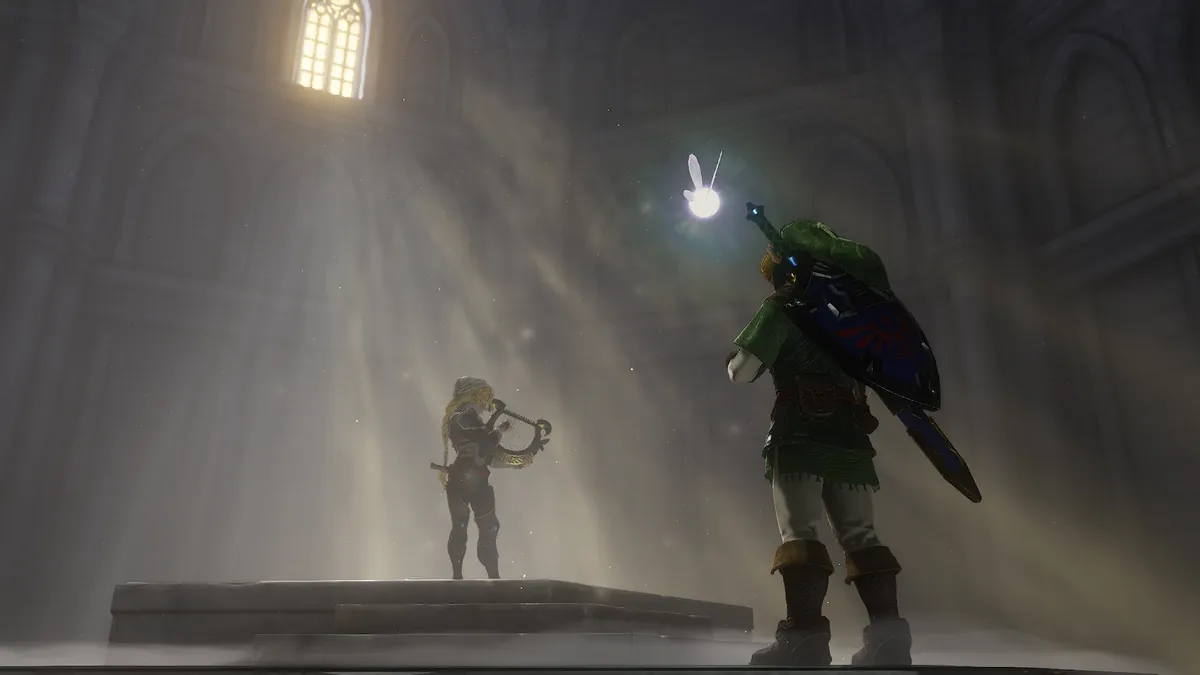
The locations and dungeons you visit throughout the game are quite impressive too, especially given how much work Nintendo put into the small details. From dust hanging in the air as the sun pours into the Temple of Time to seeing individual strands of hay in the scarecrow Pierre, my eyes couldn’t stop going over the little things as I played through Ocarina of Time on the Switch 2 in docked mode on my TV.
The visuals alone make this remake easy to recommend, but it’s the modern controls that truly made me feel like the Hero of Time.
Controls you can Master
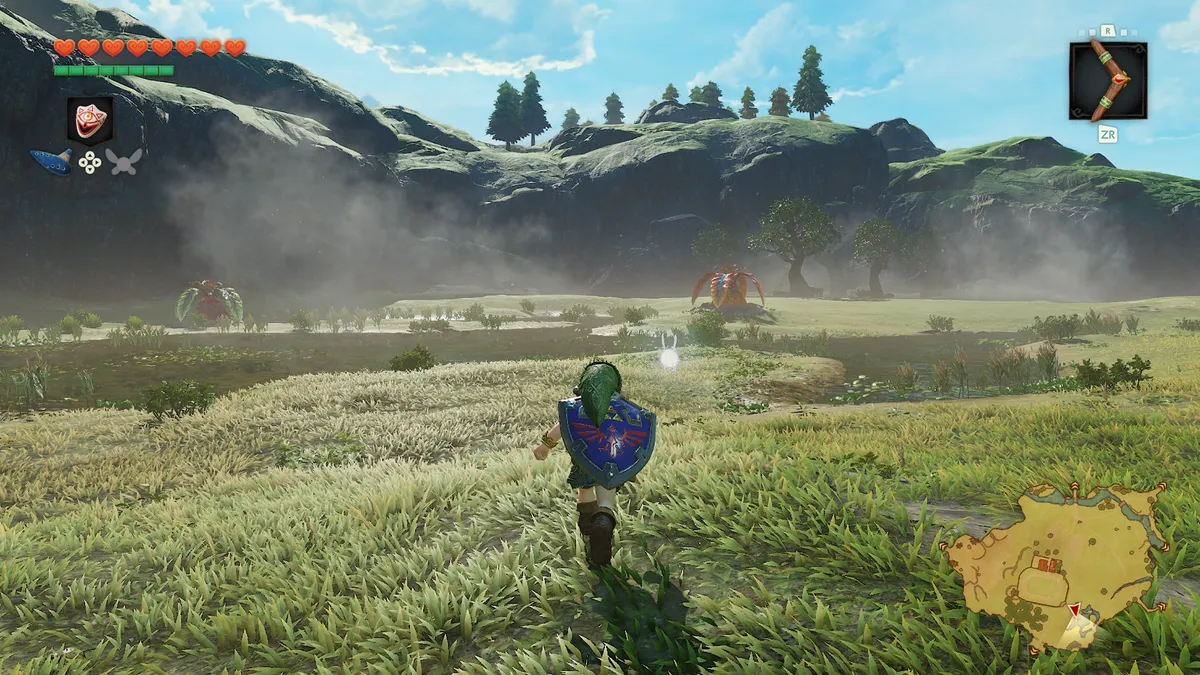
Navigating a 3D world with a single analog stick was a real pain, which is why Nintendo implemented modern camera controls in the Ocarina of Time remake. They work just as you’d expect them to, with your controller’s right analog stick giving you 360 degrees of freedom to look around and explore Hyrule as you see fit.
Personally, I found these new camera controls to be tremendously useful when solving puzzles in dungeons and especially as I hunted for Gold Skulltulas. Switching to Z-targeting when taking on large groups of enemies was a quick reminder of just how far we’ve come with this remake.
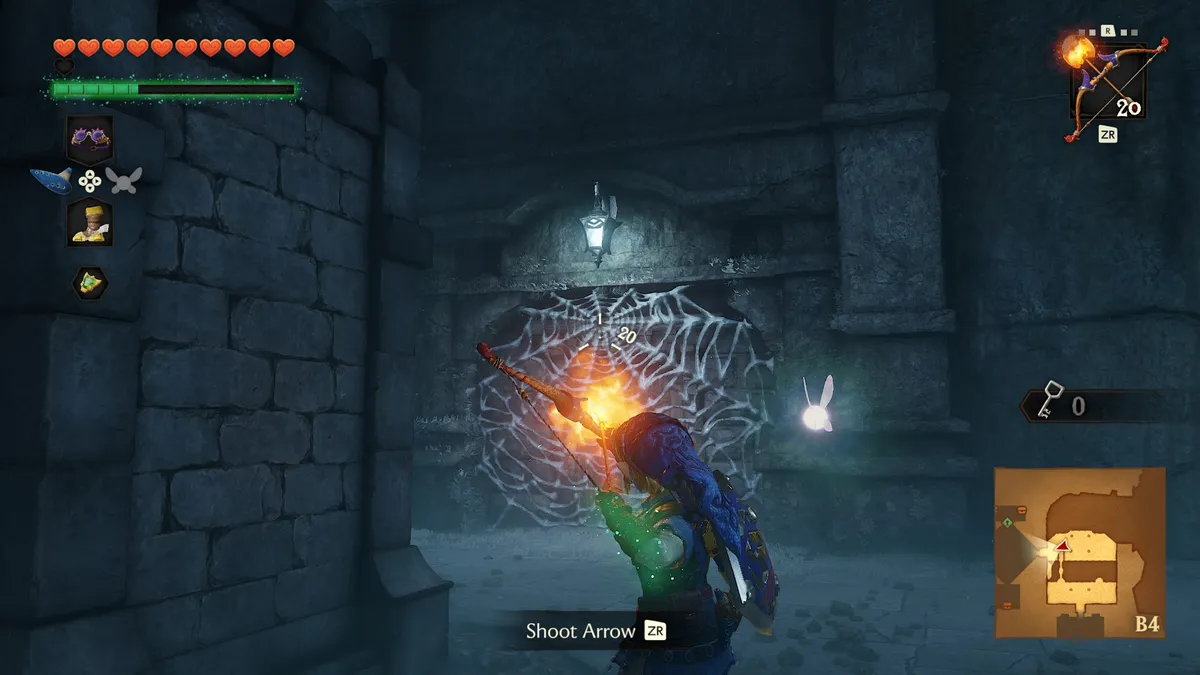
The biggest upgrade when it comes to controlling Link though is the addition of a dedicated jump button. Timing my jumps and making it safely onto narrow platforms was a whole lot easier this time around. Likewise, I found the new gyro aiming to feel just as natural when using my bow and arrow or even when casting my line while fishing.
Navi-gating Hyrule with ease
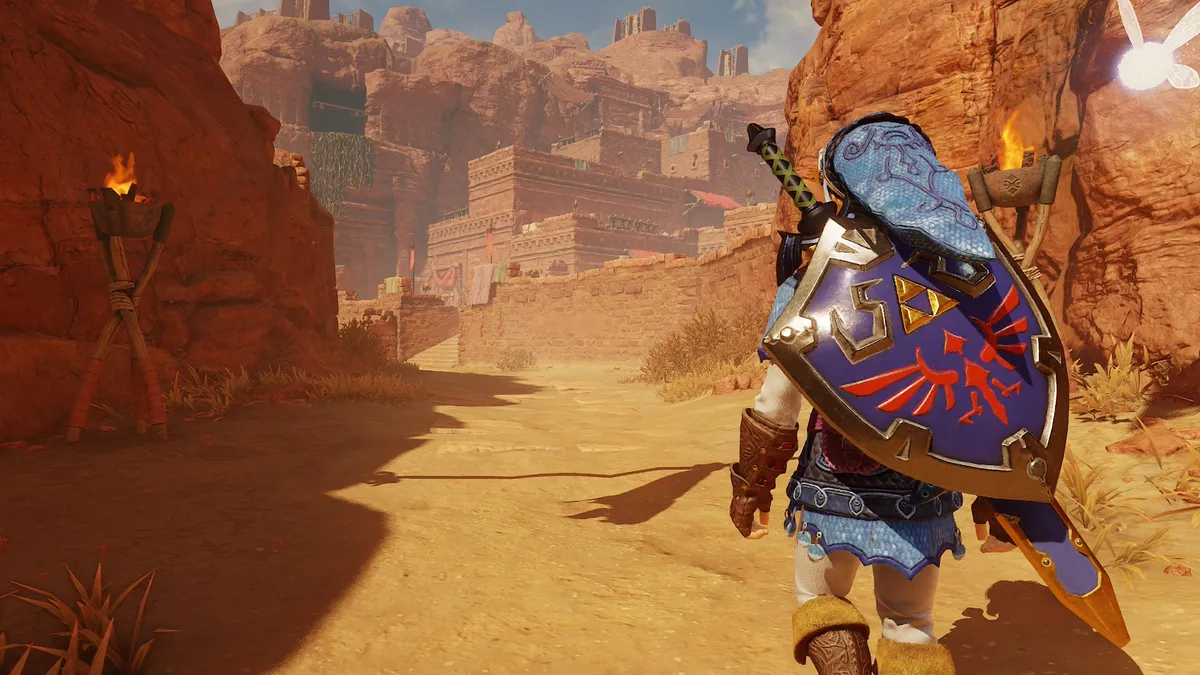
Ocarina of Time’s menus have been given the same attention to detail and visual overhaul as the rest of the game. The main menu is much more polished, but instead of having to jump back into it over and over again to change your equipment, you can do so using a new Breath of the Wild-style pop-up overlay. With a tap of either bumper, you can browse through and equip whatever you need for a particular puzzle or enemy on the fly, which really helps speed up both combat and traversal.
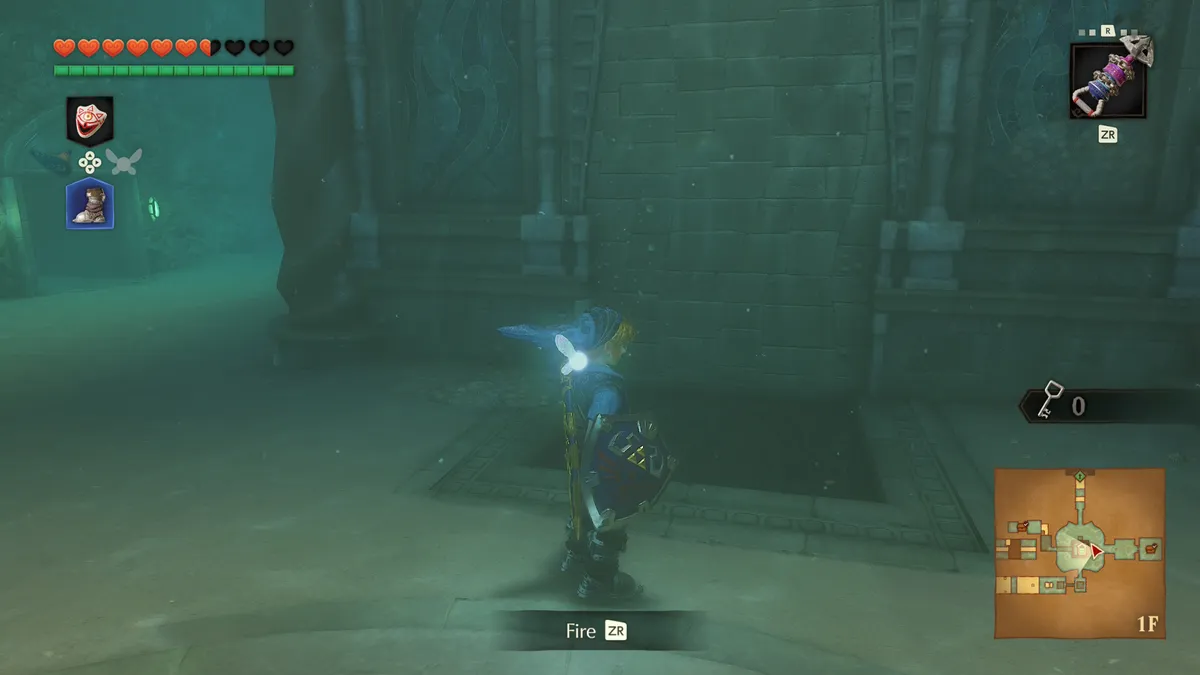
While you use this menu to switch from your slingshot to your boomerang, donning a new mask or, more importantly, switching boots is even easier. Just like in Ocarina of Time’s 3DS remake, your boots are now mapped to down on the D-pad. Nintendo did streamline some aspects of the game’s dungeons, but this small tweak alone makes the dreaded Water Temple a whole lot easier to traverse.
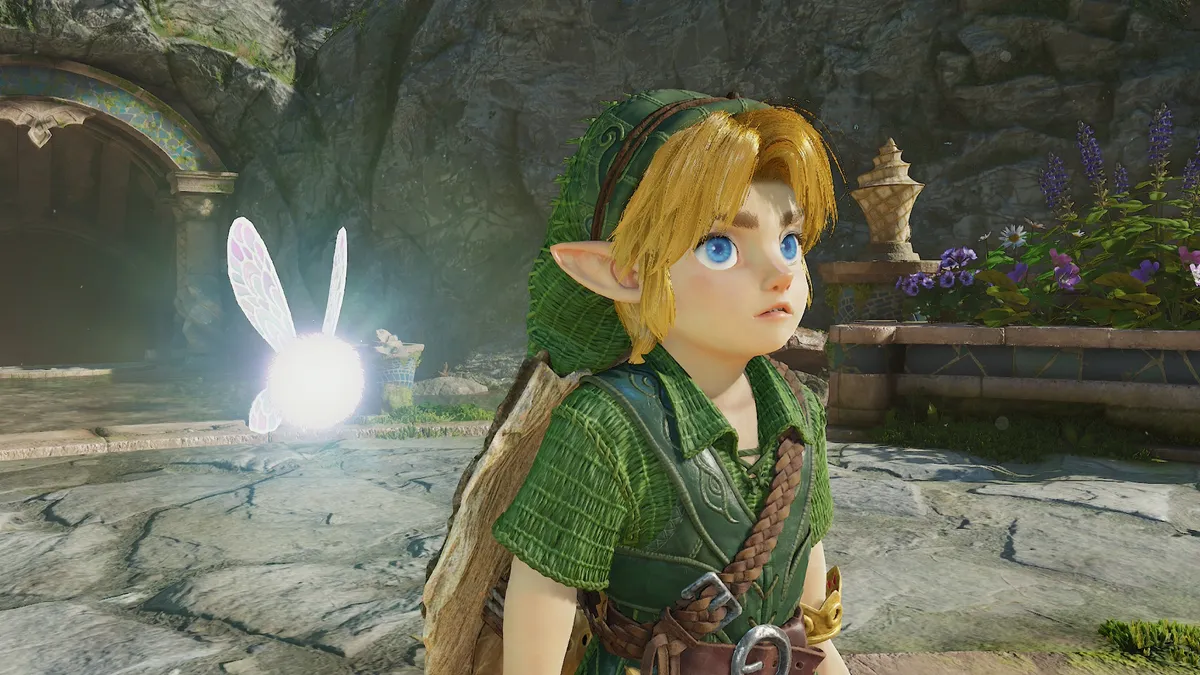
As for Link’s fairy companion Navi, she’s still right by your side throughout your journey. However, there are far fewer interruptions, and when she does speak, you actually want to listen. A big part of this comes down to the fact that Navi is now fully voice-acted and doesn’t constantly nag you with “Hey!”, “Listen!”, or “Watch out!”.
An orchestral ocarina
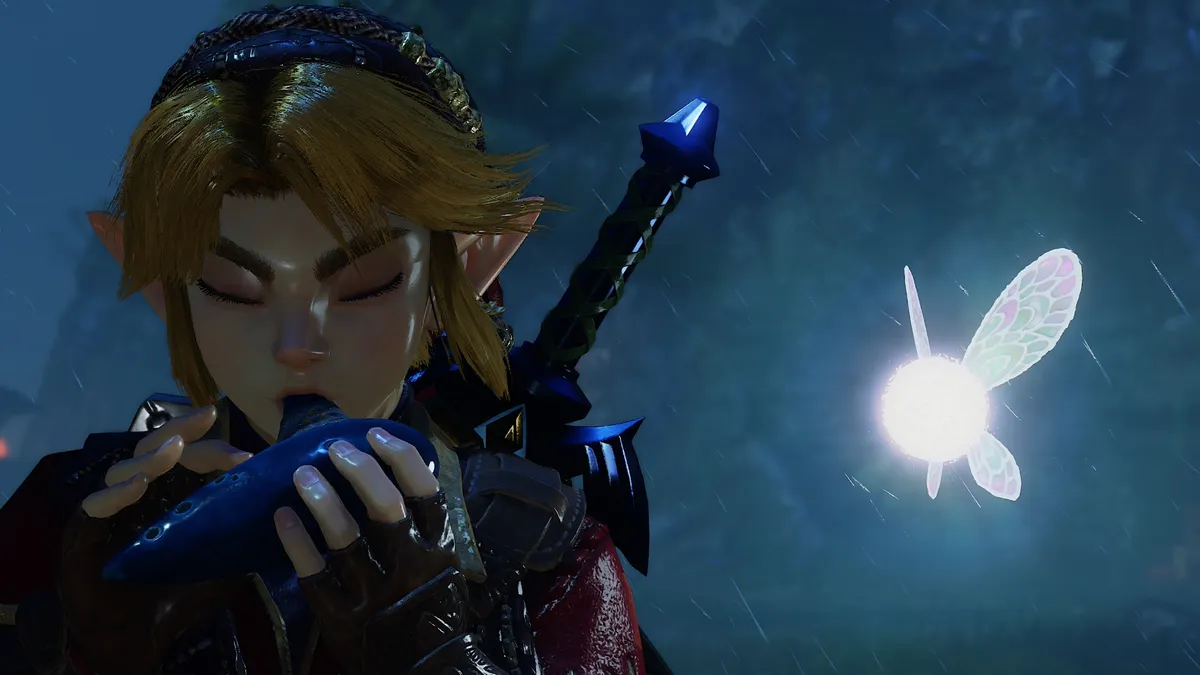
Whether it’s Zelda’s Lullaby or the Sun’s Song, music plays a pivotal role in Ocarina of Time from start to finish. From your namesake instrument down to the various themes that greet you when you enter Goron City or the Lost Woods, this remake was quite literally music to my ears.
For starters, the entire soundtrack was re-recorded with a full live orchestra. Ocarina of Time has never sounded this good. Alongside punchier battle sound effects, every track sounded superb in surround sound through my TV setup, and held up just as well using virtual surround in handheld mode.
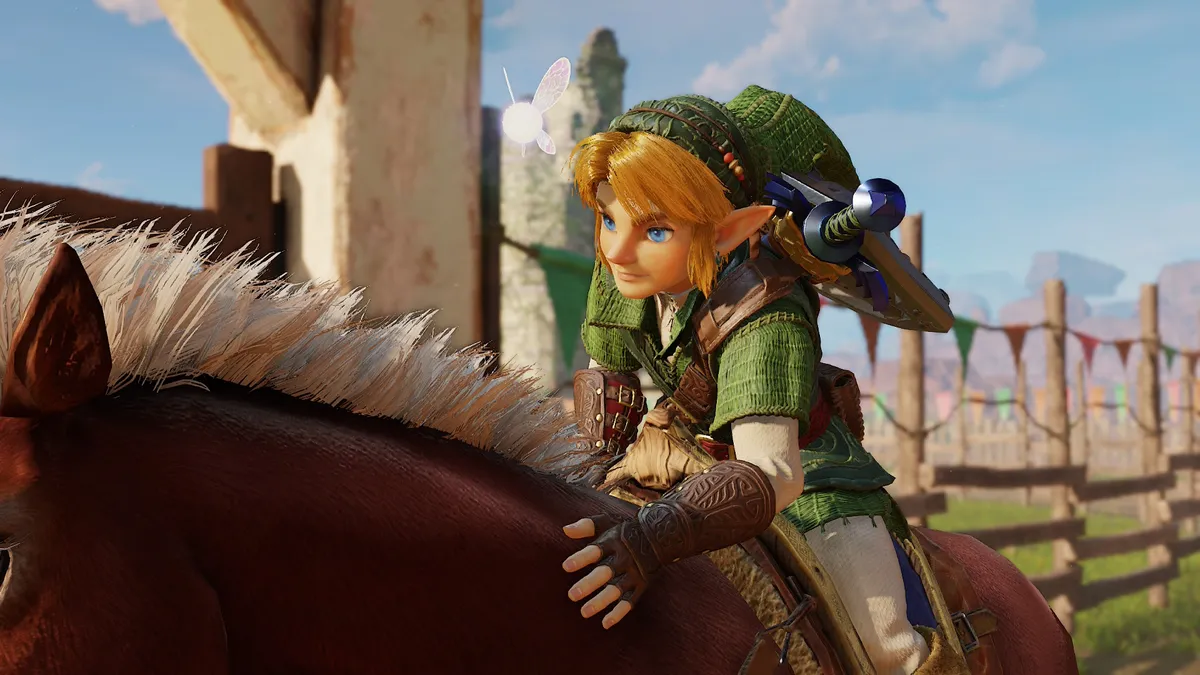
Nintendo also took the Switch 2’s built-in microphone into account. If you know Epona’s Song or another tune by heart, you don't even have to input the notes using A, B, X, Y, and the bumpers — you can simply hum the melody and the game will do the rest. There’s also an optional electronic ocarina accessory from Hori that pairs with the game if you want to physically play the notes yourself, though I didn’t have a chance to test it out firsthand.
The Legend of Zelda: Ocarina of Time: Verdict
The Legend of Zelda: Ocarina of Time may not be a brand-new adventure in the Zelda universe, but it’s by far the best way to replay this timeless classic. Its stunning 4K visuals keep your eyes glued to the screen, while the completely redone orchestral soundtrack will linger in your head long after you put down the controller. Meanwhile, the addition of modern controls alongside small but significant quality-of-life upgrades make what used to feel tedious feel completely natural.
If you played and loved the original, this remake is an absolute must. If Breath of the Wild was your first taste of the series, Ocarina of Time lets you experience the foundational game that made modern 3D Zelda possible, complete with all the polish you’d expect from Nintendo. There has never been a better time to strap on your sword and shield, step out of Kokiri Forest, and see what you’ve been missing.

Follow Tom's Guide on Google News and add us as a preferred source to get our up-to-date news, analysis, and reviews in your feeds.