I’m always interested when a thriller movie tries to do something different. While 2018’s “Searching” wasn’t the first feature film in the screenlife genre, a style that presents events as if recorded on a computer or phone screen, it was one of the first to really break into the mainstream. It did so well at the box office that it even resulted in a (in my opinion, superior) sequel.
Prime Video recently confirmed its slate for February 2026, and I’m pleased to see that “Searching” has just been added to its movie library. It tells a boilerplate story about a desperate father (John Cho) trying to locate his missing daughter, but its presentation helps it stand out. And there is a novelty factor in watching the father’s investigation play out via social media and video calls. Plus, there’s a neat narrative twist adding drama.
I recently rounded up the best Prime Video thriller movies with a twist, and now that “Searching” has dropped on the Amazon-owned streaming service, I might need to revise my pick as this tense, stylistically refreshing thriller deserves to be included. Here's everything you need to know.
What is ‘Searching’ about?

David Kim (John Cho) is a single dad still reeling from the death of his wife. Consumed with grief, his 16-year-old daughter Margot (Michelle La) feels neglected, and a distance has grown between the pair. This metaphorical distance between father and daughter becomes all too literal when Margot suddenly goes missing, and the police investigation quickly goes cold.
Determined to find his daughter, David turns to the one place nobody has looked yet, the internet. Combing through Margot’s social media accounts, David attempts to contact online friends he didn’t even know Margot had, and scrutinizes photos and videos in the hopes of finding answers and, most importantly, finding his daughter's current whereabouts.
Presented as a laptop screen recording, “Searching” is an engaging mystery thriller that invites viewers to play detective alongside David.
Should you stream ‘Searching’ on Netflix?

The nuts and bolts of “Searching” aren’t anything particularly special. There are countless thrillers to watch that revolve around a father searching for a missing child — for example, Netflix’s new Harlan Coben series “Run Away” is focused on that very premise.
What sets “Searching” apart is its smart use of the screenlife framing. As a viewer, this really makes you feel part of the investigation, and while it might on the surface seem mundane, it’s actually quite riveting watching David scroll through Margot’s chat logs and Tumblr account in the hopes of finding a clue that might unlock the mystery of her disappearance.
John Cho makes a great everyman, thrown into every parent's worst nightmare, but because merely watching David click through Chrome tabs for 102 minutes would eventually get rather dull, a police detective, Vick (Debra Messing), is thrown into the mix to give the actor somebody to play off. The two communicate via video calls to maintain the screen style.

I should note that while the movie is set entirely within a computer screen, webcam footage is used liberally, so viewers do get to see David’s reaction to each new shocking bit of evidence that comes to light. And fortunately, there are plenty of shocks along the way. Margot’s disappearance is no simple case to solve, and there are red herrings aplenty.
Upon release, “Searching” was praised for a variety of reasons, including that it marked the first time an Asian-American actor had led a Hollywood thriller (better late than never).
Over on Rotten Tomatoes, the movie holds a very strong 92% score, with viewers dishing out an also high 88% rating. The site’s ‘Critics Consensus’ reads, “Searching's timely premise and original execution are further bolstered by well-rounded characters brought to life by a talented cast.”
Don't skip 'Searching's' sequel, 'Missing'
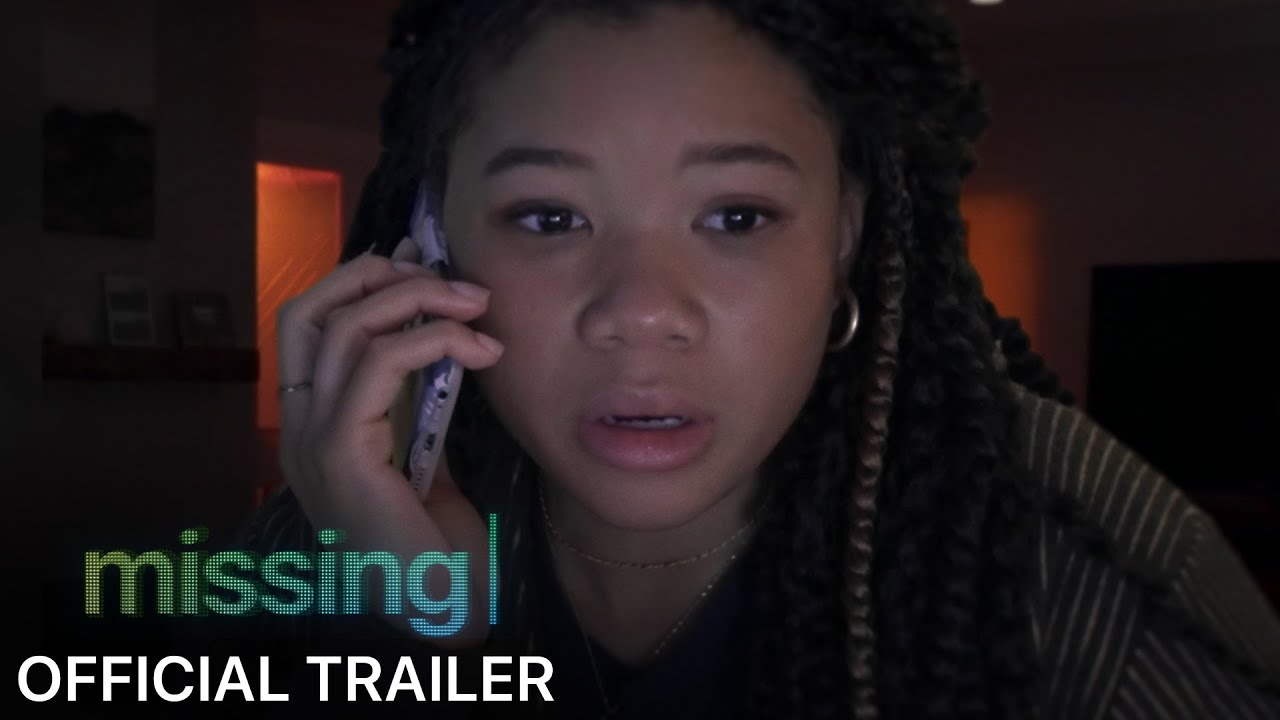
The only thing better than finding one compelling thriller movie worth watching this week is finding two, and if you enjoy “Searching,” you won’t have to hunt for long to find the perfect follow-up. That’s because the standalone sequel “Missing” was released in 2023, and I think it’s a rare example where a sequel is actually superior to the original.
Narratively, “Missing” isn’t connected to “Searching.” They don’t share any characters, and the plot is also unconnected. Instead, the shared DNA comes via their filmmaking format. “Missing” is also a screenlife movie. It revolves around June Allen (Storm Reid) attempting to locate her mother (Nia Long) after she goes missing following a vacation to Colombia.
It was also well-received, scoring 89% on Rotten Tomatoes (some critics argued the novelty of the screenlife format had worn off since “Searching”). These two movies make for the perfect thriller double-bill. The only downside is that “Missing” isn’t currently available to stream on Prime Video. To watch it after “Searching,” you’ll need a Hulu subscription.
Watch "Searching" on Prime Video now

Follow Tom's Guide on Google News and add us as a preferred source to get our up-to-date news, analysis, and reviews in your feeds.
More from Tom's Guide