



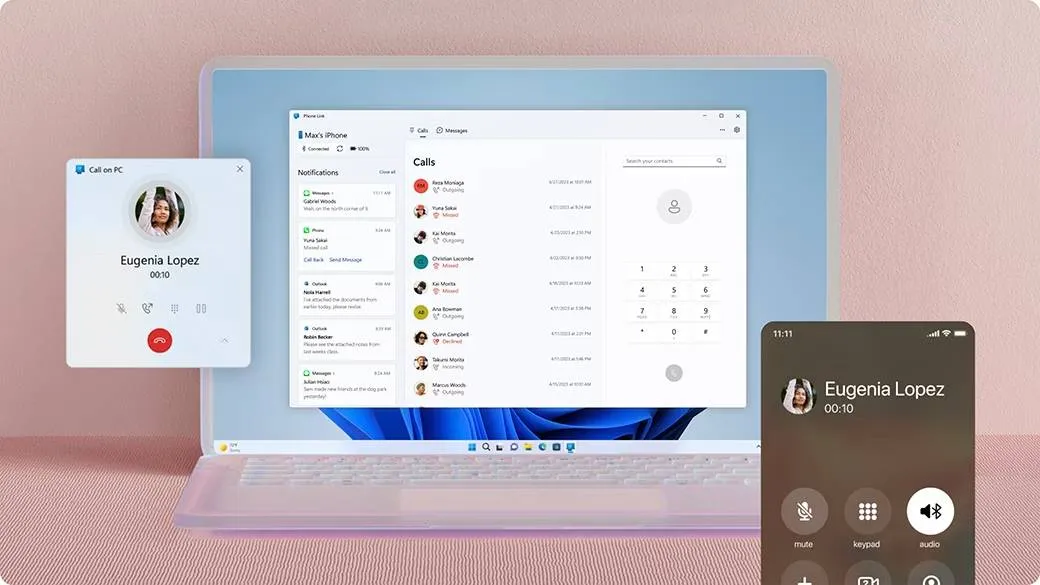
With Apple bringing a host of new updates with iOS 18.2, there's another feature coming to iPhone courtesy of Microsoft — and it will be of huge help to those with a Windows PC.
Microsoft is rolling out a new Phone Link feature that lets you easily share files between your iPhone and Windows PC wirelessly. It works similarly to Apple's AirDrop, which only shares files between Apple devices. Now, you don't have to own a MacBook to wirelessly share files between your iPhone and PC.
In the announcement, Microsoft states it's currently coming to Windows Insiders, with the feature eventually coming to more users down the line. File sharing will work with Windows 11 and Windows 10 PCs, with the iPhone needing to run iOS 16 or higher.
To get it up and running, you'll need the Link to Windows app in the App Store (it's free), along with the latest version of Phone Link on your PC.

Phone Link isn't anything new, as it's a Windows app that allows users to sync their smartphones, whether it be iOS or Android, to their PC. As per its features, it can let you read and reply to texts on your PC, take phone calls, and display notifications. Now, it will also be able to "seamlessly" share files.
While there's no word on when the app will come to more Windows 11 and 10 users, you can check it out by registering for the Windows Insider program.
Apple's AirDrop feature is a boon for those who constantly share files between their Apple products, but those with an iPhone and a Windows PC will soon be able to have the same perks.
There are even more helpful features coming to iPhones, with iOS 18.2 including a host of Apple Intelligence features worth trying out.
More from Tom's Guide
- iOS 18: The biggest new features available on your iPhone
- iPhone 17 Air vs Samsung Galaxy S25 Slim: Which thin flagship could win?
- Finally! Meta Quest VR headsets can now connect to your Windows 11 PC — with up to 3 virtual monitors

