







In the past few years, OLED displays have become one of the easiest laptop upgrades to get excited about.
The reasons are obvious: Deep blacks and superb contrast can make everything from Netflix to games look better, and many of the best laptops offer OLED for good reason.
But I wouldn’t automatically tick the OLED box when configuring a new laptop.
For those of us who spend our days in Chrome, or in documents, spreadsheets, emails, and Zoom calls, a good IPS screen can already look excellent while costing less and using less power.
In fact, saving on that pricey OLED upgrade can actually leave more of your budget for memory, storage, or other upgrades you’ll feel every day.
OLED is still worth paying for — if you’ll actually benefit from it

None of this is to say OLED isn’t worth having. If your primary laptop use is gaming, watching movies, or editing photos and video, the improvement in contrast and black levels can be immediately obvious. After all, there’s a reason OLED machines such as the Asus ROG Zephyrus G14 feature so prominently in our best gaming laptops guide.
For the power users among us, paying a little extra makes sense, and the same goes for anyone who ranks display quality high on their personal list of priorities.
But if your laptop is going to spend most of its life displaying browser tabs and documents, OLED’s biggest strengths are far less important, and this is where the trade-offs start to look more interesting.
Battery life matters far more than perfect blacks
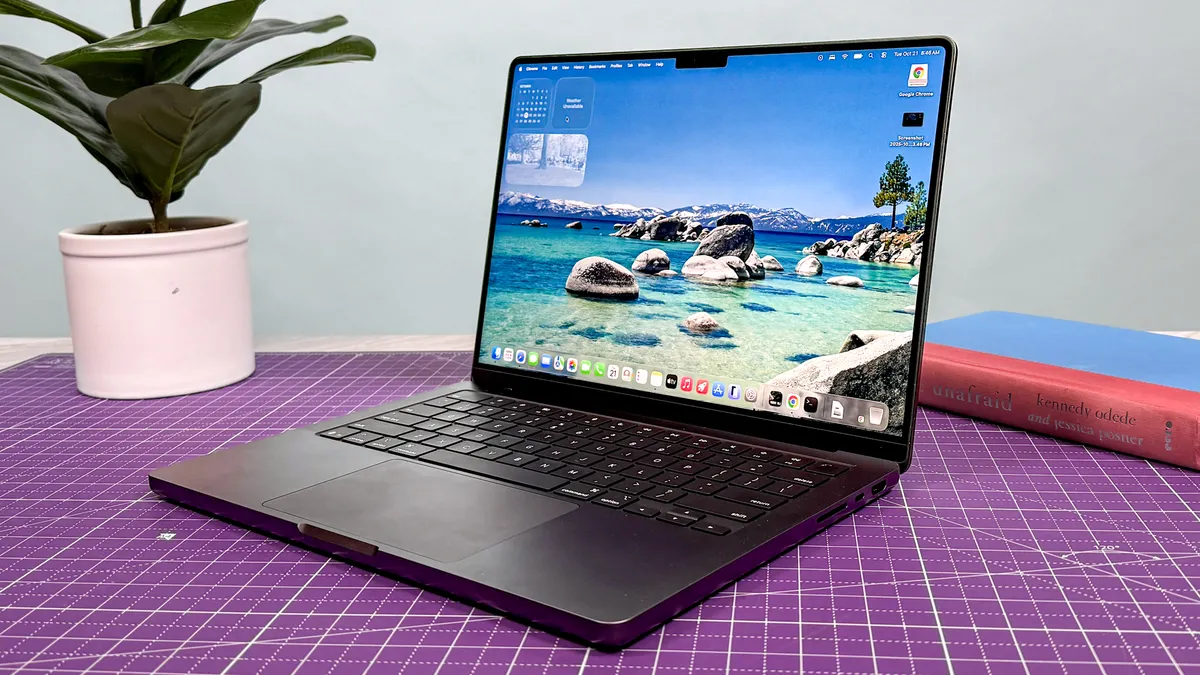
Away from the power socket, OLED's downsides can become a little clearer: higher-res panels demand more power than their cheaper LCD counterparts, and the difference between laptop configurations can be substantial.
Take the Dell XPS 14, a fantastic laptop by all accounts. In our testing, the OLED model lasted 12 hours and 23 minutes in a web-browsing battery test, while the lower-res LED version managed a frankly ridiculous 20 hours and 41 minutes.
It's worth saying that those weren’t otherwise identical laptops. The OLED configuration also used a more powerful processor, so the screen alone can’t take credit for the entire gap.
For buyers, though, that distinction only matters up to a point.
You’re choosing between complete laptop configurations, and if the cheaper display option gives you several more hours away from the charger, that can be far more useful than deeper blacks.
A good IPS screen is already good enough for most people

There's a misconception that plumping for IPS in 2026 means getting a dull, low-resolution display.
In reality, plenty of modern LCD panels offer high resolutions, 120Hz refresh rates, strong brightness, and good color reproduction – more than enough for everyday work and entertainment.
The Dell XPS 13 is a fantastic example: Its non-OLED display still impressed in our testing, reaching 394 nits of brightness and covering 112.6% of the sRGB color gamut.
The Lenovo IdeaPad Slim 3i goes a step further with a 120Hz IPS touchscreen, showing how features once associated with more expensive laptops are filtering down the range.
There is an important caveat, though: IPS alone isn’t a guarantee of quality. Cheap panels can still be dim and washed out, or even unpleasantly reflective.
It's always worth looking beyond the display tech itself and checking brightness, resolution, refresh rate, and color performance when choosing your next workhorse.
In 2026, I’d spend the OLED money on RAM or storage instead

With higher memory and storage prices pushing up the cost of better-specced laptops, many laptop buyers need to make some careful calculations.
If skipping OLED lets you move from 16GB to 32GB of RAM, or from a 512GB SSD to 1TB, I’d almost always take the extra capacity instead.
That’s especially true for memory. RAM is soldered on many modern laptops, so choosing too little at checkout can leave you stuck with it for the life of the machine. You are also very likely to feel a lack of RAM in everyday usage.
Storage is easier to work around with cloud services and external drives, but extra memory can make a real difference to multitasking and how well a laptop holds up over several years.
Unless you work in a field that needs an OLED display, I’d usually prioritize enough RAM and enough storage, alongside strong battery life, before paying extra for OLED.
Buy a better laptop, not a better screen
OLED has become a useful shorthand for a premium laptop, which can make the cheaper display option feel like the one you’re supposed to upgrade away from. I think that’s the wrong way to approach it.
A laptop configuration should reflect what you’ll actually notice over several years of use. If a brighter, richer screen genuinely improves that experience, then OLED is an easy choice.
If your priorities are getting the strongest overall specification for your budget, choosing IPS can be the more considered upgrade path, even if it looks less impressive on the product page.

Follow Tom's Guide on Google News and add us as a preferred source to get our up-to-date news, analysis, and reviews in your feeds.
