




As a computing writer for Tom’s Guide, part of my job is helping readers save money on PCs and components. That has become much harder thanks to RAMageddon, which has driven up the cost of memory and, by extension, most electronics. PC gaming has been hit especially hard. It was already a relatively expensive hobby, and price increases have made the barrier to entry even higher.
That doesn’t mean it’s impossible to get into PC gaming in 2026. You’ll almost certainly pay more for machines and components than you would have a year ago. But if you know what to look for (and what to avoid), you can still find a capable setup that fits your needs and lasts for years.
In this guide, I’ll walk through the three main ways people start PC gaming right now: a gaming handheld, a pre-built desktop, and building your own PC. I’ll break down the pros and cons of each, then explain which path makes the most sense depending on your budget, space, and priorities.
Gaming handhelds

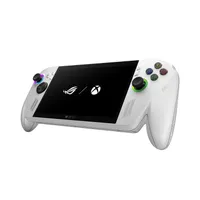
The price of the best handheld gaming consoles has climbed sharply this year. Where the Steam Deck OLED once topped out at $649, the 512GB model now starts at $789. Other notable handhelds have seen similar increases, though entry-level options like the Asus ROG Xbox Ally (around $600) remain relatively more accessible than the higher-end Legion Go 2.
Even with the higher prices, gaming handhelds are still one of the strongest low-friction ways to start PC gaming right now — especially while discrete GPUs, RAM, and other components stay expensive. These self-contained systems run the best PC games from Steam (and other libraries), either on SteamOS or Windows.
The advantages are clear. Portability means you can play almost anywhere. Setup is relatively simple, particularly on SteamOS devices, where you can get into games with less tinkering than a full Windows 11 machine. Most models also support docking to a TV or monitor, which often improves performance once the handheld is powered and no longer thermally limited. While they’re no longer the bargains they once were, several capable options still sit under $1,000.
They do come with real trade-offs, though. The biggest is the performance ceiling: most current AAA titles run at 720p–1080p on low-to-medium settings, typically in the 30–60 fps range. Battery life often drops to one or two hours during demanding games (longer on lighter titles), and Windows handhelds can introduce additional UI friction and software overhead. Storage also fills up quickly on 512GB models.
Despite those compromises, the combination of portability, access to a PC library, and a relatively contained total cost still makes handhelds a solid option for many newcomers—especially anyone who wants to start playing without committing to a full desktop setup.
Pre-built gaming PCs

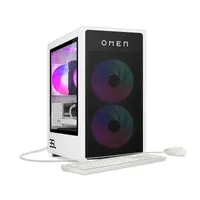
If you’d rather own one of the best gaming PCs but don’t want to build one from scratch, a pre-built PC is your best bet. Some gamers still look down on them, but after reviewing dozens of these machines, I can tell you this route is often a smart choice right now. Because manufacturers buy components in bulk, pre-builts can match or even beat the cost of a comparable DIY build in the current market.
The advantages are straightforward. There’s virtually no assembly required, and you only have to deal with one company if something goes wrong. You also get professional cable management and properly seated components out of the box. Thanks to that bulk purchasing power, solid 1080p systems with an RTX 5060-class GPU and 32GB of RAM currently sit in the $1,000–$1,200 range and often deliver stronger immediate value than piecing the same parts together yourself.
As Techsponential’s Avi Greengart told me via email, in this environment “buying pre-built is usually less expensive than building your own.” Looking for systems with last-generation CPUs that were priced before the worst of RAMageddon can stretch the budget even further.
There are real trade-offs, though. You won’t always get to choose every part, which can leave you with a louder cooler or a lower-tier power supply. Some cases use proprietary front panels, offer limited GPU clearance, or have tight PSU spacing that restricts future upgrades. And even when the overall price is competitive, you’re still paying something for the convenience.
If you go this route, prioritize GPU performance and RAM capacity (32GB is pretty valuable right now) over chasing a particular CPU brand. Read recent reviews of the specific model you’re considering (including ours!) to get a real sense of thermals, noise, and build quality. Stick with more established names such as Lenovo, iBuyPower, ABS, or CyberPower when possible. Factor in the full cost of a monitor, keyboard, and mouse if you don’t already own them, and move quickly when you find a good configuration — popular models can sell out fast.
Pre-builts shine when you value convenience, want a working system quickly, or feel intimidated by the current component market. They’re a legitimate entry point into PC gaming during RAMageddon, even if they offer less long-term flexibility and control than building your own system.
Custom-built PCs

Even with elevated component prices, building your own PC remains the strongest long-term option for many people getting into PC gaming. The current memory shortage has made it less of an automatic money-saver than it was a couple of years ago, but the advantages in quality, knowledge, and future flexibility still hold for those willing to put in the work.
The biggest advantage is full control over every part. You choose the exact GPU, cooler, power supply, and case you want. And when the time comes to upgrade, you can swap individual components instead of replacing the whole system. Building also teaches you how everything fits together, which makes future upgrades and troubleshooting much easier. You can optimize the machine for your specific needs — whether that’s a quiet system, maximum airflow, or a particular mix of CPU, GPU, and RAM suited to the games you actually play.
Securing solid last-generation components (especially AM4 and DDR4) or taking advantage of motherboard/CPU/memory bundles from places like Micro Center can still deliver meaningful savings, particularly on RAM.
Of course, the DIY route requires more research, compatibility checks, assembly, and initial troubleshooting. Pricing remains a hurdle. A decent 32GB DDR5 kit can cost $350–$470, and GPUs and SSDs are similarly priced. You’ll also face multiple individual warranties instead of a single system-wide warranty, plus the small but real risk of assembly mistakes or dead-on-arrival parts. And unless you already own them, you’ll still need to buy a monitor, keyboard, mouse, and other peripherals.
Building your own PC is still the path that delivers the most ownership, flexibility, and long-term satisfaction. It demands more effort and research than a pre-built or handheld, especially with today’s component pricing. However, the reward is a system that better matches what you actually want and can grow with you for years.
Bottom line

So which of these three paths is the best way to get into PC gaming in 2026? It depends on your needs.
If you just want to start playing games with as little hassle as possible, a solid pre-built is a smart move. If space is tight or you’re not yet sure how deep you want to go into PC gaming, a handheld is a strong starting point. And if you care about control, upgradeability, or simply enjoying the process of putting a machine together, building your own PC is still a fantastic option.
You’re almost certainly going to spend more than you would have a year ago. But with a clearer sense of the trade-offs, you can make a smarter choice and still get into PC gaming without overspending or ending up with a setup that doesn’t fit your lifestyle.

Follow Tom's Guide on Google News and add us as a preferred source to get our up-to-date news, analysis, and reviews in your feeds.
More from Tom's Guide

