MSI's Prestige laptops have always been more of a "bridesmaid, never the bride" kind of system lineage — very capable, but not necessarily the attention-grabbing option that captured the hearts and minds of potential laptop shoppers.
But with 2026 being the year of the laptop, the company's gone big at CES with redesigned Prestige and Prestige flip notebooks that dramatically amp up the horsepower inside and bring a fresh, premium look.
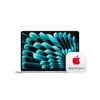
This reinvention has me considering these as a go-to recommendation next to the MacBook Air as an all-rounder that has the premium experience, great aesthetics and performance to last you a good long while.
MSI Prestige specs
Laptop |
MSI Prestige 14 AI+ |
MSI Prestige 16 AI+ |
MSI Prestige 14 Flip AI+ |
MSI Prestige 16 Flip AI+ |
|---|---|---|---|---|
Display |
14-inch FHD+ (1920 x 1200 pixels) OLED |
Up to 16-inch 2.8K (2800 x 1800), OLED, 48-120Hz VRR |
14-inch FHD+ (1920 x 1200 pixels) OLED touchscreen |
Up to 16-inch 2.8K (2800 x 1800), OLED, Touchscreen, 48-120Hz VRR |
CPU |
Up to Intel Core Ultra X9 388H |
Up to Intel Core Ultra X9 388H |
Up to Intel Core Ultra X9 388H |
Up to Intel Core Ultra X9 388H |
RAM |
Up to 64GB LPDDRX5 |
Up to 64GB LPDDRX5 |
Up to 64GB LPDDRX5 |
Up to 64GB LPDDRX5 |
Storage |
1x NVMe SSD slot |
1x NVMe SSD slot |
1x NVMe SSD slot |
1x NVMe SSD slot |
Ports |
2 x Thunderbolt 4, 2 x USB 3.2 Gen2 Type-A, 1 x HDMI 2.1 (8K @ 60Hz / 4K @ 120Hz), 1x 3.5mm headphone jack |
2 x Thunderbolt 4, 2 x USB 3.2 Gen2 Type-A, 1 x HDMI 2.1 (8K @ 60Hz / 4K @ 120Hz), 1x 3.5mm headphone jack |
2 x Thunderbolt 4, 2 x USB 3.2 Gen2 Type-A, 1 x HDMI 2.1 (8K @ 60Hz / 4K @ 120Hz), 1x 3.5mm headphone jack |
2 x Thunderbolt 4, 2 x USB 3.2 Gen2 Type-A, 1 x HDMI 2.1 (8K @ 60Hz / 4K @ 120Hz), 1x 3.5mm headphone jack |
Connectivity |
Wi-FI 7, Bluetooth 6 |
Wi-FI 7, Bluetooth 6 |
Wi-FI 7, Bluetooth 6 |
Wi-FI 7, Bluetooth 6 |
Dimensions |
12.43 x 8.74 x 0.47~0.55 inches |
14.1 x 10 x 0.47~0.55 inches |
12.43 x 8.74 x 0.47~0.55 inches |
14.1 x 10 x 0.47~0.55 inches |
Weight |
2.9 pounds |
3.7 pounds |
2.9 pounds |
3.7 pounds |
Prestige 14 and 16 AI+
- Thin and lightweight: just 11.9mm and weighing in from 2.9 pounds
- Upgrade to 1200p OLED with 120Hz refresh rate and impressive increase in I/O
- Packed with up to Intel Core Ultra X9 300H CPU, 64GB LPDDR5 RAM and 1TB of storage

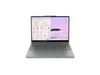
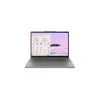
At first, three things immediately jumped out at me about the new MSI Prestige 14 and 16 AI+. First, it’s seriously sleek — the new aluminum chassis feels impressively premium in the hand (with a swish new logo emblazoned across the lid), and at just 11.9mm thin with 20% lighter weight, this is a cinch to just throw in your backpack.
Second came the revived ergonomics of the system. Typing away feels like a joy with the new switches on here, and is a lot less mushy than what I felt on past Prestiges with a nice tactile thump. And the real big thing here (literally) is the ocean of a touchpad that is 53% larger — allowing for grand sweeping interactions with a tactile click, and edge gestures for the likes of volume control and brightness.
And third is a mesmerizing OLED display. MSI’s going nutty with OLED for 2026, and you’ll find it across all of its range — including the 2.8K resolution panel running here at up to 120Hz refresh rate. Combine that with much more I/O including Thunderbolt 4, and you’re onto a winner.

But of course, these are only half the story here, as you need the raw horsepower inside too to make the most of it. And MSI is giving you the choice of Intel’s Core Ultra 300H series chips — including that X9 version that sports the beefy 12-core GPU, alongside up to 64GB LPDDR5 RAM and a 1TB SSD.
From my time testing Intel’s Panther Lake chips, that assures impressive performance. Take that GPU into account too, and you find yourself holding a notebook that can just so happen to play games pretty well! On top of that, Team Blue’s been hard at work improving power efficiency too, and MSI claims that on its video playback battery test, the Prestiges were able to hit over 30 hours on that 90 Whr cell.
Prestige 14 and 16 Flip AI+
- 2-in-1 variants of the standard Prestiges — same aluminum body and lightweight, thin and utilitarian aesthetic
- Same internals offered too with Intel Core Ultra 300 series chips, up to 64GB LPDDR5 RAM, and 1TB of storage
- Corning Gorilla Glass on screen, and really helpful implementation of stylus directly in bottom groove of laptop

More of the same as the Prestiges, but only more flippy. Same spec configurations as above, and the keyboard, touchpad and OLED display all look/feel just as good. But given this is a 2-in-1, there are two key changes here.
First, there is Corning Glass across the front to keep that screen better protected when in full tent mode. And second, with stylus support, MSI’s come up with (easily) one of the coolest ways to stash its new Nano Pen.

Normally, laptop makers don’t factor space for a stylus onto its chassis, so you’re left having to use the awkward belt loop of a third-party case (or lose it in your backpack). Here, instead, there’s a holster integrated directly into the bottom groove of the Prestige Flip — just pop the clasp, pull it out, and then you’re ready to write.
Even better? It charges within that container too, and you can get 45 minutes of use with just a 13-second charge. Cool, right!?
Outlook

MSI’s heading in a new direction here with its productivity laptops, and it’s super clear here in the new Prestiges — four seriously impressive systems in my time holding them.
The attention to design and ergonomics is clear throughout, the OLED upgrade brings a flash flood of color to the party, and those speedy internals kept cool with a vapor chamber is a clear boost in performance and power efficiency, while keeping it quiet.
Based on these and the many new systems coming with ground-up overhauls, it’s going to be a good year for MSI.

Follow Tom's Guide on Google News and add us as a preferred source to get our up-to-date news, analysis, and reviews in your feeds.
More from Tom's Guide
- I just discovered a secret productivity hack for my Mac, and it’s transformed how I focus
- I just switched to a 2-in-1 laptop with real aura — here's how the Lenovo Yoga 9i Aura Edition gave my workflow a glow up
- The Framework Laptop 16 is my favorite laptop of the year — here's why