When 2025 started, I was a clear ChatGPT supporter. It was the obvious AI chatbot for me and my needs, and I couldn’t see that changing. And, for a while, it didn’t. But towards the end of the year, a new favorite appeared.
Gemini, the Google-powered chatbot, has gone from strength to strength this year, and that has turned it into my go-to choice. It’s smarter than ever, its add-ons are genuinely useful, and it's seemingly everywhere now.
As part of my job, I test a lot of AI tools, especially chatbots, so I wasn’t expecting to be so won over by Gemini. Here’s why it managed to shoot to the top and become my go-to tool.
Smarter intelligence and deep research

With the reveal of Gemini 3, the AI chatbot saw a huge boost in its ability on a variety of challenges, and since then it has stood out so clearly for analytical or deep research tasks.
This is not to say it wasn’t good in those areas before. When Gemini 2.5 Pro launched earlier this year, I was impressed with the improvements, but that didn’t feel like enough to raise it above its competitors.
The recent Gemini 3 launch was a clear difference for me and one that made me fully switch to performing all of my research-based prompts via Gemini.
I hope Gemini only gets better in this area in 2026, but it will have tough competition with both Claude and ChatGPT fighting it out for this position.
Image and video prowess

Image generation was a big factor in my newfound love of Gemini. Through Nano Banana Pro and Veo 3.1, Gemini became a major force in the world of AI image and video generation.
Previously, I haven’t actually found many practical uses for AI image generation or video. Most of the time, I was simply using it to make a funny edit of a friend (haven’t we all?), but that has changed recently.
Gemini’s Nano Banana Pro was such a major improvement in the technology for me, that I have used it to completely redesign my garden and multiple rooms in my house, help fix broken items and come up with clever birthday cards for friends.
It is the first time I have felt like the benefits of AI image generation in everyday life have become clear. Sure, Sora 2 came out this year, as did plenty of other capable image and video generators, but Gemini has become an unstoppable force in this region.
Built-in everywhere

Gmail, Microsoft Word, my phone’s assistant. At some point, Gemini found its way into my life into more areas than just the AI chatbot app. At first, I found this somewhat irritating, feeling like it was an overreach, but that has changed.
I have grown to love having the chatbot available in every region of my life. It is always readily available, and it's proved to be helpful more often that I thought it would.
It can help me track down emails, or craft a draft when I’m struggling to get the wording down, and it's become a truly capable assistant in my car.
This is an area that I’m excited to see Gemini approve in further, becoming an even more useful tool in every aspect of my life.
Google's AI Mode
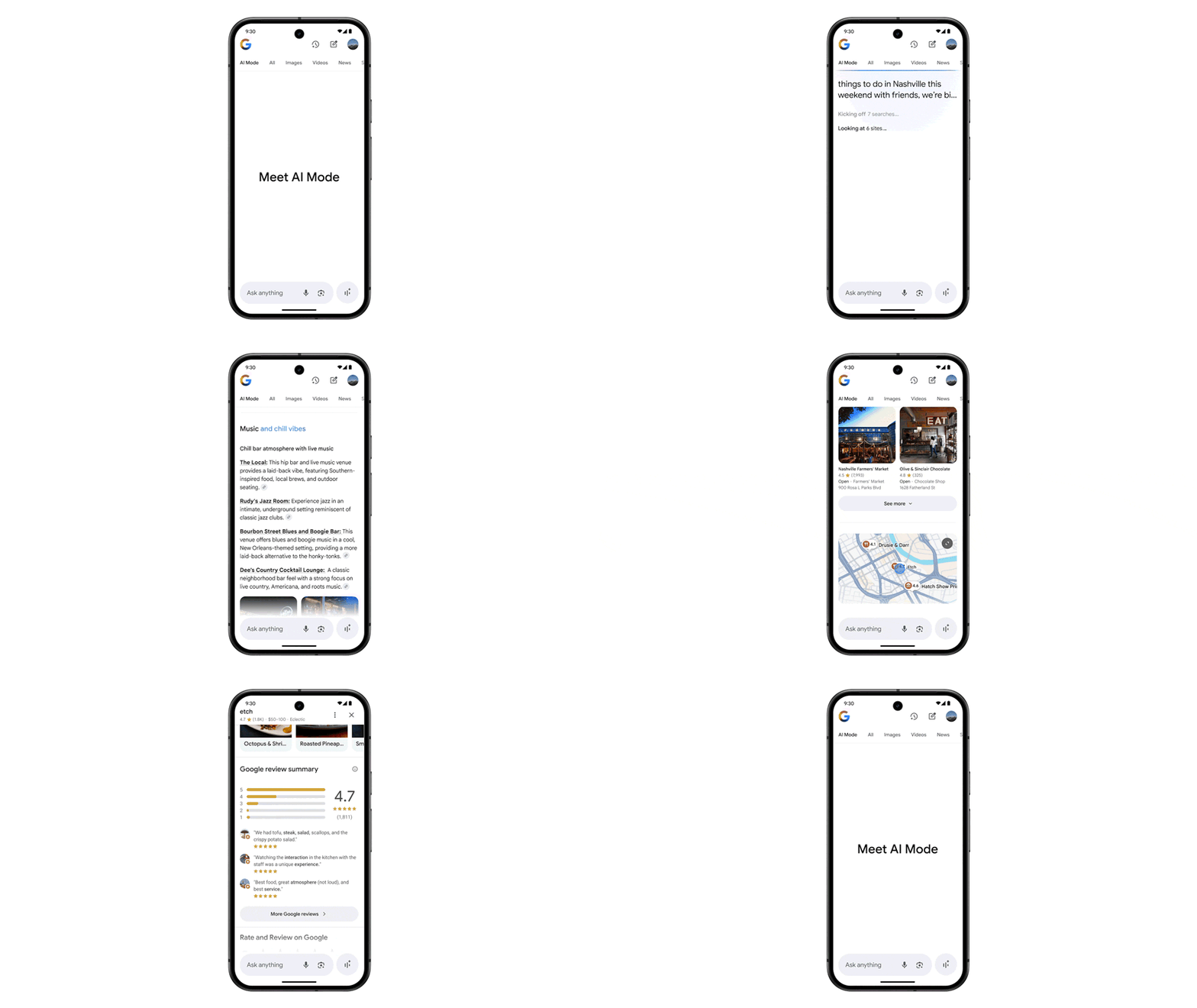
I was not a fan of AI mode for a long time. The AI tool built into Google’s search engine, AI Mode, felt unnecessary at first.
However, with upgrades that came from Gemini 3, the tool feels rejuvenated and is working better than ever.
This has led to me now actively using it, and being impressed with its performance. It has made more complicated Google searches easier, and has even replaced some of the tasks where I would normally turn to a chatbot.
Do you have a favorite AI chatbot? Let me know in the comments.
More from Tom's Guide
- 9 real mistakes people make with ChatGPT — and how GPT-5.2 fixes them
- I tested ChatGPT-5.2 vs Grok 4.1 with 7 challenging prompts — here's the winner
- NotebookLM vs. Illuminate — which Gemini-powered audio tool should you actually use?