




Stranger Things Season 5 is finally here, and while most people watched the premiere curled up on the couch with popcorn and a friend, I watched it with ChatGPT. I'll admit, a chatbot is not usually my companion of choice, but my husband was alseep and I decided to see how the chatbot was as a viewing buddy.
Now that ChatGPT Voice is integrated into chat, it's easier than ever to launch it when you need it. In my case, I pointed my phone at my computer screen and asked ChatGPT to follow along in real time. I was really surprised at how easily it took on the role as binge buddy. Here’s how it went.
How I set it up

For this test, I opened ChatGPT’s Voice and Vision mode on my phone. At first I was holding it, but realized that my arm/hand would get tired for the full hour. So, eventually I propped it up next to me facing my computer monitor. While ChatGPT Voice allows you to talk freely with the chatbot, Vision is an added multimodal option that gives ChatGPT the ability to "see."
I simply prompted: “Watch Stranger Things Season 5 with me like you're a friend on my couch."
Within seconds, it began describing the opening shot, identifying characters and calling out visual details that even I hadn’t noticed yet. The setup required zero tweaking. It was wild how ChatGPT automatically adjusted to new lighting, scene changes and motion on the screen. The first time I tried this, the sun was reflecting on my computer screen from the window and ChatGPT didn't skip a beat. It honestly felt like ChatGPT understood what was going on.
Scene analysis: shockingly sharp (and occasionally very funny)
At first, ChatGPT said generic responses like, "Looks like there's a lot going on" or
“Two characters appear alert as something approaches from outside the frame.”
Alert? They were terrified.Still, it wasn’t wrong — just hilariously understated.
It also talked nonstop until I told it to hush while we watched. Eventually, however, it seemed to understand my intent of acting as a viewing partner.
Whenever a character entered the frame, it identified them, described their body language and explained what the scene communicated.
Even with Stranger Things’ notoriously dark, moody lighting, it handled most visuals well, from set pieces to background props to shifting camera angles, it seemed to follow.
Emotional interpretation: unexpectedly deep

Sometimes ChatGPT stated the obvious. For example, whenever a character’s expression shifted, ChatGPT explained why it mattered. Although I'm familiar with Stranger Things, I'd suggest watching with Voice turned on for anyone new to the show.
For example, it said things like, "Will is hiding in Castle Byers, terrified and alone, while the Demogorgon hunts him down. He tries to escape through the woods, climbs a tree, and ultimately falls — it’s a tense, suspenseful sequence that mirrors the tone of early seasons."
Its emotional read on the cast was often spot-on. Ask it “Why does Eleven look like that?” and you’ll get a thoughtful answer tying the moment back to past seasons — without spoiling anything ahead.
Pop-culture references: genuinely helpful
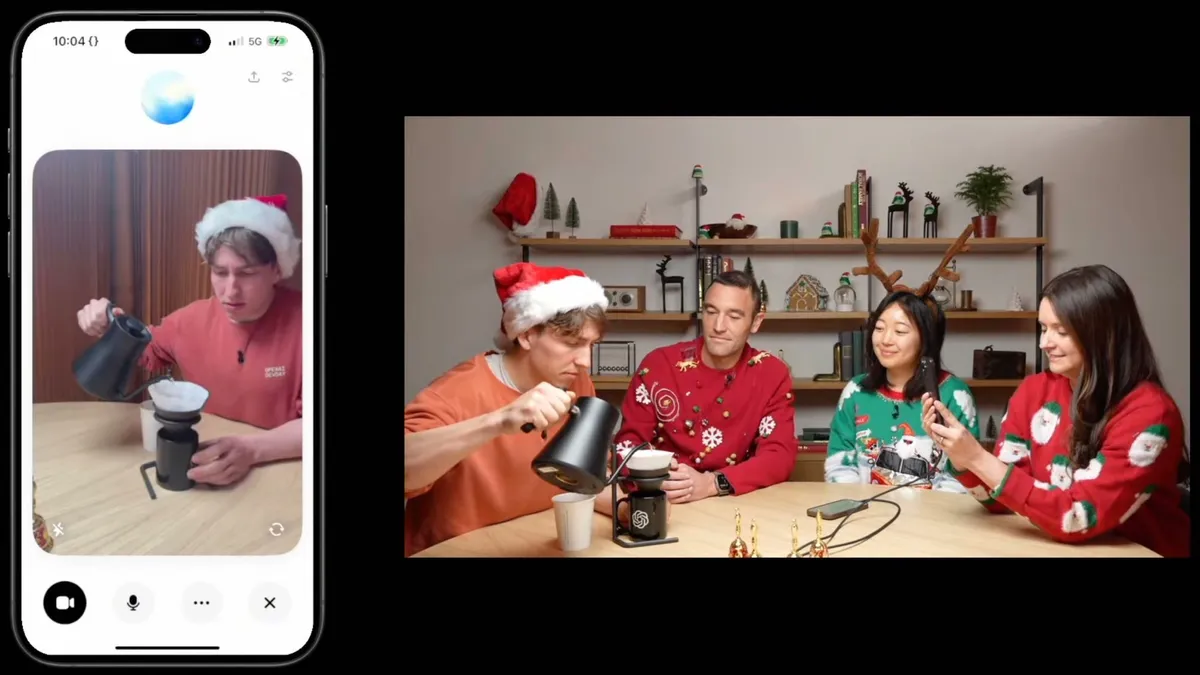
ChatGPT Advanced Voice with Vision was introduced almost a year ago. Since then, I've used it for a number of uses from spring cleaning to getting ready.
But while watching Stranger Things with it turned on, I really enjoyed how well it understood context and could explain it. As an 80s kid myself, one of my favorite things about the show is how much it's packed with 80s callbacks. But for someone unfamiliar, you can ask ChatGPT for context and will say things such as:
“This lighting style mirrors John Carpenter’s horror aesthetic.”
“The composition resembles 80s sci-fi adventure films.”
“This creature design echoes stop-motion influences from the era.”
For fans who love the series’ retro DNA, ChatGPT becomes a running commentary track that explains each reference.
In fact, during the show, I could ask ChatGPT any question about Stranger Things (past episodes, characters, scenes) and it instantly answered. I'll admit, there was a lot of chatting between us, so maybe it's a good thing it was just me and Chat.
During the episode, I paused to ask:
“Why is this place important?”
“Who is that again?”
“Where have we seen this monster before?”
“What’s the Upside Down doing this time?”
Every time, ChatGPT connected the moment to earlier seasons, explaining character arcs, past conflicts, unresolved mysteries and world-building rules. If you’re not someone who rewatched the entire series before jumping into Season 5, this feature is basically a cheat sheet.
Final thoughts
Watching Stranger Things with ChatGPT is weirdly amazing. Whenver I asked, "what do you think is going to happen next?” ChatGPT’s answers walked a perfect line. It didn’t reveal actual Season 5 spoilers, but it gave thoughtful, pattern-based predictions rooted in foreshadowing, character motivations, recurring Stranger Things tropes and framing choices in the scene.
Some predictions felt plausible, others leaned theatrical (at one point it suggested a character was “emotionally preparing for a pivotal sacrifice,” which—calm down) but the reasoning was always sound. It added a fun layer of speculation without ruining anything.
This experiment proved to me that watching TV with AI is actually fun. It surfaced details I missed, explained emotional beats, caught callbacks and generated theories that made me want to watch faster just to see if it was accurate.
Is it perfect? No. but I really wasn't expecting it to be as delightful as it was. Honestly, it was one of the most interesting ways to watch Stranger Things Season 5 I could have come up with. Maybe I'll try it with Gemini Live next time. Of course, I'll let you know if I do.
More from Tom's Guide
- Elon Musk's AI vs. Google's AI with 9 challenging prompts — here's the clear winner
- I tested ChatGPT against its legacy model with 9 prompts — here’s which one won
- My kids bought 'Extreme Fart Extension' for Alexa+ — here’s how to quickly set up parental controls and stop voice purchases















Follow Tom's Guide on Google News and add us as a preferred source to get our up-to-date news, analysis, and reviews in your feeds.


