




Most of today's AI assistants can use at least some customer conversations to improve future models, although the rules vary dramatically depending on which service you're using, whether you have a personal or business account, and which privacy settings you've enabled.
After reading about Google's latest changes around Search and AI training, I decided to spend some time checking the privacy controls for every major AI chatbot I use regularly.
I wanted to know exactly which companies actually make it easy to control how your data is used. I did the work so you don't have to — here's how they actually compare.
Not every AI company plays by the same rules
It's tempting to believe that all chatbots have similar privacy rules considering how similar they all seem. But behind the scenes, they're collecting and handling your data in very different ways.
Some make it easy to opt out of having conversations used to improve AI models. Others bury the controls several menus deep. And in some cases, there isn't a meaningful opt-out at all.
After comparing ChatGPT, Gemini, Claude, Microsoft Copilot, Meta AI and Grok, one thing became obvious: there is no industry standard for AI privacy.
ChatGPT: The most straightforward

The biggest surprise for me was ChatGPT. I was not expecting the settings to be as easy to understand. Quite the contrary, I expected the settings to be buried somewhere inside a privacy dashboard. Instead, they're right where most people would think to look.
Open Settings > Data Controls and you'll see a switch labeled "Improve the model for everyone."
Turn it off, and OpenAI says your future conversations won't be used to improve its models.
You can also use Temporary Chat, which doesn't save conversations to your history or use them for model training.
It took less than a minute to change. Whether you're comfortable sharing conversations or not, I appreciated how straightforward the process was.
Google Gemini: Transparent, but with a tradeoff
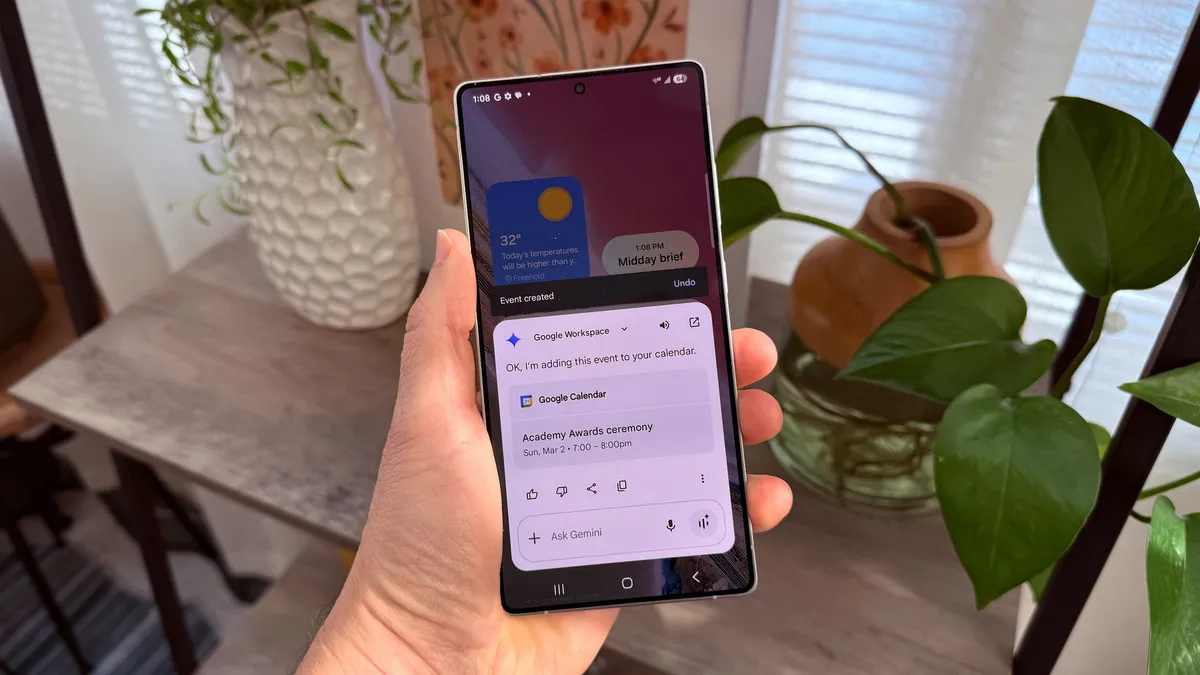
Google's controls weren't especially difficult to find either. Gemini Apps Activity lets you decide whether your conversations are stored and used according to Google's policies.
The catch is that disabling activity also changes how Gemini works. You'll lose saved chat history, and some personalized experiences disappear along with it. That's not necessarily a bad tradeoff, just something you'll have to weigh before making the switch.
As mentioned, Google recently confirmed that some Search interactions — including uploads used with AI-powered Search features, may contribute to improving its AI systems unless you disable the relevant activity settings.
Claude: Clear controls, with some fine print worth reading

Anthropic introduced a training opt-in for its consumer Claude products (Free, Pro and Max) in August 2025. Users were asked to decide whether their conversations could be used to improve future models, with a deadline to make their choice.
The setting lives under Settings > Privacy, where you'll find a toggle labeled "Improve Claude for everyone." Turn it off and Anthropic says your future conversations won't be used for model training.
Like ChatGPT, the change is forward-looking — it doesn't pull your data out of models that have already been trained. And if you leave the toggle on, Anthropic's retention period for that data extends from 30 days to up to five years.
There's also an Incognito mode, accessible via a ghost icon in the interface. Incognito conversations aren't used for training regardless of your main toggle setting, which is a useful option for one-off sensitive queries.
One thing worth noting: Anthropic's privacy policy includes a carve-out for conversations flagged by its safety classifiers. Even if you've opted out, flagged content may still be used to improve Anthropic's internal trust and safety systems. The policy doesn't define exactly what triggers a flag or commit to notifying users when one occurs.
Business and API users operate under separate commercial terms, and their data isn't used for model training by default.
Microsoft Copilot: It depends on which product you're using

Microsoft was the hardest to summarize because the answer changes depending on where you're using AI.
For the consumer Copilot experience (used with a personal Microsoft account), Microsoft does use conversation data — including voice interactions and uploaded files' context — to train its AI models by default.
However, an opt-out exists. On copilot.com or the desktop app, go to your profile icon > your profile name > Privacy >Training on conversation activity.
On mobile, the path is Menu > profile icon > Account > Privacy > Training on conversation activity. Opting out excludes your future conversations from model training.
One detail that separates Microsoft from the pack is that even if you don't opt out, Microsoft says personal identifiers are anonymized before data is used for training. Uploaded files themselves are never used for training and are deleted after 30 days.
For Microsoft 365 Copilot used through a work or school account, the picture is much cleaner. Microsoft explicitly states that enterprise data is not used to train its foundation AI models. Your organization's IT administrator controls the relevant settings, and users in those environments won't even see a training toggle.
The gap between these two experiences is significant because a personal user who doesn't dig into settings is opted in by default. An enterprise user is protected by contract. If you're using Copilot casually with a personal account, it's worth the two minutes to check.
Meta AI: No simple opt-out for most users

Meta AI is where the comparison gets uncomfortable. Unlike every other service on this list, Meta doesn't offer U.S. users a simple toggle to opt out of AI training. Your public posts, comments, captions and interactions with Meta AI across Facebook, Instagram and WhatsApp can all be used to train Meta's generative AI models.
EU and UK users have stronger protections, they can submit a formal objection through Meta's Privacy Center under GDPR rights, and Meta is required to review it.
But for users in the United States, the only available option is a third-party information form designed for cases where your personal data appeared in an AI-generated response. Meta doesn't guarantee it will honor these requests.
There's also no way to submit an opt-out request specifically for Meta AI interactions on WhatsApp. Meta says private messages aren't used for training, but any conversation you have directly with Meta AI can be.
Making your accounts private reduces your exposure, since Meta says it doesn't scrape private posts. But that's a blunt instrument, it changes your entire social media experience to address an AI training concern.
To make matters more complex, as of late 2025 Meta began using AI chat interactions for ad targeting across its platforms, with no opt-out available for that specific use.
Grok: An opt-out exists, but the scope is wider than you'd expect
Grok, built by xAI and integrated into X (formerly Twitter), does offer a training opt-out, but the situation is more complicated than it first appears because there are actually two separate data flows to manage.
First, there's your Grok conversation data. You can disable training use by going to Settings > Data Controls within Grok and turning off the relevant toggle. xAI has confirmed that once disabled, your future chats won't be used for model training.
Second, there's your X platform data. By default, your public posts, likes and interactions on X are also used to train Grok, regardless if you've ever opened the chatbot. To disable this, go to Settings and Privacy > Privacy and Safety on X and find the Grok data-sharing section.
Both settings need to be turned off separately. Disabling one doesn't affect the other.
That dual structure is the key difference between Grok and standalone chatbots like ChatGPT or Claude. Those services only train on what you tell them directly. Grok can train on everything you've ever posted publicly on X, and opting out doesn't retroactively remove data that's already been collected.
Grok also offers a Private Chat mode, where conversations aren't saved and are deleted within about 30 days, similar to incognito features on other platforms. But the broader X data pipeline makes the overall privacy picture murkier than the conversation-level toggle alone would suggest.
What I learned
At one end, ChatGPT and Claude offer clear, easy-to-find toggles that take under a minute to change. Google is similarly accessible but comes with a functional tradeoff. Microsoft splits the difference depending on whether you're a personal or enterprise user.
At the other end, Meta offers U.S. users no meaningful conversation-level opt-out, and Grok requires managing two separate settings across two different interfaces to fully limit your exposure.
As AI becomes part of everyday life, it's important to really understand the privacy settings. Choosing a chatbot may involve more than deciding which one writes the best email or creates the best image and come down to a much simpler question: Which company do you trust with your conversations and how hard do they make you work to answer that for yourself?
Let me know in the comments which chatbot you prefer and why.

Follow Tom's Guide on Google News and add us as a preferred source to get our up-to-date news, analysis, and reviews in your feeds. Subscribe to Tom's Guide on YouTube and follow us on TikTok. Finally, you can visit our dedicated Tom's Guide Savings Squad hub for expert help on getting the best products for less.
More from Tom's Guide

