







When ChatGPT first launched, it was exciting to ask questions and watch it instantly respond. But now that it's been around for a few years, it should be treated differently than Google.
Over the past year, ChatGPT has significantly evolved from a conversational AI into a full-fledged digital workspace. It can manage ongoing projects, remember your preferences without you asking, analyze documents, browse the web, generate images, schedule reminders and even conduct in-depth research.
If you haven't explored it beyond simple prompts, you're missing some of the platform's most useful capabilities.
Here are the 11 features that have changed how I use ChatGPT every day.
1. It can manage an entire project
For those of you who haven't explored Projects, this is probably the biggest productivity hack you're overlooking.
Instead of starting from scratch every conversation, I now keep long-running writing projects inside Projects. ChatGPT remembers the files I've uploaded, the context behind the work and the goals I'm trying to accomplish.
For me, that means one Project to keep my work organized, another for personal projects and another for keeping my family organized.
Rather than repeating myself every morning, I simply pick up where I left off.
2. It can remind me to do things later

I used to paste reminders into half a dozen apps like Alexa+, Skylight and Google Home. Now I simply tell ChatGPT what I want to remember.
Using Tasks, I can schedule one-time reminders or recurring check-ins.
Some of mine include: story pitches, checking AI news and following up on unfinished projects every weekend.
It sounds simple, but it keeps work from slipping through the cracks.
3. It actually remembers how I like to work
Memory has become so much smarter. In fact, if you have memory enabled, ChatGPT will now update preferences based on what it notices. That means, instead of constantly introducing yourself or how you like your responses, ChatGPT already knows.
That means less prompting and more useful answers.
4. It can research the web far better than I expected

One of my favorite additions is Deep Research. Instead of giving me a quick summary, ChatGPT can spend several minutes researching a topic, gathering sources and producing a structured report.
When I'm trying to understand a complicated AI announcement or learn more about just about any topic, it's my go-to starting point.
5. It can understand photos, screenshots and PDFs
ChatGPT can understand so much more than it used to. This includes messy handwriting, blurry images or unfinished PDFs. I use it all the time by simply uploading documents or taking a screenshot.
ChatGPT can explain what's important without me digging through dozens of pages. It can even answer questions in real-time if you open ChatGPT Voice and Vision.
6. It can have conversations that feel surprisingly natural
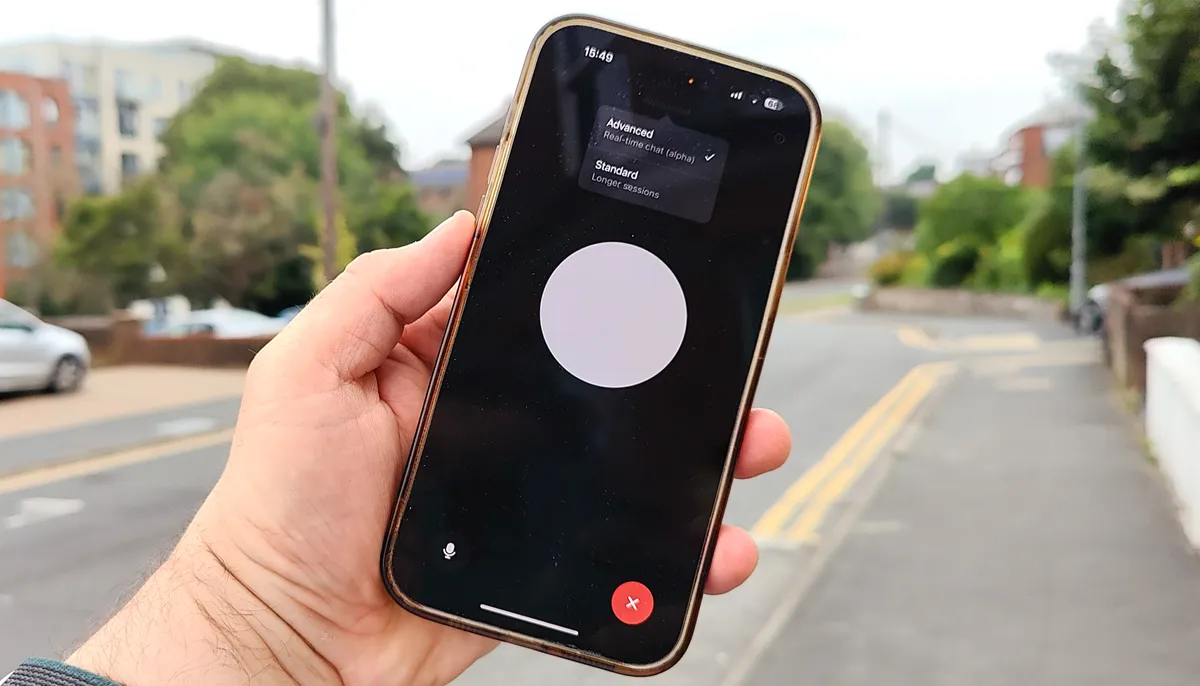
Voice mode has come a long way since it was first introduced. I use it all the time while cooking, brainstorming on a walk or even driving now that it's available in CarPlay.
Instead of typing questions, I simply talk through ideas as if I'm chatting with another person. Some of my best ideas have started this way.
7. It can generate and edit images
Image generation has improved dramatically. The on-image text has come a long way (it's readable and accurate now!) plus, ChatGPT can edit images with just a rpompt.
I use it to mock up story illustrations, create social graphics and experiment with visual concepts before opening a design program.
Being able to edit an existing image instead of starting over has been an equally big improvement.
8. It can write code, edit documents and organize ideas in one workspace

With Canvas, ChatGPT becomes a collaborative editor for writing or vibe coding. Instead of juggling multiple drafts across different apps, I can revise, reorganize and refine everything in one place.
Editing is also easier with on-platform apps like Canva. Users can update their resume or create presentations without ever leaving ChatGPT.
9. It can browse the web when I need current information
Although ChatGPT shouldn't be used like Google, the ability to search the web does solve one of the biggest complaints people had about early ChatGPT.
When I need the latest product announcement or breaking AI news, I simply let ChatGPT search the web and cite its sources. It's a great way to fact-check on the spot and it makes the platform much more useful for current events.
10. It can reason through difficult problems instead of rushing to answer
Here's something that often gets overlooked. The newer reasoning models don't always answer immediately because they actually spend time working through more complicated questions before responding.
I've found they're noticeably better for planning, debugging and solving complex problems than earlier versions of ChatGPT.
11. It can act more like a digital teammate

All of these applications combine mean that the ChatGPT is truly a collaborative partner. The chatbot is not just an answer machine anymore.
It can help research, organize and remember recurring tasks with ease. And, the more you integrate apps like Norton, Spotify and Google Calendar, the more useful it becomes.
The takeaway
If you haven't explored all of what ChatGPT can do since you first logged on, you're probably using only a fraction of what it can do today.
With so many new features that help users manage work before, during and after the conversation, it's worth taking a second look. ChatGPT is an all-purpose workspace that can save you hours the more you know how to use it.
Follow Amanda Caswell and stay ahead of the AI curve 
Follow Tom's Guide on Google News and add us as a preferred source to get our up-to-date news, analysis, and reviews in your feeds. Subscribe to Tom's Guide on YouTube and follow us on TikTok. Finally, you can visit our dedicated Tom's Guide Savings Squad hub for expert help on getting the best products for less.
More from Tom's Guide

