







Public transport hero: You spend most of your time commuting, and want headphones that are great on the go.
Budget-conscious buyer: You want to get the best bang for the buck possible, and spend as little as you can.
The frequent flyer: You spend loads of time in the air, and want something luxurious to block out airplane noise.
All-day listener: You want as much battery life as possible so that you don't have to charge as often
The wireless audiophile: Sound is the most important thing for you, but you also like the convenience of a wireless connection.
The wired audiophile: Sound is the most important thing to you, and you don't mind being tethered.
The at-home musician: You want something perfect for music and listening to your instruments.
It’s easy to talk about the “best pair of headphones.” That’s simple — in my opinion, it’s the Bowers & Wilkins PX8 S2, which brings excellent sound quality and a great comfortable fit to the table, along with a full gamut of other features. But that doesn’t tell the whole story, and it doesn’t actually make it that much easier for you to choose your next set of cans.
Perhaps you’re not looking for something with a wire. Maybe you want game-changing ANC. Perhaps you’re playing with less cash and want something inexpensive to keep costs down. Either way, “the best overall” doesn’t matter. Rather, what’s best for you.
So I’ve made it simpler. I’ve worked out, with the help of our dedicated reviews team, the kind of headphones you might want for different use cases. That’s where you’ll meet our “head-sonas” (headphone personas), or the kind of person we think would do best with that set of headphones. Need something cheap? You’re our budget-conscious buyer. Want the very best sound? You could be the wired or wireless audiophile.
No matter what you’re looking for, you’ll get a breakdown according to use case, and then a short mini-review so that you can get a better idea of how the headphones perform. Ready? Let’s go!
Headphone jargon buster

Not sure what all those terms mean that you read in a headphone review? Let's break them down and tell you why they're important when picking out even the cheapest pair of headphones.
Learn the jargon
ANC
This one is going to come up a lot on this guide. ANC stands for "Active Noise Cancellation." It used to be the purview of the most expensive cans and buds, but now the technology has trickled down to devices that cost under $100. It uses some very clever audio science and wizardry to block the noise of the outside world when you're listening to music.
What kind of wizardry you ask? It uses a mixture of white noise and the frequencies in your music to counteract the sounds of the outside world dynamically. This can, as you might imagine, change the sound of your music — so watch out for subtle sound changes when you turn it on.
EQ
You'll see this one crop up occasionally in a bunch of places. It stands for "Equalization," and without going into too much detail, it lets you change how the headphones sound. Some give you special sliders that correspond to different frequencies in the music, and others give you pre-made options designed for different genres. You'll often find these options in an app, although sometimes there are special buttons on the headphones themselves.
Frequencies
This one is actually really simple — it's the different sounds that make up your music! They're fairly self-explanatory. The lows make up the bass notes: Synth basses, kick drums. The stuff that shakes your chest at a concert. The mids are where you'll find most of the music, like vocals and guitars. Look out for them being described as 'wide' or 'fat'. You don't want skinny mids. Finally, there are the highs. Think drum cymbals and the like. You want those to sound lovely and clear, crisp even.
Meet the testing team
If I had to test every single pair of headphones that you see on Tom's Guide, I think it's very possible that I'd go insane. Thankfully for me and my sanity, I've got the trusty Tom's Guide reviews team at my back, who rigorously shake down every pair of headphones I send their way.
Time to introduce you to Tom's Guides panel of experts:

Tammy has been reviewing headphones and audio gear for the last four years. From exclusives on Sonos's flagship Ace headphones and extensive audio testing experience at previous publication iMore, Tammy breathes headphones. There are few times when you find her without some cans strapped to her head.

Erin loves finding the best headphones to listen to her many, many playlists. She loves finding headphones that not only sound clear, detailed, and bassy, but that feel comfortable, too. Armed with her super-varied music taste, she's on a mission to track down the Holy Grail of headphones.

Nikita spends almost every waking moment listening to music — you'll rarely find her without a pair of earbuds in her ears or some headphones on her head. She's tested loads of headphones for Tom's Guide as a result, and brings a rigid testing regimen to her many reviews.

Ashley has reviewed a variety of headphones and earbuds for Tom’s Guide. As a guitarist, she is constantly analyzing music and looking for ways to get the best sound. When listening to music, from metal to synth pop, she knows the headphones make all the difference.
Best headphones you can buy right now
Why you can trust Tom's Guide Our writers and editors spend hours analyzing and reviewing products, services, and apps to help find what's best for you. Find out more about how we test, analyze, and rate.
For the public transport hero


If you're looking at this section, it means that, like me, you spend loads of time on public transport and want headphones to match. We want headphones that are comfortable for long periods of time, with epic sound quality and great ANC to block out the noise of the outside world. This pick is my current favorite for wearing on the bus or in a train.
My pick for the best headphones for public transport right now are the Bowers & Wilkins PX7 S3. Yes, they’re pricey, but they bring everything you could ever want in a pair of headphones and wrap it all up in a premium package that has to be experienced to be believed.
Their incredible comfort makes sure that you won’t want to rip them off the moment you get to work after a stressful bus journey, and their sound quality makes all your music sound great no matter where you are in the world — or in your commute.
Even better is their protective hard case, so you won’t have to worry about them getting damaged when you pack them away in your bag. It's one of the best cases you’ll find in their price range, and that’s saying a lot considering the competition.
ANC is good too, although it’s not quite as impressive as that found in the Sony and Bose alternatives. Still, it does a very good job of keeping the sound of your surroundings at bay.
Sprinkle in the excellent Bowers & Wilkins app and their USB-C listening mode and you’ve a fantastic pair of headphones for using on public transport.
let's break it down...
Comfort
The B&W PX7 S3 are a very comfortable pair of headphones. Thanks to their thick and plush earcups and wide, soft headband cushioning, I found that I could wear them for hours and hours on end.
Couple the well-judged clamping force with the padding, and you'll find a set of headphones that won't cause any kind of fatigue during wear. They're breathable too, and I didn't find that my ears got too hot at all while I listened to my music.
Sound quality
The best bit of the PX7 S3 is the sound signature. While it's a warm sound (that many will appreciate), it doesn't skimp out on all the detail and mid-strength that make your music sound amazing.
Every genre sounds good, whether it's a massive orchestral piece or a crushing death metal track. They're neutral in presentation without becoming too analytical, and it works very well.
Running through my gamut of test tracks was an absolute ball. I found the EQ useful for adjusting the sound, should you want to as well — although I'd wager you'll like the way they sound straight out of the box.
App
The Bowers & Wilkins Sound app is very good. It houses all of the customization features like the ANC and the EQ, and it's incredibly well laid out and easy to use. I particularly like how it knows what color your cans are; it's the little things that count.
One of the best things about the app is the audio handover feature if you've got one of B&Ws excellent speakers. It lets you pick up where you left off, so you don't have to stop listening to your music.
ANC
While not quite up to scratch with the Sony or Bose competition, the ANC of the PX7 S3 is still plenty for day to day use. It does a solid job of keeping the outside world at bay, holding off annoying noises on trains and buses with little fuss. Unless you've tried the ANC leaders, you're going to think "wow this ANC is excellent."
Transparency mode, however, is excellent. It's very natural sounding, and easily activated with a qucik button press on the eacup. Perfect when you need to order a sandwich or a bus ticket.
Battery life
Battery life is plenty, with 30 hours on tap. During my testing, I found this was a conservative estimate, with extra battery life that I wasn't expecting. Quick charge is a nice bonus as well, juicing up very quickly in a pinch.
Turn ANC off and you'll get some extra battery as well, and I've never had to worry about the battery dying when I don't want it to.
- Read the full Bowers & Wilkins PX7 S3 review
Also consider:


For the budget conscious buyer


There's nothing I like more than finding a deal — and saving money on headphones is one of life's greatest pleasures. I'm looking for headphones that deliver great sound, comfort and ANC for the best price possible. They might not be as impressive as the premium options, but they offer more bang for your buck than a stick of dynamite with a dollar strapped to it.
If saving money is the name of the game, then look no further than the excellent CMF Headphone Pro. They’re something of a budget miracle, packing in plenty of features and solid sound quality for a low price that undercuts all the more premium competition.
There’s ANC here that rivals far more expensive options, blocking out the noise of the outside world with no problems at all. Add that to their comfortable fit, and you’ve a pair of headphones that you won’t mind taking with you absolutely everywhere — and their low price means you’ll be less worried about breakage.
Sound is good too, and offers customization from a company known for tuning high-end audio. They’re detailed and bright, but offer plenty of low-end impact for bassier genres. There are custom EQs you can choose for different genres as well.
Call quality isn’t the best and it would be nice to get some form of hard case in the box, but given their low price, there’s not really much you can complain about before you’re just splitting hairs.
let's break it down...
Comfort
CMF has made a name for itself with cheap stuff that feels expensive — and while you can immediately tell that the Headphone Pro don’t cost many dollars, they’re a darn sight more impressive than similarly priced cans in the comfort department. They’re super light, for one, so you won’t worry about them weighing heavily on your head during long listening sessions.
The padding is soft too, and makes sure that they don’t get fatiguing or uncomfortable. They’re not quite as comfortable as some more expensive options, which have nicer foams, but they’re some of the most comfortable headphones under $100.
Sound quality
There’s one word that sets the CMF Headphone Pro apart from the rest of the budget headphone world — Dirac. That’s the same Dirac that does room tuning software for HiFi systems costing thousands of dollars, and its presence here is a great surprise.
And it does wonders for the sound. Without it turned on, they sound fine, but once you’ve finished the Dirac treatment, you’re in for a treat. Extra dynamism, clearer highs, and even more musical presence across the board.
Are they a premium-sounding headphone? Yes, actually, they are — and it's all thanks to that tuning engine. They sound excellent.
App
The Nothing X app is one of the best you’ll find for headphones anywhere. It's filled with useful features, and super easy to navigate, so you can find exactly what you’re looking for.
It’s here that you’ll find the helpful Dirac tuning, along with other sound modes and plenty more useful features. There are ANC controls as well, along with other settings. Well worth installing.
ANC
Considering how much they (don’t) cost, the CMF Headphone Pro offer surprisingly excellent noise canceling. Expectations for $100 do have to be tempered — you’re never going to get Bose-quality ANC here — but you may be impressed with their noise-blocking ability.
They do a great job of keeping traffic noise at bay, and the noise from the vehicle you might be in. They’re good for office use as well, keeping the noise of annoying colleagues at a minimum.
Battery life
This is where we get to be really effusive. If you leave the ANC turned off, you get 100 hours of battery life to play with. That’s epic, without even considering the price. There’s very little that lasts that long.
Turn the ANC back on and battery life halves, but 50 hours is still better than anything that Sony and Bose can muster. Excellent battery life.
- Read the full CMF Headphone Pro review
Also consider:


For the frequent flyer


When I'm flying, there are two things I want. The first is top-notch ANC, so that you can keep the outside world at bay. The second is something luxurious — so comfy that you're never going to want to take them off. This means spending a bit more money, but for a blissful long-haul flight, it's a sacrifice I'm willing to make. Here are the best headphones for flying.
You could be very easily forgiven for thinking this entry is about the first-generation AirPods Max. After all, the chassis looks identical, and even the stupid case is the same. The 20-hour battery life is the same as well — so what has Apple actually done to make them a new pair of headphones?
Quite a lot, it turns out, and it makes them some of the best headphones for wearing on a plane. The ANC is the big one, which now rivals Bose for out-and-out noise blocking ability. It silences the outside world almost immediately, keeping those plane engines out of the way of your precious tunes.
Or, indeed, the movie you’re watching with your iPad. There’s Spatial Audio here for supported apps, so you can watch all your favorite movies and TV shows with cinematic sound quality. It’s loads of fun to boot up Top Gun: Maverick and join Tom and crew in the sky. Except you actually are in the sky. Love it.
Then there’s the luxury bit that we enjoy so much. They’re milled out of aluminum and feel extremely well-built. The soft earpads and cool elastic headband make sure that they’re super comfortable, and you’ll have no problem wearing them for a full long-haul flight across the world.
let's break it down...
Comfort
Fan of the lavish look and feel of the OG AirPods Max? Good, as the AirPods Max 2 sport an identical design. The premium anodized aluminum ear cups, comfy removable cushions and mesh headband are an exact replica, as are the Digital Crown and ANC button on the right ear cup.
These all make for a stylish, easy-to-use pair of headphones that feel snug on your head, but boy, are they heavy. Weighing the same 13.6 ounces, these are nearly double the weight of rivals, like the Bose QC Ultra and Sony XM6. Still, these are comfy to use for hours on end, and it's hard to deny how good they look.
Sound quality
This is where Apple really delivered. Whether it's through Bluetooth or USB-C wired playback, the AirPods Max 2 captures the entire soundscape with rich yet balanced bass, detailed mids that don't overpower other frequencies and incredibly clear highs.
From heavy rock to southern blues, all instruments, vocals and everything in between can be heard with clarity. Audio is impressive, to say the least, and it's a bonus that the AirPods Max 2 can also handle the wide soundscape of dialogue and soundtracks in movies and TV shows fantastically. It's what you'd expect for a pair of headphones at this price.
App
As you might expect, if you're an iPhone user, you'll get plenty of settings to tinker with in the Apple AirPods Max 2's native iOS app. That includes configuring the Digital Crown and ANC button, changing Head Gestures, customizing call controls and more.
For those on Android? Don't expect anything. That leaves a large chunk of people out of the mix, but it's hardly surprising considering Apple tends to keep its ecosystem to itself.
ANC
Active noise-cancelling on the original AirPods Max should have been better, and that's exactly what the AirPods Max 2 deliver. While still not quite on the same level as Bose or Sony, Apple managed to take ANC up a notch by completely drowning out outside noise like buses or motorbikes in a noisy city.
High-frequency sounds can still be heard to a point, but not enough to take you away from your tunes. Also handy are the Transparency and Adaptive ANC modes, which do a good job of letting in the right amount of sound. All in all, don't expect to hear much noise (other than your music) while out and about.
Battery life
When seeing other headphones on this list that are far more affordable reach up to 100 hours of battery life, it's disappointing to see the Apple AirPods Max 2 retain a unimpressive 20-hour battery life. Perhaps Apple forgot an upgrade in this department.
Expect to be charging these more often than not, so prepare to bring a charger with you if you're taking the AirPods Max 2 on long trips.
- Read the full Apple AirPods Max 2 review
Also consider:
For the all-day listener


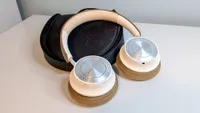
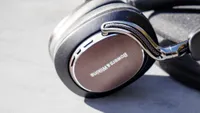
I like it when my headphones last as long as possible — and that means they need loads and loads of battery life. I want something that lasts, ideally, over 70 hours, and it's even better if I get more than 50 hours with ANC turned on. If you're looking to avoid the power outlet as much as you can (or you're just really forgetful), these are the headphones for you.
Marshall’s entry into the headphones world is one to be envied. The firm stands out in two key ways. The first is the standout design — and I mean, just look at them. They’re like a retro guitar amp made into headphones, replete with touches like the brass logo. Sony and Bose could never.
The second way they stand out is battery life, and there really is nothing doing it like Marshall right now. The 100 ANC off battery time is excellent, and beats almost everything. Usually, turning the ANC on would drop that down to something like 40-50 hours. Not so with the Marshall Monitor III. You get 70 hours of battery life with the ANC at its highest setting. That’s some seriously impressive battery life.
Sprinkle in some extra features, good ANC, and a rock n’ roll sound profile, and you’ve got a recipe for some of our favorite headphones ever. We love the Marshall Monitor III, and it's likely that anybody else who picks them up will too.
There’s only one thing I wish they did that the old ones did slightly better. The lovely, coiled audio cable is gone. Please, Marshall, bring it back. For me.
let's break it down...
Comfort
For the Monitor III, Marshall made a new type of foam with two layers. One has more give for a soft, pillowy feel, and the other a little firmer, so they stay comfortable for longer. I love wearing the Monitor III as a result. The clamping force is very well judged, so the headband doesn't dig into your head. Extra bonus: Despite that leather look, they're synthetic and thus vegan-friendly.
If there's one comfort complaint you could level at the headphones, it's that the headband is a little too eager to twist into its folded position. It doesn't make them uncomfortable at all, but it does make them taking them off more annoying than it should be; especially if you've got long hair that likes to get caught in the mechanism.
Sound quality
Personally, I'd argue these sound better than the Bose and Sony equivalents. They have a more measured delivery, with more control in the low end more potent mid-range bias. The highs are clear and bright, and bring plenty of detail to the table.
As you might imagine, they're great for heavier genres like rock and metal, but they'll happily oblige if you listen to the likes of R&B, Dance or Rap. Classical music is a lot of fun I found with the Marshall Monitor III as well, and even Jazz worked well through the headphones.
There's a version of spatial audio on board called "Soundstage," and it's... not great, unfortunately. It just adds some extra echo and a little more reverb to make the music appear wider. I would leave it firmly in the 'off' position.
App
The app is the same one that all of Marshall's audio gear uses, and it works well enough. It's simple and fairly easy to use thanks to large buttons and an intuitive layout. There's plenty to get in-depth with in the app as well, including multiple ANC modes and EQ customization.
There are some pre-made EQs, but you can also use a banded EQ to really dial in how the headphones sound. This is also where you'll find the Soundstage settings. One to leave alone, I'd say. In the end, it's a helpful app that adds to the package rather than complicating it.
ANC
ANC is about par for the course. I found that it wasn't up there with the likes of the Sony WH-1000XM5 or the Bose QuietComfort Ultra Headphones, but it was better than the AirPods Max and headphones closer in price to the Monitor III. It blocked out the noise of all the public transport I put it on.
Transparency mode is a little less good, unfortunately. It seems to want to isolate voices amongst the rest of the din, but it's not very good at it. I found I mostly got a garbled mess in the end — I'd just slip them off to talk to people.
Battery life
This is where the Monitor III really shine. They'll last you 100 hours with the ANC turned off, which is around two weeks' use if you were to use them while working. Turn ANC on and you get 70 hours, or about 10 hours per day of the week. That's a lot of battery life.
When I was testing the Monitor III, I used them for around 2 weeks, and during my testing, I didn't need to charge them even once. Since then, I've had to charge them a few times, but the 100-hour battery life claim rings true in my testing.
- Read the full Marshall Monitor III review
Also consider:


For the wireless audiophile


"Come into my parlour," said the spider to the fly, "and take a look at the thousands of dollars I've spent on high-end audio gear." I am an audiophile through and through, but while the cable is usually where it's at, I appreciate the convenience of a wireless connection. I'm looking for headphones that scratch my sound quality itch while remaining convenient in this category.
What holds most potentially wireless ‘audiophile’ headphones back? Bluetooth. There are ways to make Bluetooth sound better, and if you’re lucky enough to wield a special Android handset, they’re accessible to most expensive headphones. If you’re an Apple user, or you’ve spent more money on your headphones than your phone, then you’re out of luck.
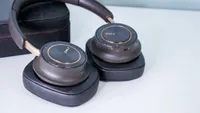
Unless you pick up the excellent Sennheiser HDB 630. See, they support all those fancy Bluetooth sound improvements, but come with a little dongle so that the source device does as well. Pop it in the USB-C port of your iPhone, and you get a sudden upgrade in sound quality that brings some truly maddening audio to your ears. No matter what you’re listening to.
The headphones themselves sound stunning. They’re revealing and exacting, unforgiving of low-quality tracks, but rewarding when you play something epic. The ANC is good enough to let you enjoy that sound quality wherever you go as well.
Any true, Reddit-qualified audiophile is going to look at you down their smudged spectacles and say “oh but they’re not wired, so they can’t be that good.” Of course they’re not — but there’s little that sounds better on the go.
let's break it down...
Comfort
As a fairly light pair of headphones, the HDB 630 are a comfortable fit. They're covered with silicon and synthetic leather, both of which are soft and comfortable on the skin. Clamping force is good too, so I had no worry about them falling off or being too tight when I was testing them. They're not quite as comfortable as the B&W Px7 S3, but they're a comfy pair nonetheless.
The synthetic leather means they're vegan-friendly, although the silicon headband does take a little away from what should be a more premium experience. They also don't get huge — those with much larger heads should look elsewhere.
Sound quality
There's more to the sound quality of the HDB 630 than just what you hear when you put them on. They do sound spectacular when you use them out of the box, with sumptuous detail and controlled, even bass. There are crystal clear highs and a wide mid-range that never muddies.
It's the incredible EQ settings that really get things going, though. There's the Parametric EQ for some super granular adjustment, and then a more standard EQ for those too scared of band selection. Then, if even that is too daunting, there's are EQ presets to change the sound.
They're immersive, they're clear, and they're easy to listen to. There aren't many headphones that really let you critically listen on the go, but the HDB 630 make it easy.
App
Sennheiser's app is very easy to use, and is packed full of features. It's set out in simple cards in the app, and you customize what appears in the front page for easy access. There are EQ modes and adjustments so that you can change the sound on the fly.
Things can get busy if you're not careful, but if you spend a little time curating the app you can very easily dial in your perfect Sennheiser app experience. Considering you need it for all the features the headphones offer, it's good that it's a solid app.
ANC
The HDB 630's ANC might not be quite as good as that found in the Sony and Bose competition, but it's still excellent. It does a solid job of blocking out the noise of the outside world so that you can listen to your music without disturbance.
The transparency mode is solid too, and lets you hear what's going on around you more easily. It sounds natural, so you won't have strange-sounding shop clerks when you go to buy your breakfast.
Battery life
Battery life is excellent. The headphones last for 60 hours with ANC turned on, a whole 30 hours more than the closest Bose and Sony alternatives. Only the Marshall Monitor III feature more battery life.
It does drop when you use the extra Bluetooth dongle, bringing the battery life down to 40 hours. That's still epic battery life, and more than enough to last you through several days of work.
- Read the full Sennheiser HDB 630 review
Also consider:

For the wired audiphile


Look, when I want to sit down and get comfortable with my music, it's to my wired headphones that I go to. They give me the best sound quality possible, and I don't have to worry about battery life or noise-cancelling settings. We're looking for sound here, but also great build quality and premium materials. Want the best sonic performers? These are my favorites right now.
When I plug my Meze 99 classics in and run my fingers over their wooden earcups, there’s little more to think about than just how good they are. Their sumptuous leather headband and earpads that match the warmth of my head, the ingenious self-adjusting mechanism, and the lovely metal accents that remind me what they’re all about.
And then there’s the sound. They’re effortlessly detailed and well-formed, with a more analytical edge than most wireless headphones. You’ll hear details here that you’ve never heard before, and spot musical patterns that others would completely miss through their AirPods Pro or Samsung Galaxy Buds.
They’re not as bassy as those wireless options either. The bass that is here is articulate and well-formed, but true bass heads will want something with “Audeze” penned on the earcup. Still, these are some of the best-sounding headphones I’ve ever tested.
You will forgo some of the modern conveniences of modern wireless headphones, like ANC and other settings, but then you’ll listen to your favorite music. And then none of that will matter.
let's break it down...
Comfort
The leather-covered pads on the 99 Classics Gen 2 are a joy to wear around your ears. They’re breathable so your ears don’t get too hot, and they quickly mold to the shape of your head to make sure there’s great sound isolation. They’re light too, so they don’t get uncomfortable over longer periods of time.
The adjustment for the headband is ingenious. We love the funky system that auto-adjusts to your head using a tensioned headband, and it makes them even more comfortable. There’s only one slight downside — if you’re not used to a cable, you might find they restrict your movement. This is inherent to all wired headphones, of course, but it's worth noting.
Sound quality
This is where things get special. They sound amazing. Like, truly spectacular. They’re so detailed you’ll hear breaths and slides up fretboards you’ve never experienced before, and movements in orchestras that have never been audible. They’re rich enough to make your music sound velvety smooth, and so bassy that they’ll shake your head.
But there’s control here in spades, so nothing ever becomes too much. They’re a great entry into the audiophile hobby as a result. Their soundstage is remarkably wide for closed-back headphones, and the instrument separation is epic. I love the way that they sound.
App, ANC and Battery life
By virtue of being wired headphones, you don’t have to worry about an app, ANC or battery life. Just make sure that you’ve got a suitable dongle to use them with your devices — otherwise you’ll find you won’t be listening to anything at all.
- Read the Meze 99 Classic 2nd gen review
Also consider:

For the at-home musician



When I'm not listening to music, I'm making it — and to make sure my mixes sound great and my instruments are as they should, I need something that sounds nice and flat. Mixing headphones aren't usually for normal listening, but they serve a purpose beyond comfort and feature set. These headphones are the best at what they do right now.
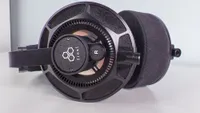
Beyerdynamic’s mixing headphones are an industry staple, and there’s good reason that they’ve stood the test of time. They’re just really, really good. The DT 270 Pro follow the legacy of their forbears with aplomb, bringing great mixing sound to a fairly comfortable design, that, unlike other mixing headphones, won’t need to be taken off every 30 minutes as they get more and more uncomfortable.
The sound profile is, as you might expect, good and flat. That gives you plenty of space to hear exactly how your mix is going, without bringing any tonal bias to the music that you’re making. Bass depth could be slightly better, but that’s just picking at hairs with what are otherwise solid-sounding mixing headphones.
Even better for bedroom mixers is their price. They don’t break the bank at $159, and you’ll soon be making your own music without worrying about saving up for something super expensive and special.
They’re so good for the price in fact, that we didn’t feel that there were any complaints we could level at the headphones before we were nitpicking. They’re not headphones for normal mixing, as you might expect, but they’re a perfect way to get more serious about making music.
let's break it down...
Comfort
Mixing headphones aren’t commonly known for being comfortable, but the DT 270 Pro buck that trend. Thanks to some lovely soft earcups and a kind of velveteen finish, they’re more comfortable for long periods of wear than you might expect.
Jut one thing to bear in mind — they’re on-ear, so they don’t encapsulate the whole thing. Some people really don’t like this kind of fit, so you might want to look at the Sennheiser option below instead.
Sound quality
Usually, I’d wax lyrical for 200 words or so about how good the headphones, but that’s not important here. Traditionally, mixing headphones don’t need to sound good for listening, but they need to be as revealing and flat as possible so that you can pay attention to different parts of your mix.
And, as you’d hope, they’re good at it. There’s no sonic coloring here, only showing you what they need to without causing any sonic upsets. They don’t even sound bad for listening either – which is a bonus.
App, ANC and Battery life
They’re wired — so they don’t have any app or anything to use.
- Read the full Beyerdynamic DT 270 Pro review
Also consider:
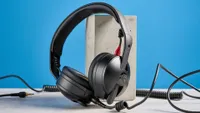

How we test headphones
Testing headphones isn't all fun and games — it's hard work using different sets for hours and hours, looking at their ANC algorithm, testing their batteries to empty, and going in depth with their sound quality.
Ok, so it's not that hard, given that most of it is listening to music, but it's still important that we get a clear idea of how the headphones perform. Beyond wearing the headphones and seeing how comfortable they are, along with judging build quality and the value of the package itself, there are a few key variables that we have to test more rigorously to get an idea of how they fare.
Sound quality

This is the fun bit in our testing. We sit down for a few hours per day of proper, critical listening so that we can get a good, clear idea of how the headphones sound. We use the Tom's Guide testing playlist on Qobuz, which the testing team and I put together with tracks chosen to highlight different strengths and weaknesses in a pair of headphones.
We listen in a quiet environment first of all, and then compare the sound quality to the headphones on the list above. That gives an idea of the frequency response of the headphones and a clearer picture of the kind of sound quality that you can experience.
It's all hard work, of course. No fun to be found here. We don't also spend the duration of the testing period listening to our favorite tunes, and getting lost in our own musical worlds. And if we did, it wouldn't help at all in judging the headphones' sound in a day-to-day use case. Nope.
Want to listen along with the Tom's Guide testing team? Check out the playlist below:
ANC

We want to make sure that the ANC performs well in a variety of different environments, so we take it out and about to really get a feel for how the headphones handle them.
That means taking them on the bus, the train, and even on intercontinental flights for hours and hours, and then noting our experiences when we get back in front of our keyboards. We want these to be as real-world as possible, so we use the ANC in the same kind of environments that you would be — there's no point testing how they'd sound 6 feet away from a jet engine, no matter how well it might show the ultimate strength of the algorithm.
For headphones with transparency modes and the like, we test the headphones when we need to speak to someone. That could be a bus driver, a colleague at work or the salesperson at the corner store.
We listen out for any kind of audio artefacting or noises that the microphones pick up, and whether the audio is clear or muddy.
Battery life

When headphones can last anything up to 100 hours now, it's never an easy task to test the battery of a pair of cans. Where possible, we like to measure the amount of time we listen to a pair of headphones before they reach the end of their battery life. We do this while listening with ANC turned on, and the volume at mid-level to replicate how you might actually want to use your headphones.
Where this isn't possible, we extrapolate battery life based on the percentage remaining and how long we've been listening to them. From there we can work out whether a manufacturer's claims are correct. This isn't the most accurate method of testing batteries, but sometimes battery life is so big that it's otherwise very tricky to measure them accurately through any other means.
Call quality

We start testing call quality exactly how you'd expect — we make some calls while wearing the headphones. From there though there are a couple of different variables that we consider when judging the call quality.
First, we want to make sure that the person we're calling sounds good. Are they clear, or do we struggle to hear them occasionally? We want to make sure than any noise canceling isn't getting in the way, and that we don't get interrupted by outside noises. How's the volume, and does it get piercing?
Then, we double check with the person on the other end of the call can hear us ok. Are we clear? "Can you hear me properly, and can you tell me where you think I am?" We test the call quality in a number of different environments from the roadside to public transport and everything inbetween so that we know that the call quality is good no matter where you are.
How to choose the best headphones for you
Our list should hopefully make the task a lot easier than it was before, but there are still some important things to keep in mind when you want to buy a pair of headphones.
Where are you going to be wearing them?

Different headphones excel at different things, and you want to make sure that your headphones are going to excel in your environment. If you are going to be wearing them in a noisy environment, for example, you'll want something with better ANC that can block out more noise.
If you're in a quieter spot, you might want to put your focus on the feature set or the sound quality. You'll have more flexibility, in that case.
If you're wearing yours in a city, you might not want a pair that screams "I spent a lot of money on these!" So you'll want to choose something that's slightly more understated.
How much do you want to spend?

Work out a budget before you start thinking too much about the kind of headphones you want to buy. There are excellent options at loads of different price points, and don't be put off just because something is cheaper than the headphones at the very top of the list.
Similarly, don't think that just because something is more expensive means that it's going to be much, much better than something that doesn't cost as much. The Marshall Monitor III, for example, don't cost as much as Sony or Bose's flagship models, but they sound better.
Look out for hard cases

Generally, if you pay above $200, you're going to get a case in the box of your headphones. Not all cases are created equal, however. The hard case found in the box of the Marshall Monitor III, as pictured above, is much better than the softer case you'll find in the $250 more expensive AirPods Max 2, for example.
Do some shopping around and double-check that you're going to get the full package that you want when you're looking to pick up a new pair of headphones.
Don't be fooled by frequency response readings

When you're reading through the specs lists of headphones, you'll often find a frequency response number. It might read something along the lines of "15 Hz - 22 kHz". The first number denotes how low they can go, and the second is the upper limit of the headphones. Everything in between is what makes up most of the music.
It's useful for spec-heads to brag about their headphones, but its very poor for working out how headphones actually sound. Just because a pair of headphones might be capable of going super low doesn't mean they're any good at it, and neither does the second number give you any idea of the quality of the high-frequencies.
It's about what the headphones do with the frequency range that demonstrates how they sound, and the only way to find that out is to give them a try. Or read one of our top-notch and informative headphone reviews.
