Club Benefits





If you've been waiting for the right time to purchase a new MacBook — now is it. Apple's MacBook lineup is fully refreshed with models now using the M5 processor. Even better, most of these MacBook are now seeing $100 price cuts.
Some of the best MacBook deals this week come from Amazon. For example, Amazon has the new 13-inch MacBook Air (M5) on sale for $949. Want a bigger screen? You can get the 15-inch MacBook Air (M5) on sale for $1,149. Both are all-time price lows.
Meanwhile, Amazon also has the new MacBook Neo for $589. It's a minor $10 off, but the best and only deal I've seen for the MacBook Neo so far. (I don't expect to see significant price cuts on the Neo till perhaps Memorial Day or Prime Day).
With so many deals right now — my advice is to jump on any sales immediately because stock tends to run out fast. If you don't see the listed sale price, try checking different color models for hidden deals. (For more deals, make sure to follow our best Apple deals guide). Also, make sure to check out our guide on the best Apple coupons and best MacBooks for college students.
MacBook deals and Prime Day
Prime Day starts on June 23. I expect the 4-day event to be loaded with Apple deals, especially when it comes to MacBooks. I've yet to see a significant MacBook Neo deal, so if ever it were to happen — Prime Day would be it. The current MacBook Air M5 is already selling for $949, but could drop an extra $50 come Prime Day. Make sure to follow the Tom's Guide Savings Squad and check out our full Prime Day deals coverage for the best MacBook deals this month.
Best MacBook deals right now
Quick Links
- shop all MacBooks: from $589 @ Amazon
- MacBook Neo: was $599 now $589 @ Amazon
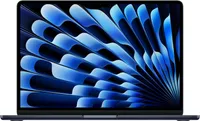
- MacBook Air 13" (M5): was $1,099 now $949 @ Amazon
- MacBook Air 15" (M5): was $1,299 now $1,149 @ Amazon
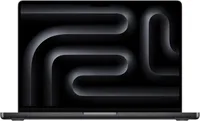
- MacBook Pro 14" (M5/1TB): was $1,699 now $1,549 @ Amazon
- MacBook Pro 14" (M5 Pro/1TB): was $2,199 now $2,045 @ Amazon
- MacBook Pro 16" (M5 Pro/1TB): was $2,699 now $2,529 @ Amazon
MacBook Neo


MacBook Air
MacBook Pro
Refurb MacBook deals
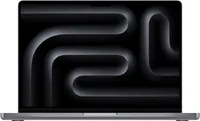
How to find the best MacBook deals
Amazon, Best Buy, and B&H Photo offer the best MacBook deals and often price match each other. Here are the prices to look for when shopping for your MacBook:
Current gen
13-inch MacBook Air M5: Released in March, this is one of Apple's newest Macs. It sells from $1,099 ($100 increase over the M4 model) and has hit an all-time low of $949 at Amazon/Best Buy during the Big Spring Sale.
15-inch MacBook Air M5: Released in March, the larger 15-inch MacBook Air sells from $1,299. It has sold for $1,149 at Amazon.
14-inch MacBook Pro M5: Amazon and Best Buy tend to offer the best deals on Apple's new MacBooks. The base 14-inch model hit $1,499. Meanwhile, the model with the M5 Pro hit $2,049.
16-inch MacBook Pro M5 Pro: One of the priciest MacBooks in Apple's lineup (from $2,699) has hit an all-time price low of $2,549 at Amazon. While it's rare to find this price, it's not completely uncommon, so if you can wait it out — we'd recommend waiting for a major retail holiday before buying this machine.
It's also worth noting that sometimes pricing varies based on what color MacBook you choose. So when shopping, we recommend clicking on different colors to see if there are hidden discounts. Also, check out our list of the best Mac VPN and how to check MacBook battery health.
Model | Apple Store (MSRP) | Lowest price |
13" MacBook Air (M1) | N/A | $499 |
MacBook Air 13 (M4) | $999 | $749 |
MacBook Air 15 (M4) | $1,199 | $949 |
MacBook Air 13 (M5) | $1,099 | $949 |
MacBook Air 15 (M5) | $1,299 | $1,149 |
MacBook Pro 14" (M5) | $1,599 | $1,499 |
MacBook Pro 14" (M5 Pro) | $2,199 | $2,049 |
MacBook Pro 16" (M5 Pro) | $2,699 | $2,549 |