Google just announced its November Pixel Drop, which adds a slew of new features for Pixel phones and watches. Plus, the Pixel Tag officially goes on sale today (look out for our review here).
There's a ton of stuff in the drop, but some highlights include expanded Gemini Intelligence, a new Create My Widget feature and step-by-step workouts on Pixel Watch 3 and newer.
The company also announced its new Google Fi "Super Network." We've got more details about how it works here.
Let's dive into what's available and which devices support these new features.
Pixel Phones

For the most part, the big features are only coming to the Pixel 10 and Pixel 11 series phones in this update. Some smaller tools are available on Pixel 6 and later phones. Surprise, most of it is AI-related.
Gemini Intelligence and AI

Starting with AI, Gemini Intelligence is now available on Pixel 10 phones, including the new Rambler feature, which automatically removes filler words and can format your spoken words into "clean, coherent" text. It also adds automations for specified apps, including grocery ordering, ridesharing and booking reservations.
Create My Widgets enables you to build custom widgets using AI by describing the type of tool you need. Google is also offering curated recommendations.
Gemini Call Screen is on Pixel 11 phones and screens calls on demand. For Pixel 10 and 11 phones, Gemini can make calls for you, doing things like checking inventory, putting items on hold, or making/changing reservations.
Pixel 11 phones are getting Pixel Solver, which uses generative AI to create custom templates and "conversational, multi-step problem solving for everyday" math.
Pixel 9 and above phones are getting Notification Summaries that will recap long conversations, giving you context at a glance.
Non-AI features and older Pixels

The highlight feature, pun intended, is HiLight, announced at the Made By Google event in August. When your phone is face down, HiLight will glow to let you know if a favorite contact has sent you a message.
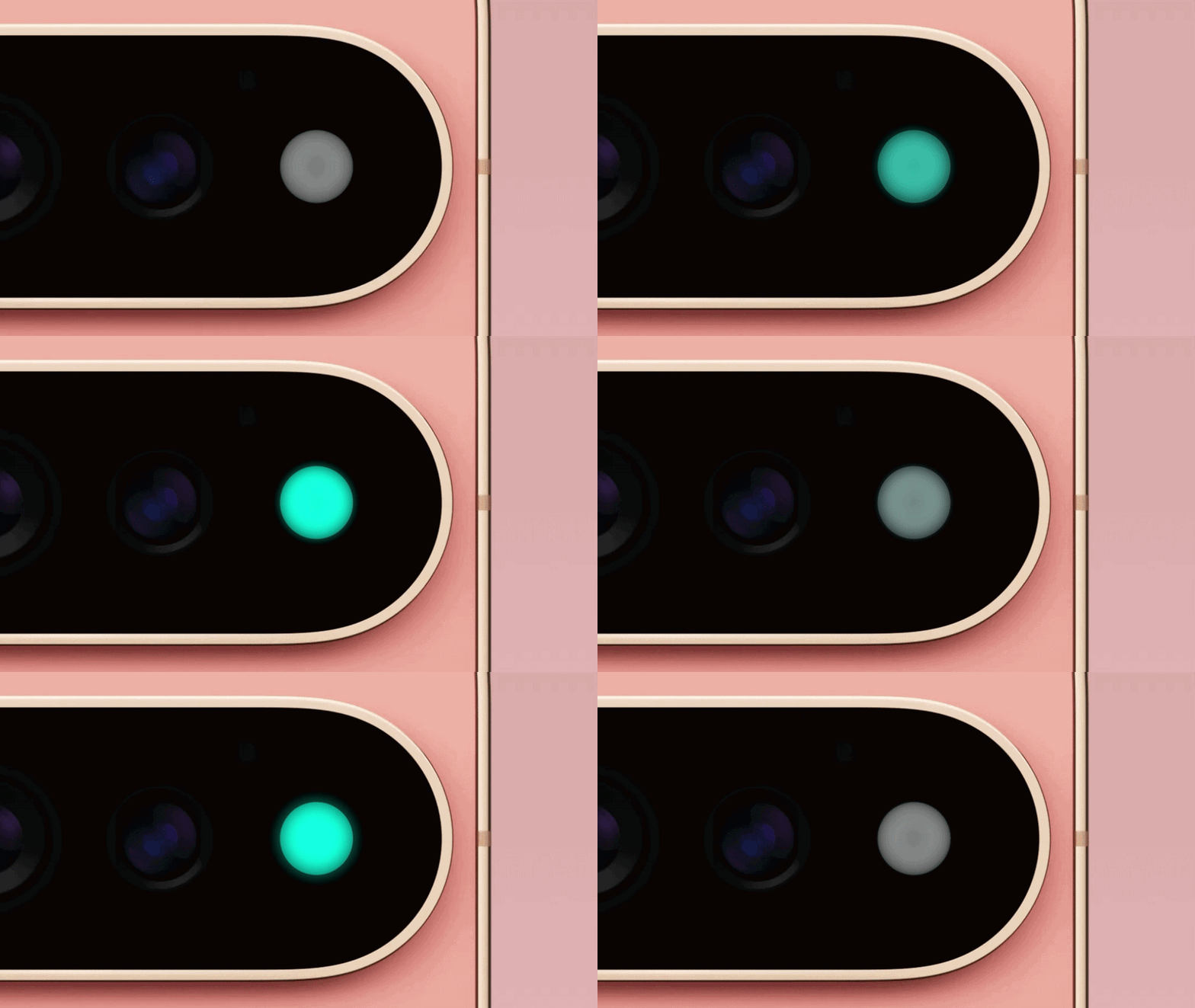
Otherwise, for 6a and above, there's a new Custom Icons style, which uses Nano Banana to generate. Transit Mode 2.0 triggers automatically based on phone sensors.
Pixel Search Updates lets you find content across your apps, web and settings using natural language search directly from the All Apps screen.
Unit Conversion is a module to help you skip toggling between the browser and the calculator. Pixel 6 and above phones are also getting Live Location Sharing for Pixel VIPs.
Finally, Pixel 10 phones are getting Extreme Charging Mode that quickly charges your phones to full.
Pixel Watch features

Your Pixel Watch isn't getting as many features as the phones, but the big one is "Step-by-Step Workouts." Basically, your watch will give you step-by-step instructions for each exercise in your routine. It will also log reps, weights and track metrics from your Watch, or your phone.
This is available on Pixel Watch 3 and newer models.
Google announced that Create My Widgets, Gemini call Screen and Notification Summaries, outlined above, are "coming soon"; no specific date was provided.
Phone to Watch Unlock is also coming soon to Pixel Watch 3 and new models. This feature will let you unlock your watch with a nearby paired phone. No date was provided here either.
Follow Tom's Guide on Google News and add us as a preferred source to get our up-to-date news, analysis, and reviews in your feeds.
More from Tom's Guide