After Apple’s dramatic showing at WWDC 2026 last month, I’ve been getting cozy with all the new features thanks to the iOS 27 developer beta. Unless you’ve signed up for a developer account, the vast majority of people need to wait for the public release.
Thankfully, the wait is over. The iOS 27 public beta has launched, and supported iPhones can finally experience the latest and greatest that Apple has to offer with its phone software. What’s fascinating is that my colleagues and I felt iOS 26 left users feeling like Apple was trailing behind in the AI wars — but iOS 27 is an absolute redemption arc.
That’s because it’s taking a big leap, complementing the foundational features of the platform with AI features and tools that don’t just make life easier; they fundamentally change how you interact with your iPhone on a daily basis. I’ll tell you how I feel about these new changes and additions with my iOS 27 public beta hands-on.
iOS 27 public beta hands-on preview: Supported iPhones

Before you take a stab at trying some of the best iOS 27 features, you’ll obviously need an iPhone that can support it. Apple has optimized the software structure so well that it runs smoothly even on older hardware, which is why official compatibility extends as far back as the iPhone 11.
However, there’s a small caveat regarding which models gain support for the most advanced Apple Intelligence features and Siri AI. Because these tools require significantly more processing power, only the last few generations of hardware will get access to them. Here is the full list of iPhones that support iOS 27, with the models in bold indicating they’ll support the most advanced AI features:
- iPhone 17
- iPhne 17e
- iPhone Air
- iPhone 17 Pro
- iPhone 17 Pro Max
- iPhone 16
- iPhone 16 Plus
- iPhone 16 Pro
- iPhone 16 Pro Max
- iPhone 16e
- iPhone 15
- iPhone 15 Plus
- iPhone 15 Pro
- iPhone 15 Pro Max
- iPhone 14
- iPhone 14 Plus
- iPhone 14 Pro
- iPhone 14 Pro Max
- iPhone 13
- iPhone 13 mini
- iPhone 13 Pro
- iPhone 13 Pro Max
- iPhone 12
- iPhone 12 mini
- iPhone 12 Pro
- iPhone 12 Pro Max
- iPhone 11
- iPhone 11 Pro
- iPhone 11 Pro Max
- iPhone SE (both 2020 and 2022 models)
iOS 27 public beta hands-on preview: a much smarter, more reliable assistant

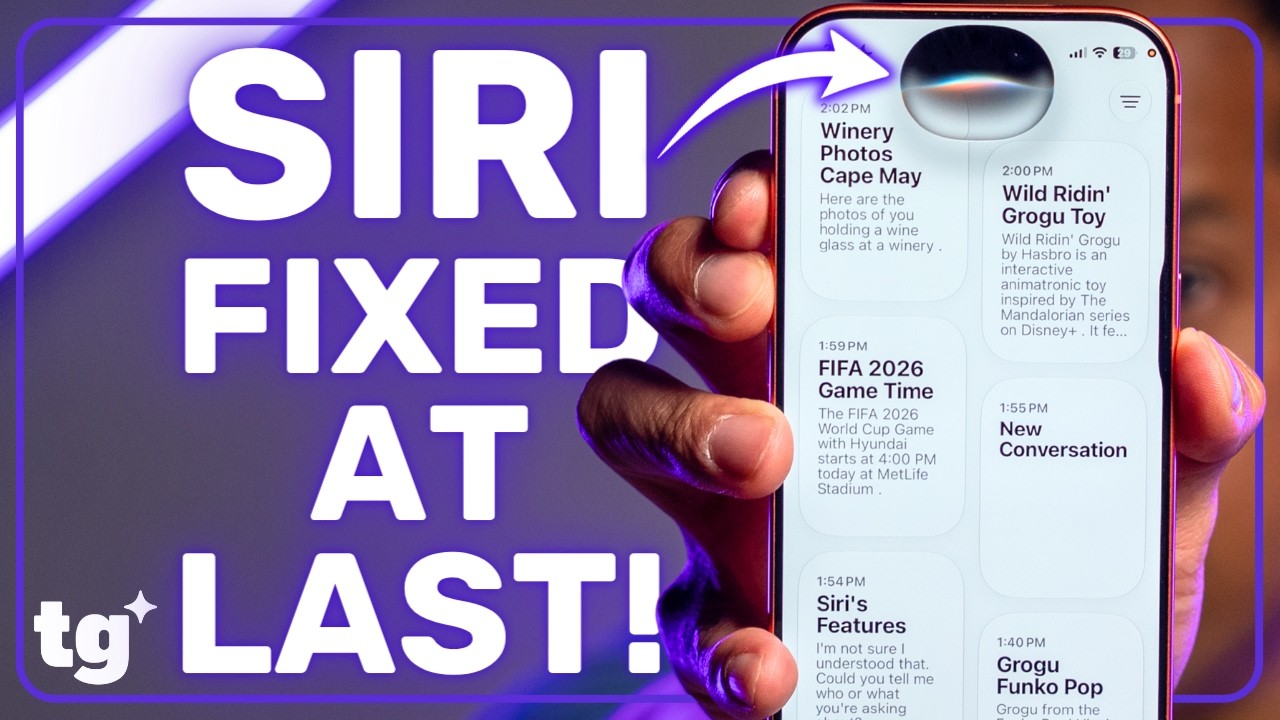
I’ve been running the iOS 27 developer 3 beta for a while now, and nothing continues to stand out more than Siri AI. Apple’s assistant finally gets its most substantial upgrade since its inception, acquiring new on-screen contextual awareness that makes this assistant feel far more capable than before. What’s really notable is the proactive, dynamic approach that Siri AI takes when you're using your phone.

For example, if you’re reading an email or texting back and forth in Messages, Siri AI will scan the screen and provide a contextual suggestion — like offering a one-tap option to create a Calendar invite based on a discussed time and place.
When it comes to productivity, I love using Siri AI to handle trivial, repetitive tasks. In the past, it was a total time suck to manually copy and paste text or pull hashtags from an Instagram post, but now I can simply tell Siri AI to grab them for me. It knows exactly what I’m looking at on screen and understands the intent behind my request, saving me from tedious tapping and typing.

Additionally, a dedicated Siri app now aggregates all of your previous requests in one place. It organizes your history much like the Gemini app, letting you easily search through past queries and jump right back in to follow up on them.
But as much as Siri AI makes life easier, it still has some catching up to do. Most of its deepest functionality is currently locked down to Apple's native apps. It still lacks the robust third-party app integration that would allow it to execute complex, multi-step real-world tasks — like letting me place an order for Dunkin' Donuts via the DoorDash app.
iOS 27 public beta hands-on preview: Speed Boost

On the surface, Liquid Glass still makes iOS 27 look visually appealing with its sense of depth, transparency, and layered layout. While I’m happy to see that Apple is letting users tune the intensity of the transparency effects, I’m far more impressed by how much more responsive iOS 27 feels.
| Row 0 - Cell 0 | iOS 26 Speed (Minutes:Seconds.Miliseconds) |
iOS 27 Speed (Minutes:Seconds.Miliseconds) |
Difference (Seconds) |
% Improvement |
Safari |
00:00.24 |
00:00.21 |
0.03 |
+12.5% |
Photos |
0:00.39 |
00:00.32 |
0.07 |
+17.9% |
Camera |
00:00.24 |
00:00.23 |
0.01 |
+4.2% |
Google Maps |
00:00.88 |
00:00.53 |
0.35 |
+39.8% |
You can’t fully appreciate the fluidity of iOS 27 until you see it side-by-side with iOS 26. Running two iPhone 17 models side-by-side — one with the iOS 27 beta and the other with iOS 26 — immediately reveals how much smoother the system animations are and how much faster apps launch. As you can see from the data comparison chart above, the speed improvements when launching apps from the home screen are undeniable.
iOS 27 public beta hands-on preview: Reframe and Photo Clean Up
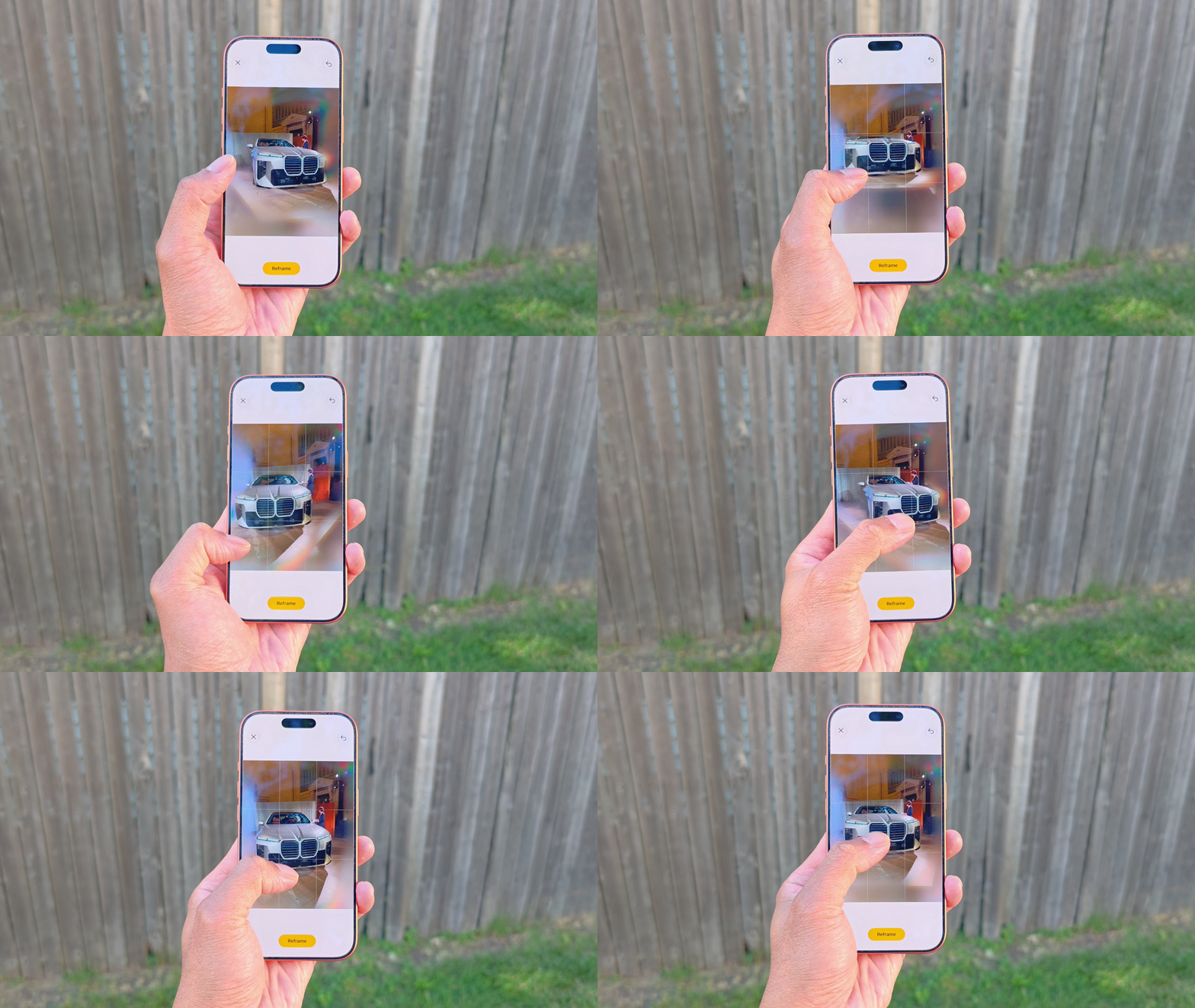
I’m big on generative AI and how its features can enhance my photos. Fortunately, iOS 27 brings some much-needed Apple Intelligence upgrades to the table, and I for one am thoroughly impressed by what they can do.
The standout feature you need to know about is Reframe. I’ve used it countless times already to shift the perspective of photos I've captured — and they don’t even need to have been shot on an iPhone. For instance, I used it to adjust the angle of a BMW 7 Series photo to show more of its side profile than the original shot did. Honestly, it’s unlike any other AI photo tool I’ve come across on a smartphone.


Then there is the vastly improved Photo Clean Up tool. While it was fine for basic object removal when it first launched, it was nowhere near as capable as Google's or Samsung's equivalents. This update changes that by better analyzing the scene to deliver far more realistic, practical results. Just take a look at the photo of Panos Panay above because I was able to easily erase the background crowd, relying on Apple Intelligence to seamlessly fill in the rest of his jacket that was covered up.
iOS 27 public beta hands-on preview: Custom passes

This one is long overdue. I’ve spent years relying on third-party apps just to keep track of my cards, so if you carry plastic loyalty tags on your keychain or stuff your gym membership into your wallet, you’ll be just as ecstatic as I am about this change. With iOS 27, you can finally create your own custom passes directly in the Wallet app.
The software now allows you to digitize those physical cards so you can simply show them on your iPhone. In the past, you were out of luck unless a company explicitly built native Apple Wallet support into their own app. iOS 27 completely squashes that requirement, letting you scan and digitize even the most obscure local passes.
iOS 27 public beta hands-on preview: Finally, a helpful co-pilot

If you're like me, you probably rarely interacted with Siri while driving in the past because it could only handle basic commands — and nothing complex like jotting down structured notes. Now that Siri AI is accessible through CarPlay, it completely transforms the hands-free driving experience. First and foremost, Siri is finally way more conversational, shedding its robotic roots for natural inflections and tonal shifts that make it sound genuinely human.
However, the real magic is how Siri AI now maintains context. For instance, when I dictated some initial thoughts about a car I was testing, I was able to summon Siri a few minutes later and say, "Go back to that note and add this detail." It was smart enough to locate the exact note, update it, and even organize the text into a clean layout with a title and a bulleted list that was ready to view on my iPhone once I parked.
While it still needs deeper real-world search capabilities — like the ability to pull live, real-time traffic conditions on the fly — this is still a massive leap forward and way more helpful than previous incarnations of CarPlay.
iOS 27 public beta hands-on preview: Safari, Wallet, and Shortcuts

There are far more iOS 27 features to go through, but here are a few of the ones I’ve leaned on heavily during my time with the beta. First, Safari now uses on-device intelligence to automatically organize tabs, instantly grouping similar open pages into neat, thematic folders. It completely removes the headache of hunting down a stray article you opened days ago.
Another helpful feature I’ve come to appreciate is the new bill-splitting function in the Wallet app. I can snap a photo of a receipt directly inside Wallet—or pull up one I’ve taken previously in the Photos app—and the software dynamically parses the text. From there, I can easily assign specific items to different people or simply split the total right down the middle.
Finally, I rarely had the desire to use the Shortcuts app in the past because creating personalized automations felt incredibly overwhelming. Luckily, iOS 27 removes that complication with a big assist from Apple Intelligence. Now, I can just type what I want to achieve in plain English, and the system automatically builds the correct architecture for me. It transforms Shortcuts from a niche tool for power users into an accessible, everyday time-saver.
iOS 27 public beta hands-on preview: Outlook

The iOS 27 public beta proves that Apple is no longer just playing catch-up when it comes to AI — it's actively shaping it with features that transform how I use my iPhone daily. While the new Apple Intelligence tools and Siri AI are leading the charge, the under-the-hood performance optimizations and a highly customizable Liquid Glass interface make iOS 27 stand out as one of the most comprehensive and satisfying iPhone updates in years.
Time will only make this software better. With the final release slated for later this fall, iOS 27 is shaping up to be an elevated experience that will save you more time than ever before.

Follow Tom's Guide on Google News and add us as a preferred source to get our up-to-date news, analysis, and reviews in your feeds. Subscribe to Tom's Guide on YouTube and follow Tom's Guide Entertainment on TikTok and Instagram.
More from Tom's Guide