







The new Siri AI took up most of the breathing room at WWDC 2026, but iOS 27 isn't just about AI. I've dug through Apple's listed improvements for the iPhone operating system and found 13 underrated features that you may have missed.
Some of these features are major improvements to performance while others are brand new tools like AirPods EQ. Here are my 13 underrated iOS 27 features (so far).
AirPods EQ

Apple is finally bring customizable EQ settings to your AirPods. It should be supported by the AirPods Pro 3 and AirPods Pro 2, as well as AirPods 4. It will likely feature in the AirPods Max 2. You can control the lows, mids and highs in real time just by using your finger.
AirDrop transfers get a speed boost

Sick of slow AirDrops? With iOS 27, AirDrop transfers are now much quicker. According to Apple, transfers of photos or files between devices will be up to 80% faster, though presumably the other device will need to be running iOS 27, macOS 27 or iPadOS 27.
Liquid Glass now has a slider

Liquid Glass was a somewhat controversial addition to iOS last year, and Apple seems aware of that. With iOS 27, Apple adds a new set of refinements for Liquid Glass.
It's been adjusted to improve readability, but also there's a new system-wide slider to alter how transparent the effects actually are. Liquid Glass also gets a new layered effect, which gives icons a more 3D look.
FaceTime Dual Capture

Here's one you may have missed, I did in the initial announcement but FaceTime now has the ability to stream both your front and rear cameras at the same time during FaceTime calls.
This allows you to share what you're looking at while still having your face in the call. As an inveterate camera flipper during FaceTime calls this is a much needed feature.
Giant Homescreen Widgets

With iOS 27 you can now make extra-large widgets, including a whole Home Screen page dedicated to a single widget. t's not clear how many app widgets you can do this with but Apple notes specifically Calendar, Photos, and Music and "more apps."
Security cameras meet Apple Intelligence

In a move that should scare Nest and Ring, Apple now lets security camera users get detailed video descriptions of what's happening in not just individual videos, but across all stored video. In addition, you'll also be able to use natural language search to more easily look for specific events. Plus, you'll now be able to store 4K video, an upgrade from 1080p.
Improved System Search

A lot of iOS 27 updates are about optimization, but I wanted to specifically call out search.
Apple says that its rebuilt search in Spotlight, Photos and Mail with a more comprehensive index of your content that will stay up to date throughout the day. As an example, a new ranking system will surface the top five most relevant emails in response to a query. This should make the email you want more likely to be the first thing you see.
Menopause tracking

Support for tracking perimenopause and menopause is coming to the Health app in iOS 27 and will also be trackable using your Apple Watch with watchOS 27.
Cycle tracking will provide notifications when your cycle indicates patterns that are suggestive of perimenopause. In the app, you can log related symptoms and find educational tools to better understand the changes.
Better performance and optimization

Apple has made a lot of under-the-hood improvements to iOS 27 to make it feel more responsive. These include 30% faster app launches and 70% faster loading of new captures in Photos. In addition, you should enjoy faster device switching between Wi-Fi and cellular connections.
The best part? iOS 27 supports phones as old as the iPhone 11, just like iOS 26.
Photos Improvements
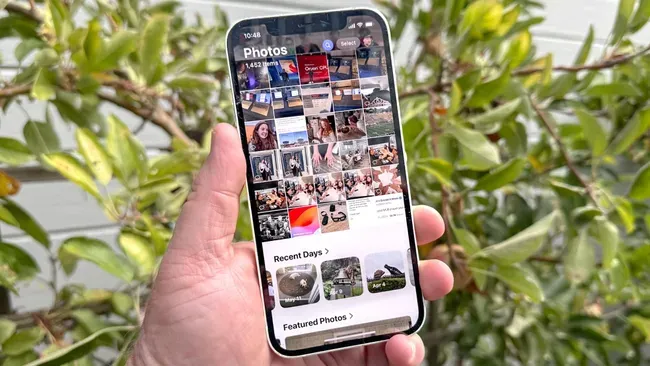
The iOS Photos apps is supposed to receive several improvements as part of iOS 27, but I wanted to highlight four that I think will be quite useful.
- Shared Albums improvements: You now get full-resolution sharing and can add Android or Windows users. Plus, you can expire an album after 30 days and quickly save photos to your library with a single tap.
- Slideshows: Create and save slideshows of photos and vidoes with some editing options. The slideshow can be saved as a video.
- Video frame: Now you can go into a video and a save a single frame a photo. No screenshots necessary.
- Filters & keywords: Apple will let you add keywords to photos to help you search more easily. Plus you can put star ratings on photos to filter by raiting. Additionally, there is a new "Captured by Me" collection that only has photos you've taken using the Camera, including ones from previous iPhones. This can be seen using filters or the dedicated collection.

Follow Tom's Guide on Google News and add us as a preferred source to get our up-to-date news, analysis, and reviews in your feeds. Alternatively, you can read our content on the Tom's Guide app available now for iOS and Android. Subscribe to Tom's Guide on YouTube and follow us on TikTok. Finally, you can visit our dedicated Tom's Guide Savings Squad hub for expert help on getting the best products for less.
More from Tom's Guide

