The iOS 27 developer beta has been available for the past month, though it requires an Apple developer account to actually install. A public beta was promised, though Apple never confirmed the exact date it would arrive — only saying it would be some time in July. Well the good news for all you non-developers is that the iOS 27 public beta has just landed.
While some have criticized iOS 27 for being a fairly small update, more focused on backend performance, I don't really agree. There's quite a lot to digest in this update, and the more I use the iOS 27 beta, the more hidden features seem to appear. The problem is figuring out where you should start.
So, for those of you that are just getting ready to experience the iOS 27 beta for the first time, here are 9 of the best features you should try first.
Siri AI

I'll be totally honest, this whole list could easily have just been a list of all the new things Siri could do. The upgraded Apple AI is easily the standout feature of iOS 27 beta, and transforms what used to be a fairly mediocre voice assistant into a fully-fledged AI chatbot.
Siri AI is contextually aware, can hunt down details in various supported apps, understands what's happening on your screen, and has the ability to learn about you based on your historical interactions with the AI — assuming you opted in to store a lengthy interaction history. The AI also features multimodal capabilities, with the ability to understand text, audio, videos and images at the same time.
There's a lot to go through, and it makes sense to start getting to grips with Siri AI from day one.
The Liquid Glass Slider

Liquid Glass has been a controversial design change since it debuted in iOS 26, but it's sticking around for iOS 27 — but not without a few changes. Apple has spent a great deal of effort tweaking the Liquid Glass design to improve readability, and make sure the transparency effects don't cause you to develop a splitting headache.
There's also a new slider to customize the effect, and choose just how much of the transparent effect you actually want. That's in contrast to the binary options that were available in iOS 26, and only gave you the option to choose between full and zero transparency. We like choice here at Tom's Guide, and whether you love or hate Liquid Glass, I'm sure we can all agree that having the ability to choose can only be a good thing.
Reframe

AI photo editing has been one of my favorite uses of the technology, but iOS 27 beta's Reframe is unlike anything we've seen before. The idea behind this is simple, you take one of your existing photos (even one that wasn't shot on an iPhone) and Apple Intelligence will let you shift the perspective and give you a whole new look.
This is the perfect tool for more stress-free photography, because it means you don't need to worry about getting the perfect angle the first time around. And should you ever change your mind, and wish you had shot the photo from a slightly different perspective, iOS 27 can make it happen. It feels like magic, but it's really just AI smarts.
New parental controls

Kids love technology, but the big bad world of the internet can be rather dangerous if you're not too careful. Parental control apps do exist, including some on iOS itself, but with iOS 27, Apple has upped the ante by offering a bunch of helpful new features to keep your kids' activity limited to stuff you approve of.
First up is the ability to create dedicated child accounts, which give parents far better control over what sort of apps and features their kids can or can't use on their Apple devices. This also includes browser controls, to blacklist or white list certain websites, and expansion of Apple's "Questionable content" filters that warn kids if they're sending or receiving content with nudity, gore or violence.
Of course the new feature also includes an expansion of the ScreenTime feature, which lets parents see and manage what their kids are actually doing — while also setting strict time limits on different categories such as games and social media. Of course, kids will be able to send requests to parent accounts asking for permission to use certain apps or sites, which you as a parent can approve or deny.
Shortcuts made easy
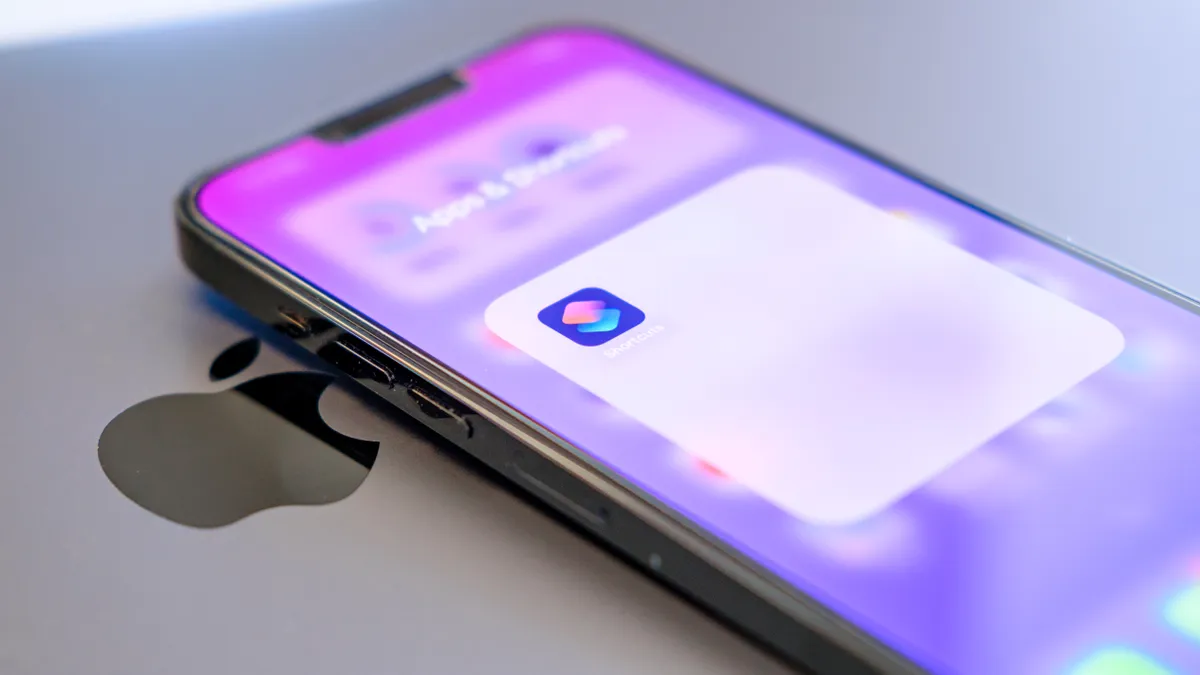
Shortcuts are an invaluable tool in iOS 27, but they aren't exactly beginner-friendly. If you don't know what you're doing, it can be quite an intimidating experience getting one together. Thankfully iOS 27 beta has taken all the difficulty out of it, thanks to integration with Apple Intelligence.
Once the beta is installed, all you'll see to do is tell the shortcuts app what you'd like the end result to be. The Shortcuts app will then generate that shortcut for you in the space of a few seconds, and let you get back to focussing on other things. The manual mode is still available for those that want it, but the act of getting started with Shortcuts is now significantly easier.
Siri Mode

Visual Intelligence has changed, and probably for the better, with iOS 27. Rather than being a standalone feature that utilizes the cameras, Apple has baked its AI vision into the official camera app. It's also changed the name, ditching Visual Intelligence and tying it into the new upgrades to Siri AI.
Siri Mode isn't all that different from Visual Intelligence, though it does benefit from the improvements Apple has afforded to Siri with this particular upgrade. Essentially you point your camera at things, and Siri Mode will help you understand everything that can be seen. Be it text that needs translating, QR codes or if you just want to find out more about a particular object in view.
Plus it's now a lot easier to find, and the name is totally self explanatory. That makes it possible to stumble upon Siri Mode fairly easily, and figure out exactly what it's supposed to do right away.
Apple Wallet passes

Apple Wallet got a sizable update in iOS 27, but the feature that's the most exciting is the fact that you can now create your own custom passes within your wallet. The goal of this feature is to let you create virtual versions of tickets, membership cards and anything else that doesn't already have official Apple Wallet support.
This gives you more opportunity to ditch physical items that may get damaged or lost, and just take up space in your bag. No more carrying about paper tickets for your day trips, no more ratty gym membership card attached to your keys — safely store everything on your phone.
AirPods' custom EQ

If you're the proud owner of AirPods Pro 3, AirPods Pro 2 or AirPods 4, you'll find that the AirPods app now features a custom EQ feature in iOS 27. This gives you the option to personalize your music to better suit your own listening tastes, altering the likes of bass, midrange and treble. It's something a lot of other headphones offer, and it's great to see it finally arrive for Apple's latest earbuds.
The AirPods app also features a new slider that lets you adjust the level of Active Noise Cancelling and Transparency. At one end of the slider is full ANC, while the other has full Transparency. So by adjusting the scale you don't have to choose between those two extremes and pick a happy medium that suits you best.
Safari extensions

Mobile browsers typically don't get anything like the same level of extension support as they do on desktop. But Apple has made an effort to add extension support for Safari in iOS over the years, and iOS 27 takes it to a whole new level. In short, you gain the ability to tell your phone what extension you like, and it will create it using artificial intelligence.
Simply enter your prompt, and the AI will generate that extension for you to try. If you like it enough, you can save to Safari to use later. Just be aware, it doesn't seem to be able to do anything particularly complex, nor can it create extensions that already exist in the App Store — like ad blockers

Follow Tom's Guide on Google News and add us as a preferred source to get our up-to-date news, analysis, and reviews in your feeds. Subscribe to Tom's Guide on YouTube and follow us on TikTok.
More from Tom's Guide