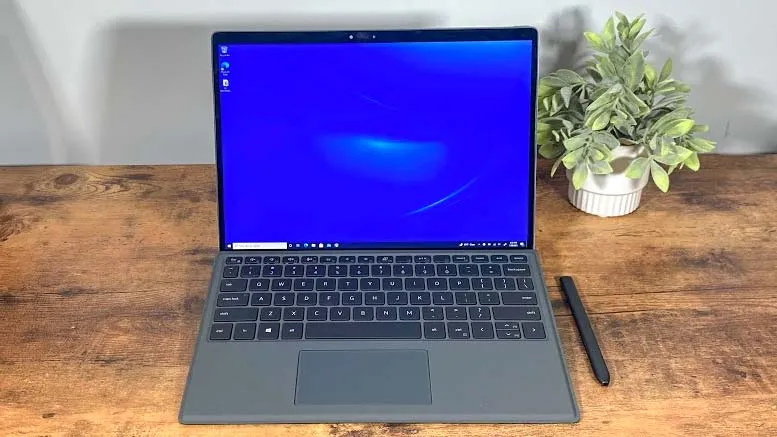
For the entirety of my professional career, I have worked from two displays. But this week, for the first time ever, I’ve downgraded to just a single screen — and it’s been pretty much the worst working week of my life.
Just over a week ago, after more than 10 years of pretty much daily use, my LG W2361VV monitor displayed its last image before flickering out and joining my iPod Classic and launch-day Xbox 360 in the great tech landfill in the sky. Goodnight sweet prince, you have served me well.
Of course, I can hardly complain about my monitor breaking. At this point, it’s so old that it could almost see a PG-13 movie in theatres without parental supervision. But it did leave me scrambling for a replacement and facing the prospect of working from just a 15-inch laptop display for an indeterminate period of time.
At first, I was oddly excited at the prospect. I was curious to see how my workflow would be impacted and experiment with a more flexible setup. But the last seven days have been pretty much a disaster and (don’t tell my boss) among the least productive of my working life.
Less screens, more problems
Within less than an hour of working from just a single screen, I quickly realized how fundamental two displays were my to established workflow.
As Deals Editor for Tom’s Guide, a significant part of my job is scouring retailers for the best sales on popular products, and this was made a lot harder when I couldn’t compare prices from multiple retailers at a single glance. Having to jump across Google Chrome tabs to view each deal individually made it a lot harder to get a complete overview of the best deals across retailers. Without a second monitor, a task that's usually straightforward suddenly became horribly time-consuming.
Actually putting together my articles was impacted as well. When I’m writing, I will typically have Google Docs open on my laptop screen with whatever reference points I need open on my monitor. However, with one screen if I want to quickly check a fact, or make sure I have listed the correct on-sale price of an item, it involves moving across tabs stalling the writing momentum I’ve built up.
Communicating with my colleagues was more of a chore as well. In my usual setup, I’ll leave our internal Slack open at all times in a corner of my monitor. This ensures I never miss a notification and am always aware of what’s happening across TG towers. With Slack now only visible when I opted to set it as my active tab, I felt a strange disconnect and was slower at replying to direct messages.
Making adjustments
After a few hours of frustration, I figured there had to be a better way of working on a single display. I decided to try splitting my screen into two halves, and fortunately, we had an easy-to-follow how-to guide that walked me through the process. But this idea was quickly abandoned as I found each half too cramped to work from effectively.
I turned to the internet for advice and found a helpful blog post espousing the value of working from a single display. The author recommends using Windows virtual desktops, a nifty feature that allows you to have multiple, separate desktops at once. This prevents any single one from being overburdened with dozens of different tabs and programs open at once.
Using virtual desktops definitely improved my productivity to at least some degree. No longer was my desktop overwhelmed with half a dozen windows all open at once, but it still didn’t solve my fundamental problem of needing to look at several different tabs at the same time.
However, I did discover an advantage of working from a single screen: flexibility. The other day, I had a maintenance person in my apartment fixing a leaking sprinkler in my home office, and because I was operating from just a laptop, I was able to work from another room without any fuss. It was definitely freeing to be able to work from anywhere without lugging a monitor along with me.
Find what works for you
If I’ve learned anything over the last week, it’s that finding the setup that works best for you is important. In my research, I’ve discovered a school of thinking that argues having multiple displays at once is overstimulating and results in a loss of focus as you try to absorb too much information at once. While I can’t say this is an opinion I share, it’s an interesting hypothesis nevertheless.
I’m also more convinced than ever that humans are extremely adaptable creatures. My first few days working from just my laptop screen were painful, but after just a week I’m developing habits that are centered around a single display, and my productivity is increasing at a noticeable rate.
Nevertheless, I’m still eagerly awaiting the delivery of a replacement monitor because I definitely prefer working from two screens. Maybe it’s just the nature of my work, or perhaps it’s how I’m personally hardwired, but I’ll be sticking to my dual-screen setup for the foreseeable future.
More from Tom's Guide
- These are the best monitors you can get in 2023
- Do not buy a new MacBook Pro until after WWDC 2023 — here's why
- Over 400 million infected with Android spyware — delete these apps