




The best Kindles have been my primary way to read books for the better part of a decade. Thanks to Amazon’s e-reader, I’ve read more books in the past seven years than in the nearly four decades prior. Not only is the device easy to hold and read on, but its integration with the Kindle app and store gives me more books than I could read in a single lifetime.
Though I adore my Kindles, I don’t read comic books on them. Even after the introduction of the Kindle Colorsoft, which finally let me read comics in color, I still can’t bring myself to read comics full-time on Amazon's hardware. Why? Because, as a lifelong comic book fan, I get a much better experience on the best iPads. Here’s why.
Display size
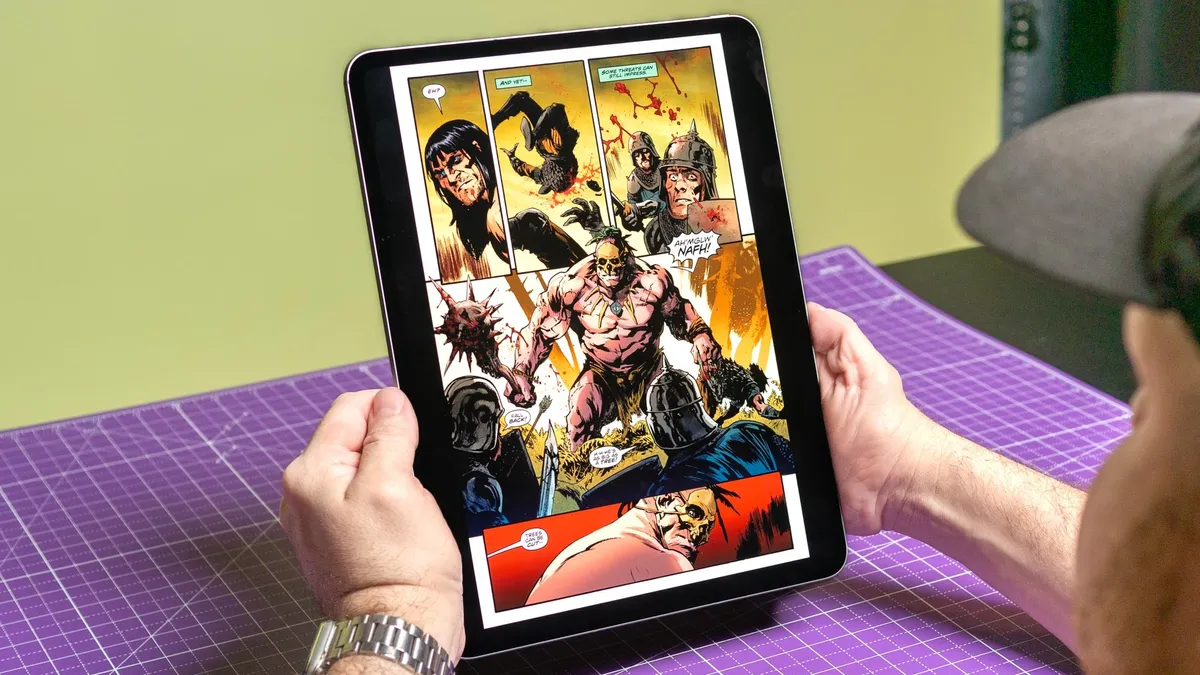
Digital comic apps like Marvel Unlimited and DC Universe Infinite offer a guided view mode that zooms in on individual panels and text. This can be immersive, especially for those new to the medium. While guided mode works as advertised, I prefer seeing an entire comic page rather than breaking it up piece by piece.
On the base Kindle and Kindle Paperwhite, you almost have to use guided mode because of their small screens. For comics, I prefer reading on the iPad Pro. The 13-inch model’s screen is slightly larger than a physical comic book page. Not only do single pages look fantastic, but double-page spreads look incredible when you rotate the tablet to landscape orientation.
Another problem with using guided view or pinch-to-zoom on Kindles is the device’s low refresh rate. This causes the e-reader to lag and flash to clear previous image artifacts (ghosting). While this has improved with the latest Kindle models, the refresh rate is still sluggish compared to iPads, which handle panning and zooming instantly and smoothly.
Returning to screen size, the Kindle Scribe features a roomier 10.2-inch display. While that’s still smaller than the 11-inch iPad Pro and iPad Air models, it’s a good size for reading full comic book pages. There’s a specific reason I don’t use the Scribe for traditional color comics (which I’ll cover next), but for black-and-white manga, it’s legitimately great. However, since I don’t read much manga, that point is mostly moot for me.
When it comes to reading single pages and double-page spreads of a traditional American comic book, the iPad is simply the way to go.
Colorsoft is still too muted

The Kindle Colorsoft and Kindle Scribe Colorsoft are arguably the best color e-readers out there right now. If you mainly read traditional novels, having full-color book covers, maps, and other design elements is a nice perk. Naturally, comics are in color on these devices, but there is one major drawback—the hues are decidedly muted.
In fairness, muted colors can sometimes be preferable. For instance, if you’re reading older comics printed before the late ‘90s, the e-reader screen delivers an experience closer to reading them on original newsprint, which is much duller than the glossy paper used today. If you’re a comic purist who doesn’t like how vibrant classic comics look on modern paper or on an iPad, you might actually prefer the Colorsoft's presentation.
With all that said, I want my comics, classic and modern, to look as bright and bold as possible, which is why I prefer the iPad's display. Again, the color Kindles do a decent job, but the presentation is far too washed out for my tastes.
Ecosystems and storage

iPads give you access to excellent dedicated comic reader apps like Panels and Chunky, along with major subscription platforms like Marvel Unlimited, DC Universe Infinite, and Shonen Jump. Conversely, Kindles mostly confine you to Amazon’s storefront, Comixology, and Kindle Unlimited. Sideloading your own files can also be a chore.
On that note, if you have a large library of digital comic files (.CBR, .CBZ, and high-res PDFs), you’re going to hit a storage cap much faster on a Kindle than on an iPad. Apple’s tablets offer storage tiers up to 1TB and can easily connect to cloud storage like Google Drive or iCloud to offload your libraries. Kindles top out at 64GB of storage on the Scribe and don’t natively support common comic book formats without converting the files first.
Bottom line

Don't get me wrong — Kindles still hold the crown for battery life and portability. Throwing a lightweight Paperwhite into a bag for a week-long trip without needing to pack a charger is fantastic, and it remains my go-to choice for novels.
But while Kindles are perfectly serviceable for most everyday reading, I get a much richer experience reading comics on the iPad. With a larger display for viewing full layouts, bolder colors, and seamless performance, I'll choose Apple's tablet for my graphic novels every single time.

Follow Tom's Guide on Google News and add us as a preferred source to get our up-to-date news, analysis, and reviews in your feeds.
More from Tom's Guide

