Anthropic's Claude AI is already one of the best chatbots you can use, but a new upgrade is making it even more effective if you're an office worker, run your own small business or hate spreadsheets. I personally fall into two of those categories.
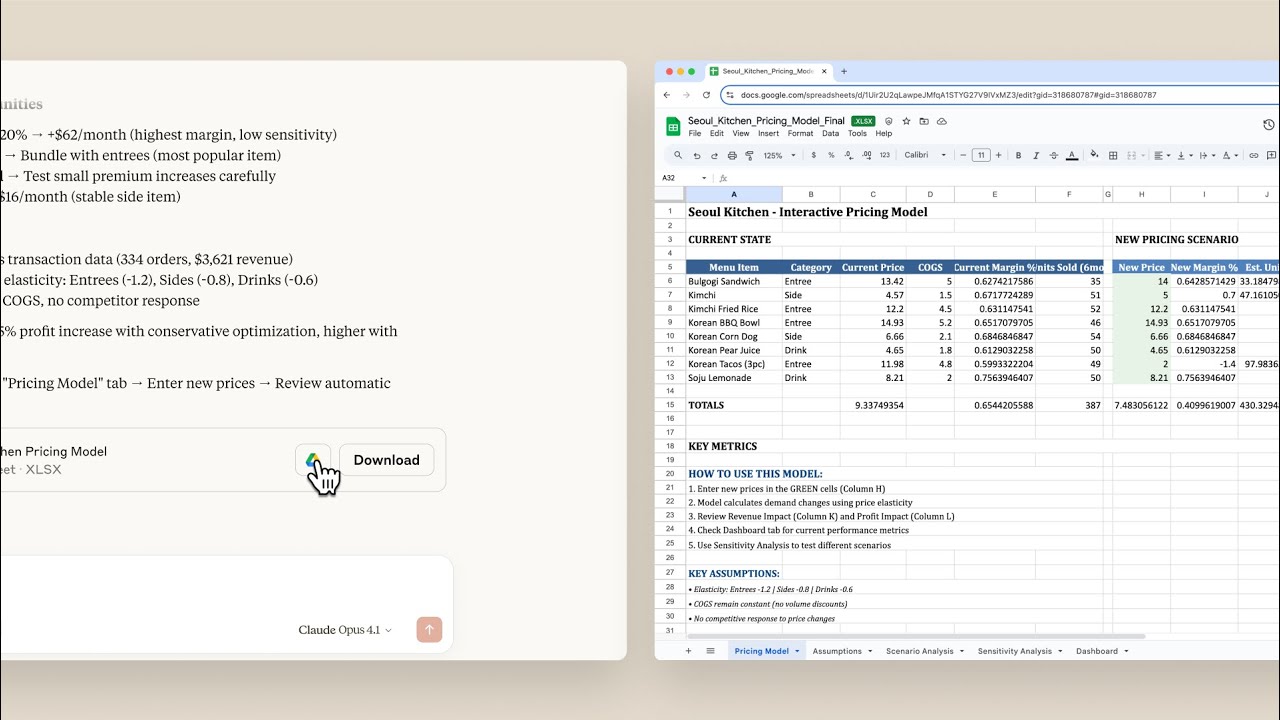
The latest upgrade to Claude will allow the AI to generate fully functional Excel spreadsheets, Microsoft Word or PowerPoint documents as well as generate PDFs from prompts. This is, potentially, a gigantic time-saver considering how much of the global population uses Microsoft's programs — both for work and leisure. And it could certainly be a reason to consider Claude over other AI bots like ChatGPT or Google Gemini if you regularly use those apps or file formats.
As someone who spends more time than I care to admit looking at reports, spreadsheets and presentations, I'm more than happy for AI to take some of that burden.
"Over the past year we've seen Claude move from answering questions to completing entire projects, and now we're making that power more accessible," explained Anthropic in a blog post announcing the upgrade.
"We've given Claude access to a private computer environment where it can write code and run programs to produce the files and analyses you need."
Microsoft has already signalled its intent to integrate Claude into its Office 365 apps, so this new file integration isn't a complete surprise. The company has suggested Claude Sonnet 4 actually performs better than GPT-5 when it comes to some office use cases.
This upgrade, which Anthropic calls “Upgraded file creation and analysis,” creates a secure sandboxed computing environment within Claude so the AI can run the code in the background and produce the files from your prompts.
For example, you could ask it to build a financial spreadsheet for budget tracking with options available for variance calculations. Claude will generate the Excel spreadsheet and use formulas and multiple sheets to lay it out exactly as you need it.
Alternatively, you can upload a PDF and have Claude turn it into a PowerPoint presentation for you. Previously, while it could extract the data, you'd be the one uploading it to Microsoft's program and sharing it with colleagues.
How to get Claude to create files

If you want to start using Claude to generate files for yourself, here's how to do it:
- Log into Claude
- Enable "Upgraded file creation and analysis" under Settings > Features > Experimental
- Upload relevant files or describe what you need
- Guide Claude through the work via chat
- Download your completed files or save directly to Google Drive
Follow Tom's Guide on Google News and add us as a preferred source to get our up-to-date news, analysis, and reviews in your feeds. Make sure to click the Follow button!
More from Tom's Guide
- Nano Banana just broke the internet with these viral trends — I tried these 5 prompts and I'm blown away
- I tested ChatGPT-5 vs Gemini Nano Banana with 9 AI image prompts — and there's a clear winner
- I found ChatGPT-5's biggest blind spot (Memory is broken) — my workaround is shockingly simple