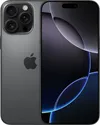
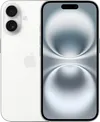
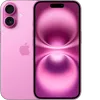
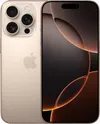
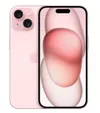
If your iPhone's lens is dirty, photographs you take may not look as sharp. An unclean lens reduces contrast, making images appear foggy and hazy, but a quick clean ensures your photos are clear once more.
The trouble is, you might not realize your lens is dirty until it's too late. That's where iOS 26 excels. Apple's latest iPhone operating system features image clarity analysis that alerts you when action is needed before pressing the shutter button.
For this feature to work, you need a compatible phone. Since it utilizes Apple Intelligence, you'll need an or later. If you have one of these handsets, including the iPhone Air, you'll find this function useful. Let's ensure it's active.
1. Open the Setting app

To ensure iOS 26 is able to detect whether or not your iPhone’s camera lens is dirty, you need to open the Settings app then scroll down the list of options and tap Camera.
2. Activate cleaning hints

Now scroll down towards the bottom of the list of Camera options and activate Lens Cleaning Hints — just tap the button and make sure it is green. You can then close the Settings app.
3. Look out for a message

When you are ready to take a photo, open the Camera app and iOS 26 will run a quick check on the incoming light.
If it detects dust, grease, a fingerprint or anything else that is potentially going to affect the quality of your photograph, it will display a notification towards the top of the screen. You can tap the notification to dismiss it.
You can then look to clean your iPhone, being careful not to get moisture on or around the rear camera lens.
Follow Tom's Guide on Google News and add us as a preferred source to get our up-to-date news, analysis, and reviews in your feeds. Make sure to click the Follow button!
More from Tom's Guide
- 3 things killing your iPhone battery (and how to fix them)
- iMessage not working on iOS 26? How to fix "Not Delivered"
- 5 iPhone features Apple buried in Settings