




Google is giving students a free year of Gemini Pro — plus, new AI study features

Once again, Google is giving eligible college students in the U.S. an opportunity to utilize AI tools for studying and more with 12 months of Google AI Pro for free. Normally, $19.99 a month, the plan comes with higher Gemini usage limits, Gemini inside apps including Gmail and Google Docs, 5TB of storage and access to tools such as Gemini Spark.
Students outside the U.S. haven’t been forgotten, although the offer is different. Eligible students in more than 140 markets can receive Google AI Plus free for one year, with twice the Gemini usage limits available to free users, Gemini Omni and 400GB of storage.
Google is also offering student discounts on a bundle combining Google AI Pro with YouTube Premium. The company says the savings can reach 70%, depending on the market and offer.
You’ll need to verify your student status through SheerID and provide a valid payment method when you sign up. The free plans automatically become paid subscriptions after the 12-month period unless you cancel. Students have until December 31, 2026 to redeem the offer.
In addition to the free subscription, Google has a plethora of new tools designed to help students organize classes, create study plans and work through difficult material. Here’s what’s coming to Gemini and Search.
A new student hub inside Gemini
Google has created a dedicated student hub inside the Gemini app that brings its learning features together in one place.
Available at gemini.google.com/students, the hub provides shortcuts for starting a study notebook, creating flashcards and taking practice quizzes. Google says it will add new learning tools to the hub as they become available.
The student hub is rolling out on mobile and the web to signed-in personal accounts in every language supported by the Gemini app. Support for school-issued Google accounts and younger users who meet Google’s age requirements is expected in the coming weeks.
Study notebooks build a plan around your class materials

Study notebooks are designed for those moments when you have a stack of lecture notes and no idea where to begin.
Upload your class materials and Gemini will break the subject into smaller topics. You can then take a diagnostic quiz so the AI can identify what you already understand and where you need more work. It uses those results to generate shorter lessons and quizzes, while a progress dashboard tracks how much you’ve completed.
Google plans to add graphs and images to notebook lessons in the coming weeks. Gemini will also be able to pull exam and assignment dates from an uploaded syllabus and add them to Google Calendar, although it will ask for permission before doing so.
The feature itself is available to free Gemini users, but Google AI Plus and Pro subscribers can create more notebooks and include more sources.
Gemini can now generate interactive 3D visuals
Some subjects are much easier to understand when you can see what is happening instead of reading another paragraph about it.
Gemini’s interactive visualizations can create functional 3D simulations based on a question. Ask it to show how DNA works, for example, and it can generate a structure that you can rotate and zoom into. Other examples provided by Google include watching a pendulum transfer energy or exploring cash burn rates in an interactive table.
Besides 3D models, Gemini can also design tables, grids and simulations depending on the subject and the way you phrase the request.
Interactive visualizations are rolling out globally to personal and school-issued Google accounts, subject to age requirements and usage limits.
Deep Research is coming to Gemini Live

Google is also bringing Deep Research into Gemini Live, allowing students to start a research report by speaking rather than typing out a detailed prompt.
Once the research begins, you don’t need to leave Gemini Live open. You can close the chat, lock your phone or continue another conversation while Gemini works in the background. The app sends a notification when the report is ready.
You can then talk through the findings in Gemini Live, ask follow-up questions or tell Gemini to refine part of the report. That could be useful for working through research while walking across campus or reviewing a subject without sitting in front of a laptop.
Deep Research in Gemini Live is rolling out globally now, although availability and age restrictions may vary.
Google Search can create interactive learning tools
Google is adding generative visual tools to Search as well as Gemini. Search for a broad subject such as the pH scale and an AI Overview may generate an interactive visual explaining the basics. You can then open AI Mode and request something more specific, such as plotting different citrus fruits on that scale.
You can also go directly to AI Mode and describe the learning tool or simulation you need. Google says these generative interface tools are available globally in English in AI Mode and are beginning to roll out in AI Overviews.
Practice quizzes are coming to AI Overviews and AI Mode
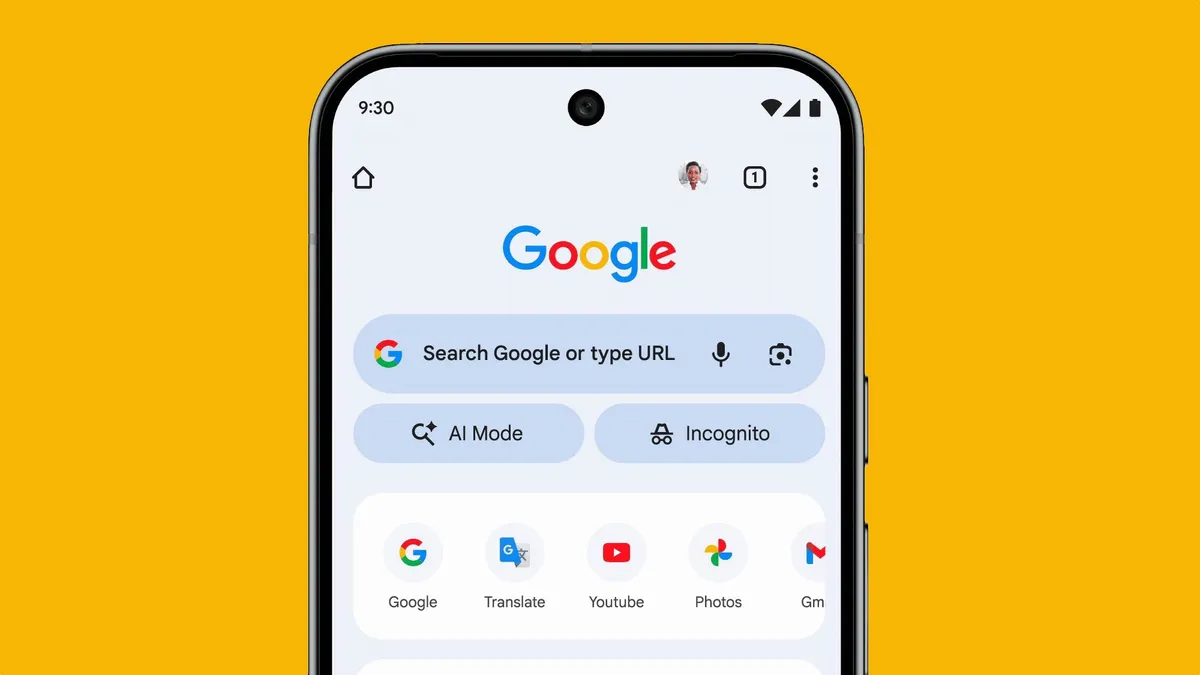
Students can now ask Google Search to create a practice quiz on subjects ranging from math and science to foreign languages and the humanities.
The quizzes include an explanation for each answer and links to further reading. Search can also generate practice questions for the ACT, AP, ENEM, GRE, JEE, LSAT, MCAT, NEET and SAT.
Google is sourcing some of this test-prep content through partnerships with The Princeton Review, Careers360, PhysicsWallah and Akira Enem. Practice quizzes are available globally in English through both AI Overviews and AI Mode at no charge.
Additionally, AI Mode can now create files using material from uploaded documents and previous Search conversations. You could upload a photo of handwritten notes and a set of lecture slides, for example, then ask Search to turn them into a one-page guide covering the main concepts. It can create documents, slide presentations, spreadsheets and text files in several formats.
Google Lens will coach students through mistakes

Taking a photo of a homework problem with Google Lens will soon produce more than an answer.
The new experience is designed to break down the problem, explain individual steps and point out where a student may have made a mistake. If the explanation still isn’t clear, students can continue asking questions in AI Mode and open relevant websites alongside the conversation.
The Lens learning feature will roll out globally in English over the coming weeks through the Google app on Android and iOS.
Notebooks are moving into Google Search
Google is bringing Gemini Notebook, the tool previously known as NotebookLM, directly into AI Mode.
Students will be able to create a separate notebook for each class or project, then fill it with lecture slides, syllabi, web articles and previous AI Mode conversations. Search can answer questions using those selected materials rather than starting with the entire web each time.
Existing notebooks from Gemini Notebook and the Gemini app will automatically appear in Search, with their sources and instructions synced across Google’s products.
Notebooks in AI Mode are rolling out in English across more than 180 countries over the next few days. They won’t initially be available in the European Economic Area, and support for additional languages will follow later.
Tools to ace the school year

Taken together, these updates give Google a fairly complete AI study setup. Students can collect their class materials, find gaps in their knowledge, generate a study plan and test themselves without moving between several unrelated tools.
As always when using AI, students will still need to check Gemini’s work, particularly when using it for research or complex homework. It's also important to remember to use AI as a study partner and not the main character. With a free year of Google AI Pro taking on your toughest assignments with confidence may just be easier with an AI study buddy.
Follow Tom's Guide on Google News and add us as a preferred source to get our up-to-date news, analysis, and reviews in your feeds. Subscribe to Tom's Guide on YouTube and follow us on TikTok. Finally, you can visit our dedicated Tom's Guide Savings Squad hub for expert help on getting the best products for less.

More from Tom's Guide

