




What is the best laptop you can buy in 2026? Choosing a laptop is no longer simply a question of MacBook versus Windows. The right pick depends on whether you need all-day portability for work or study, serious gaming and creative performance, a repairable machine you can upgrade, or an affordable device for everyday browsing and streaming.
At Tom's Guide, we’ve tested the leading options across those needs to help you find the best fit. The MacBook Air M5 remains our top all-round choice, with its powerful everyday performance, lightweight design and excellent battery life for the price. But there are other options if you want a Windows machine, a dedicated gaming rig, exceptional battery life, a laptop built for AI or for upgradeability.
We're expecting to see an all-new MacBook Ultra be announced during Apple's "Pro and Tell" event, so stay tuned for a new contender (after our hands-on testing, of course) and stay up to date with our latest news. In the meantime, we've now seen what Nvidia RTX Spark laptops and Googlebooks can do, and have found just the ones worth buying.
I'm here to guide you through the laptops worth buying right now. Read on for our expert advice, lab testing and hands-on reviews to help you find the laptop that's right for you.
The best laptops you can buy right now
Why you can trust Tom's Guide Our writers and editors spend hours analyzing and reviewing products, services, and apps to help find what's best for you. Find out more about how we test, analyze, and rate.
The best laptop overall

Test |
Notes |
How it stacks up |
|---|---|---|
Battery life |
15:28 tested battery life |
★★★★☆ |
Performance |
More powerful than ever |
★★★★★ |
Design |
The "if it ain't broke, don't fix it" design |
★★★★☆ |
Display |
Sharp, vibrant visuals |
★★★★☆ |
Should you buy the MacBook Air M5?
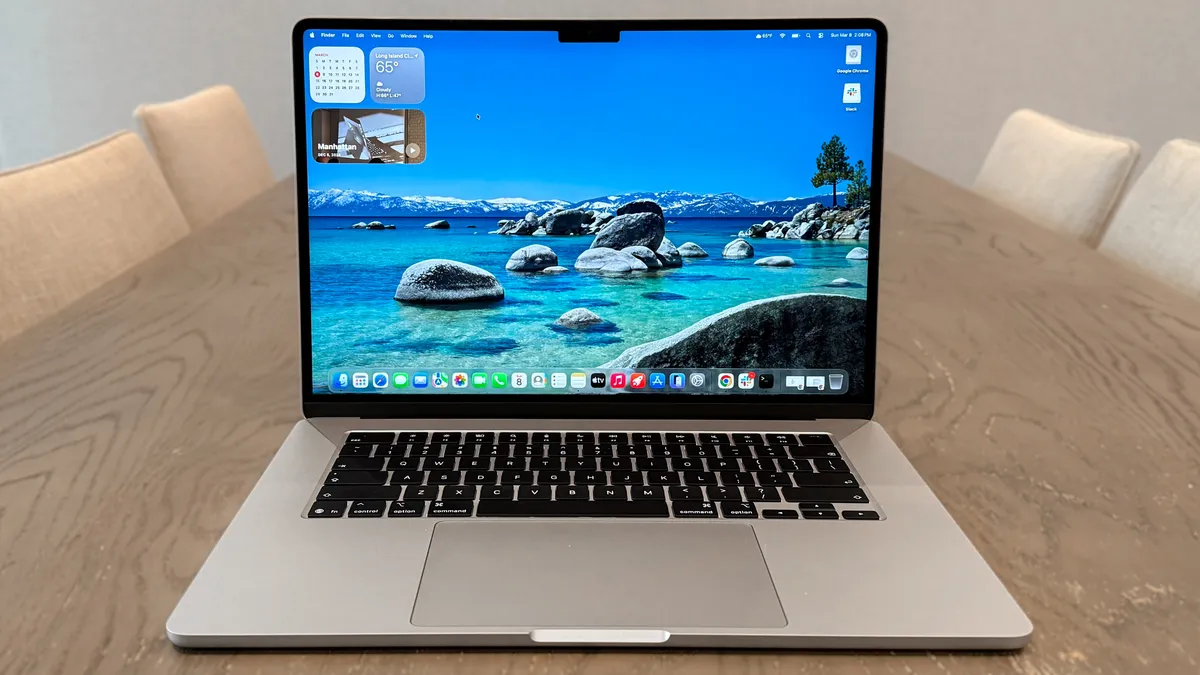
The MacBook Air M5 has (unsurprisingly) taken over its M4 predecessor as the best MacBook and best laptop for most people reading this list, as it's hard to beat the mighty performance it offers at its cost. This time, though, its starting price is $100 more.
Now starting at $1,299 for the 13-inch model and $1,499 for the 15-inch (but expect plenty of regular discounts), the latest MacBook Air may share that familiar lightweight, durable design, but its upgrades under the hood put its competition on notice. With faster M5 performance, double the base storage at 512GB, Wi-Fi 7 connectivity and longer battery life, this laptop ticks all the right boxes.
Buy the MacBook Air M5 if
✅ You want a do-it-all laptop: With its M5 chip, along with its other notable upgrades, the latest MacBook Air takes its multitasking power to new heights, for web surfing, video editing and even some AAA gaming.
✅ You need a laptop that lasts: Now with 15 hours and 30 minutes of battery life, the M5 update makes the MacBook Air one of the longest-lasting laptops around, especially at its price. For those on the move or who don't want to rely on a charger, this laptop brings the stamina.
Don't buy the MacBook Air M5 if
❌ If gaming is a priority: While the M5 is more than capable of playing demanding PC titles (like Resident Evil 4 Remake), it understandably isn't made for gaming. So don't think this will be your main gaming driver.
❌ You already have an M4 or M3 MacBook Air: Despite the impressive performance gains the M5 delivers, along with the 512GB base storage and Wi-Fi 7 connectivity, this is more of a modest update. There's still plenty of software support left in those still-amazing laptops!
Who is the MacBook Air M5 best for?
💻 The MacBook Air M5 brings it home yet again, this time with notable upgrades that make this laptop better than ever. Yes, it's now $200 more for both the 13- and 15-inch models after Apple's price hikes, but this gets you a very welcome 512GB base storage, Apple N1 wireless chip for Wi-Fi 7 connectivity and longer battery life at over 15 hours.
This isn't the upgrade to grab if you already have an M4, or even an M3, MacBook Air, but for frequent travelers, students and anyone who wants a reliable notebook that will be your trusty, lightweight companion, this is the best laptop to buy — especially when the inevitable discounts arrive to drop its bumped-up price tag.
- Read our full MacBook Air M5 review
Thanks to Apple officially raising the price of MacBooks, the MacBook Air M5 is now priced from $1,299 (or $1,499 for the 15-inch model). That's a $200 price increase, and that's after the $100 surge in cost over the M4 model. While the price has gone up, we still rank it as the best laptop for most. We're constantly on the lookout for deals, so if we can find it at a lower price, be sure to grab it!
The best value laptop

Test |
Notes |
How it stacks up |
|---|---|---|
Battery life |
Strong battery life at over 13 hours |
★★★★☆ |
Performance |
Solid performance for the price |
★★★☆☆ |
Display |
Amazing, vivid visuals |
★★★★☆ |
Design |
All-aluminum, sturdy design with fun colors |
★★★★★ |
Should you buy the MacBook Neo?
Apple has changed the landscape of budget-friendly laptops with its MacBook Neo. It's almost strange to have a MacBook take the crown as the value laptop to beat, but for the performance, design and features it presents for $699 ($599 for education), it's clear this laptop raises the bar.
The MacBook Neo comes with an A18 Pro chip, originally found in iPhones, but it still manages to run circles around Chromebooks and Windows laptops at similar prices and beats the MacBook Air M1. Plus, it comes with many of the perks of the MacBook Air, including a comfy keyboard and lightweight design (this time with fun colors). Trade-offs include paying extra for Touch ID, a lack of Thunderbolt and no keyboard backlight. But for its wallet-friendly price, this is no doubt the best value laptop around.
Buy the MacBook Neo if
✅ You need a budget-friendly, versatile laptop: From day-to-day tasks to delivering long battery life, all wrapped up in a slim, lightweight design, the MacBook Neo makes for a fine machine for traveling professionals, students, families and anyone who just needs a laptop that won't break the bank.
✅ You want solid performance for less: Despite a lack of the usual M-series chipset, the MacBook Neo's A18 Pro can power through multiple tabs and apps without breaking a sweat. We noticed occasional lag every now and then, but hardly a deal-breaker. For this price, it's incredibly speedy.
✅ You like a splash of style: Who doesn't like a sturdy, all-aluminum laptop with fun colors to bring your at-home setup or office to life? Coming in Silver, Indigo, Blush and Citrus, the MacBook Neo is eye-catching.
Don't buy the MacBook Neo if
❌ You want the perks of other MacBooks: The MacBook Neo doesn't come close to matching the performance of its Air or Pro siblings, which is expected, but it's a shame there's also no keyboard backlight, and Touch ID (with more storage) comes with a $100 price hump. Plus, 8GB of RAM isn't all that much.
❌ You need Thunderbolt connectivity: With Thunderbolt ports becoming the standard for many laptops, not seeing one in the MacBook Neo is a letdown, and limits the type of connections (to monitors, for instance) you can make.
Who is the MacBook Neo best for?
💻 The MacBook Neo is Apple's successful attempt at a budget laptop, and it ticks all the right boxes and makes the right (if annoying) trade-offs for it to be the value laptop for most.
Now at $699, you'll get good performance from its impressive A18 Pro chip, long battery life that lasts over 13 hours, a vivid 13-inch display, the lightweight design of a MacBook Air with striking color options, great audio from its side speakers and the speediness of macOS. If you're fine with the sacrifices Apple has made, and only need an affordable machine for browsing the web, accessing apps, working on documents and more, you'll be very impressed with the MacBook Neo.
- Read our full Apple MacBook Neo review
As with the rest of Apple's range of MacBooks, the MacBook Neo has seen a $100 price rise. While now priced from $699 (and $599 for students), it's still a great laptop for value at this cost, especially compared to its competition. However, we'll be sure to keep watch for any deals to help you save on this excellent budget-friendly machine.
The best Windows laptop

Test |
Notes |
How it stacks up |
|---|---|---|
Battery life |
12:23 (OLED) and 20:41 (LED) - insane numbers |
★★★★★ |
Performance |
Intel Core Ultra X7 impresses |
★★★★☆ |
Display |
Tandem OLED is bright and vivid |
★★★★★ |
Design |
A great, practical redesign that brings ergonomics back to XPS |
★★★★★ |
Should you buy the Dell XPS 14 (2026)?
The Dell XPS 14 (2026) is the comeback we’ve all been waiting for. By ditching some of the controversial design aspects of previous models—along with the “Dell Premium” branding, the company has delivered a true MacBook Pro competitor. While it can get pricey, there’s a lot to like here.
Starting at $1,599, you get a relatively thin and light machine that’s perfect for traveling with. Upgrades like a tandem OLED panel and a stronger Intel Panther Lake chip make this notebook even more enticing. Right now, it’s arguably the best Dell XPS laptop we’ve seen in years. Well, that and its bigger sibling, the Dell XPS 16 (2026), which we also strongly recommend if you're after bigger (OLED) screen real estate.
Buy the Dell XPS 14 (2026) if
✅ You want an ultraportable Windows laptop that’s as good for productivity as it is for gaming: Thanks to Panther Lake, this laptop can handle most of what you can throw at it.
✅ You need a long-lasting laptop: While the OLED model we tested only lasted 12 hours and 23 minutes, that’s still impressive endurance for a non-Snapdragon X Elite Windows machine. If you get the entry-level model, you can get over 20 hours of battery life, based on our testing.
Don't buy the Dell XPS 14 (2026) if
❌ If you’re married to Apple: This one kind of goes without saying, but if you’re invested in the Apple ecosystem, any Windows laptop will be a hard sell. Also, an entry-level MacBook Pro M5 offers stronger performance and longer battery life than the higher-end $2,199 XPS 14 we reviewed.
❌ You need a microSD card: If you’re a creative, not having a microSD card slot could be a deal breaker. Keep that in mind when considering this laptop.
Who is the Dell XPS 14 (2026) best for?
💻 The Dell XPS 14 has a lot going for it, thanks to its new practical design, strong Panther Lake performance and efficiency, and tandem OLED upgrade option. While a return to form, it still retains some of the better aspects of the past, such as the glass touchpad and snappy keys. Dell wisely listened to its users and delivered a machine that’s worthy of the XPS branding.
I’ve always been a fan of the XPS line, so I’m glad I can now recommend the latest model without adding a list of caveats. Beyond being a return to form, Dell has delivered an all-around fantastic machine that’s ready to go wherever you travel.
If you’re a Windows user who wants a slick-looking and portable machine that’s as adept for work as it is for gaming, this one comes with my highest recommendation. Looking for a bigger screen? The Dell XPS 16 will impress just as much.
- Read our full Dell XPS 14 (2026) review
The best budget Windows laptops

Test |
Notes |
How it stacks up |
|---|---|---|
Battery life |
Over 14 hours of tested battery life |
★★★★☆ |
Performance |
Intel Wildcat Lake delivers strong performance for the price |
★★★★☆ |
Display |
2.5K touchscreen is bright and vivid, rare for this price |
★★★★★ |
Design |
Sleek, lightweight and well built, but low-quality webcam |
★★★★☆ |
Should you buy the Dell XPS 13 (2026)?
The Dell XPS 13 (2026) is the rare budget Windows laptop that actually delivers long battery life and a sharp 2.5K touchscreen — two things you rarely see together at this price. In our battery test, it lasted 14 hours and 29 minutes, which is very impressive for a machine in this class. The screen isn’t just high-res on paper: that touchscreen adds a lot of value and makes this feel like a more expensive device than most competitors in the $700 range.
Performance is another area where the XPS 13 punches above its weight. Our entry-level unit (8GB RAM, 512GB storage) scored 7,952 on Geekbench 6 multi-core, but what matters more is how it feels day to day. During a typical workflow —15 Chrome tabs open, YouTube streaming in the background — it never slowed it down. In short: you’re not paying for nothing here. This is the kind of value-to-performance ratio that reassures you your money’s well spent.
Buy the Dell XPS 13 (2026) if
✅ You want fast, reliable day-to-day performance: The XPS 13 breezed through my typical multitasking — think 15 Chrome tabs and YouTube in the background — so routine work, browsing, and streaming won’t leave you frustrated.
✅ You need a laptop that lasts all day: In our battery test, the XPS 13 ran for 14 hours and 29 minutes of continuous web browsing — enough to get through classes or a full workday without plugging in.
✅ You carry your laptop everywhere: At just 2.2 pounds, with a sturdy aluminum chassis, the XPS 13 is genuinely comfortable to haul between rooms, classes or commutes.
Don't buy the Dell XPS 13 (2026) if
❌ You need a sharp webcam: For those who go on video calls often, know that the XPS 13's 1080p webcam can make you look blurry and washed out. It's serviceable, but not the best around.
❌ You want plenty of ports: With only two USB-C ports and no headphone jack, the XPS 13 doesn't give you a lot to play around with, especially if you want to connect extra peripherals, like a mouse, keyboard and more.
Who is the Dell XPS 13 (2026) best for?
💻 The Dell XPS 13 (2026) has value written all over it, and it makes it an easy recommendation as the best budget Windows laptop to buy. At under $700/£700, this laptop offers reliable performance for everyday tasks, an ultra-lightweight and thin design that's anything but cheap and all-day battery life at over 14 hours.
If you’re a price-conscious Windows user, like a student, remote worker or anyone who needs a dependable daily driver, the Dell XPS 13 gets the basics right, and then some. Just don’t expect workstation-level performance or gaming chops, and you’ll find a lot to love for the money.
- Read our full Dell XPS 13 (2026) review
The best gaming laptop

Test |
Results |
How it stacks up |
|---|---|---|
Battery life |
1:45 gaming battery life |
★★★☆☆ |
Performance |
Amazing for work and gaming |
★★★★★ |
Display |
Mesmerizing OLED screen with buttery smooth frame rate |
★★★★★ |
Design |
Still the best-looking gaming laptop you can buy |
★★★★★ |
Should you buy the Asus ROG Zephyrus G14?
The Asus ROG Zephyrus G14 is my personal favorite gaming laptop you can buy — primarily because it doesn’t forget about the “laptop” part like a lot of gaming systems do.
This refreshed model packs a ton of power into that sleek MacBook Pro-esque aluminum shell in the form of the latest AMD CPU and Nvidia RTX 50-series GPU combo. But the more things change, the more they (fortunately) stay the same, thanks to that gorgeous CNC-milled utilitarian aesthetic and a mesmerizing OLED display.
If you need more raw horsepower dedicated to gaming, there are more performant options, and I recommend you check out our best gaming laptops list. But for a better balance of all elements that still delivers big on power, the Zephyrus G14 is a near-perfect pick.
Buy the Asus ROG Zephyrus G14 if
✅ You want a beasty gaming machine: AMD Ryzen AI 9 HX 370 + Nvidia GeForce RTX 5080 makes for a monstrous pairing of power. Combine that with improved cooling and DLSS 4, and you can run the latest AAA games at over 140 FPS in max settings.
✅ You don’t want other people to know you have a gaming laptop: The standard gaming laptop design is pretty cringe. I always feel uncomfortable pulling one out. But the Zephyrus G14’s tastefully utilitarian CNC-milled aluminum construction looks fantastically subtle from every angle.
✅ You care about a good screen: That 3K OLED panel is a real marvel to look at — presenting all your favorite games with a real HDR quality that pushes impressive color and a deep contrast ratio.
Don't buy the Asus ROG Zephyrus G14 if
❌ Battery life is a chief concern: This is more a problem I’ve found with gaming laptops as a whole rather than this specific model. But it’s worth noting, as the stamina levels of such highly demanding internals does drop the battery life in day-to-day use to below 7 hours of casual use.
❌ Webcam quality matters: The 1080p webcam remains unchanged from the Zephyrus G14 last year, which means you’re getting quite the grainy picture that struggles with low lighting.
Who is the Asus ROG Zephyrus G14 best for?
💻 The Asus ROG Zephyrus G14 is a fantastic gaming laptop that kept me entertained across 5,000 miles of travel, balancing performance and portability perfectly. The OLED display makes all your gaming look incredibly colorful and immersive, the speakers have been improved, and it’s impressively thin and lightweight.
This is the best gaming laptop for folks who actually want to take their gaming laptops with them on occasion. Most gaming laptops are so big, heavy and poorly optimized that they're basically desktop replacements, since they're best left on your desk for their entire lifespan.
Not so with the Zephyrus; while battery life while gaming still isn't amazing, this thing fits in a backpack fairly easily and doesn't look out of place in a coffee shop or classroom, so you can take it to school and sneak in some gaming time at lunch. It's the best laptop for anyone who wants a gaming laptop that can double as a work device in a pinch.
- Read our full Asus ROG Zephyrus G14 review
The best Chromebook

Test |
Results |
How it stacks up |
|---|---|---|
Battery life |
13:19 tested battery life |
★★★★☆ |
Performance |
MediaTek Kompanio chipset is a performant stunner in ChromeOS |
★★★★☆ |
Display |
Gorgeous 14-inch display with great touch responsiveness |
★★★★★ |
Design |
Lenovo's fundamentals bring a premium construction to the table with fantastic ergonomics |
★★★★★ |
Should you buy the Lenovo Chromebook Plus 14?
Not only is the Lenovo Chromebook Plus 14 the best Chromebook you can buy right now, but it’s also a mighty laptop overall that shows ChromeOS is on a whole new level. That premium finish with stellar ergonomics and a mesmerizing OLED display puts Chrome on full glorious display.
Pair that with a new Arm chip that guarantees peak performance and power efficiency, and a truly AI-infused operating system that feels legitimately helpful rather than intruding with a chatbot every opportunity it gets (looking at you, Windows 11), this is a capable coworker through anything you’re doing.
Buy the Lenovo Chromebook Plus 14 if
✅ Your work/life revolves around Chrome: There’s a lot of us out there. Google Chrome is the center of pretty much everything you do in the day-to-day. If that’s you, the Chromebook Plus 14 is a top pick with an operating system built entirely around this browser — paired with a ton of next-gen AI smarts to boot.
✅You don’t want the Chromebook compromises: A lot of Chromebooks come with serious cutbacks to keep costs low. Lenovo has ditched all of that with the Chromebook Plus 14. That design is impressively premium and utilitarian, the keyboard and touchpad feel amazing, the Kompanio chip inside is fast and packs good stamina (13+ hours on one charge), and the OLED screen is beautiful.
Don't buy the Lenovo Chromebook Plus 14 if
❌ You want a budget Chromebook: If you’re OK with those Chromebooks, you can get that Chromebook Plus experience for cheaper. You are definitely getting what you pay for at $649 with that aluminum shell, OLED display and powerful internals, but that is a slightly higher price for a Google laptop.
Who is the Lenovo Chromebook Plus 14 best for?
💻 The Lenovo Chromebook Plus 14 is a standout laptop, offering a well-built design, a stunning OLED display, and a sharp webcam. It's best for anyone who knows you can get by with just a Chromebook, but you don't want to compromise with a low-quality display or a paucity of ports.
And while you are still limited in what you can do by ChromeOS, this AI-enhanced system can be awfully productive. So if you have steady Internet access and you're looking for an all-day productivity device for under $650, this is an excellent choice.
- Read our full Lenovo Chromebook Plus 14 review
The best laptop to repair and upgrade

Test |
Results |
How it stacks up |
|---|---|---|
Battery life |
11:38 tested battery life |
★★★★☆ |
Performance |
Speedy enough for work and light gaming |
★★★☆☆ |
Display |
Functional, sharp display |
★★★☆☆ |
Design |
Elegant, unassuming chassis belies useful complexity |
★★★★☆ |
Should you buy the Framework Laptop?
When it came out we called the Framework Laptop the Anti-MacBook because it's everything Apple doesn't do in laptops: repairable, upgradable and respectful of your rights as an owner.
I was initially excited about those promises but dubious the company could deliver on them without some glaring sacrifices. But now that I’ve used one myself, I’m happy to report the Framework Laptop is as good as advertised.
With its intentionally easy-to-repair design (you can pop pieces off this laptop and get at the innards in minutes, with no tools besides the spudger it comes with) and super cool swappable Expansion Card ports, the Framework Laptop 13 is a versatile ultraportable that's one of the best laptops you can buy if you care about your right to repair and tinker with your devices.
Buy the Framework Laptop if
✅ You care about your right to repair: I've never seen a laptop that's easier to open up, fiddle around with and put back together. No other laptop on the market can match the Framework in this regard, so if you care about being able to repair and upgrade your laptop, this is the one for you.
✅ You're plagued by port envy: On most laptops, the ports it comes with are all you get. The Framework is different: you can change what ports it sports by buying hot-swappable Expansion Cards that you plug into 4 slots on the bottom of the laptop, and each can have one port on it. So you can swap out 2 USB-C and 2 USB-A ports for 1 USB-C, 1 USB-A, a DisplayPort out and an Ethernet jack, for example.
✅ You like a tall screen: The 3:2 display ratio of the Framework's screen feels a bit taller than the displays found on most laptops, and it's great for working with "tall" things like long documents, emails, coding projects and more.
Don't buy the Framework Laptop if
❌ You're scared by pieces of your laptop coming off: The Framework is well-designed and sturdy, but because it's designed to be taken apart you may occasionally find yourself accidentally doing something like popping the bezel off the screen. This is a feature, not a problem, but it can unnerve new owners.
❌ You don't want to pay extra for ports: The Framework offers unrivaled port versatility thanks to its Expansion Card system, but it does require buying a handful of Cards for all the ports and other options you want, some of which could be easily lost or misplaced.
Who is the Framework Laptop best for?
💻 The Framework Laptop is a remarkable piece of tech. It's a great laptop for getting work done, but more than that, it's a statement of purpose, a clear example that every other laptop maker could be building and selling us more repairable, sustainable laptops if they cared to as much as Framework does.
While it can be a bit daunting to open and upgrade, this is the ideal laptop for DIY fans, right-to-repair fanatics and anyone who wants to take a little more ownership of their tech. It's also an ideal laptop for curious students who love to tinker and take things apart. It's a fantastic investment if you care about your right to repair and upgrade your own laptop.
- Read our full Framework Laptop 13 review
The longest-lasting laptop
Test |
Results |
How it stacks up |
|---|---|---|
Battery life |
21:10 hours of tested battery life |
★★★★★ |
Performance |
Exceptional speeds |
★★★★★ |
Display |
Same gorgeous mini-LED |
★★★★☆ |
Design |
Sturdy, minimalist design |
★★★★☆ |
Should you buy the MacBook Pro 16-inch M5 Pro?
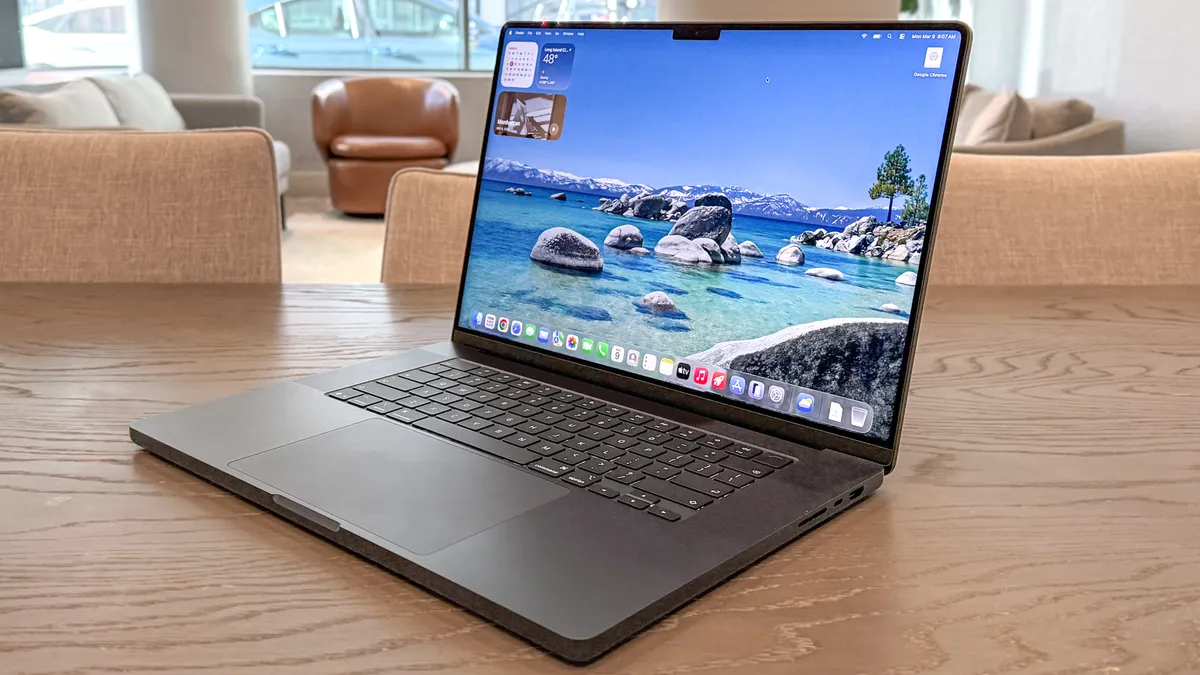
While the MacBook Pro M5 is strong, the latest MacBook Pro M5 Pro takes performance up several notches. With that power comes even longer battery life, knocking its M4 Pro predecessor and finally going past 21 hours.
It’s the longest-lasting laptop Tom’s Guide has tested, but it still brings everything we’ve come to adore about the MacBook Pro, like its gorgeous Liquid Retina XDR display, full-height function keys, amazing speakers and plenty of ports. All that, along with its performance boost, makes this one of the best laptops around — especially for power users.
Buy the MacBook Pro 16-inch M5 Pro if
✅ You need top-notch performance: Sure, the M5 Max still has it beat, but the M5 Pro is no slouch. For the money, you’ll be getting one of the fastest laptops ever for video editing, creative work, coding and more.
✅ You want all-day battery life: Lasting 21 hours and 10 minutes in our battery endurance tests, the 16-inch MacBook Pro M4 Pro will take you through a day of work and a night of entertainment without needing a charge. Prepare for a full day of battery life.
✅ You don’t want to pay for an M5 Max model: The M5 Max model is powerful, no doubt, but it also costs over $1,000 more. For those who need speedy performance without paying a fortune, the M5 Pro offers this in spades.
Don't buy the MacBook Pro 16-inch M5 Pro if
❌ You’re on a budget: Not everyone needs the performance that the M5 Pro offers at its pricey $2,699 starting cost ($200 more than the last model), and may find the base MacBook Pro M5, and even the MacBook Air M5, is more than enough to handle their workload and daily activities.
❌ You’re waiting for a big upgrade: Despite the impressive performance boost the M5 Pro offers to the MacBook Pro lineup, that’s about it when it comes to notable updates. You may want to wait a little longer for a larger revamp…
Who is the MacBook Pro 16-inch M5 Pro best for?
💻 The 16-inch MacBook Pro with M5 Pro, yet again, boasts the best battery life of any laptop we've tested to date, along with incredible performance, a beautiful display and a familiar yet reliable design. For a big-screen laptop that can power through anything you throw at it, you’ll be hard-pressed to find anything better.
Right now, this is the best laptop for most power users, whether that be for photo/video editors, animators, Mac game fans and anyone after peak portable power. It’s pricey, but worth the investment for years to come.
- Read our full MacBook Pro M5 Pro 16-inch review
The MacBook Pro with M5 Pro has had a considerable price jump, thanks to Apple's price increases for MacBooks. Previously $2,199, it is now priced from $2,499 after a $300 increase. While it's still one of the most powerful laptops around, expect to pay more for it. Of course, to help you save, we'll be finding deals to keep the price down.
The best AI laptop

Test |
Notes |
How it stacks up |
|---|---|---|
Battery life |
10:15 tested battery life, could better for price |
★★★☆☆ |
Performance |
Outstanding for creator, gaming and local AI performance |
★★★★★ |
Display |
Gorgeous mini-LED display, but not as vivid as OLED |
★★★★☆ |
Design |
Premium, utilitarian aesthetic |
★★★★★ |
Should you buy the Microsoft Surface Laptop Ultra?
The Surface Laptop Ultra isn’t just another premium Windows machine. It’s now one of the only laptops we’ve tested that consistently outpaces both MacBook Pros and high-end gaming rigs in AI workloads, thanks to its Nvidia RTX Spark GPU. In our testing, this system breezes through local model inference and token generation, routinely leaving Apple’s M5 Pro and AMD’s Ryzen AI Max 395+ in the dust when it comes to on-device AI throughput.
What sets the Ultra apart for anyone running substantial LLMs or creative workflows is its unified memory pool. It means you can throw far larger local models at the machine without hitting frustrating slowdowns or memory walls, something standard gaming laptops simply can’t match. Along with its premium utilitarian design and magnetic USB-C port for sturdy, easy charging and connections, this is the AI laptop to get.
Buy the Microsoft Surface Laptop Ultra if
✅ You want the fastest on-device AI performance: The Surface Laptop Ultra's RTX Spark GPU breezes past even the MacBook Pro M5 Pro and AMD Ryzen AI Max 395+, so you can run demanding AI models or workflows without bottlenecks.
✅ You're a fan of style: The Microsoft Surface Laptop Ultra is as premium and powerful as it looks, thanks to its sleek, uniform design. At 15 inches, it also hits the sweet spot between size and portability.
✅ You need a GPU for both AI and gaming: Powered by Nvidia’s RTX Spark, this laptop excels at both generative AI and modern PC games, and that's unique flexibility in one machine.
Don't buy the Microsoft Surface Laptop Ultra if
❌ If you work unplugged for hours under heavy loads: In our battery test, the Surface Laptop Ultra manages just over 10 hours of battery life, and over 1.5 hours in AAA gaming and AI tasks, which is no match for the all-day stamina of Apple’s best.
❌ If you don't need to run big models locally: The price is steep if you won’t be leveraging its AI or creative horsepower; casual users will find better value elsewhere.
Who is the Microsoft Surface Laptop Ultra best for?
💻 The Microsoft Surface Laptop Ultra is for anyone who wants a true AI workhorse that can double as a gaming and creative machine. If your workflow runs on AI, the Surface Laptop Ultra is the best all-rounder we’ve used — just be ready to pay for the privilege.
- Read our full Microsoft Surface Laptop Ultra review
The best 2-in-1 laptop

Test |
Notes |
How it stacks up |
|---|---|---|
Battery life |
14:23 tested battery life (11:13 in dual-screen) |
★★★★☆ |
Performance |
Team Blue is so back with Intel Core Ultra X9 388H |
★★★★★ |
Display |
Dual OLED is a feast for the eyes |
★★★★★ |
Design |
Thicker than your standard laptop, but thoughtfully redesigned |
★★★★☆ |
Should you buy the Asus Zenbook Duo (2026)?
2026 is the year of the laptop, and the new Asus Zenbook Duo just proved why. In my time testing it, I've been truly blown away — easily the best Windows laptop I've used in a long time.
Why? Well I could talk about the thoughtful redesign of the whole chassis to make a dual-screen laptop all the more portable, durable and seamless to use. But in reality, it comes down to what's inside.
That Intel Core Ultra X9 388H is a breakthrough for Windows laptops with impressive CPU performance, a mind-boggling GPU and power efficiency that keeps both of those screens running brightly for over 11 hours of use.
Throw in improved ergonomics on that keyboard deck and a sturdy hinge to use in landscape or portrait, and you're onto a winner (albeit an expensive one).
Buy the Asus Zenbook Duo (2026) if
✅ You want to transform Windows 11 productivity on-the-go: There are many great Windows laptops out there, but you can't deny that two screens are better than one when using Microsoft's OS. The dual OLED displays on here are mesmerizing with brightness and color accuracy.
✅ You want the best all-round performance: Some chips focus on blazing performance, and some aim for power efficiency. The Intel Core Ultra X9 nails both, while also packing a GPU that challenges even Nvidia gaming laptops while sipping that battery life.
✅You care about good ergonomics: Looking beyond the virtually zero latency of that touchscreen's inputs, the keyboard attachment has a top notch typing experience, and the trackpad has undergone a vast improvement to feel all the more smooth to browse and snappy to click.
Don't buy the Asus Zenbook Duo (2026) if
❌ You're on a budget: The Zenbook Duo comes in at $2,099. Not only is that quite a hefty price increase over last year's model, it does make it an expensive system all-round. Not to say it doesn't earn its price tag in capability (hence why it's on this list), but if you're tightening the budget, you may want to wait for a deal.
Who is the Asus Zenbook Duo (2026) best for?
💻 The Asus Zenbook Duo is an excellent Windows laptop that uses a second screen to rewrite what productivity looks like on-the-go. Touch-typers will love that keyboard deck, flipping between both of those delightful OLED screens is a cinch, and the redesign brings those screens almost seamlessly together.
But the real superstar here is Intel Core Ultra X9, which unlocks so much performance potential with that monster GPU and CPU speed uplifts — all while marrying it with serious power efficiency.
And while it is a pricey option, there's nothing better in the Windows space right now for nailing your intensive workloads by day and playing by night while not having to worry about your battery %.
- Read our full Asus Zenbook Duo (2026) review
The best for Android users


Test |
Notes |
How it stacks up |
|---|---|---|
Battery life |
Fine battery life at 10 hours and 25 minutes |
★★★☆☆ |
Performance |
Decent for general tasks |
★★★★☆ |
Display |
Outstanding OLED touchscreen |
★★★★★ |
Design |
Sleek, premium 15-inch design with style |
★★★★☆ |
Should you buy the Lenovo Googlebook 15?
The Lenovo Googlebook 15 is an easy recommendation for anyone in the Android ecosystem, as it matches the seamless integration between a MacBook and an iPhone — but this time just for Android fans. It also helps that this is a gorgeous laptop, boasting a sleek, stylish design with a standout 15.3-inch OLED touchscreen.
It makes a bold play to be a MacBook Air alternative for buyers who want a truly striking screen and premium style, but prefer to live outside Apple’s walls. Googlebook OS still needs to iron out some early bugs, and you won't get much out of this laptop if you're not on Android or want to make use of Gemini AI. Otherwise, this is the laptop Android users should look out for.
Buy the Lenovo Googlebook 15 if
✅ You're looking for seamless Android synergy: You'll want a phone running Android 17, but with the "Better Together" integrations that Googlebooks offer, you're getting the same iPhone and MacBook matchups to seamlessly transfer files between Android devices, use apps right on the laptop and plenty more. It's incredibly handy for Android users or Google Pixel fans!
✅ You want a big, high-quality screen: The 15.3-inch 2.8K (2880 x 1800) OLED touchscreen with a 120Hz refresh rate is immersive and more spacious than most ultraportables, ideal for work and streaming.
✅ You expect reliable performance for multitasking: With an Intel Core Ultra 5 325 processor and 16GB RAM, the Googlebook 15 stayed quick when handling multiple browser tabs and Android apps with no slowdown.
Don't buy the Lenovo Googlebook 15 if
❌ You need true all-day battery: While it lasted 10 hours and 28 minutes in our testing, that isn't nearly as long as its similarly priced competition. Still over a full workday, but it should be longer than this.
❌ You don't use Android: Googlebooks are purely for Android or Google Pixel users, considering it relies heavily on connecting with the best Android phones and Gemini AI. Unless you're in that ecosystem or interested in it, there isn't much point in jumping on Googlebooks.
Who is the MSI Prestige 13 AI+ best for?
💻 The Lenovo Googlebook 15 is best for buyers who crave a large, dazzling screen and a polished, premium feel, but are willing to accept middling battery life for those perks. Plus, you'll want to be invested in the Android ecosystem to make the most of this laptop. If you’re a student, remote worker, or anyone who values visuals and style over absolute endurance, this is the Googlebook to put on your shortlist.
If you're looking for other Googlebook options, check out the Acer Googlebook 14 and Dell Googlebook XPS, which we also rate highly (for Android users, that is). For the best experience, we still recommend the Lenovo Googlebook 15.
- Read our full Lenovo Googlebook 15 review
Best MacBook Pro alternative

Test |
Notes |
How it stacks up |
|---|---|---|
Battery life |
Impressive 12:26 tested battery life |
★★★★☆ |
Performance |
All-rounder performance for AI tasks, 3D work and gaming |
★★★★☆ |
Display |
Outstanding anti-reflective OLED display |
★★★★★ |
Design |
Stylish and compact 16-inch design |
★★★★☆ |
Should you buy the Asus ProArt P16 (RTX Spark)?
The Asus ProArt P16 with Nvidia RTX Spark sets a new kind of bar for Windows creative laptops, and it knocks it out of the park when it comes to pure performance in a stunning 16-inch machine with one of the best OLED touchscreens we've tested.
At the heart of the P16 is Nvidia’s RTX Spark N1X chip, which is an absolute powerhouse with a 20-core CPU and 6,144-core GPU. In testing, we found it handled demanding creative workloads and AI tasks with ease, maintaining smooth, fast performance. This is the kind of sustained muscle that lets you juggle 3D projects, massive photo libraries and real-time editing without the slowdowns you’d expect from most laptops. More importantly, it lets you run AI locally, which is a huge win for pro users looking to take full advantage of agents and the like without any subscriptions.
For anyone seeking MacBook Pro-level power in a Windows machine, this is as close as it gets.
Buy the Asus ProArt P16 (RTX Spark) if
✅ You need Windows power for creative work: With the RTX Spark N1X chip’s 20-core CPU and 6,144-core GPU, the ProArt P16 delivers sustained performance for video editing, 3D rendering, and AI workloads.
✅ You demand a top-tier display: The 16-inch UHD+ OLED touchscreen (3840 x 2400, 120Hz) is among the best for color accuracy and clarity, and that's ideal for photo, video, and design pros.
✅ You rely on lots of peripherals and cards: Three USB 4 ports, USB-A, HDMI, and an SD card slot give the P16 unmatched flexibility for creative workflows.
Don't buy the Asus ProArt P16 (RTX Spark) if
❌ You want the longest battery life possible: While solid for its class, the P16’s 12-hour battery falls short of the MacBook Pro and some ultraportables.
❌ You won't make full advantage of local AI: As powerful as it is, the RTX Spark N1X chip specifically thrives on local AI tasks. It's fantastic for creative work, video editing and even gaming altogether in a "jack-of-all-trades" way, but its pure performance won't match the latest MacBook Pros. You'll find laptops for less, but if you're interested in making full use of local AI, you'll find a lot to like here.
Who is the Asus ProArt P16 (RTX Spark) best for?
💻 The Asus ProArt P16 (RTX Spark) is the creativity powerhouse to beat, making for an excellent MacBook Pro alternative for Windows fans. It prioritizes a stunning OLED touchscreen, elite performance and robust I/O that creatives can get full use out of, and plenty of potential to take work further with its local AI capabilities.
But it comes at a steep price, especially for the higher-tier configurations. That said, for dedicated creators and pros who demand the best screen and speed on a Windows laptop, the P16 is worth the investment.
- Read the full Asus ProArt P16 (RTX Spark) review
Also tested
Below, I've gathered all the great laptops we've tested that don't quite make this list, but are still good alternatives well worth considering if they meet your unique needs, or if you can't find your first choice on sale.


Latest news

There will always be another laptop coming down the line, and we're here to keep you updated on the latest machines to put on your radar. Here's what's coming up:
- Prepare for the Apple MacBook Ultra, expected to be announced during Apple's "Pro and Tell" event taking place on October 28. The long-rumored laptop is tipped to boast an OLED touchscreen in an all-new design and will likely come with an M6 chip. We expect this to be either an M6 Pro or M6 Max, considering its "Ultra" moniker, but only time will tell.
- Qualcomm announced its new Snapdragon C chip, set to bring a new wave of budget laptops priced around $300 to $400. Targeted at students, families and small businesses, laptops with Snapdragon C are made for general tasks, such as web browsing, video streaming and productivity. But we can also expect an integrated NPU for on-device AI tasks. We can expect the first Snapdragon C laptops from HP, Lenovo, and Acer, with one of the first being the Acer Aspire Go 15. We expect these to arrive sometime later this year.
Best Laptops: Frequently Asked Questions

Should I buy a MacBook, Windows laptop or a Chromebook?
- Buy a MacBook if you are comfortable using Macs or are already embedded in the Apple ecosystem. While macOS is not as robust as Windows when it comes to gaming, many people find it easy to use and it's tightly integrated with Apple's other products, so your iPhone, iPad and AirPods will seamlessly work with your Mac.
- Buy a Windows 11 laptop if you need access to the widest selection of apps, are not tied down to any particular ecosystem, want the best gaming experience and are looking for the broadest selection of laptop designs. Only Windows laptops come with features like touchscreens, high-speed displays or the option to transform into a tablet. However, they typically have worse battery life than MacBooks.
- Buy a Chromebook or Googlebook if your work and entertainment needs revolve entirely around a browser, Android or Gemini AI. If everything you do is within a Chrome browser or Google apps, then a Chromebook or higher-tier Googlebook is the most direct way to get there. Just be aware you'll be limited without internet — ChromeOS and Googlebook OS are robust operating systems, but without internet access, they can't do much.
How much should I spend on a good laptop?
Spend enough to match your workload, rather than paying for power or features you will not use. The best budget laptops can handle browsing, documents and streaming; mainstream laptops offer a better balance of portability and multitasking; and premium machines make sense for demanding creative work, gaming or maximum battery life.
Our budget picks, the MacBook Neo and Dell XPS 13, suit everyday tasks, while models such as the MacBook Air M5 and Dell XPS 14 are stronger all-round choices. Gaming and professional creative laptops cost more because they need faster components, more memory and better cooling. Prices and discounts change regularly, so compare the current configurations and avoid treating a temporary deal as a permanent price point.
How much RAM do I need?
For a modern laptop, 16GB of RAM is a sensible target for smooth everyday use and multitasking. It gives web browsers, office apps and background processes more room to run together, and is a better long-term choice than 8GB where the budget allows. Of course, with the RAM crisis, this is getting trickier, but with the right laptop, 8GB of RAM can take you far (as the MacBook Neo and Dell XPS 13 have shown us).
Choose more memory if you edit video, work with 3D projects, run demanding creative software, stream while gaming or regularly keep many intensive apps open. We recommend 32GB as a minimum for especially heavy 3D animation and streaming workloads. RAM is often not upgradeable on a laptop after purchase, so select the configuration you expect to need over the laptop’s useful life.
What is an SSD, and how much storage do I need?
An SSD is fast, flash-based storage that holds your operating system, apps and files; 256GB is a workable starting point, while 512GB gives most people more comfortable room. Unlike older mechanical hard drives, SSDs have no moving parts and are generally quicker and more robust for everyday laptop use.
Choose 512GB or more if you keep large photo libraries or offline files on the laptop. Cloud storage and external SSDs can reduce the need for built-in capacity, but they are less convenient when travelling. For gaming and video projects, we suggest getting 1TB or more, as these large files can take up a lot of space fast.
What battery life should I look for in a laptop?
Look for a laptop with enough battery life we've tested to cover your normal day away from a socket, rather than relying only on a manufacturer’s claim. Around a full work or study day is a useful goal for many buyers, but the right target depends on your workload, screen settings and how often you travel. As a good rule of thumb, if a laptop lasts over 10 hours, it's doing a good job.
In our testing, the MacBook Air M5 lasted more than 15 hours, the Dell XPS 13 more than 14 hours, and the MacBook Pro 16-inch M5 Pro more than 21 hours in its battery test. Gaming is much more demanding: the ROG Zephyrus G14 records far shorter gaming endurance, so plan to carry a charger for intensive use.
Which accessories should I buy?
Start with accessories that improve comfort and connectivity: a laptop stand, a mouse and, if required, a USB hub or dock. A stand can raise the screen to a more comfortable height, while a mouse is often more comfortable for long work sessions than relying on a trackpad. Check out our guide to the best mouse for more options.
Check your laptop’s ports and charging requirements before buying a hub or dock, especially with slim ultraportables that may offer only USB-C connections. A hub can add useful connections for displays, storage, keyboards and wired networking, but it must support the standards and power delivery your laptop needs. Buy additional accessories only for a genuine use case, such as one of the best monitors as an extra screen to have, a travel case or extra storage.
How to choose the best laptop for you

To help you make choosing the right laptop for you easier, here's our expert advice on the key factors and features for different needs.
- Work and productivity: If your first priority is having an easy-to-carry PC you can use to answer email, prep documents and get work done on the go, you want a modern ultraportable that's light, comfy to use and offers great battery life. I generally recommend the MacBook Air M5 (macOS) or the Dell XPS 14 (Windows 11) for this, since they're both light, capable and long-lasting. You'll also find the Lenovo Googlebook 15 makes for an excellent lightweight addition. If you're technical and like the idea of upgrading and repairing your own laptop, I wholeheartedly recommend you check out the Framework Laptop instead, since you can modify and upgrade it for as long as you own it, in a way that no other laptop can match.
- Gaming: If you plan to spend a lot of time gaming, you want a laptop with a speedy CPU, a discrete laptop graphics card and plenty of RAM. If you plan to play at higher than 60 frames per second, a screen with a high refresh rate is also critical. Personally, I recommend the Asus ROG Zephyrus G14 since it satisfies all these requirements while remaining pretty portable, but if you adore macOS, the MacBook Pro M5 is also pretty good for gaming if you restrict yourself to games optimized for Apple Silicon. But now, you can also play the latest titles with a laptop like the Dell XPS 14, Microsoft Surface Laptop Ultra and Asus ProArt P16 with RTX Spark.
- Creative work: If you plan to do a lot of 3D work, audio/video editing or demanding content creation, you will want a laptop with a powerful CPU, a discrete GPU (or powerful integrated graphics) and plenty of RAM to handle demanding workloads. In that sense, you want something like a gaming laptop (but ideally with better battery life and lighter weight), and you also want a sharp, color-accurate screen. This is why I generally recommend the MacBook Pro M5, Microsoft Surface Laptop Ultra and Asus ProArt P16 for such uses.
- Casual use: If you just need a laptop for basic writing, browsing the web and binge-watching YouTube or your favorite shows, you can save yourself a lot of money with a budget-friendly laptop. I recommend the MacBook Neo if you prefer macOS, the Dell XPS 13 for Windows or the Lenovo Chromebook Plus 14 if you're okay with a Chromebook and have reliable access to Wi-Fi (because Chromebooks can't do much without an internet connection).
How we test laptops

In our never-ending quest to find the best laptops, I put every computer we test through a barrage of synthetic and real-world tests to benchmark how well it performs compared to the manufacturer's claims, and compare how good it is relative to the competition.
These tests include, but are not limited to: measuring the average brightness and color quality of each laptop's display using our in-house colorimeter, using a heat gun to measure the heat generated by the laptop after 15 minutes of strenuous work, and using a mix of real-world and synthetic benchmarks to test how well a laptop performs at various day-to-day tasks.
I put all laptops through the Geekbench CPU performance benchmark tests as well as various 3DMark tests to measure graphics capabilities. I also run a file transfer test to measure how fast a machine's hard drive is, a video transcoding test to gauge how well a laptop can cut video and a custom battery test that has the machine browse the internet over Wi-Fi until it runs out of juice.
There are also gaming benchmarks that I use — testing a basic game like Sid Meier's Civilization VI: Gathering Storm to gauge how good it is at running games compared to other laptops. I use this old game because it runs on a wide variety of laptops across different prices, sizes and operating systems, so it's great for comparing performance.
Of course, when testing dedicated gaming laptops, I run benchmarks for many more demanding and popular games, including Assassin's Creed Shadows, Cyberpunk 2077 and Black Myth: Wukong. For more information on our testing process, check out our guide to how we test.

