The best video doorbells are a great way to keep an eye on who's at your door. If, like me, you get a lot of packages delivered, this can be a huge help, especially if you're not in, as these doorbells come with apps so you can view the footage live.
Plus, you can even talk directly to whoever's at your door with a doorbell cam like the Nest Doorbell (3rd gen). I recommend it as the best video doorbell you can get right now, because the footage looks great and you get six hours of storage for free.
But if you want to keep the costs down even more and add local storage, then the Blink Battery Doorbell 2K+ is the best budget video doorbell actually worth your money, and it even has a microSD slot for subscription-free recordings.
Best video doorbells available right now
Why you can trust Tom's Guide Our writers and editors spend hours analyzing and reviewing products, services, and apps to help find what's best for you. Find out more about how we test, analyze, and rate.
Best video doorbell overall


The third-generation Google Nest Doorbell sees a big jump in resolution from the previous model; now, you get everything in 2K, which means far sharper images, both day and night, and its wider 166-degree field of view meant that we were able to see a lot more of what was left at our doorstep.
Even with the sun shining directly at the camera, it was still able to bring up details in shadowed areas well. Nighttime video was also crisp, but the Nest Doorbell lacks color night vision, so everything you'll see will be in black and white.
Even though the Nest Doorbell's design may seem a bit minimalist, we liked how it looked against our house (and it comes in three colors, to better match your exterior).
As with many other security cameras and doorbells, Google has added AI capabilities to the Nest Doorbell, which, using Gemini, can do such things as create natural language descriptions of captured events, and allow you to find certain events more easily by describing them like "a brown dog playing with a frisbee." We found that these features worked pretty well in our testing, though it wasn't always accurate.
Of course, to use these features, you will need to sign up for Google's highest tier subscription, which costs $20/month. However, we do like that Google does offer six hours of video history for free, something you won't get with Ring. It's not much, but it's better than nothing.
It's also worth noting that this model requires a power source to work, and while it's fully integrated with Google Home, Alexa support is much more limited.
- Read our full Google Nest Doorbell (3rd generation) review
Best budget video doorbell

The Amazon-owned Blink have form for releasing affordable video doorbells, and the Blink Battery Doorbell 2K+ is one of the best budget video doorbells to come from the company in quite a while, thanks, in part, due to its incredible 22-month battery life.
Of course, you need to pair that with high-quality recordings, and the Battery Doorbell 2K+ delivers on that front. We found that the 24 fps daytime recording rate did lead to some blurring as people and objects move, but could capture them clearly once still.
Although Blink advertises that the camera can record in color at night, it needs a particular amount of background light to do that. Even in a reasonably well-lit area during testing, we found it only recorded using infrared at night.
Its view is 140x140 degrees, so you can see most of your front door, though not what directly underneath the bell. This only becomes a problem though if someone leaves a package too close to your door, which you would have seen happen in any case.
You can record locally via microSD or buy a Sync Module to get the camera connected to the internet, which is an initial upfront cost alongside the subscription for cloud-based storage, but it still comes in as around the same price as the competition.
- Read our full Blink Battery Doorbell 2K+ review
Best video doorbell without subscription
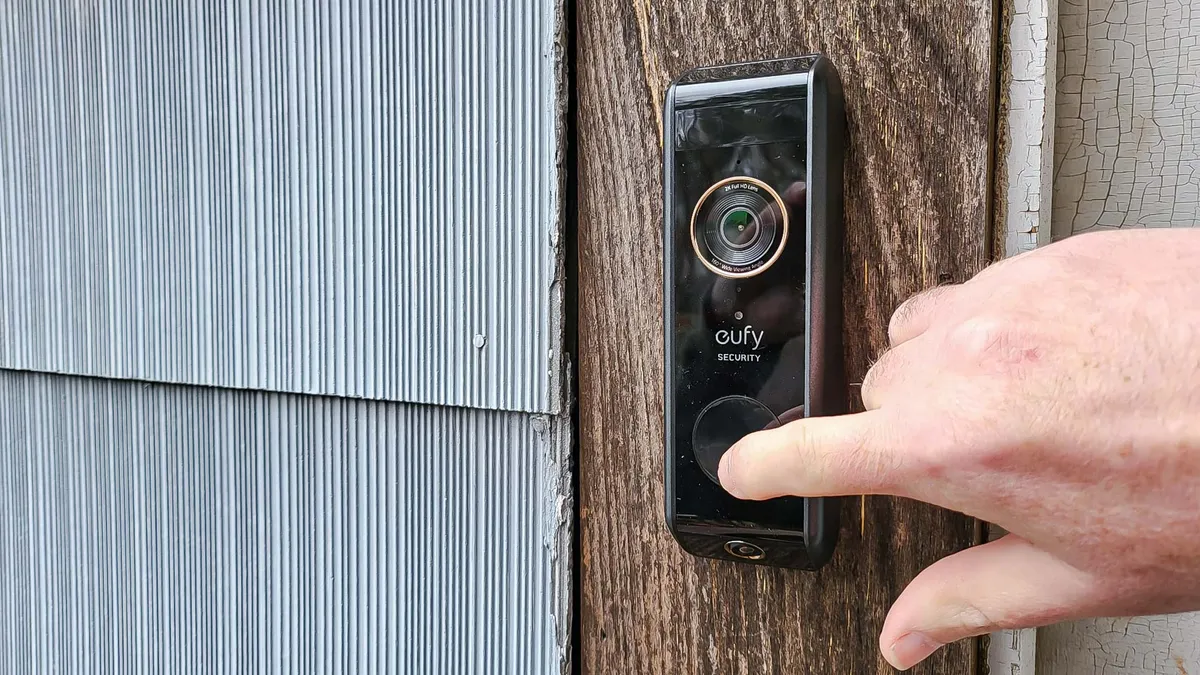
Package theft is an all-too-common problem, and the best video doorbells have adapted with cameras that have a more vertical field of view, so you can better see more of your front porch.
The Eufy Video Doorbell Dual takes things one step further, with a second camera that points directly downward, giving you the clearest view possible. What's more, it also comes with package detection, so you'll get an alert when something gets dropped off.
Yes, the picture you get in the app looks a little funny, as half of the screen shows you the view from the top camera, while the bottom half shows the view from the bottom camera, but in our tests, it worked flawlessly, giving us the best view of packages we've seen from any video doorbell we tested.
And you get all this without needing to pay a monthly subscription fee, which is a rarity among the best video doorbells. We also liked that the Eufy saved video to a local, secure base, so that it can continue to record video even if your internet connection goes down.
Yes, the Eufy costs more upfront, but it could save you money in the long-term.
- Read our full Eufy Video Doorbell Dual review
Best battery-powered video doorbell

The Ring Battery Doorbell Pro (Retinal 4k) is the second edition of the brand's premium doorbell, upgraded to 4K recordings and with a load of new AI features (some useful, some less so) and a large, easily swappable, USB-C rechargeable battery.
It has some of the best footage of any doorbell cam we've tested. Even our top pick, the Nest Doorbell (Wired, 3rd gen), doesn't come close to matching the Doorbell Pro's Retina 4K resolution, and it is this doorbell's strength, in daylight and at night.
In bright sunlight, we found the recordings were totally clear, and the 10x Enhanced Zoom means you can really focus in on details other cameras could never pick out, like small text and license plates. It didn't perform quite as well in low light, though.
You still get a clear picture and good colors, but it's harder to get incredibly sharp images like you do during the day. All this detail comes at a cost; Ring recommends internet speeds of over 15Mbps to live stream the footage in its original resolution.
Compared to the other Amazon-owned option, the Blink Battery Doorbell 2K+, the downside is that you can't record footage locally, so you have to take out the Ring Protect subscription for cloud-based storage, starting at $4.99/month.
- Read our full Ring Battery Doorbell Pro (Retinal 4k) review
Best video doorbell for recording quality

With its 4K camera, the third-generation Ring Wired Doorbell Pro delivered the best video we've seen from a doorbell cam. Its Retina View not only made for great, crisp images, but was also much better at high dynamic range, which meant that our bright porch lights didn't blow out everything further in our yard. It was much easier to see what was going on farther away from our front stoop, especially at night.
The 3rd-gen Ring Wired Doorbell Pro is a lot smarter too, thanks to Alexa+, Amazon's AI-powered voice assistant. This doorbell supports Familiar Faces, so it can recognize friends and family, and even deliver custom greetings on the fly. We also found that this doorbell delivered far fewer false alerts than our previous model.
Like most of Ring's other video doorbells, this model also supports package detection and has a removable faceplate, so you can customize its look to your home's color, or pick a seasonal theme.
However, this is a hardwired-only video doorbell, so there's no battery backup, nor is there local storage — so if your power and internet goes out, you're out of luck. And, to use all of its features, you're going to need a Ring subscription, which starts at $4.99/month.
- Read our full Ring Wired Doorbell Pro (3rd gen) review
Best video doorbell for Apple Home

The Ecobee Smart Doorbell Camera is one of a very limited number of video doorbells that works with Apple's HomeKit. It's also the least expensive and most fully-featured of the bunch, too, with head-to-toe video and person and package detection.
We really liked the image quality from the Ecobee, as well as the fact that we could answer the video doorbell not just from our phone, but also our Apple Watch and Amazon smart displays. And, as of mid-2025, it finally added support for Google Home.
Its package detection was also really helpful, as was a beta feature that automatically pans and zooms in on a subject as they approached our front door.
Unlike the Logitech Circle View Doorbell, which lets you use your Apple iCloud account to store video, Ecobee requires that you use its own subscription service (starting at $5/month) if you want to save videos and have access to such features as package detection.
That's not as competitive as some of the other video doorbells on this page — Ring and Wyze, to name two — but it's the price you pay if you want something that works with HomeKit and has package detection.
- Read our full Ecobee Smart Doorbell Camera review
Also tested

If you need a cheap video doorbell, this upgraded Blink model should be on your list. It doesn't have a lot of features, but the battery-powered cam is a reliable and affordable way to add some security to your home, even if you need to add an accessory or subscription to save video.
Read our full Blink Video Doorbell (2nd Generation) review

This video doorbell also doubles as a smart lock, so you can keep your door jamb free from extra hardware. It has a 2K camera, but it's not vertically oriented, so you won't see if someone's left a package. And, it's not very obvious that you need to press a button on the lock to ring the bell.
Read our full Eufy E330 review

This doorbell is essentially the Ring Wired Doorbell Pro, but with a lower-resolution 2K camera. If you want to save yourself $70, then this is the Ring camera to pick up. Just know that you'll need a subscription, and there's no battery backup.
Read our full Ring Wired Doorbell Plus review

We did rank the Wyze Battery Video Doorbell as the best budget video doorbell, until the Blink Battery Doorbell 2K+ came along. It's still a good option, but it only lasts six months (compared to Blink's 22-month) and the AI features aren't very useful.
Read our full Wyze Battery Video Doorbell review
How we test video doorbells
To test video doorbells, we self-install the devices on houses and tested in real-world conditions with friends and family ringing the bells day and night. Then, we evaluate them on several criteria:
Installation
To start, we evaluate the ease with which the video doorbell can be installed. This includes the physical installation — are the instructions clear? Are all the necessary tools included? — as well as the process of connecting the video doorbell to our home Wi-Fi network, and to the app itself.
Sometimes, video doorbells will need you to add extra adapters to your existing wiring, as well as wedges so that the camera is pointed in the right direction. This can add both time and complexity.
Video quality
Of course, we also look at video and audio quality, both during the day and during the night. Is it easy to recognize a person's facial features while they're moving? How clearly can we hear them, and how clearly can they hear us? And, how quickly does the camera start recording video once it senses movement?
Additionally, we look at the orientation of the video itself. When video doorbells first appeared, they used traditional rectangular cameras, which were great for a wide view, but didn't let you see what was directly in front of your door.
Now, the majority of video doorbell cameras have a more vertical orientation, so that while you don't get as wide a view, you can see more of your doorstep — which is where packages are most often dropped. We much prefer this view.
Features
Nest, we examine the video doorbell app itself. How many features does it have compared to the competition? How easy are those features to set up and configure? For instance, many video doorbells let you adjust their sensitivity, so you're not bombarded with notifications every time a car drives by your house.
We also give extra marks to video doorbells that offer package detection. It's good to know when something has been left — and if something has been stolen!
Subscription costs
Many video doorbells also require a subscription to access features and save video recordings. We factor in the cost of the subscription, as well as what you get for the price. (Our guide to the best security camera storage plans breaks everything down in detail).
Smart home compatibility
We also factor in interoperability and compatibility with other smart home devices and security systems. For a video doorbell to be truly part of a smart home, it has to be able to talk to your other smart home devices.
Alexa and Google Home are considered table stakes; ones that are compatible with Apple Home are not as common.
How to choose the best video doorbell
Battery vs. Wired
Video doorbells come in one of two varieties: Wired or battery powered (Some, like the the Nest Doorbell (Battery) can do both). If you're replacing a traditional doorbell, a wired video doorbell makes the most sense; you just have to make sure that there's enough power going to the doorbell. Typically, there will be an 16-24V transformer providing power, which should be enough for most video doorbells.
If you're planning to install a video doorbell where there is no existing wiring, buying a battery-powered model is far easier (and cheaper) than hiring an electrician. Just remember that a battery-powered video doorbell will have to be recharged occasionally.
Some, such as the Ring Battery Doorbell Plus and Pro, have a replaceable battery, so there's no downtime while you're juicing it back up. Some companies also sell solar panels that can help keep the video doorbell's battery charged.
Doorbell placement
Your choice of doorbells will also depend on whether you're replacing an existing doorbell or installing a doorbell where there isn't one already. In general, though, you want the doorbell to be about 4 feet off the ground, so it's high enough to see everything well, but not too high so that its button is hard to push for shorter individuals.
Field of View
Do you want a narrow view of just the person at the door, or do you want to see everything around your entryway? Some video doorbells will offer a wide, landscape view, while others have a portrait orientation; the latter is especially useful for seeing packages dropped off close to your door.
Video Resolution
The higher the resolution, the sharper the image, which will make it easier to identify people at your door. Most video doorbells now have at least a resolution of 1080p, but it's also worth checking the frame rate of the video — the higher the number, the clearer the video should be.
Package, person, and animal detection
It's good to know more than just that there's something at your door; better video doorbells can tell you if a person is approaching, if there's an animal, or if a package has been left at your doorstep. While this feature used to be relatively rare, it's now fairly common among the best video doorbells. Unless you're in the market for a budget model, it's a feature we recommend you get.
Artificial Intelligence
Like everything else, video doorbells are starting to incorporate AI into their apps; in this case, it's being used to make it easier for you to identify objects and subjects in your video footage. For example, Ring has an AI Smart Video Search feature, as does Wyze. While it's more applicable for home security cameras where you might record hours of video, it could be useful for your video doorbell, too.
Audio
When the first video doorbells came on the market, they had what's called "half-duplex" audio. That means that when someone is speaking, the other person has to wait until they can be heard. Newer video doorbells now have "full duplex" audio, so you can carry on a conversation as if the person were right in front of you.
Night Mode
The video doorbells we tested take different approaches to capturing video at night. The majority will have infrared LEDs to provide black-and-white videos, but some also have color night vision; the latter can be somewhat less sharp, but you can make out the color of what someone is wearing.
Local vs. Cloud Storage
Video doorbells will store recorded video in a few ways. The two most popular are cloud storage and locally on the video doorbell itself (some models will store video locally, but on a base station in your home). There are advantages and disadvantages to both: If a video doorbell uses cloud storage, then it won't save video if your Internet connection goes down. If a video doorbell has local storage, if someone steals your doorbell, then they can potentially see all your footage.
Subscription fees
Like the best home security cameras, many video doorbells require that you sign up for a monthly or yearly subscription if you want to use cloud storage or access all of the doorbell's features (such as package detection). Typically, a subscription will start at around $3/month; for more details, check out our guide to security camera storage plans compared.
Design
Aesthetics may be a concern. After all, you're bolting this thing to the front of your house! The Ring Pro looks the most like a traditional doorbell, and Ring even includes four faceplates, so you can choose which matches your house's trim or paint one exactly the shade you like.
FAQs
What's the difference between a video doorbell and a security camera?
Video doorbells don't necessarily make the best home security cameras. While the apps let you choose to receive motion alerts as well as doorbell alerts, motion-triggered events often resulted in video of a person or car just exiting the frame.
A dedicated home security camera may be a better choice if you're looking for actual security, because you can position such a camera in more places. And when you get a motion alert, you can back up the video and see what happened before the alert came in.
Are there Privacy and law enforcement issues with video doorbells?
In most cases, companies that make video doorbells will not share video with law enforcement unless compelled to do so by court order. However, some companies — most notably Ring and Nest — have policies where they will share video without an owner's consent and without their knowledge, if the company deems the incident to be time-sensitive.
If you do not want your video shared without your consent, you have several options. Arlo and Wyze stated that they do not provide user data without a warrant or court order. Video doorbells that use Apple's iCloud to store video — such as the Logitech Circle View — and Eufy's cameras store user footage through end-to-end encryption, so they cannot even provide user footage to law enforcement even if they wanted to.
Additionally, you can set up end-to-end encryption on Ring video doorbells, though by enabling this feature, you will disable a number of other Ring camera features.
How much does it cost to install a video doorbell?
Most video doorbells are designed to be self-installed. However, you can hire an electrician to install a video doorbell; costs will vary by region and the complexity of your setup, but we would estimate that it should cost no more than around $200. Some video doorbell companies have partnerships with professional installers. For instance, Ring has partnered with On Tech, which charges $129 to install a Ring video doorbell.
What is the voltage of a video doorbell?
Most wired video doorbells are designed to work on a 16-24 Volt circuit — the same as traditional doorbells. Typically, the wires leading to your doorbell will provide the appropriate amount of electricity. If you're unsure, you can use a volt meter to determine if too much or too little power is going to the doorbell.
Can a video doorbell be stolen?
Sadly, yes. Thieves or vandals could rip a video doorbell off your door. However, many video doorbells have measures to help prevent this. For instance, many require you to use a security screw to keep it in place, which requires a special screwdriver provided by the manufacturer.