







I always thought that my budget Samsung TU7000 4K TV was decent for my needs. Streaming the best movies, playing the latest video games, and casually watching cable TV shows worked fine for me for the last five years.
But I didn’t realize how much I was missing out on until I traded up to an OLED TV.
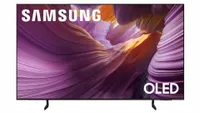
Making the jump from my old QLED to the Samsung S85F was like stepping out of a dark room into the daylight. The difference is night and day, and now I don't think I could go back to an LED TV.
Gaming finally feels next-gen
I’m not a hardcore gamer, but I own multiple consoles: the PlayStation 5 and the Nintendo Switch 2. My old TV was limited to a 60Hz refresh rate (it didn’t even have HDMI 2.1 ports), so my games felt sluggish and slow, especially in racing games like Gran Turismo 7.
The moment I plugged my PlayStation 5 into my new Samsung S85F, I instantly felt a difference. Navigating the in-game menus, taking sharp turns when racing, and suddenly stepping on the gas and brake pedals in GT7 felt far more responsive thanks to the 120Hz refresh rate. I finally felt like I had a competitive edge.

The improvement to gaming alone would’ve made the upgrade worth it.
Combined with the brighter and more color-accurate OLED panel, Samsung’s AI mode — a highlight in our review of the set — also boosted up my games, making them look a lot more vibrant than before by kicking up the backlight brightness.
When playing Stray I noticed the orange in cats’ fur looked more fluffy and clear. And even the neon red in a nearby sign stuck right out and popped. All of these small details were missing before when I was playing on the TU7000.
The improvement to gaming alone would’ve made the upgrade worth it.
Picture quality is next level
Gaming on the Samsung S85F opened my eyes to some of OLED’s biggest advantages over LED TVs, but the more obvious change came when I switched the input on my TV back to my cable box for the first time.
While the TU7000 was never bad for watching regular TV and casual streaming, the S85F produces better black levels. Darker scenes looked way more dark, and not gray, like they did on the TU7000. Contrast is also excellent, and the colors are much richer, without being overblown.
My favorite show, “Chicago Fire,” instantly came to life. In the “One Chicago” crossover episode, "Reckoning," when the show’s suspect breaks into a staging area and sets it on fire, the bright orange flames really lit up my dark living room. And, the shining silver fire extinguisher on the wall looked real enough to touch.
Watching this show at night in a completely dark room was a real treat that my old TV never delivered on. I never realized all these details on the TU7000 before, as the LED panel overblown and washed out colors. I really felt like I was getting a theatre experience.
UI feels snappier, and upscaling is better

Samsung’s Tizen OS has its critics, and I have always been one of them. On my old TU7000, the UI felt way too sluggish. Opening a streaming app like YouTube took a few seconds longer than it should have — and even switching inputs was a drag.
With my new Samsung S85F TV jumping five years ahead in processor technology, this problem was almost instantly solved. Apps open much quicker, and the interface looks much cleaner and refined.
Upscaling works better, too. When I was watching a standard 1080p broadcast of a NASCAR race on local network TV, I noticed that the stock cars looked much sharper. A lot of edge images like the track barriers, the sharp lines in cars looked smoother than before. Compression also seemed to be less of a problem than it did on my TU7000, as putting my face closer to the screen, I noticed less graininess than I did before.
Best of all, Samsung’s Motion Xcelerator technology seems to work much better than advertised, as the upscaling never felt behind, and I pleasantly enjoyed the race.
It was time for an upgrade

I have some great memories with the TU7000, but it was time for an upgrade. If you’re hanging onto a TV that you purchased in the last five years like I have, then jumping up to an OLED TV — even a more affordable one like the S85F — results in a huge performance bump.
While I’m curious what one of the higher-end Samsung models would look like in my home (the S95F is particularly tempting!) I'm genuinely pleased with the S85F. It’s excellent in terms of image quality, processing power, and gaming performance.
Not quite sure which OLED to go for? Check out our guide to the best OLED TVs if you’re looking for something to scratch that upgrade itch.

Follow Tom's Guide on Google News and add us as a preferred source to get our up-to-date news, analysis, and reviews in your feeds.
More from Tom's Guide

