




MWC can be a little too focused on fun concepts over genuinely useful innovation. But good news — Motorola and Lenovo are here to save the day.
Motorola's Moto AI and Smart Connect features are teaming up in a new update that promises to make Moto and Lenovo devices, plus Windows PCs, work together more effectively than ever. And considering you could already use Smart Connect to run your Motorola phone's apps on Windows and swap files between them, that's a big claim.

First off, you can now use Moto AI to cast files or videos to another screen via voice commands. It looks to be much simpler to do than opening a specific casting menu, which should make this feature much more accessible in a pinch.
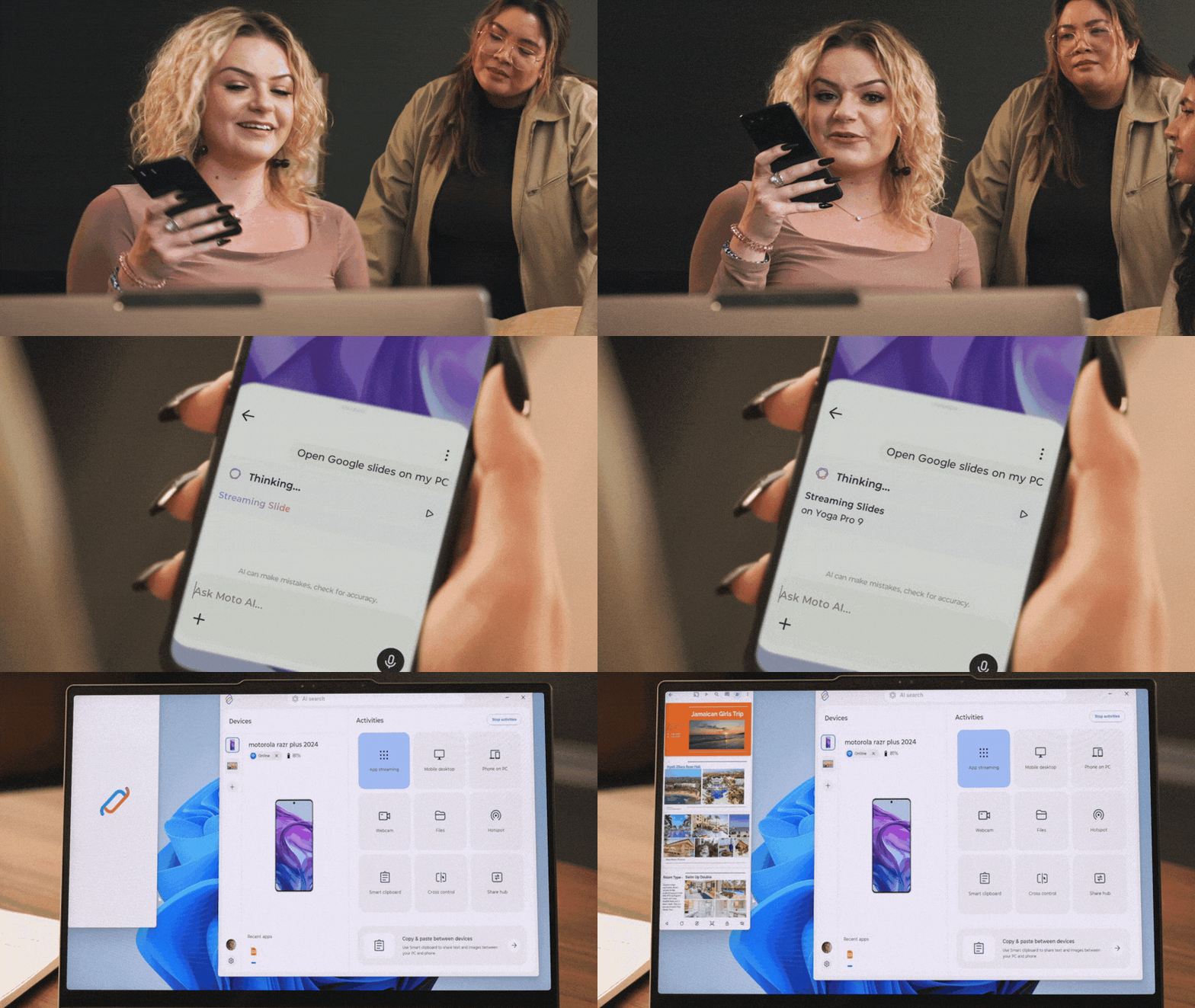
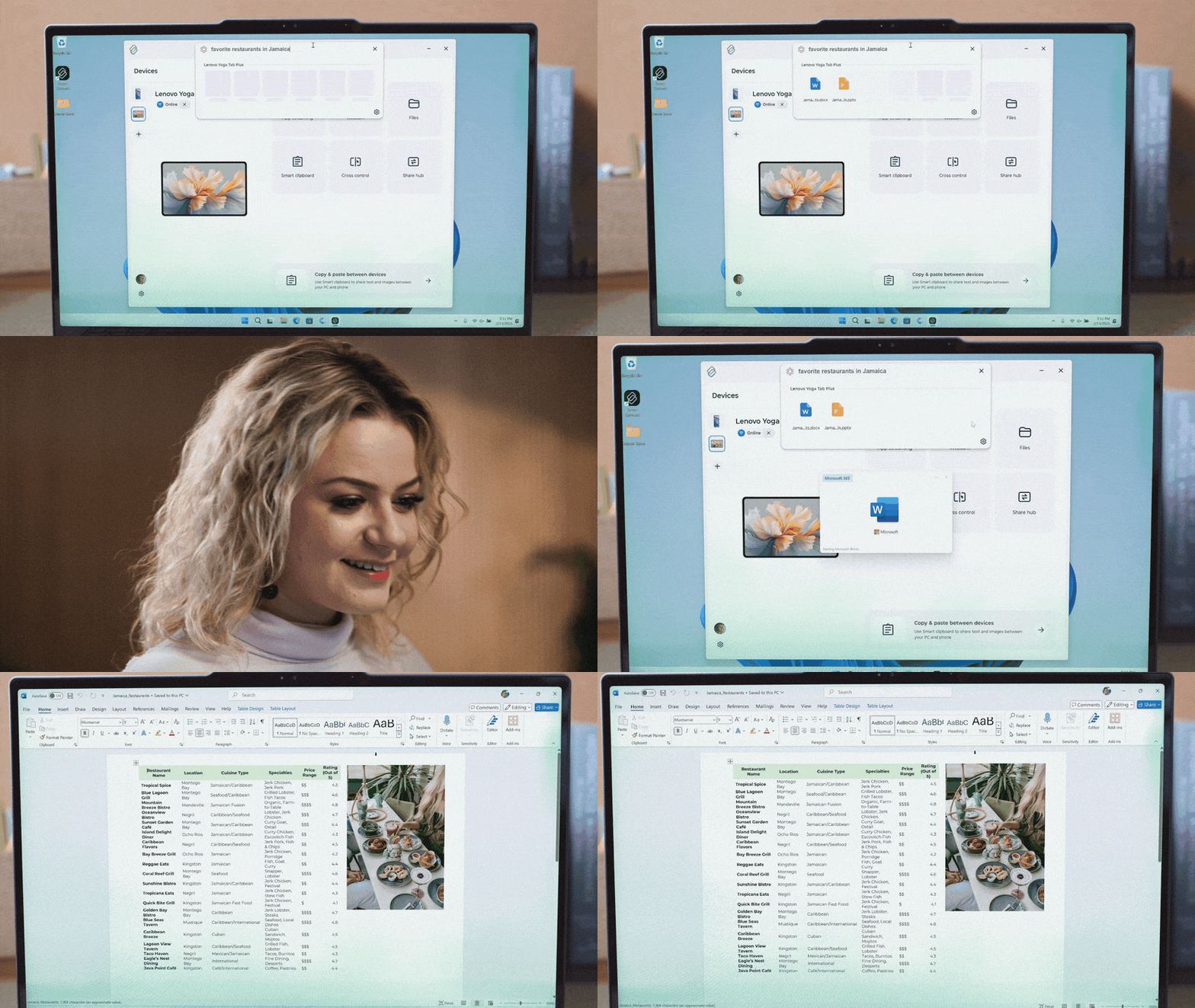
A further addition is AI Search, a natural language search tool to find saved files on the Yoga Tab Plus (16GB). It's a shame that this feature seems to be limited only to this model, as search tools like this can be invaluable for finding information you know you have somewhere on your device, but also know you couldn't find manually.
The last major change is a new dashboard for the Smart Connect mobile app, which shows all of a user's Moto AI-enabled devices, like their phone, PC, or Moto Tag tracker or Moto Buds earbuds, and lets you adjust their settings from a single location.
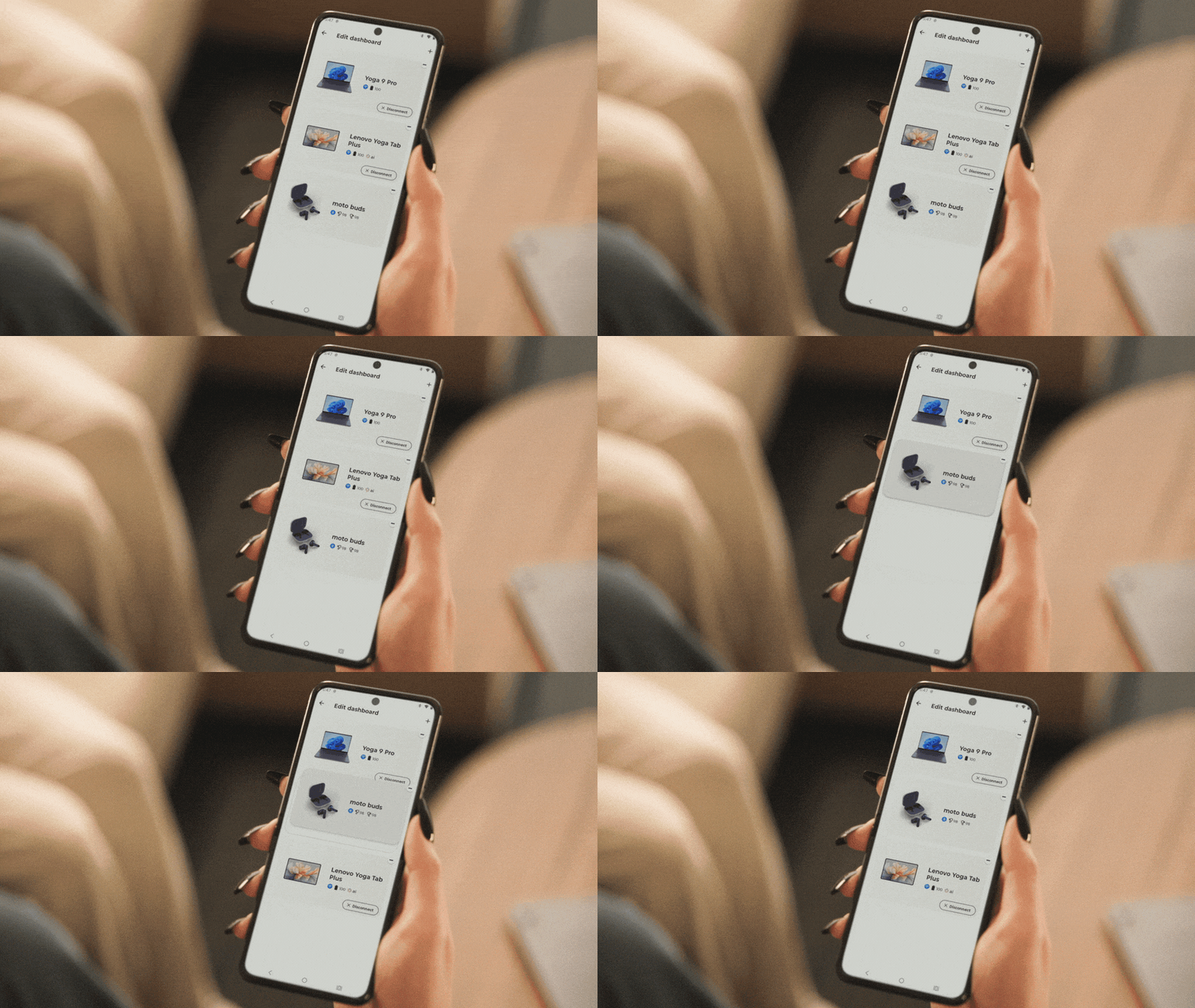
Motorola says that this is available for all Android users via a new third-party integration option. Moto doesn't go into detail on this, but we'd assume this means that if you use Moto accessories with a non-Moto device, you'll still be able to use at least some of these features.
The new generation of Smart Connect can be used on any Windows 10 or Windows 11 PC. The mobile side will work on select Motorola devices and Lenovo tablets, though these haven't been specified. Downloads will be available via the Microsoft Store or Google Play Store "in the coming weeks."
More from Tom's Guide
- Xiaomi 15 Ultra review: One of the best designed phones I’ve ever seen
- Honor now offers the best software feature seen on Google and Samsung phones
- I shot over 200 photos with the iPhone 16e vs Pixel 8a — here’s the winner

