Students throughout the country are getting ready to head back to class. If you're still in shopping mode, you're in luck. Back to school sales are at their peak right and Dell is leading the charge with discounts on some of our favorite gear. Even better, students can take advantage of Dell's student discount when making any purchases.
A Dell student discount takes an extra 10% off some of the best laptops and desktop computers around. The discount can also be used on a whole range of accessories including 4K monitors, keyboards, and webcams. Below I've rounded up some of our favorite Dell gear for school, work, or anything in between. (For more ways to save, check out our guide to the best Dell coupons).
Editor's Choice
Quick Links
- shop the entire Dell sale
- Monitors: deals from $69
- Laptops: deals from $459
- Desktops: deals from $549
- Alienware: deals from $1,799
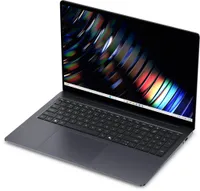
- Dell 15 Laptop: was $599 now $459
- Dell 14 Plus: was $1,379 now $859
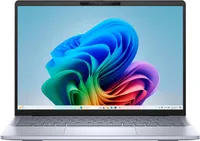
- XPS 13: was $1,299 now $1,099
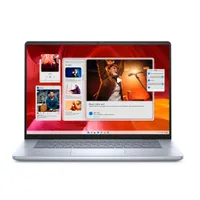
- Dell 16 Plus Laptop: was $1,819 now $1,499
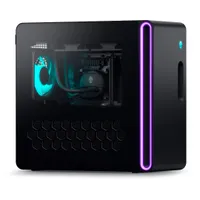
- Alienware 16 Area 51 w/ RTX 5060: was $2,679 now $1,899
- XPS 16: was $3,299 now $2,399
Unlike some of its rivals Dell is fairly generous with its student discount, and securing yours is a relatively straightforward process. Check your eligibility using the guide below, and then just follow the steps in order to start saving on some of the best Dell laptops, monitors, PCs and more.
How to claim your Dell student discount
In order to score a Dell student discount, you need to submit your academic email address via this Dell page. According to Dell's website, students with a valid academic email address are eligible for the student discount. (If you're based in the U.K., you'll want to visit this Dell page).
Once you’ve done this your eligibility will be confirmed and you will then receive an exclusive coupon. Just be warned the coupon can only be used once, so make sure you’ve fully considered your purchase before clicking that buy button.
If you don’t have an academic email address or have any issues submitting your application, you can contact dell_advantage_student@dell.com for more help and also submit alternative proof of your academic enrollment.
Who is eligible for a Dell student discount?
Dell’s pleasantly thorough FAQ outlines the eligibility criteria for its student discount as follows: “Any students over 16 years old at college and university level (vocational school included) are entitled for a student discount. All we require is that you provide us with your student email and a copy of your student I.D.”
What is included in the Dell student discount?
The Dell student discount entitles you to up to 10% off a whole range of Dell products from its official web store. In order to claim your discount, you will need a valid student discount coupon (see below on how to receive yours), and once this is obtained just enter the code at checkout to receive your student discount.
The discount does not apply to all products. For example, some Alienware gaming laptops are excluded. The size of the discount available also differs based on the product selected as well.
There is also a section of the Dell website that lists a range of Dell student deals currently available. The discounts include as much as $345 off a Dell XPS 15 laptop as well as big savings on monitors and PC desktops. Even better, these deals are open to everybody even shoppers who aren’t currently studying.
Best Dell deals right now