Last year, PlayStation announced the already diverse PS5 accessory range was set to grow further with two new products: the FlexStrike fight stick and the Pulse Elevate desktop speakers. What makes these two upcoming accessories more intriguing is that they represent firsts for PlayStation.
FlexStrike is the first official PlayStation fight stick, while the Elevate expands the Pulse range beyond headsets and into the speaker arena. I’ve been curious to learn more and, of course, to get my hands on these two products since they were announced last summer and fall, respectively.
After getting to demo both during a trip to PlayStation’s U.K. office, I’ve come away impressed and confident that they will bolster the already strong range of optional extras available to PS5 and PS5 Pro owners.
Both have their use cases and seem primed to deliver exactly what gamers want from a wireless fight stick and a pair of desktop speakers. However, it was the FlexStrike that really left the strongest impression. Just a short hands-on session took the accessory from a curiosity to a peripheral I’m eager to add to my own gaming setup as soon as possible.
FlexStrike wireless fight stick hands-on impressions
Settling down into a plush gaming pod within PlayStation’s slick London base, I was first introduced to the FlexStrike and given insight into its creation by Edwin Foo, VP of Product Development at Sony Interactive Entertainment. During this presentation, what stood out to me was the clear passion the development team has for PlayStation’s first fight stick.
Foo explained that one of the development mantras was to create a stick that could appeal to both serious players, the types hoping to compete at tournaments like Evo 2026, and newcomers who perhaps haven’t used a fight stick before. The sort of gamer used to playing fighting games like Street Fighter, Mortal Kombat, and more on a traditional controller. I fall into that camp, so I was curious to see if a newbie like me could adapt.
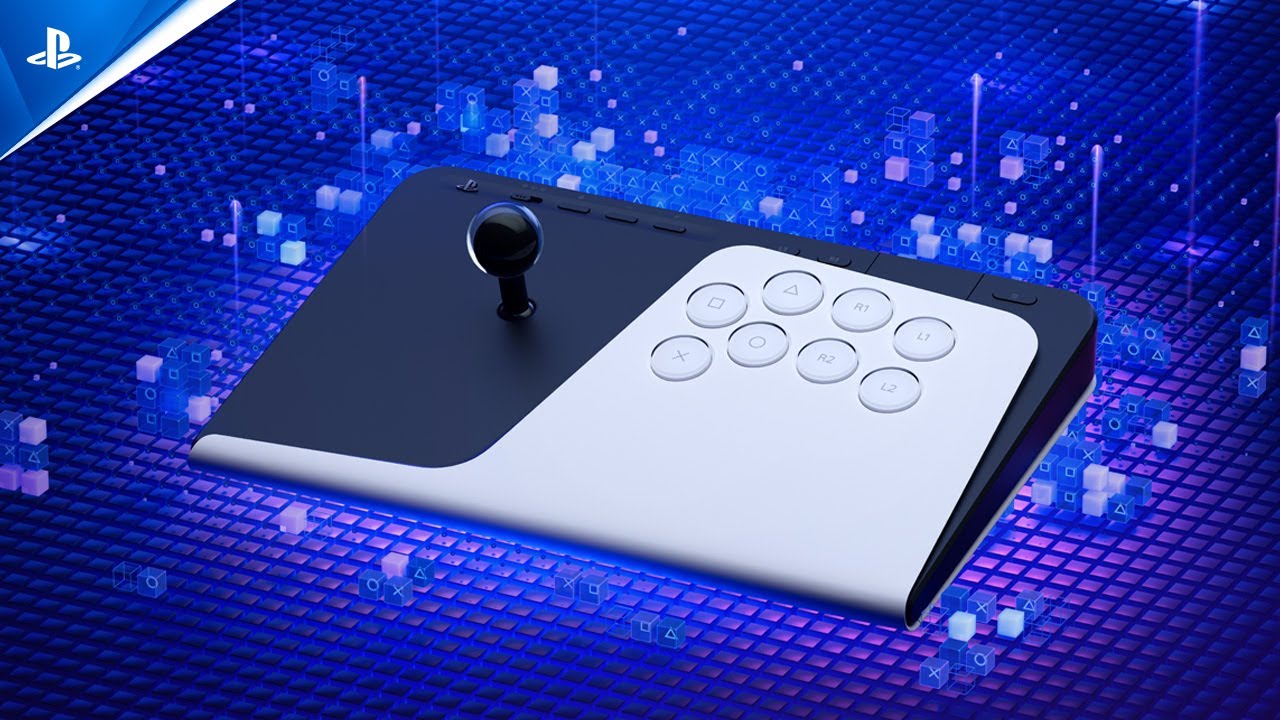
Even just admiring the FlexStrike with my eyes, I was won over instantly by the design. The PS5’s aesthetics have always been a divisive subject, but I’m a fan, and I love how the FlexStrike pairs up PlayStation’s flagship console with a similar two-tone look that mixes Black and White plastic. It looks futuristic, without veering into the neon-garish look of some rivals.

As Foo highlighted some of the features, I got a sense that PlayStation really hasn’t skimped on functionality with the FlexStrike. Naturally, you’ve got a singular joystick on the left side and pleasingly large buttons on the right, one for each of the inputs on a DualSense.
Along the top, you’ll find the Options and Share buttons, alongside the ability to lock the top bar. Foo informed me that accidentally pressing pause during a fighting game competition results in an automatic forfeit, so this lock feature is essential.
Soon enough, it was time for me to test out the FlexStrike for myself. The bottom of the controller is covered in a rubber material that prevents it from slipping around and virtually locks it in place on my lap (another big positive).
When initially running my fingers over the FlexStrike, I started to understand why there’s so much negative space below the joystick and buttons. There's a generous surface area to rest your palms, and I can imagine that over longer play sessions, it’ll make finding a comfortable position a breeze.
For my FlexStrike hands-on, PlayStation had selected the upcoming Marvel Tōkon: Fighting Souls (launching August 6), which was an extra treat. My opponent would be Kyungsoo Kim, Product Development Program Manager at Sony Interactive Entertainment.
After a brief fumble locating the X button — very on brand for me to embarrass myself at least once — I locked in my characters and was ready for our superhero bout.

Okay, so I lost. But, in my defense, it was a close match. Kim’s mastery of projectile attacks won out in the end (though I suspect they may have been taking it easy on me). But more importantly, within just a few moments of using the FlexStrike, I started to understand the appeal of playing a fighting game on a fight stick rather than a standard controller.
The satisfying click of the FlexStrike’s joystick and the significantly larger buttons made stringing together combinations of presses much easier. Foo explained to me that via the PlayStation Link USB adapter, the FlexStrike offers latency of just four milliseconds. So I couldn’t blame my defeat on my inputs not coming through quickly enough. Plus, you can connect two FlexStrikes via a single USB adapter without impacting latency. Impressive!
And if all of the above reasons to consider a FlexStrike weren’t enough. The controller also comes with a sling carry case included. So you can take it to tournaments all over the world with ease. As my session was coming to an end, Foo revealed one final inclusion: remove the FlexStrike’s rubber bottom, and you get access to additional customization options.

Underneath the controller, you can swap out the “restrictor gate,” choosing between a square, octagonal, or round gate. For those out of the loop (like I was), this sets the joystick movement. A square gate is more restrictive, making moving into corners easier, whereas an octagonal gate gives you more freedom, but requires greater precision. I’ve since learned that which gate is best is a hotly contested topic, so the FlexStrike giving you the option to pick your preferred gate seems very smart.
Even after a brief time with the FlexStrike, I came away suitably impressed and already sold on it as my preferred method of play for fighting games going forward. I’ll have to wait until later in the summer to put it through its paces fully. But on first use, I think it’s a PS5 accessory that players who take fighting games seriously are going to love, and even newcomers to the world of fight sticks (like me) will find themselves quite taken with it.
Pulse Elevate wireless speakers hands-on impressions
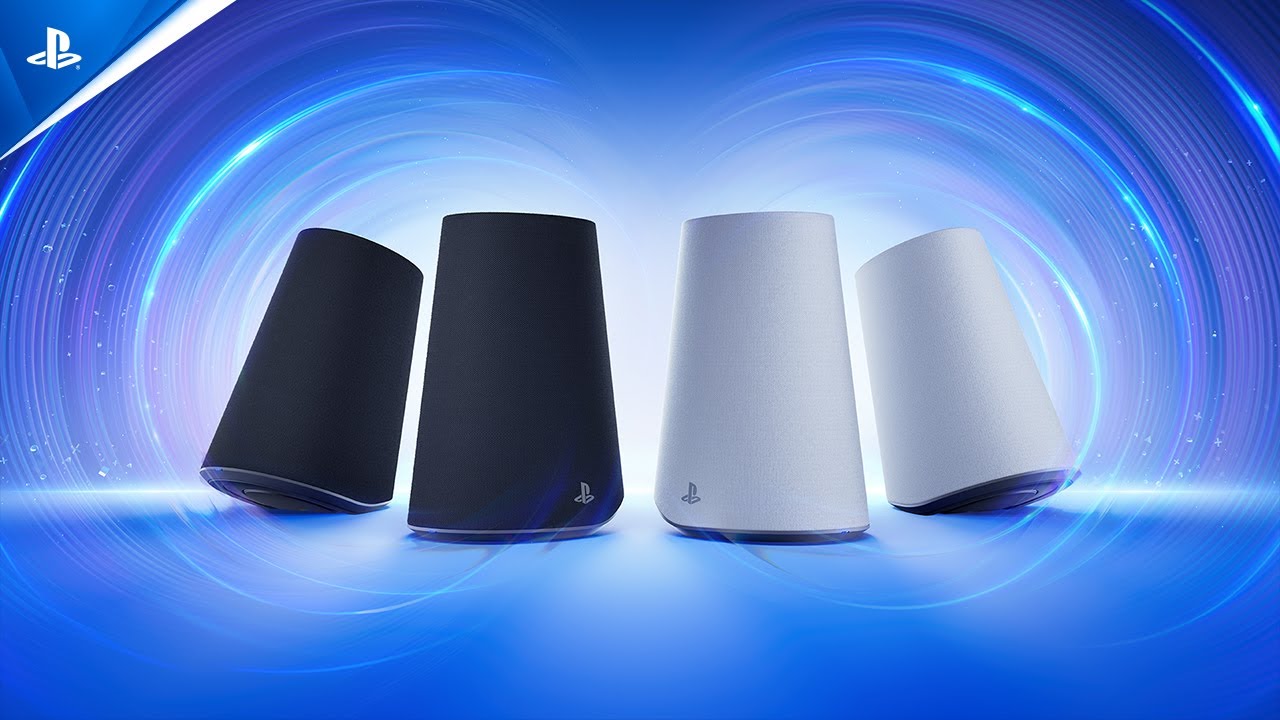
After being pried away from the FlexStrike, I was ushered into a new room to get my first look at the Pulse Elevate wireless speakers. These take on an unassuming look, with only the small PlayStation insignia in the corner denoting that these are speakers made specifically for gaming on a PS5. A design decision, I appreciate. For this demo, two Pulse Elevate speakers were placed on either side of a monitor, hooked up to a PS5 Pro console.
To test their functionality, I was shown a Ghost of Yotei presentation, which highlighted the Tempest 3D AudioTech at its best. During one sequence, a gust of wind blew across the screen, with the audio simultaneously shifting from one speaker to the other, which was unbelievably cool. Next up, I got to play through the intro sequence of the excellent PS5 exclusive Saros, which was a fine choice considering its incredibly strong sound.
What stood out to me most as I attempted to display my Saros skills to my watching audience was how easy it was to decipher each element of the soundscape. Saros throws a lot of noise at players, but I could pick out individual cues and clearly make out the ghostly whispers that add to the game’s sci-fi atmosphere. Pulse Elevate certainly seems up to scratch when delivering an excellent audio experience. Which, of course, is critical.

But it was after my hands-on (ears-on?) that I got a sense of what makes the Pulse Elevate worthy of consideration beyond just delivering fantastic audio. For starters, the speakers are wireless. They sit on a charging dock, but with a single lifting motion, you can unhook them and place them wherever you’d like. This offers versatility to even users with limited desktop space. Secondly, the speaker’s curved stand allows you to point the speaker upwards.
Foo pointed out that many speakers currently on the market sit flat, so the sound is blasted at a user's chest when they're sitting at a desk. The Pulse Elevate aims to push audio directly to your ears. Plus, they’re not only designed for PS5 but also compatible with PC and mobile devices.
Switching between PS5 and PC takes mere seconds, so long as you have a USB adapter plugged into both devices. However, because the speakers come with only one in the box, near-instant switching requires purchasing a second USB dongle. And while the Pulse Elevate speakers are designed to utilize PlayStation Link, Bluetooth is also supported. The PS Blog notes that you can connect via PlayStation Link and Bluetooth simultaneously.

Much like the DualSense controller, the Pulse Elevate sports an in-built microphone, located in the right speaker. I was skeptical of this functionality. Surely, the mic would also pick up the gaming audio? But Foo put this concern of mine to bed by playing loud music while also quietly talking into the speaker. On playback, I could hear Foo’s voice clearly, and the AI-enhanced noise-rejection technology (not reduction, rejection) had removed the music entirely.
As somebody who spent much of my 20s playing PS4 at a desk across college dorms and rented apartments, I can certainly see the use case for the Pulse Elevate speakers. As with the FlexStrike, one of my big takeaways was the clear extra mile PlayStation has gone to cram in additional functionality beyond just nailing the all-important audio experience.
Which new PS5 accessory should you buy?
I can’t definitively say whether the FlexStrike and Pulse Elevate are worth buying until I’ve added them to my own gaming setup and truly put them through their paces over several days (watch out for our full reviews around launch). However, as far as first reactions go, both impressed me.
The FlexStrike was definitely the one I gravitated towards most, and the one that, as I made the long trek home in the summer heat, I was wishing would be waiting there to greet me. Nevertheless, at this pre-launch stage, I’m confident that both the FlexStrike and Pulse Elevate will represent strong additions to PlayStation’s robust lineup of PS5 accessories.

Follow Tom's Guide on Google News and add us as a preferred source to get our up-to-date news, analysis, and reviews in your feeds. Subscribe to Tom's Guide on YouTube and follow Tom's Guide Entertainment on TikTok and Instagram. Finally, you can visit our dedicated Tom's Guide Savings Squad hub for expert help on getting the best products for less.
More from Tom's Guide