



The MacBook Neo is here, and it's causing quite the stir in the technology world. If, like me, you're eyeing one up – or are lucky enough to have already got your hands on one – then you're going to want to protect it.
Protection for your new machine should be physical and digital, and the best VPNs are perfect for securing your data and online privacy.
The MacBook Neo is beginner friendly, and you don't have to be a tech expert to get the most out of it. ExpressVPN is no different. It's the VPN I always recommend to technophobes, and those who want the simplest VPN possible without compromising quality.
If the MacBook Neo's price drew you in, you'll be pleased to hear that ExpressVPN is currently cheaper than it's ever been. Until March 19, you can grab a 28-month deal for $2.27 per month.

Why use a VPN with your MacBook Neo?
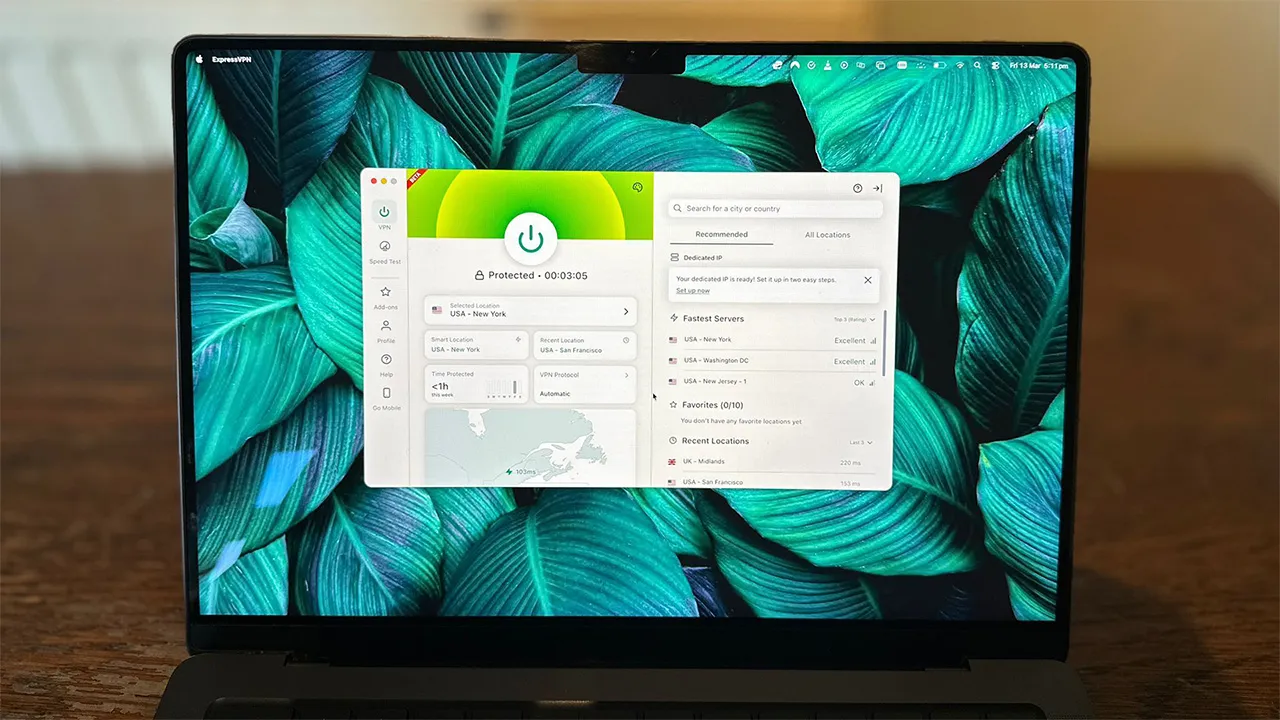
Any of the best Mac VPNs will suit your new Neo just fine, but ExpressVPN is the most straightforward. Its giant on/off button means connecting to one of its 3,000+ VPN servers couldn't be easier.
The UI is almost identical across all of its apps. So if you want to use it on any other device – you can protect between 10 and 14, depending on your tier of plan – then you won't need to learn anything new.
ExpressVPN was one of the first VPNs to implement post-quantum encryption, meaning your new MacBook is protected by the highest standards of encryption.
Speeds are more than quick enough for daily browsing and streaming. WireGuard speeds measured 694 Mbps in our latest round of testing. This isn't as quick as some of ExpressVPN's competitors however.

Speaking of streaming, ExpressVPN is one of the best streaming VPNs. It demonstrated nearly flawless unblocking capabilities, only failing to access US Amazon Prime Video, and US YouTube – services many VPNs have struggled with. Disney+, BBC iPlayer, and all regions of Netflix were unblocked first time.
Three tiers of ExpressVPN plans are available, ExpressVPN Basic, ExpressVPN Advanced, and ExpressVPN Pro. With the Advanced and Pro plans, one subscription sees you unlock five privacy apps. With ExpressVPN Basic, you get the VPN and ExpressMailGuard.

Any other VPNs?
Despite its qualities, ExpressVPN may not be for you. There isn't a heap of customization on offer and other VPNs do boast a wider range of extra features.
As mentioned, it's not the fastest VPNs we've ever tested. If you want to make the most of your super-fast Wi-Fi, NordVPN may be a better option for you. Although, at the time of writing, NordVPN is more than $1 per month more expensive.
Protection for between 10 and 14 devices should be more than enough for most people. But if you could do with more, you may want a VPN with an unlimited device protection policy. Surfshark and Private Internet Access (PIA) are two good options here. Surfshark is the best cheap VPN, and also leans towards simplicity. PIA is ideal for experts and is the best VPN for torrenting.
$2.27 per month for ExpressVPN is a great deal, but if you want something even cheaper, PrivadoVPN is $1.11 per month. It's a secure VPN, which has decent speeds and does the core VPN features well. But you get next to no extras and its Mac UI isn't the nicest.
We test and review VPN services in the context of legal recreational uses. For example: 1. Accessing a service from another country (subject to the terms and conditions of that service). 2. Protecting your online security and strengthening your online privacy when abroad. We do not support or condone the illegal or malicious use of VPN services. Consuming pirated content that is paid-for is neither endorsed nor approved by Future Publishing.

