







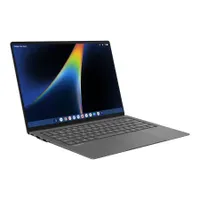
Googlebooks have arrived to shake up the computing world. Billed as laptops for Android users, these machines run on the brand-new Googlebook OS, which combines Android OS and ChromeOS and is designed for Gemini Intelligence. This gives users Apple-like interoperability with their phone and laptop, along with on-device AI tools and features.
Google is launching these new laptops in a crowded field that includes the best MacBooks, the best Windows laptops, and even the company’s own best Chromebooks. If you already own or are hunting for one of the best laptops, it might be difficult to see why you would want or need a Googlebook.
To that end, here are four reasons to buy a Googlebook, along with three reasons you might want to skip them.
Googlebooks: Reasons to buy
Android interoperability

The main reason you’d want to buy a Googlebook is if you’re an Android phone user who wants near-seamless integration with your laptop. This is something Apple users have enjoyed for years, and both Google and Windows have tried and largely failed to deliver. Now, Android users can switch between tasks on their phones and these new laptops.
In the past, if you started writing a document or working on a project on your phone, you’d have to manually move it to your laptop. Thanks to Googlebook’s Continue On feature, you can pick up right where you left off from the desktop taskbar. This also applies to pictures you snap or videos you record, thanks to the updated Files app. All of your photos and downloads appear right in your laptop’s file menu.
When you first sign in to your Google account on a Googlebook, all of your phone’s settings, saved passwords, Wi-Fi networks, and messages are automatically transferred to the laptop over end-to-end encryption. Cast My Apps allow you to stream and interact with your phone’s apps in a desktop window, which makes it simple to (for example) order food from a delivery app
None of this is groundbreaking stuff for Apple users who’ve enjoyed seamless interoperability between the company’s devices. But for Android users, Googlebooks could be a huge game-changer.
Googlebook OS features
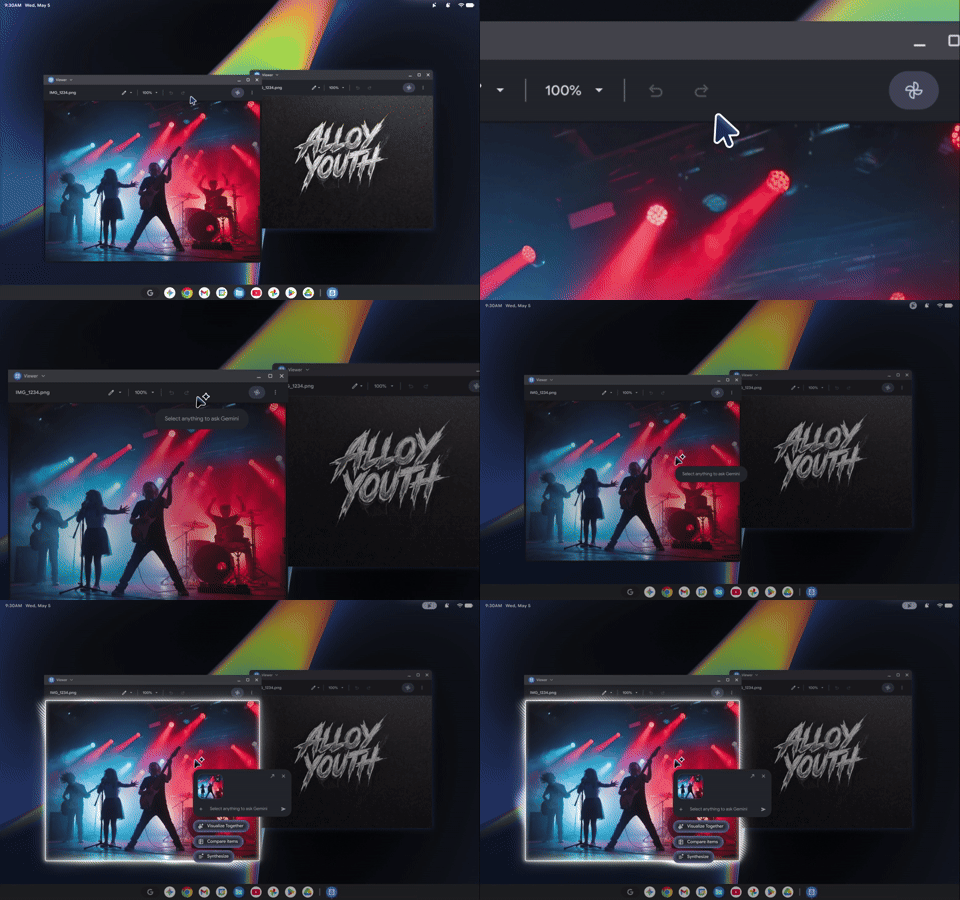
It shouldn’t be surprising that Google has baked its Gemini AI right into Googlebook OS. While you can certainly use the company’s LLM for the basics, such as asking it for travel advice or brainstorming, some nifty Googlebook-specific features sound very useful.
The most unique feature is Magic Pointer. Shaking or wiggling the mouse cursor while hovering over content on your screen brings up Gemini. From there, you can ask the AI to summarize text, translate languages, or help you organize your calendar.
There’s also Rambler, an enhanced speech-to-text tool that lets you (as the name suggests) ramble stream-of-consciousness thoughts and then have them converted into neat headers, checklists, and takeaways.
For aspiring vibe coders, Create My Widget lets you describe what you need in plain language to generate custom interactive desktop widgets. Basically, you can create your own Android apps in a few minutes.
Design and specs
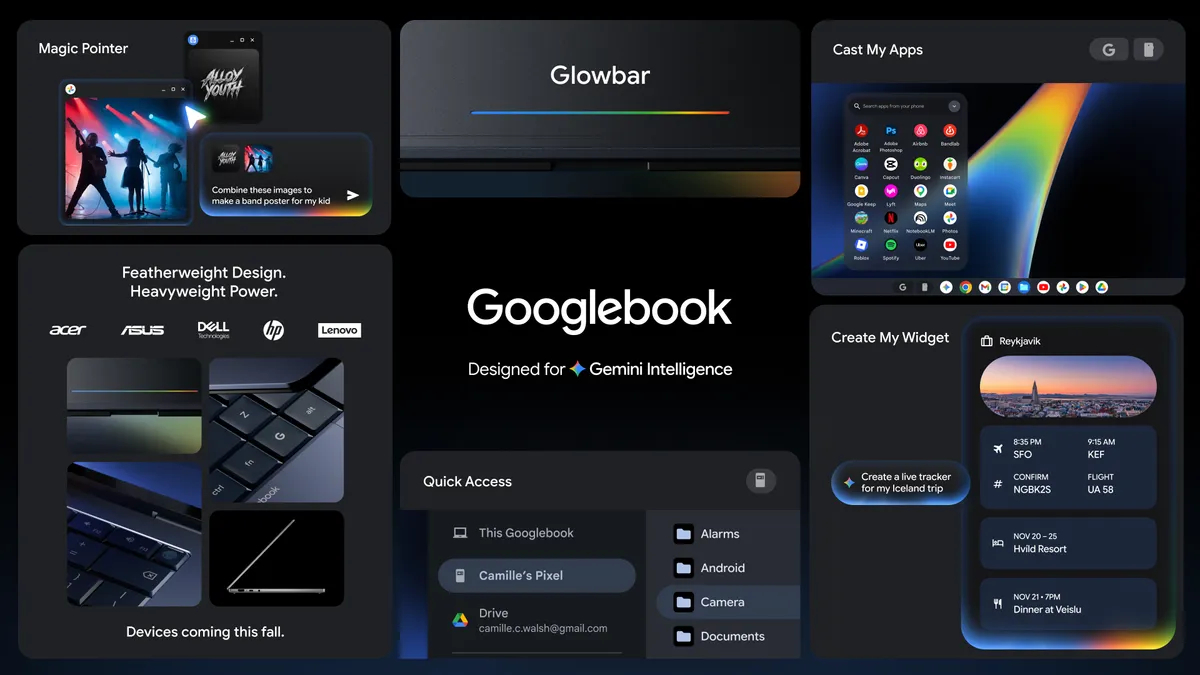
At launch, there will be five Googlebooks from Acer, Asus, Dell, HP, and Lenovo. While each laptop has its own unique design elements, they also share core design elements that identify them as Googlebooks.
All Googlebooks are built with high-end materials like aluminum, magnesium alloy, and carbon fiber. While not every Googlebook will have OLED panels, they all have touchscreen displays — which makes sense if you’re using an Android app on the laptop. Other features include ultraportable designs, large trackpads, and backlit keyboards.
Googlebooks will also have a Glowbar positioned on the exterior lid. This light bar sweeps across in bright colors to indicate battery levels, lights up on startup, and shows fun animations whenever you’re using Gemini.
Under their ultraportable hoods, Googlebooks feature high-end processors from Intel, Qualcomm, and MediaTek, with NPUs capable of over 45 TOPS for AI workloads. The laptops also start with at least 16GB of RAM and 256GB of SSD storage. Google also claims you’ll get up to 14 hours of battery life.
Googlebooks: Reasons to skip
Platform migration

Even if you mostly work in Google apps, you’ll still be effectively starting over, especially since you’ll need an Android phone to get the most from Google’s new laptops. You’ll also lose Apple features like AirDrop, iMessage, and FaceTime, and Mac-exclusive Pro software like Final Cut Pro and Logic Pro.
Googlebooks would have made more sense for me back when I was an Android phone user. But now that I’ve owned an iPhone for four years and enjoy seamless integration between my phone, MacBook, and iPad Pro, I don’t relish the thought of starting over on a new platform. If you’re firmly entrenched in the Apple ecosystem, then a Googlebook will be a tough sell.
Compatibility

Googlebook OS relies heavily on web apps, native Android software, and Linux tools. As such, it can’t run native legacy Windows desktop apps, and it certainly won’t run macOS-exclusive software. Due to that, you’ll effectively be in a walled garden like with the Apple ecosystem, only for Android.
Similarly, since this is a brand-new platform that combines Android and ChromeOS, developer optimization for desktop windowing in certain third-party Android apps is still evolving. In other words, early adopters should expect some hiccups along the way, as some of the features I outline above may not work as well as you’d expect.
Price

Googlebooks aren’t outrageously expensive, but as premium flagship laptops, they’re not cheap. Prices range from $899 for the Acer Googlebook 14 to $1,299 for the Asus Googlebook 14 and HP Googlebook 14. That’s pricey on its own, but if you’re also buying a new Android phone and don’t already own one, that’s an even bigger hit to your bank account.
If compatibility with your phone isn’t important and you only need a dependable laptop for basic web browsing or word document editing, then a Chromebook, which can start between $179 and $369, is the more affordable alternative. If you want something higher-end but still affordable, the $699 MacBook Neo and $799 Dell XPS 13 are also brilliant choices.
Outlook
We'll get a true measure of what Googlebooks can do once we've put them through our lab and real-world tests, but for now, they seem like they could be perfect laptops for Android phone users. But as I said, they might be tough sells for Apple users.
The first Googlebooks are expected on October 4, so stay tuned for more soon!

Follow Tom's Guide on Google News and add us as a preferred source to get our up-to-date news, analysis, and reviews in your feeds.
More from Tom's Guide

