







Most people are using the world’s most powerful tech backwards. We pick one chatbot, usually ChatGPT, and force it to do everything from deep research to intense coding. But, honestly, this is like hiring a world-class chef to fix your leaky dishwasher just because he's already in the kitchen.
Don't get me wrong, OpenAI’s latest update is impressive. But if you aren't 'stacking' your tools, you're leaving about 40% of your productivity on the table.
I grew tired of the trial-and-error, so I developed what I call the 'Pass Prompt.' It’s a simple string of text that makes ChatGPT admit when it's outclassed. It turns your AI into a workflow strategist that routes your tasks to the right 'brain' for the job. Here is exactly how it works, and why it’s probably only prompt you’ll actually need to help make your decision.
The 'Pass' prompt: Your new starting line
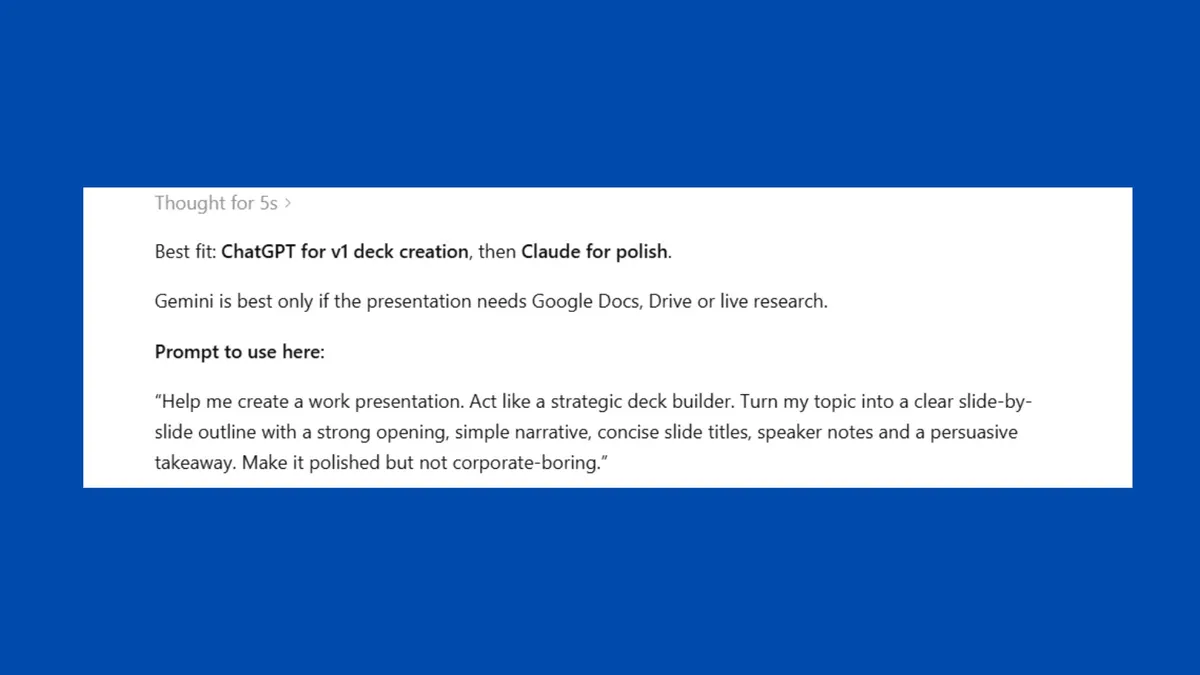
Rather than guessing, before you let an AI touch a major project, force it to play the role of a consultant. Here is the exact prompt I use:
“Analyze this task like an AI workflow strategist. Determine which AI system — whether yourself, Claude or Gemini — is best suited for this request based on reasoning depth, creativity, research ability and reliability. If you are not the best fit, explain why, provide the specific prompt I should use elsewhere and then give me your best 'v1' attempt anyway.”
If you're in a rush, here's the 'lite' version: “Before answering, tell me: Is there a different AI model that would handle this specific task better than you? Why?”
At a time when AI usage is strict and more expensive than ever, this prompt can save a lot of time and tokens. When you stop treating any one AI like a universal oracle and start seeing them all as a team of specialists, you'll get so much more out of all of them — and avoid hitting your usage limit too soon.
Why this prompt works

After running this "meta-strategy" for months, the personality and use case for each major model has become crystal clear. Here is how the big three currently stack up in a professional workflow.
- ChatGPT: Despite the competition, GPT-5.5 Instant is still my "Chief of Staff." I route tasks here when the goal is execution over contemplation. It can handle messy notes, outlining massive projects and building systems from scratch. It’s fast, practical and keeps you moving. It’s the AI you use when you need a "v1" draft in ten seconds so you can get to work.
- Claude: Whenever my prompt returns a "Pass" in favor of Claude, it’s usually because the task requires "soul" or high-level logic. Long-form writing that doesn't sound like a bot, strategic roadmaps, and "measure twice, cut once" reasoning. It feels deliberate. Claude is a master editor, and worth using to keep your writing top-notch.
- Gemini: This chatbot is best when the task involves the "real world" or my own messy Google ecosystem. It's great for analyzing 500-page PDFs, pulling data from my Gmail/Docs, and anything requiring a massive context window. It’s the ultimate librarian. It excels when the quality of the information matters more than the flair of the prose. Gemini can be found in NotebookLM, which is another option to explore.
Avoid using AI backwards
Most people pick one AI and try to force it to do everything. They treat it like a search engine. But power users, the ones actually seeing 10x productivity gains, are doing something different. They are stacking. For example, they use one AI for the research (Gemini), another for the synthesis (Claude) and a third for the final execution and distribution (ChatGPT).
So instead of thinking: “Why is this AI struggling with this task?” You can reframe it as: “Did I send this to the wrong department?”
The real skill to master is orchestration, knowing when to switch tools, how to bridge them together, and when to demand that your AI "pass the ball" to a smarter teammate. The simple workflow change can make a huge difference.
The takeaway
In the "Instant" AI era, the gap between an AI novice and an AI power user isn't the length of their prompts, but the quality of their orchestration. We’ve moved past the novelty phase where "talking to a computer" was the goal.
Now, the goal is high-fidelity output with zero wasted friction. By using the 'Pass' prompt, you’re training yourself to see AI as a diverse workforce rather than a single, fallible tool.
Bookmark the 'pass' prompt and don't let your default chatbot be your only choice. When an AI admits a competitor is better, follow its lead. You’ll be shocked at how much "hallucination fatigue" disappears. Give it a try and let me know what you think in the comments.

Follow Tom's Guide on Google News and add us as a preferred source to get our up-to-date news, analysis, and reviews in your feeds. Subscribe to Tom's Guide on YouTube and follow us on TikTok.
More from Tom’s Guide
- I almost gave up on Apple TV’s No. 1 show — then ChatGPT convinced me to keep watching
- I asked ChatGPT to apply Lewis Howes’ ‘Greatness’ mindset to my life — and it completely changed how I approach work
- I gave ChatGPT permission to disagree with me with this prompt — and its responses became dramatically better

