Waze is a very popular navigation app, and with good reason. The unique way it alters your route to avoid even the slightest bit of traffic has endeared it to many, and lets you drive through places you may not have seen otherwise. The good news is it sounds like Waze is about to get even better, with a bunch more features — including a brand new Motorcycle Mode.
While motorbikes can take many of the same routes as cars, which isn't always true for bicycles, they do still have different needs and abilities. Certain road surfaces don't agree with them, and they can travel down much narrower streets that are otherwise inaccessible to cars. Hence the addition of Motorcycle mode to Waze.
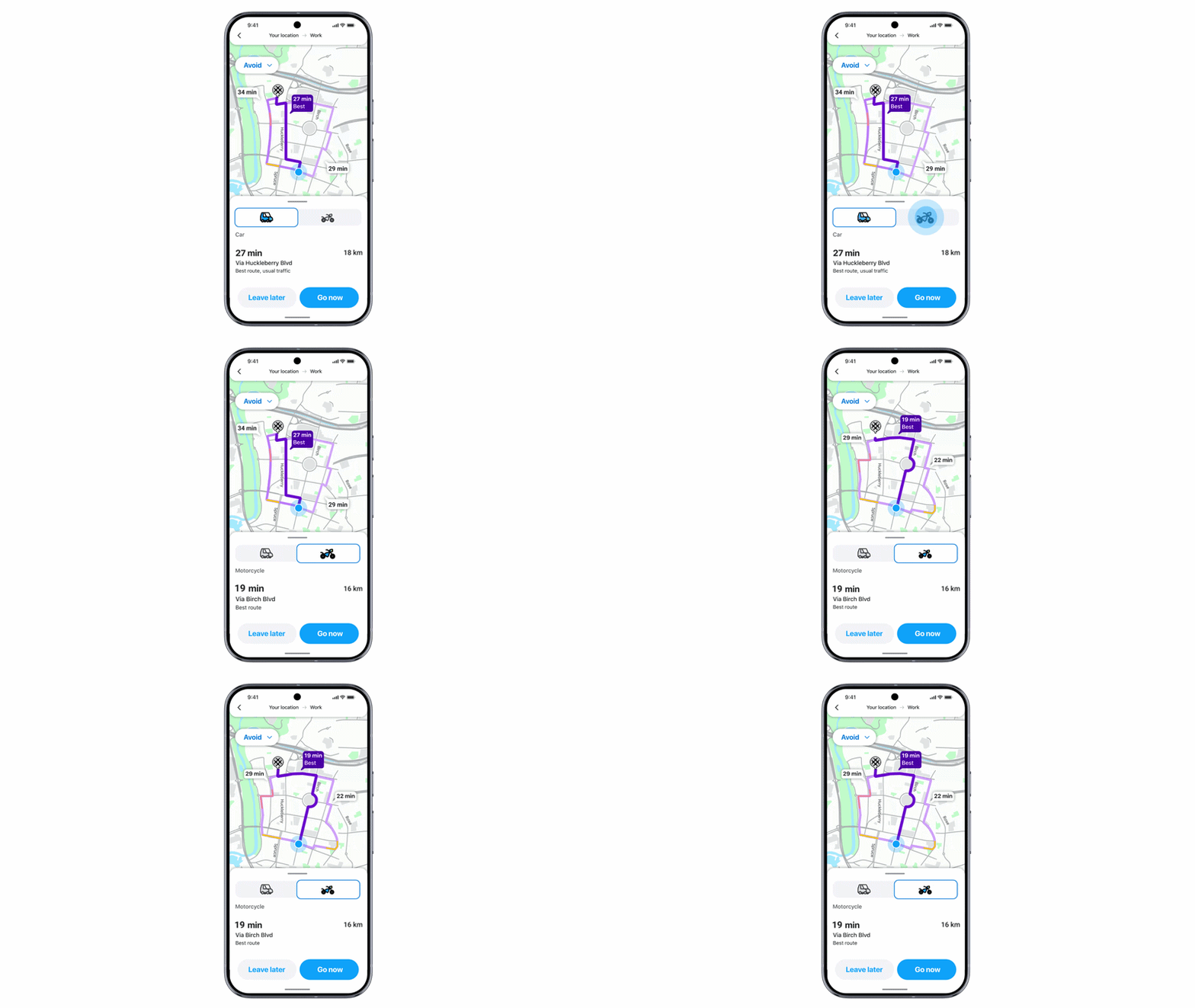
Motorcycle mode uses AI to identify two-wheeler shortcuts and restrictions, which will help bikers travel on the best route — while also offering more accurate arrival times. This mode also highlights bike-specific hazards such as potholes, speed bumps, narrow bridges and raised crosswalks. Effectively meaning that you, the rider, are aware of potential issues ahead of time.
Currently Motorcycle Mode is rolling out to countries with large populations of two-wheel drivers, including Argentina, Brazil, Colombia, Malaysia, Mexico, Peru and the Philippines — but Google promises that more countries are on the way.
Waze is also about to offer something you won't find on Google or Apple Maps, with personalized navigation. Essentially this will see Waze learn the kind of routes you like to take and take that into account. So if you prefer highways to back streets, your first route option will take that into consideration — though it sounds like it'll still route you around traffic wherever possible.
You will, of course, have the choice to pick alternate routes and turn off personalization if you wish. Personalized navigation is rolling out to Android and iOS users everywhere right now.

Nothing is worse than listening to a podcast or audiobook, and having your navigation app constantly interrupt the flow by offering non-stop instructions — many of which are totally redundant. Waze will be putting a stop to this with a new "less chatty" mode, which basically tells Waze to put a sock in it and minimize the number of voice prompts.
You will still get warnings about hazards, upcoming turns and lane changes, but they'll end up being used far less frequently, letting you concentrate on other things, be it music, conversation, podcasts or the road ahead. This is rolling out to every Waze user now.

Conversational Reporting has been around for a little while, letting drivers use Gemini AI to casually report traffic accidents and other hazards in a more conversational manner. An update is now rolling out around the world that lets drivers use Conversational Reporting to suggest map updates — including things like road closures, outdated addresses and so on. These suggestions will then be sent to local map editors who will verify them and update the Waze map accordingly.
Gemini is also being integrated into Waze's search feature, letting you search for new locations in a more conversational manner. Such as finding businesses that are open, parking close to certain locations, or even the gas station with the lowest prices in the area. This is rolling out to Waze beta users on Android and iOS right now.

Follow Tom's Guide on Google News and add us as a preferred source to get our up-to-date news, analysis, and reviews in your feeds. Subscribe to Tom's Guide on YouTube and follow us on TikTok.
More from Tom's Guide