




The Galaxy S26 series is coming in just under two weeks, and overall, I'd say I'm excited. The Galaxy S26 Ultra and its rumored upgrades, like a privacy mode for its display, or its alleged revival of Samsung's variable aperture camera, along with the changes tipped for all models, like an even better chipset, are going to be a lot of fun for users to try out, assuming everything's as the leakers tell us it will be.
But clinging to all that excitement like a stone in the treads of your sneakers is the idea that, in all likelihood, Samsung will have retained three virtual button navigation for another year, almost a decade after every other smartphone maker consigned it to the Recycling Bin of software history.
You would be well within your rights to wonder why I care so much about a small thing. Allow me to explain.
A brief history of recent smartphone navigation methods (stop yawning)
Ten or so years ago, all Android phones had three buttons on the bottom of their screen - the home button in the middle to return you to your home screen, a back button to, well, go back, and an app switcher button so you could see all your active apps at once and then move between them as needed.
These started as physical keys, but gradually became virtual ones with haptic feedback, then migrated to the screen as phone makers chased the sleek, minimal-bezel phone design we're now familiar with.

Three-button navigation was the best game in town until gesture controls started to appear. Gesture navigation had been attempted multiple times in the early 2010s by companies like Palm and Nokia.
It was undeniably the iPhone X in 2017 that finally made it work, and work in a way that other companies wanted their own version. Google made this happen with Android 9 in 2018, which Samsung later rolled out as part of its One UI 1.0 update, making 2019's Galaxy S10 series the first phone to have the capability from launch.
A relic of a bygone era
All that context is important because it shows why we have this apparent vestigial smartphone design on brand new Samsung phones.
You can choose between the two navigation methods when setting up these phones and switch between them freely, so it's not really a problem to force users to operate their phones in one way or another. It's that Samsung's making arguably the least effective method of navigating a modern, full-screen device the primary one.
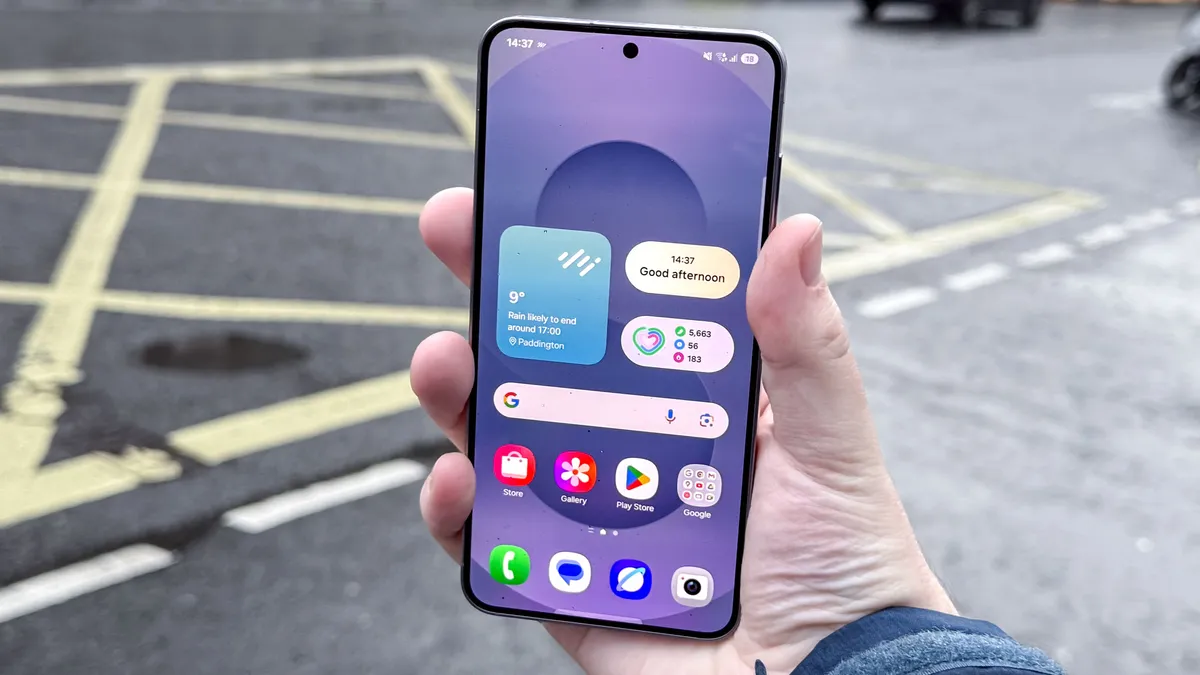
I can't dispute that some people have been put off gesture navigation after trying earlier, less well-polished versions. But the main issues that people had with gesture navigation - curved edge displays messing with inputs, inconsistent behaviour, etc., have all been addressed over the past several years. Navigating an Android phone with swipes is just as effective and satisfying to use as it is on an iPhone.
In fact, it may even be better, since Android offers a universal back gesture with a swipe in from either side, whereas that gesture is app-dependent on the iPhone.
But overall, I can't understand why Samsung decides the default way to use its phones - the one it literally prints on billboards and shows in expensive advertisements - is the one that takes up part of the screen. No other Android brand does this!

It seems extra strange to me with Samsung's foldable phones. Arguably, it's less of a problem because the additional inner screen space on something like the Galaxy Z Fold 7 means fewer wasted pixels.
But it really takes the edge off of how futuristic these flexible marvels feel to use. Even something as progressive as the Galaxy Z TriFold still has that darn trio of buttons in its bottom right corner.
A gesture of good faith
Having spoken to some Android users who still use three-button navigation, I have learned that some people are simply stuck in their ways; having used the virtual buttons for so long already, they can't be bothered with the effort required to learn gesture navigation.
For others, it seems to be purely a case of "I like buttons," which is fair enough, I guess. So maybe Samsung's out here rooting for the button-lovers and sticks-in-the-mud, and giving the people what they want.
That's perhaps kind of the appeal of Samsung in general. While other Android phone makers bear a fair amount of similarity between each other, Samsung seems determined to go its own way. It looks to invest huge amounts of time and effort to customize Android into One UI, or into trying to use as many of its own in-house components as possible, like its ISOCELL camera sensors or its Exynos chipsets.
It only begrudgingly settles for "stock" Android features when necessary, with almost every Google app, like Chrome, Gmail or even the Play Store having a Samsung equivalent. The only exception appears to be getting to show off a Google-made feature before anyone else does, as we saw with Circle to Search and Gemini cross-app actions on the Galaxy S24 and Galaxy S25 series, respectively, or the all-new Android XR interface on the Galaxy XR headset.
So I guess my ultimate message, should anyone at Samsung be reading this before approving the final versions of the Galaxy S26 and its accompanying media blitz, it's this: Get with the times and make gesture navigation the default. But also - never stop being strange.

Follow Tom's Guide on Google News and add us as a preferred source to get our up-to-date news, analysis, and reviews in your feeds.
More from Tom's Guide

