







If you’ve been following me for a while, you know how often I try to ditch my laptop for my phone. Samsung DeX has been a lifesaver on countless occasions when I've accidentally left my laptop behind. In fact, it has proven to be so robust that I’ve previously gone weeks without a computer.
While Google has recently entered the conversation with its Pixel desktop mode, Motorola has taken a massive leap forward in bridging the phone-to-desktop experience with the latest version of Smart Connect. After testing the Razr Fold for over a week now, I can confidently say that everyone else needs to catch up.
Here’s why it’s the best phone desktop experience I’ve encountered to date.

It’s finally accessible with a wired connection
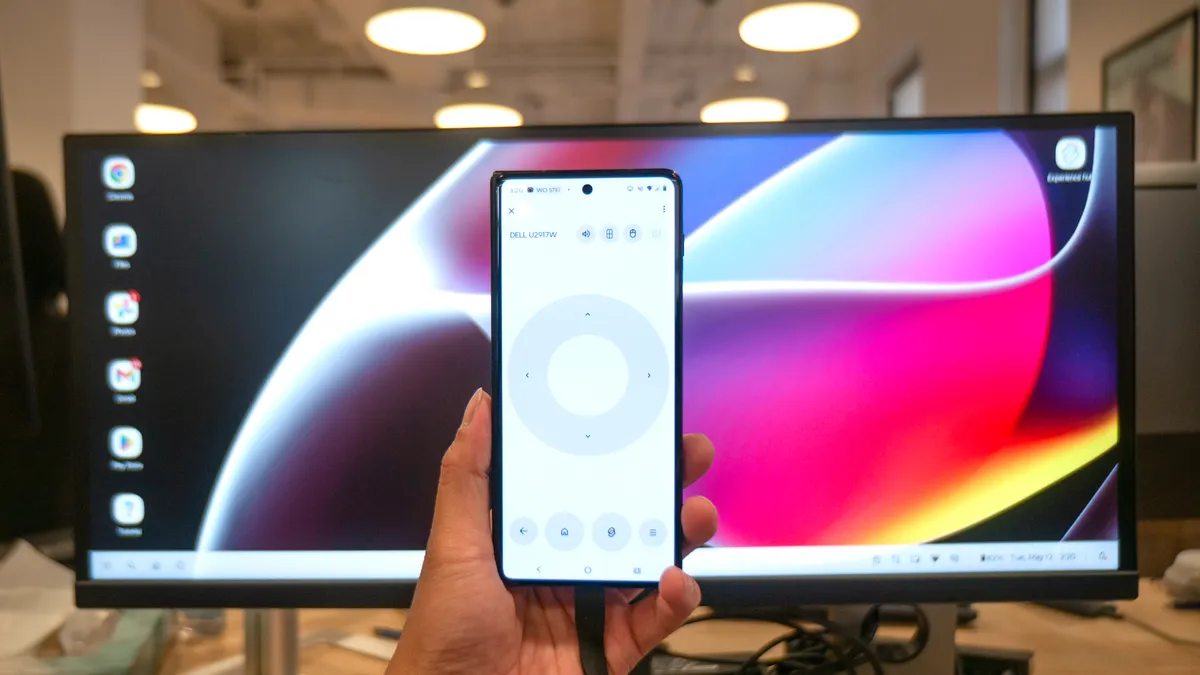
When I tested Lenovo’s Smart Connect feature last year on the Razr Ultra 2025, it was only accessible through a wireless connection. Don’t get me wrong — it’s a convenient option that lessens the clutter on my desk, but it can sometimes feel laggy due to network congestion.
That’s why I was thrilled to find a wired option with the Razr Fold, which instantly runs Smart Connect the moment I plug a monitor directly into its USB-C port. Not only is it more stable, but it also feels way more responsive. That makes a huge difference, especially since the mouse pointer feels much tighter.
Even though wireless is still an option, I prefer to stick with a wired connection in public spaces when tethered to a monitor. I’ve even used it with my Xreal Air 2 Pro smart glasses for a more private setup, letting me tap into the desktop mode without anyone else seeing what I’m working on.
Multitasking with ease
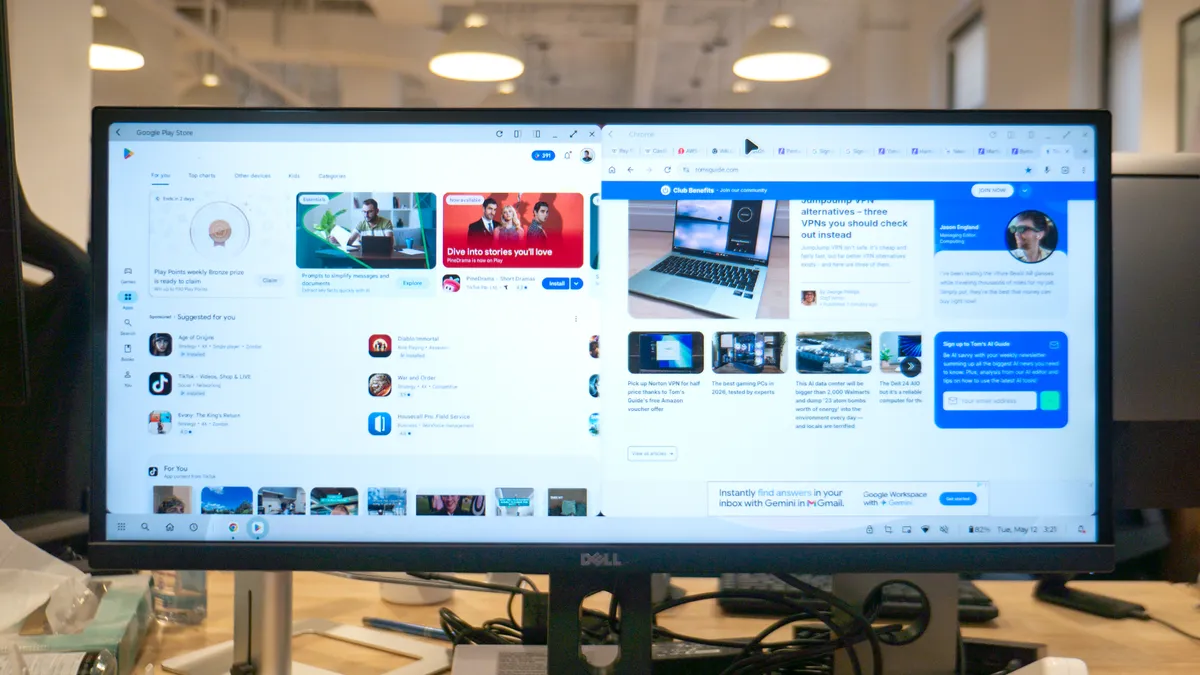
I often use phone-desktop experiences like Smart Connect because they handle multitasking much more seamlessly. While the Razr Fold’s native multitasking functionality is extremely robust — allowing up to four apps to run simultaneously on its main display — the execution on a phone screen can still feel clunky.
Smart Connect is far better suited for getting serious work done, mainly because it offers a larger canvas. Similar to Samsung DeX, it can run two apps side by side without compromising their layouts. However, it lacks the ability to offer additional virtual workspaces, unlike the latest version of Samsung DeX on the Galaxy S26.
Still, I’m able to write stories in Google Docs on one side of the desktop while keeping Slack active on the other. Multitasking is vastly superior with Smart Connect because I can also connect peripherals like a wireless mouse and keyboard to truly complete the experience.
Ability to change users
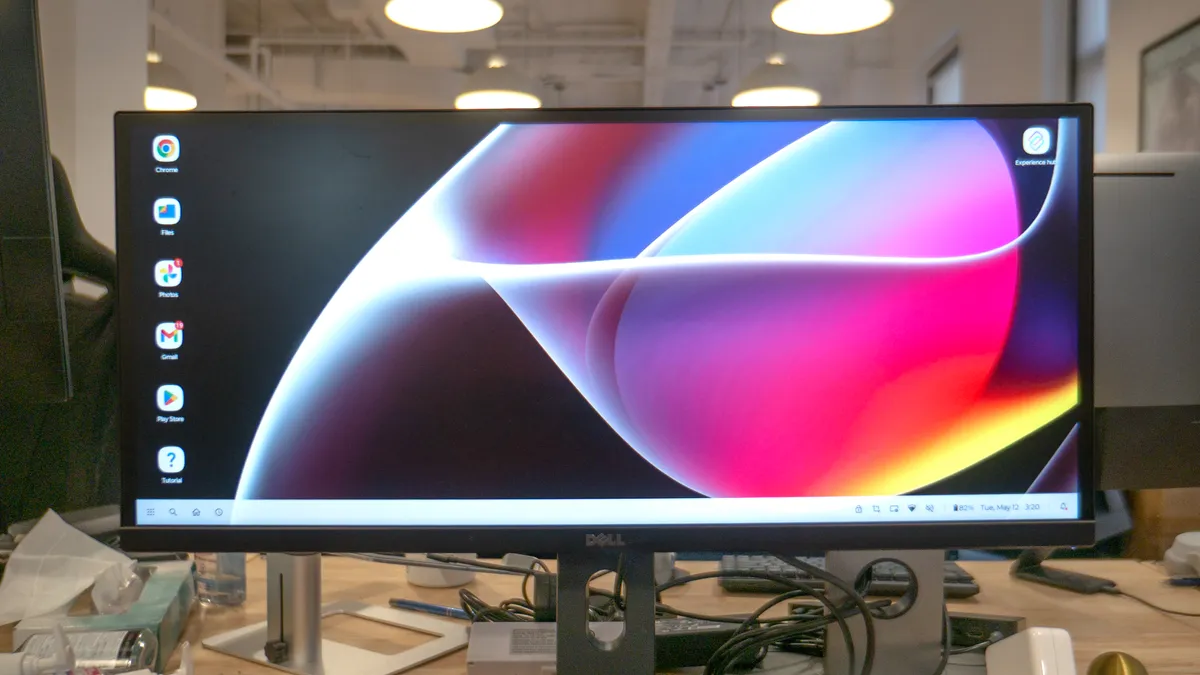
Finally, the biggest reason why the Motorola Razr Fold offers the best phone-desktop experience around is a simple one: the ability to switch users. While this has been a fundamental feature of Android for a long time, Samsung has kept it locked away on its devices for years.
With the Razr Fold, I’m able to completely separate my work and personal profiles. This is a massive deal because when you don't have the option to add multiple users to an Android phone, Chrome remains locked to a single primary account. Consequently, you can't access the passkeys and bookmarks backed up to your work account without the ability to switch user profiles.
Fortunately, I don’t have to worry about that with the Razr Fold because it fully supports multi-user profiles. That unique advantage makes it more valuable than any other phone-desktop experience I’ve come across, and it certainly raises the bar for the competition. I would feel differently about DeX if Samsung brought back support for multiple users, but I have a feeling that’s a long shot.
Meanwhile, Apple has no answer to any of this, as the iPhone’s closest equivalent is nothing more than basic screen mirroring. Google has a great opportunity to step up its game with the Pixel's desktop software, which I hope to see teased with major upgrades at Google I/O 2026 next week. But until then, the Razr Fold unquestionable holds the crown for the best phone-desktop experience around.

Follow Tom's Guide on Google News and add us as a preferred source to get our up-to-date news, analysis, and reviews in your feeds.
More From Tom's Guide

