Tom's Guide Verdict
Xreal and Google's first foray into XR glasses is a fascinating look at the future of AR and VR devices. But that also means you're prototyping something that will get better, but maybe not yet.
Reasons to buy
- +
Immersive spatial computing
- +
Google ecosystem
- +
Good displays
Reasons to avoid
- -
Games?
- -
Short battery life and heat
- -
Lack of eye tracking
Why you can trust Tom's Guide Our writers and editors spend hours analyzing and reviewing products, services, and apps to help find what's best for you. Find out more about how we test, analyze, and rate.
For quite awhile I have firmly believed that smart glasses are the next device that will evolve the future of computing, much like the iPhone heralded the next 20 years of tech progression. And this is despite the current "pervert glasses" backlash.
I am fascinated by the sudden influx of AR and XR glasses that offer immersive environments and while also looking "normal." I've already tried Meta VR Glasses and Snap Specs, but neither are actually available for everyone yet. The Google, Qualcomm and Xreal collaboration Aura glasses are.
All three glasses could be considered VR-lite, but I think they're about finding a use between AI glasses and wearing a full headset.
In that way, the Auras are the escaped experiment worth investigating. Following the Samsung Galaxy XR headset, these are just the second device to run Google's Android XR platform natively.
This first stab at an XR headset that I think most people will want is impressive and a great example of what Android XR could be, but it also means you're the guinea pig with all that implies.
Xreal Aura review: Cheat Sheet
- What is it? The Xreal Aura is pair of AR glasses coupled with a compute puck that doesn't really have a competitor right now.
- Who is it for? Who want to test out the future of mixed reality with immersive experiences in a smaller form.
- What does it cost? The Xreal Aura costs $1,099 for the base 12GB of RAM and 256GB model and $1,299 for the 16GB of RAM and 512GB of storage version.
- What do we like? We like the immersive spatial computing, access to the Google Suite and the sharp, bright displays
- What don’t we like? We don't like the short battery life, the lack of eye tracking and few XR games.
Xreal Aura review: specs
Weight |
90g (glasses) |
Display |
Micro-LED |
Display resolution |
1920 x 1200 pixels per eye |
FOV |
70-degree |
Refresh rate |
120Hz |
Chipset |
Xreal S1 and |
RAM |
12GB/16GB |
Storage |
256GB/512GB |
Battery life |
4 to 5 hours |
Xreal Aura review: The ups
Right when the Aura launched on November 17, I put together some early impressions of the glassese. For the most part, my thoughts haven't changed. But after using the glasses more, some plusses and minuses have solidified.
Immersive spatial computing

I am not an advocate for VR as it currently works with bulky, isolating headsets. However, I can still be impressed virtual reality experiences.
The Xreal Aura provides that with 6DoF spatial computing. The two temple cameras and the nose bridge camera enable pinch gesture controls and you can always use the puck as trackpad, which I defaulted to more often that not.
The pinch controls work well. Occasionally the hitbox was a hair off but I didn't notice lag when I adjusted. I will note that in darker environments, it didn't always work, which isn't totally surprising but something to know.

Out of the box, the Auras come with a variety of mixed-reality experiences, from a VR tour of the Galapagos, to some games and a 360 version of Google Maps that is a delight to explore.
VR enthusiasts will find the 70-degree field of view limiting but I wasn't bothered by it. Watching movies feels like you're in a theater for yourself, and extending my desktop workspace was seamless via the wired accessory cable (or wireless for some devices).
Sharp display
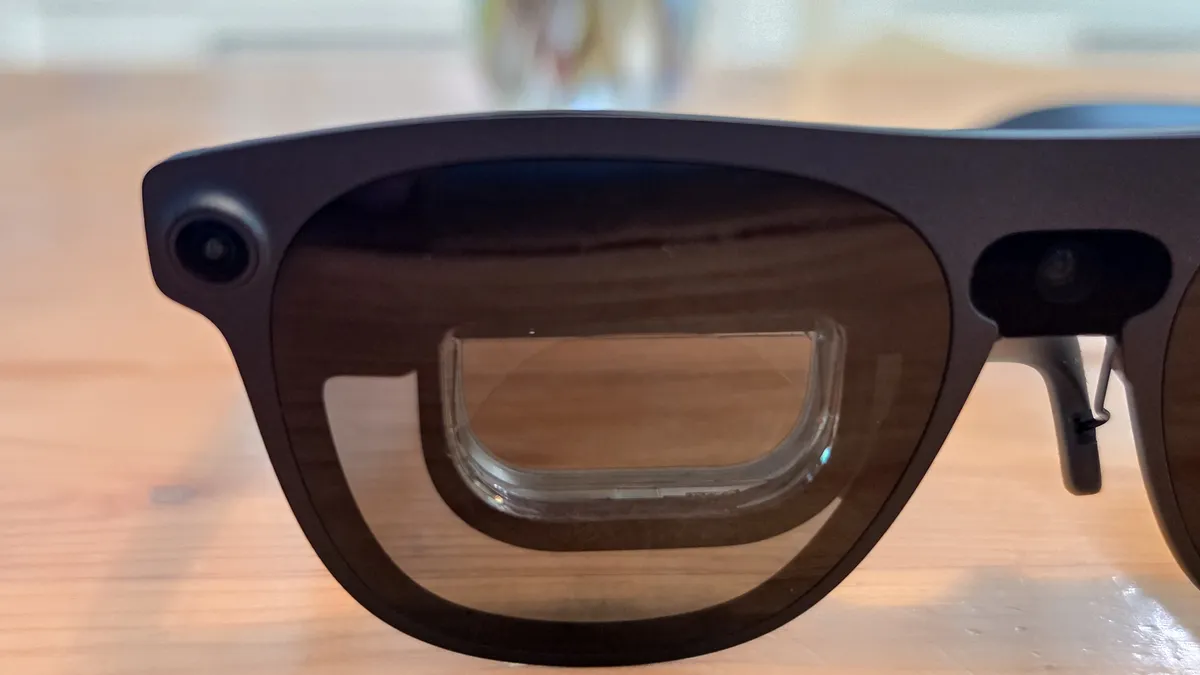
These might be the best displays Xreal has made to date. I tested the refreshed Xreal One Pro Plus a couple of weeks ago and thought it was an improvement, and now the Aura is taking it even further.
Xreal lists the resolution of the Aura's as 1,920 x 1,200 per eye (1200p). It makes for sharp images, especially in games and media. It feels premium.
The color gamut isn't robust and the Aura doesn't offer HDR like the One Pro Plus, but if you don't need that level of display detail, these look good. Plus, with 1200 nits of brightness, the display can handle a number of settings. And the electrochromic dimming gets pretty dark, meaning you should feel more immersed.
Personally, I have never had great luck reading text as is on AR glasses, and while the Aura's are better, you may find text blurry. Fortunately, you can zoom in, which helps.
Google ecosystem

One advantage the Xreal Aura glasses have over Meta's VR Glasses and the Snap Specs is the built-in Google ecosystem. Snap and Meta have both promised that they're building up their developer connections to create more apps for their glasses, but Google's slew of in-house designs and third-party apps is already robust.
On the productivity side, you've got the entire Google suite from Docs and Drive to your calendar and Gmail. Plus, there's the Google Play Store with normal phone games and a small but growing number of XR-specific apps.
Moving forward, as Android XR grows, this will be what sets the Aura and future Android XR devices apart from Snap and Meta.
Xreal Aura review: The downs
Here's the rub: you don't really need XR glasses yet. Xreal's own lineup of AR glasses are already great for productivity, gaming and watching content by connecting to your laptop, mini PC, phone or gaming device.
Because of that, the flaws do stand out a bit more.
Falling short on games

If we're thinking of the Aura as VR-lite, especially compared to the Meta VR Glasses, then the biggest missing component for the Xreal Aura glasses is games.
Yes, I did try Demeo, which was fun, and HoloChess, which felt like the Star Wars version of chess. But from what I could tell, there aren't many native XR/VR games on the Play Store, while the Meta Quest Store has hundreds, and Meta promised at least 75 launch titles specifically designed for the VR glasses next year.
You can play 2D games on the Play Store, which I did with some games I already have on my account. Xreal is selling its own first-party controller made with GameSir, but you can use any Bluetooth controller. Again, you can connect other Xreal glasses to your phone, laptop, or gaming device with a controller as well.
It's not clear how long it'll take native Android XR experiences to catch up to Meta, but for now, Meta has the lead.
Running warm, draining fast
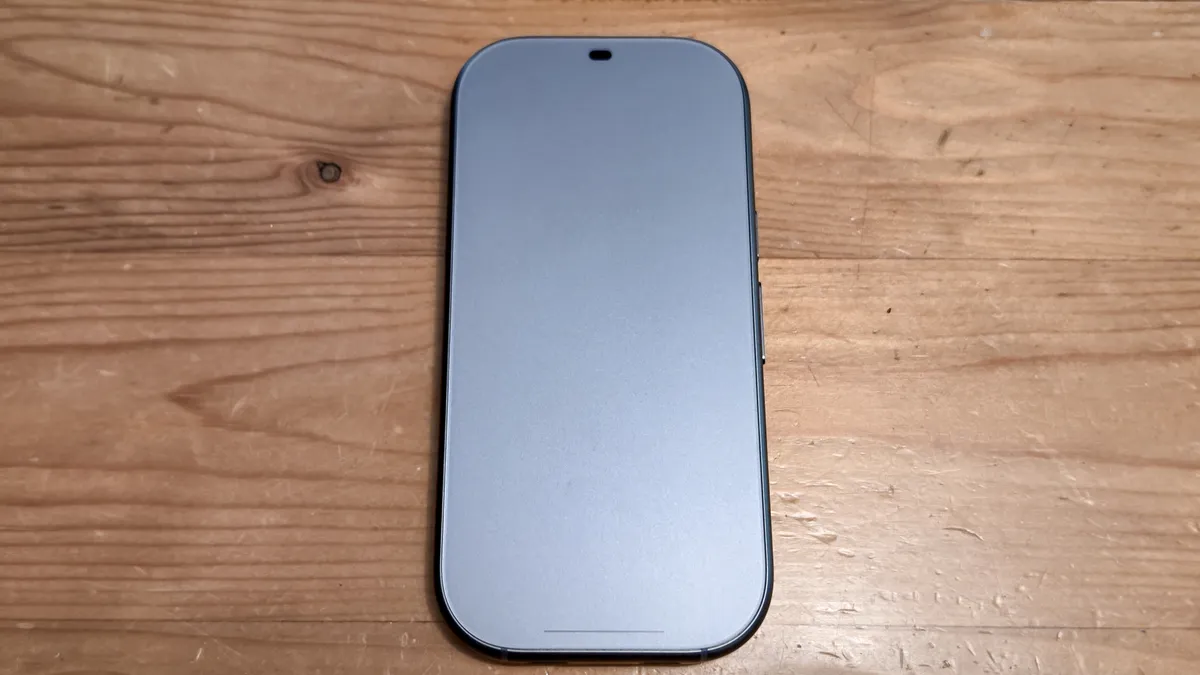
Xreal rates the battery life of the Aura puck between three and four hours. I found that to be pretty accurate. In my testing watching an hour-long YouTube video and then playing some games for about 20 minutes knocked the battery life from 100% to about 80%.
I debated putting this as a flaw because I'm not sure if you want to keep these glasses on for more than three hours. Perhaps that is the sweet spot. Still, for anything longer, you'll need to recharge.
That said, heat becomes a concern. The puck can get warm, but it does include a fan to dissipate heat. Surprisingly, the glasses can get quite warm, especially in the area that runs across your forehead.
General use seemed okay, but at one point I accidentally turned on screen recording and I could feel the glasses heating up. It never got laptop-panini levels of hot, but as the tech ages, I foresee this being a problem.
No eye tracking here
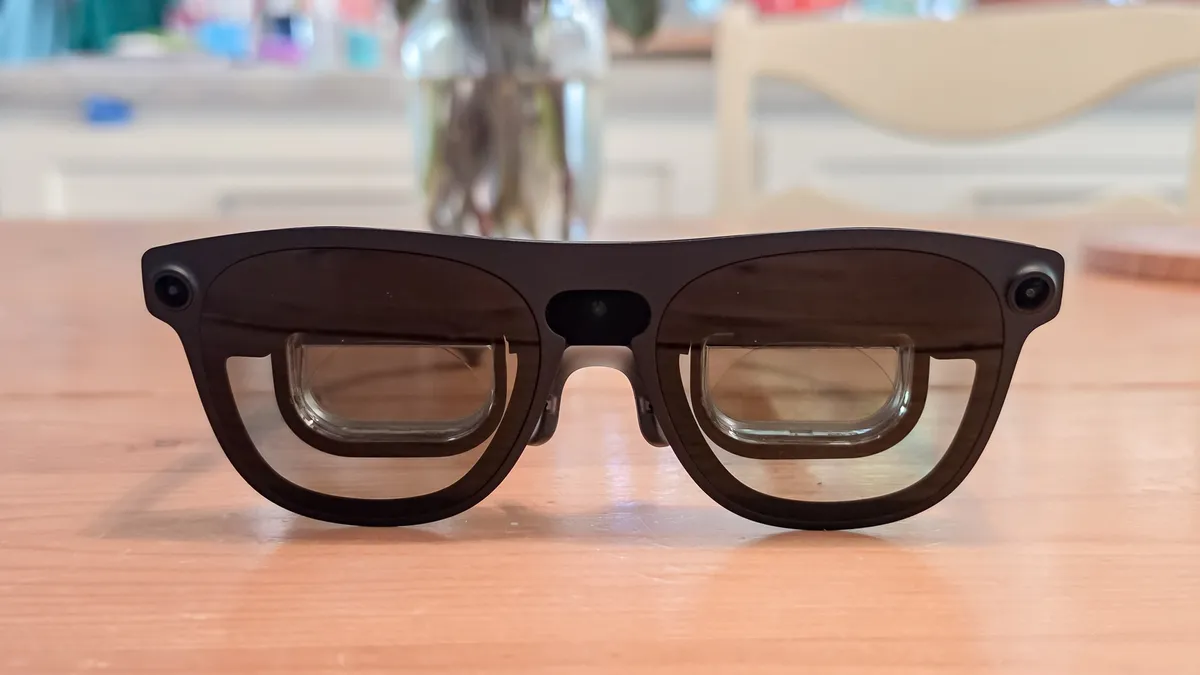
The Xreal Auras have just three cameras. Two on the temples and one on the nose bridge. As mentioned, I find the hand tracking pretty decent and pinch gestures work well.
However, I've also worn the Meta VR Glasses, which have 6 external cameras and four internal ones. Fundamentally, Xreal adding seven more cameras would change the design of the glasses, which you can see in the ski-goggle look of Meta's forthcoming platform.
Still, eye tracking makes navigating the XR space better. And compared to Meta, where you can leave your hand on the table or in your lap and still use gesture controls, the three-camera Aura setup is more limiting.

The pushback is the puck trackpad, which I used most frequently. I am comfortable with trackpads and mice, and the puck is a nice midway point.
The puck is a mini-PC with glasses attached, but that doesn't make navigation the best without accessories or the trackpad.
If Xreal's next iteration can add eye tracking or even a couple more external cameras, the already good hand tracking would be even better.
Xreal Aura review: Verdict

I find the Xreal Aura glasses fascinating, and when its rivals finally launch, I think a new space in the tech world will open up that is more than just pervert glasses and bulky headsets. Perhaps I've given these glasses more grace than future versions will deserve, but for a first go in this space, I'm excited by the potential.
For many, I'm not sure the $1,000+ price tag is cheap enough to dive in, but for the curious and the early adopters, this is a device of potential. It hints at what mixed reality wearables could be.
When I use the Aura, I get what it's supposed to be. It's the taste of a Vision Pro or Quest headset in a lighter, more comfortable package. Xreal has set the bar; it'll be up to everyone to see if they can raise it.

Follow Tom's Guide on Google News and add us as a preferred source to get our up-to-date news, analysis, and reviews in your feeds.
More from Tom's Guide
- Apple’s first smart glasses are finally taking shape — here are 3 big ways it will stand out
- I tried Google’s new Intelligent Eyewear from Warby Parker and Gentle Monster — here’s what impressed me (and what still needs work)
- I tested the Halliday G2 AI smart glasses and they turned me into a walking 'cheat sheet' — but everyone could tell