Is the MacBook Neo a good back-to-school laptop or a trap?
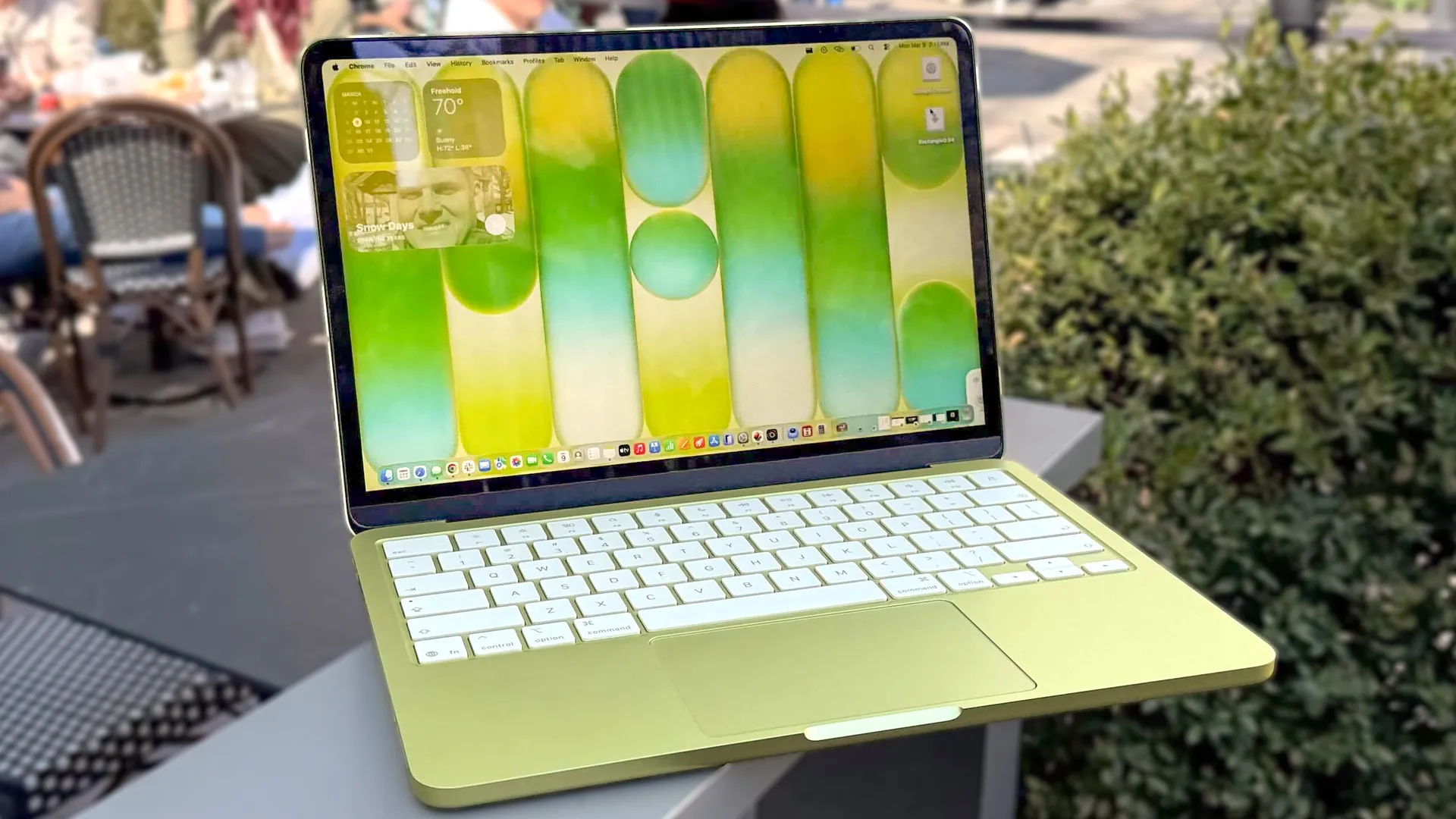
If you’ve been browsing back-to-school sales this month, you have undoubtedly seen the MacBook Neo front and center. Apple’s newest laptop is sitting on shelves with a strong starting price of $699 — dropping to $599 if you qualify for an education discount.
For parents accustomed to spending well over $1,000 for a Mac, this looks like the ultimate cheat code. You get that premium aluminum Apple design, that macOS ecosystem, and the brand name your teenager is begging for, all for the price of a mid-range Windows machine.
But before you click “add to cart” and send your incoming college freshman off to the dorms, you need to read the fine print.
The MacBook Neo is Apple’s most affordable laptop ever, but to hit that aggressive price tag, they had to make some compromises. Compromises that some of your future nobel laureates will be able to workaround and others will not. Depending on what grade or subject your student is entering, the Neo is either the best budget laptop of the year — or a guaranteed academic bottleneck.
Here is everything a parent needs to know about the MacBook Neo.


The engine: it’s an iPhone in a laptop body

The biggest difference between the MacBook Neo and the rest of Apple’s lineup is the processor.
Every other modern MacBook uses the powerhouse M-series chips, but the Neo does something a little different. Instead, it’s powered by the A18 Pro — the exact same chip found inside the iPhone 16 Pro. In our testing, this delivers decently strong performance in some key areas.
Laptop |
Geekbench single-core |
Geekbench multicore |
Battery life test result (hh:mm) |
|---|---|---|---|
MacBook Neo |
3,535 |
8,920 |
13:28 |
Lenovo IdeaPad Slim 3X |
2,124 |
10,505 |
16:29 |
Acer Chromebook Plus Spin 514 |
2,569 |
7,994 |
14:54 |
These numbers tell a story. Because it uses a super efficient mobile processor, the Neo can confidently boast an all-day battery life to survive a whole day of classes — operating silently without a cooling fan. That single-core speed shows that for basic web browsing and typing essays, this will feel nicely snappy.
However, this chip is not designed to sustain heavy, multi-layered computing workloads the way a true laptop processor can.
The trap specs: what did Apple cut?

To bring that price down (and then back up slightly because of the RAM price crisis we’re all living through right now), Apple took a scalpel to several quality-of-life features that older students rely on. If your student is in high school or college, these three cuts could be major red flags:
- The 8GB RAM ceiling: The MacBook Neo comes with 8GB of unified memory, and you cannot pay to upgrade it. While unified memory is capable of some great things in my own testing, 8GB is barely going to scrape by. If your college student tries to run 30 Chrome tabs, Spotify and a heavy PowerPoint presentation all at once, they will hit a memory wall and the laptop will begin to stutter.
- No backlit keyboard: This is a brutal omission for students. The keyboard is not illuminated, meaning late-night typing sessions in a dark dorm room or dimly lit lecture hall can get incredibly frustrating. I’ve felt this in my own time testing the Neo.
- Crippled USB ports: The Neo only has two USB-C ports. One is a fast 10Gbps socket, but the other is capped at ancient USB 2.0 speeds. If massive projects need to be transferred or backed up, they are going to be forced to juggle dongles on that single fast port.
Who should actually buy the MacBook Neo?

Like I said, these could be major red flags. For some, this configuration will be more than enough, but others will suffer. So let me bring some clarity here.
✅ Buy it for: Middle schoolers & early high schoolers
Is your student entering 6th through 9th grade? For these, the MacBook Neo is an absolute home run. At this age, 95% of their coursework lives in web browsers and portals like Google Classroom.
They don’t need heavy multitasking power, they just need a reliable machine that won’t die during the school day. The Neo’s aluminum chassis is durable enough to survive a backpack, the A18 Pro is snappy and efficient for all of their demands, and the $599 education price blows similarly priced Chromebooks and Windows laptops out of the water.
❌ Skip it for: College students, STEM majors & tab hoarders
Do not buy this laptop for a university student. The lack of a backlit keyboard will make late-night studying miserable, and that hard 8GB RAM limit will struggle to run heavier multitasking workloads.
Furthermore, if they are majoring in engineering, computer science or design, that A18 Pro chip cannot handle the complex rendering software or heavy code compiling without slowing to a crawl or stopping completely.
The parent’s verdict

So I hope this was helpful for the parents busily researching away! The MacBook Neo is a fantastic entry-level device, but the reality check is that it is not a “lite” version of a MacBook Air — it is an entirely different class of machine.
If you are outfitting a high school junior, senior or an incoming college freshman, do not fall for the $599 price tag. Instead, do your student a favor and spend the extra money on something with more horsepower like a MacBook Air (M3 upwards).
For the extra cash, they will get a true laptop-grade processor, a backlit keyboard, faster ports and a machine that is capable of surviving four years of university workloads. To help, I’ve listed a few options below.



Follow Tom's Guide on Google News and add us as a preferred source to get our up-to-date news, analysis, and reviews in your feeds.
More from Tom's Guide