





Tom's Guide Verdict
The Potensic Atom 3 makes small but important improvements to the Atom 2, making it one of the best beginner drones today. It’s lightweight yet sturdy, feels more premium, and it boasts class-leading flight time. Capable of recording stable 4K video at 60fps and capturing 50MP JPEG and RAW stills, as well as boasting great AI subject tracking, the Atom 3 is a powerful drone that doesn’t give you much to complain about. However, there’s still no obstacle avoidance, which is disappointing at this price point.
Reasons to buy
- +
Lightweight but robust build
- +
Smooth 4K/60fps video
- +
50MP JPEG + RAW stills
- +
Great AI subject tracking
- +
Class-leading flight time (up to 50 minutes)
Reasons to avoid
- -
Still no obstacle avoidance
- -
Poor low-light performance
Why you can trust Tom's Guide Our writers and editors spend hours analyzing and reviewing products, services, and apps to help find what's best for you. Find out more about how we test, analyze, and rate.
Good becomes great, great becomes outstanding: this seems to be the trajectory Potensic is currently on. The Potensic Atom 3 retains its predecessor’s lightweight body but is built better and feels more robust. The Atom 2 is now capable of recording 4K video at 60fps and outputting RAW 50MP stills, all the while ensuring everything remains smooth and stable, thanks to its three-axis gimbal.
Accompanied by great AI subject tracking and class-leading flight time of up to 50 minutes, the Atom 3 feels like a competent and powerful content creation tool. The new RC PTD2 controller makes flying a walk in the park, too. But it isn’t perfect. It doesn’t feature any obstacle avoidance, and low-light performance in AI Night Mode can be described as mediocre at best.
To find out if this is the best drone for you, read my full Potensic Atom 3 review.
Potensic Atom 3 review: Specs
Price |
|
Flight time |
40 minutes (Smart Battery) | 50 minutes (Smart Battery Plus) |
FAA/CAA registration |
Not required |
Cameras |
One |
Image sensor |
1/1.3-inch CMOS, 12MP/50MP stills |
ISO |
100-6400 (normal) | 100-25,600 (AI Night) |
Shutter speed |
1/24s to 1/25,000s |
Aperture |
f/2.8 |
Focus |
2m to ∞ |
Max video resolution |
4K/60fps | 2.7K/60fps | FHD/60fps |
Stabilization |
Three-axis brushless gimbal |
Indoor use |
No |
Propellers |
Four |
Max takeoff altitude |
5000m |
Max flight distance |
9.94 miles |
Navigation system |
GPS, GLONASS, Galileo, BeiDou |
Collision avoidance |
No |
Smartphone control |
Yes |
Internal storage |
No |
microSD card slot |
Yes, V30 or higher |
Size |
9.29 x 6.61 x 2.48 inches (unfolded, without propellers) |
Weight |
8.78oz / 249g |
Potensic Atom 3 review: Price & availability

The Potensic Atom 3 is the fourth drone to join the Chinese brand’s growing lineup of quadcopters. Announced in June 2026, it succeeds the Potensic Atom 2 and receives a $100 price bump, retailing for $429 / £339 at Amazon.
Unfortunately, the Atom 3 is the latest victim of the ongoing ban on foreign-made drones in the U.S. It isn’t available to purchase officially through Potensic’s website, and, at the time of writing, there’s no news on whether it will receive F.C.C. clearance. You can, however, buy it through Amazon and other third-party sellers. We’ve also seen this happen with DJI’s latest drones, like the DJI Neo 2 ($319) which can’t be bought officially through the manufacturer but can be through third-party retailers.

But because Potensic hasn’t been cleared to support the Atom 3 in the U.S., you can’t get aftercare packages or repairs should your drone get damaged. I’ve reached out to Potensic’s marketing team to find out about U.S. availability and will update this review as and when I know more.
The Atom 3 is a strong alternative to the DJI Lito X1 (£369) as it boasts similar specs packaged into a sub-249g body. Other competitors include the DJI Flip ($439) which also features a 1/1.3-inch sensor, and the DJI Mini 4K ($299) but this drone is over two years old, making the Atom 3 the more up-to-date option.
Potensic Atom 3 review: Design

If you put the Potensic Atom 3 and the Potensic Atom 2 side-by-side, you wouldn’t be able to tell the difference between the two — at first glance, that is. Look closer and the differences become obvious. The Atom 3 is slightly bigger, measuring 9.29 x 6.61 x 2.48 inches when unfolded and without propellers, and it’s ever-so slightly heavier too. The Atom 3 weighs 8.78oz as opposed to its predecessor weighing 8.64oz. Its light weight means you don’t necessarily need to register it with F.C.C. in the U.S. or the C.A.A. in the U.K.
Potensic has made some small but substantial improvements to the design too. The Atom 3 feels more robust and like it’s built much better than the Atom 2. It doesn’t feel too plasticky, and it’s noticeably nicer to touch. In addition to that, the Atom 3’s propellers are larger than the Atom 2’s, which means the drone can push more air, resulting in more efficient operation.
The ports on the Atom 3 also feel more accessible. On the Atom 2, the battery eject button, annoyingly, covered the microSD card slot, so you had to remove the battery to then remove the microSD card. Not anymore. On the Atom 3, the USB-C port for charging and data transfer, and the microSD card slot sit side-by-side, unobstructed, giving you easy access to both.
Potensic Atom 3 review: Controls

The Potensic Atom 3 hosts just one button on its body: the power button, and it’s much better than the one on the Atom 2. The Atom 2 needed to be powered on and off by pressing the button on the drone’s underside. This meant that you needed to turn it on and then set it on the takeoff surface. On the Atom 3, the button is now located on the top which saves you a few seconds.
Alongside the Atom 3, Potensic has also unveiled its new controller: the RC PTD2. While you can still get the old controller which requires you to slot in your smartphone and use said phone as the controller’s screen, I’d recommend grabbing the RC PTD2 controller instead.
The RC PTD2 is sturdier and better built, and its 5.5-inch FHD touchscreen with 900 nits of brightness make flying more immersive and much easier. I’ve found the touchscreen extremely responsive in my testing, and I also like how bright it gets. I haven’t had any issues viewing it in direct sunlight and low-light environments.
Potensic Atom 3 review: Features

The Potensic Atom 3 has received meaningful updates to its sensor, making it one of the best beginner drones you can buy today. The drone has a maximum flight distance of 9.94 miles — up from 6.21 miles on the Atom 2. It also has a maximum takeoff altitude of 5,000m which is up from 4,000m on the Atom 2.
It’s important to note, though, that the Atom 3 doesn’t feature any built-in storage, just like its predecessor. This is disappointing given that the DJI Lito X1 boasts 42GB of internal storage, acting as a safety net if you forget to carry a microSD card with you. Potensic recommends using a V30 (or higher) microSD card with the Atom 3, like the Lexar E-Series 128GB (two for $64).
Sensor

One of the key differences between the Atom 3 and the Atom 2 is the sensor. The Atom 3 features a larger 1/1.3-inch sensor, as opposed to the Atom 2’s 1/2-inch CMOS sensor. It’s the same sensor you’ll find on the DJI Flip. It’s smaller than the 1-inch sensor on the DJI Mini 5 Pro (£689) but this drone also costs a lot more.
The aperture, however, has narrowed from f/1.8 on the Atom 2 to f/2.8 on the Atom 3 which, in theory, could mean a detrimental impact on low-light performance, and I’ll discuss this in detail shortly.
Improvements have been made to the maximum shutter speed, as the Atom 3 can be manually adjusted to shoot at 1/25,000s, as opposed to just 1/6,400s on the Atom 2. You can now capture blur-free footage when tracking fast-moving subjects, like cars or motorbikes.
Wind resistance

The Atom 3 retains its predecessor’s three-axis brushless gimbal design which helps the drone capture stable and smooth footage, even in mildly windy conditions. A three-axis gimbal is better than a two-axis one (like on the DJI Neo 2) and far more stable than a single-axis one (like on the OG DJI Neo).
Wind resistance remains the same across Potensic’s Atom lineup. The Atom 3 can withstand winds up to 10.7 m/s or 23.9mph (level 5). This is common in this price range, as it’s the same wind resistance you’ll find on the DJI Flip and the DJI Mini 4 Pro. If you want even better resistance, the DJI Mini 5 Pro is rated at 12 m/s or 26.84mph.
I mostly filmed on windless days as the U.K., where I’m based, was experiencing a heatwave during testing, but I was greeted to a few strong gusts every now and then. The Atom 3 remained stable throughout, and I even noticed that its heftier weight made it more resistant to getting knocked about.
Obstacle avoidance

Potensic still hasn’t fixed my biggest grievance with the Atom 2: the lack of obstacle avoidance. The Atom 3 doesn’t feature any form of collision avoidance which means you have to rely on your eyes and the controller’s screen to ensure the drone doesn’t run into anything.
While this wasn’t abnormal for the Atom 2’s price range, it’s disappointing given that the Atom 3 costs more. Even though the DJI Flip doesn’t feature omnidirectional obstacle avoidance, it at least features forward-facing avoidance, giving you some reassurance. The DJI Lito X1 takes things further with omnidirectional obstacle sensing. Heck, even the cheaper DJI Neo 2 has omnidirectional avoidance! What gives, Potensic?
Potensic Atom 3 review: Video quality
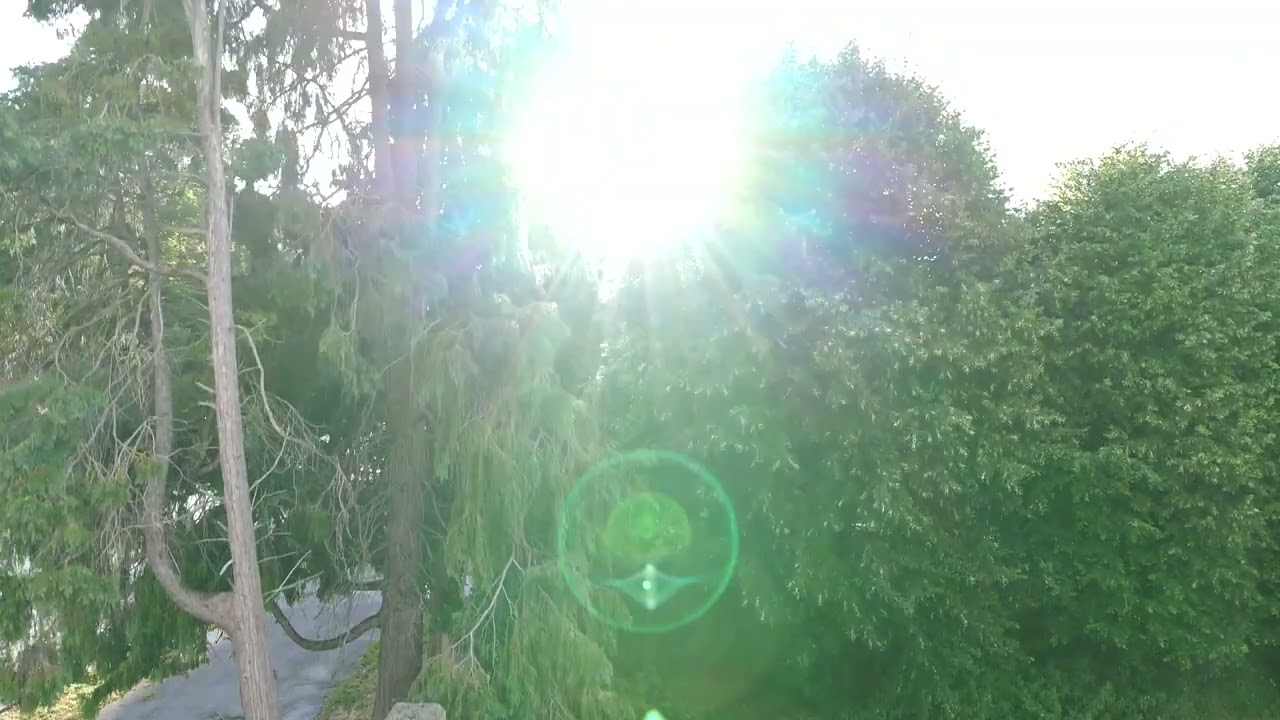
The Potensic Atom 3 doesn’t give you much to complain about when it comes to video work. It's capable of recording 4K video at 60fps (up from 30fps on the Atom 2). You also have the option to shoot in FHD at 60fps or 2.7K video (at 60fps again) in the 9x16 format for social media. In the video above, you can see a compilation of clips shot in 4K at 60fps. The movement is smooth and stable, even when I’m panning, and the colors look lovely. Greens are vivid while the blue sky appears rich.

Similar to the Atom 2, the Atom 3 can shoot in P-Log too, which preserves flat, raw footage for increased dynamic range, although you’ll need to grade the footage in post.. You can see what the unedited footage looks like in the video above.
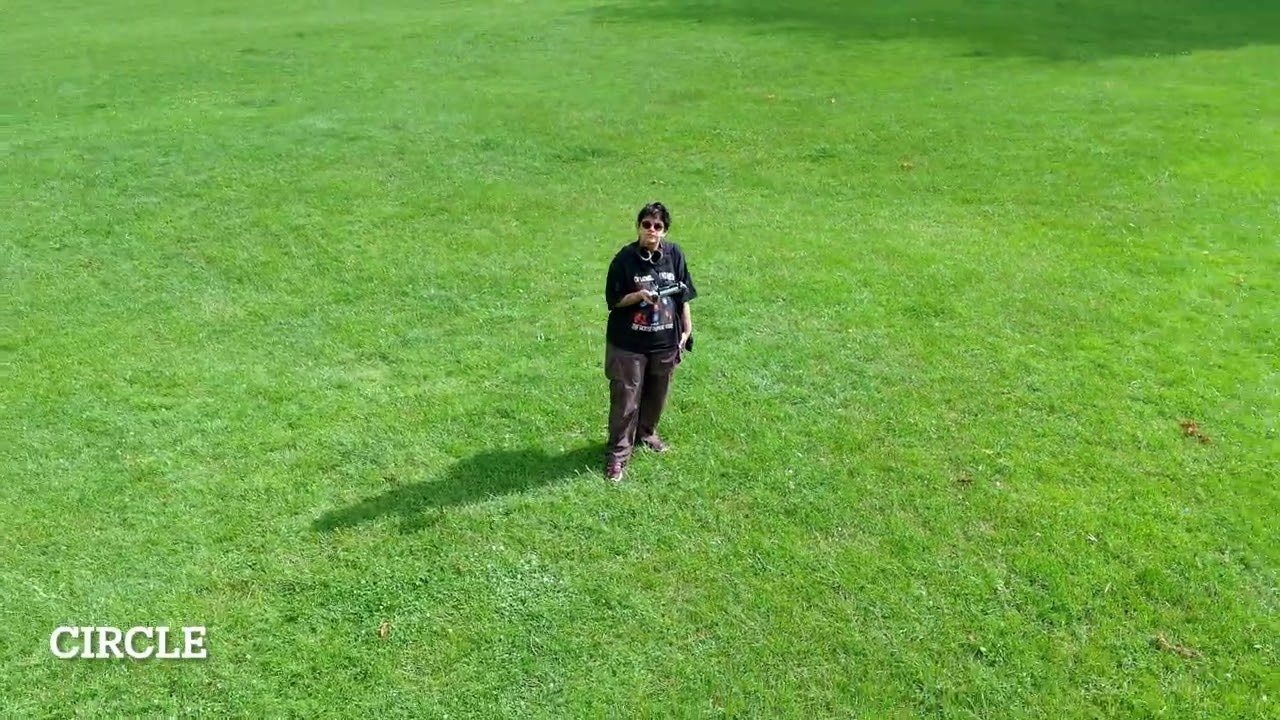
The Atom 3 utilizes AI Tracking 2.0 to power its QuickShot short-form modes, such as follow, rocket, spiral, parallel tracking, and more. These modes use AI subject detection to lock onto a subject, and they work very well. They’re especially fun when you’re with a group of friends, and they’re great for creating content quickly for sharing on social media.
You can see a few examples of the QuickShot modes in the video above. To track a subject, all you need to do is draw a box around the building or person using the controller’s screen, and you’re good to go.
For getting close to subjects without physically moving your drone, the Atom 3 features a 2x digital zoom at 4K resolution, 3x digital zoom at 2.7K, and 4x at 1080P. Above, you can see what the 2x digital zoom looks like. The quality isn’t the best, as there’s a significant drop in the building’s sharpness. This is a limitation posed by the DJI Flip too, which features the same sensor size, so it isn’t a rare occurrence in this price range.
It’s important to note that the vertical video Atom 3 shoots isn’t true vertical — like on the DJI Mini 5 Pro where the gimbal rotates at a 90° angle. The Atom 3 captures standard horizontal footage and then digitally crops it to achieve a 9x16 aspect ratio. That’s no bad thing, though, and vertical footage looks nice and detailed enough for viewing on smartphones.
While the Atom 3 is capable of producing lovely footage during daytime, especially in sunny conditions, it falters in unfavorable lighting conditions — especially at night. The Atom 3 has a narrow f/2.8 aperture but a large 1/1.3-inch sensor. It’s also got an AI Night Mode which uses AI image processing to enhance visuals “without overexposure.”

There are a couple of reasons why I wouldn’t recommend flying the Atom 3 at night. Firstly, the low-light performance is quite poor. Watch the video above. The first clip was shot in normal mode while the second was captured with AI Night Mode active. I personally prefer the first clip as it looks more natural and the motion while panning or when cars are zooming past doesn’t appear jarring.
The AI Night Mode, on the other hand, makes the video look a little fake as it has added a strange blue hue to the sky by essentially increasing the exposure. There’s a lot of noise and grain in the dark areas, and while panning, you can see a fair amount of motion blur. That’s also because the Atom 3 drops the 4K frame rate down to just 25fps in AI Night Mode from 60fps in regular mode.
Secondly, because the Atom 3 doesn’t feature any form of obstacle avoidance, it’s difficult to fly the drone at night when you can’t always see it. For those two reasons, if you plan on using a drone for low-light videography, I’d recommend the DJI Flip with its f/1.7 aperture and life-like low-light capabilities. Even better is the DJI Mini 5 Pro, which is worth the extra spend for its large 1-inch f/1.8 sensor alone.
Potensic Atom 3 review: Image quality


The Potensic Atom 3 is capable of capturing 12MP images with its 1/1.3-inch sensor. For the first time on a Potensic drone, the Atom 3 can capture RAW photos too for more freedom in post-production. The photos in the gallery above are straight-out-of-camera JPEGs and as you can see, color reproduction is faithful and true to life. I especially love how the sunlight falls on the landscape in the first two slides.


If you want to capture more high-res images, the Atom 3 can take 50MP stills with a resolution of 8192 x 6144 in what Potensic calls it the drone’s 8K mode. The images in the gallery above were taken in the 8K mode and as you can see, they’re packed with detail. The colors are nothing short of stunning, and the buildings in the first shot especially are sharp and in focus.

Just like you do when shooting video, you get access to a 2x digital zoom when capturing 12MP stills. But similar to the zoomed-in video earlier, the Atom 3 struggles to reproduce sharp stills when the drone is zoomed in to its limits. The photo above was taken with the 2x digital zoom active and as you can see, the building looks fuzzy and low-res. 12MP doesn’t provide a ton of wiggle room either, and no digital zoom is available in the aforementioned 8K mode.


The Atom 3’s low-light performance when taking stills in dimly lit environments is decent too, as you can see in the gallery above. No AI Night Mode here, and I like that the images are fairly noise-free. I love the look of the sunlight peeking through the clouds as the sun sets over Bristol, U.K.
Potensic Atom 3 review: App


The Potensic Atom 3 is accompanied by the Potensic Eve app, available for free on iOS and Android. I thoroughly enjoyed using the app when it was first introduced with the Atom 2, so I’m happy to see it make a return. It sports a similar interface to the excellent DJI Fly app, so if you’re familiar with it or even if this is your first time using a drone app, you’ll have no issues getting to grips with it.
If you’re using the standard mobile controller with the Atom 3, you’ll be heavily relying on Potensic Eve. In addition to acting as your eyes, the app allows you to see low-res previews of videos and stills you’ve captured, update the drone’s firmware, view flight logs, and access Potensic Academy for tutorials and how-tos.
Potensic Atom 3 review: Battery life

The Potensic Atom 2’s flight time was already respectable, and the Potensic Atom 3 one-ups it with longer battery life. Using the standard Smart Battery, the Atom 3 is rated for 40 minutes, and this jumps up to 50 minutes with the Smart Battery Plus. Based on these figures alone, the Atom 3 trumps its competitors. For instance, the DJI Lito X1 is rated for 36 minutes while the DJI Flip can last just 31 minutes between charges or battery swaps.
Your mileage will naturally depend on the shooting settings and flying conditions. Flying in mostly windy conditions, I was able to squeeze 35 minutes out of the Atom 3’s Smart Battery — but I was also switching between modes, viewing the gallery, etc. between shots. It’s worth investing in one of the Fly More combos — either the RC PTD2 bundle ($679) or the standard Fly More bundle ($549) — if you want two additional batteries.

Unlike the Atom 2 whose charging hub used a proprietary cable for charging, the Atom 3’s hub sports a USB-C hub — now that’s more like it! The parallel charging hub charges all three batteries simultaneously in just under 90 minutes. If you’re using Smart Battery Plus, these require 135 minutes to go from zero to 100%.
Potensic Atom 3 review: Verdict

If you’re taking your first steps into the world of aerial photography, or are stepping up from a budget drone, the Potensic Atom 3 is an excellent choice. Easy to fly thanks to the new RC PTD2 controller, the Atom 3 is compact and lightweight, making it great for travel too. It captures 50MP stills in JPEG and RAW, giving you more freedom in post-production.
4K/60fps video is stunning and stable, thanks to the drone’s three-axis gimbal. AI subject tracking works excellently too, and the Atom 3’s QuickShot modes work well and are superb for creating short-form content for quick sharing to social media. However, the Atom 3 doesn’t feature any collision avoidance sensors and its low-light performance is far from best, so I wouldn’t recommend getting the drone solely for shooting at nighttime. Those drawbacks alone make the DJI Flip and the DJI Lito X1 more enticing.
For everything else, though? It’s almost perfect. The Atom 3 improves on its predecessor to deliver one of the best beginner drones yet.

