







Finding the best Windows laptop in 2026 is no simple task: What size is best? Should I get a touchscreen? Intel or Snapdragon CPUs? Nvidia or AMD GPUs? Dual screen? There's a lot of deciding to do, but it's this wide variety that also makes picking a machine all the more exciting.
To help you along with your buying journey, my team of computing experts and I have tested and reviewed hundreds of laptops to pinpoint the machines worth your money. And, if you've made peace with the state of Windows 11 right now (it's getting better), it's important to give yourself an upgrade, seeing as Windows 10 officially ended last year. With no crucial security updates, it's time to move on to Microsoft's latest operating system.
For the best Windows has to offer right now, we here at Tom's Guide highly recommend the Dell XPS 14 (2026). Our own in-house lab testing proves it, but there are many other choices we've picked to cater to different needs — whether that be for work, creativity or purely gaming. For our top recommendations worth your money, follow this guide to find the right Windows laptop for you.


I've tested my fair share of laptops, and many of my favorite machines have all been Windows. There are so many different types that suit everyone's needs, and I've seen them soar throughout the years thanks to the latest chip and graphics card advancements from Intel, AMD, Qualcomm and Nvidia. But what's best for you? That's what my team of computing experts and I are here to help you with.
The best Windows laptops you can buy right now
Why you can trust Tom's Guide Our writers and editors spend hours analyzing and reviewing products, services, and apps to help find what's best for you. Find out more about how we test, analyze, and rate.
Best Windows laptop overall



"The Dell XPS 14 (2026) is a true return to form. Like many others, I wasn’t exactly enthused when the company decided to rebrand its iconic laptop line as “Dell Premium.” Thankfully, it didn’t take long for the company to rethink its strategy. XPS is back, and arguably better than ever."
I have an easy time recommending the Dell XPS 14 as the best Windows laptop for most folks because it sports a new design that ditches many of the controversial parts of prior models. It also packs a serious punch thanks to its Intel Core Ultra 3 Panther Lake chip.
It's no coincidence that this XPS takes design cues from MacBooks, with the chassis featuring softer, rounded corners and the machine clocking in at a light 3 pounds. We also get the return of physical function keys and a haptic touchpad with clearly identifiable boundaries.
Then there's the gorgeous 2880 x 1800 InfinityEdge tandem OLED touch panel. Thanks to it, you get incredible contrasts, vivid colors, and vibrant HDR that makes other panels look dull in comparison.
Performance is just as impressive thanks to Intel’s Panther Lake architecture. Built on the 18A node, this chip delivers strong performance for everyday work and even gaming. The latter is especially noteworthy for a laptop featuring an integrated graphics card. You get the best of both worlds here.
For all these reasons and more, this is the Windows laptop we recommend most often to those in the market for a new notebook for work, school or play. Now, if you're after an even bigger display to get more out of Dell's marvelous OLED, the Dell XPS 16 (2026) is well worth your time.
- Read our full Dell XPS 14 (2026) review
Best value Windows laptop


"While it isn't a perfect laptop, the Lenovo IdeaPad Slim 3x offers fantastic battery life and solid performance at a price that's tough to beat. If you can find it on sale, it's a serious bargain. This laptop would be an especially good pick for students and casual users, but probably isn't the right choice for power users and gamers."
It's outstanding what Lenovo has done for well under $1,000, and these days, finding value in a Windows laptop is incredibly important. At $749 (and down to as little as $499 during sales seasons), the Lenovo IdeaPad Slim 3x is our top choice when it comes to making the most of what Windows has to offer.
Yes, there are sacrifices made here, including a 15.3-inch 60Hz IPS touch display with low brightness and weak speakers, but for the price, the pros far outweigh the cons. Namely, its long battery life of over 16 hours. That's up there with some of the longest-lasting laptops! So for work or school, this will easily last you throughout the day.
That's thanks to the star of the show: the Snapdragon X chip. Made for budget-friendly laptops, this CPU offers up decent performance for multitasking and even light photo and video editing. It's by no means good for gaming, but if that's not what you're here for, then you'll be pleased with everything else.
What's more, even at this price range, its thin, lightweight design comes with an excellent, snappy keyboard for plenty of comfortable typing. And for those who require quick access to numbers, you'll be happy to know this comes with a number pad.
We have a lot of love for the Lenovo IdeaPad Slim 3x, so if an affordable, reliable machine is what you're after, this will have you covered.
- Read our full Lenovo IdeaPad Slim 3x review
Best premium Windows laptop


"Last year, I said the Samsung Galaxy Book 5 Pro was good when it needed to be great, and it feels like Samsung has largely met that challenge with its 2026 lineup. The Galaxy Book 6 Ultra didn’t change the basic recipe for success, but it spiced things up with dramatic performance improvements, upgraded speakers, the new anti-reflective display coating, a full-size SD card slot, and longer battery life."
The Samsung Galaxy Book 6 Ultra stands out for its dazzling 16-inch AMOLED display, top-tier Intel Panther Laker processor and optional RTX 50-series GPU, which easily puts it in the upper echelon of premium Windows laptops. That said, it also has the price to match.
In typical Samsung fashion, the gorgeous anti-reflective (2880 x 1800) OLED touchscreen delivers deep blacks, intense colors and makes every on-screen detail pop. Even better, it's made for gaming, too, with a variable refresh rate scaling between 30Hz and 120Hz.
Sporting an Intel Core Ultra 7 356H CPU (up to a mighty Intel Core Ultra X7 358H), you can expect desktop-class speed on even the most demanding creative or professional workloads, something that even puts the MacBook Pro on notice. Even when we stress-tested RAM performance by loading up 45 Chrome tabs and running heavy photo edits, the system never stuttered. It's an ideal pick for multitaskers and power users who can't afford slowdowns, and that 15 hours of battery life is the cherry on top.
Beyond sheer performance, the Galaxy Book 6 Ultra's chassis impresses with its minimalist, slim profile and premium materials that feel satisfying to type away on, even if it's a tad on the heavier side at over 4 pounds (but still lightweight for a 16-inch laptop). The speakers surprised us: audio is full and punchy, with crisp highs and enough bass to make music and calls genuinely enjoyable. That's a rarity in Windows ultrabooks, and a highlight if you care about sound quality.
The biggest trade-off here is the preinstalled Samsung bloatware. While it doesn't cripple performance, the extra apps and utilities clutter the otherwise clean Windows experience, and you'll likely spend time uninstalling or disabling what you don't need. But that's just one blemish on an otherwise polished premium package.
This is one pricey machine, but if you're after one of the finest Windows laptops that will last you for years to come, the Samsung Galaxy Book 6 Ultra is well worth the investment.
- Read our full Samsung Galaxy Book 6 Ultra
Best Windows gaming laptop


"Building on the strengths of its predecessor, the RTX 50-series really unlocks some big performance gains that truly shine on that crispy OLED display. And provided you’re always somewhere that has a plug or two (pricing in that battery life) you’re guaranteed a great time with this."
This one is still hard to top. The Asus ROG Zephyrus G14 (2025) doesn't need another yearly update, even if we were expecting it, as it already boasts some of the strongest specs you'll find in a gaming laptop of this size and price.
To get its problem out of the way, battery life isn't this laptop's strong point, with under two hours when gaming, and around six hours for general use. But really, that can be said for all Windows gaming laptops. Other than that? It's a triumph.
From its beautiful 14-inch (2880 x 1800) OLED display with a 120Hz refresh rate and speedy 0.2ms response time to its mighty Nvidia RTX 50-series performance (all the way up to an RTX 5080), this laptop will conquer the visuals, speeds and demands of the most demanding PC games on the market. That's also backed by its AMD Ryzen AI 9 HX 370 CPU, up to 64GB of RAM and 2TB for previous storage.
From Cyberpunk 2077 to Black Myth: Wukong at their highest settings, you can expect to reach 50 frames per second (FPS). Oh, but that's with Nvidia's DLSS turned off. Really, expect frame rates to reach 150 FPS and higher, depending on the games you play and the settings you tweak.
It's also a beauty to look at, with its CNC-milled aluminum chassis, glass-topped trackpad and chiclet keyboard. Its design isn't screaming that it's a gaming laptop, either, and it's nicely compact to take with you wherever you go.
For gamers after a reliable, portable gaming machine, the Asus ROG Zephyrus G14 continues to be our champion that doesn't disappoint.
- Read our full Asus ROG Zephryus G14 review
Best 2-in-1 Windows laptop

"I don’t want the Intel Core Ultra X9 388H to overshadow the fact that this is a great dual-screen notebook that brings the idea of two panels on the go much more into the mainstream. The Zenbook Duo has gone through a thoughtful glow-up, given two glorious OLED panels and ergonomic uplifts that make it a thoroughbred of a productivity machine."
We're at a point where dual-screen laptops have become mainstream, and the Asus Zenbook Duo (2026) is the best of its class. This really puts the "two" in 2-in-1 laptops, as this gorgeous machine gives you a variety of ways to use it. Even better, thanks to its mighty Intel Core Ultra X9 388H CPU, it can be used for just about anything.
This one is pricey at $2,099, but what you get in return is a premium-built, powerful laptop boasting dual 14-inch 3K OLED touch displays with a 120Hz refresh rate. As you can imagine, the display is a feast for the eyes (as our reviewer rightfully puts it), with impressive brightness and color coverage for those rich, deep visuals.
Its premium-feeling form factor (although on the thicker side, understandably) can be easily utilized to swap between a normal clamshell laptop and an amazing dual-screen setup, with a movable keyboard deck that feels great to type on. So, that makes it ideal for productivity, but it's also a fine machine for creative work and gaming.
Think playing Cyberpunk 2077 at over 60 frames per second (with Intel's integrated XeSS 3 tech), and breezing through multiple apps and tabs. Despite its dual screens, this laptop also comes with a long 14 hours of battery life, too.
If you've got the money to spend, the Asus Zenbook Duo (2026) aims to last you for years to come. Plus, you won't need to hand over an extra bit of cash for a second monitor, and this one comes with you on the move.
- Read our full Asus Zenbook Duo (2026) review
Best Windows laptop for creators

"The move to Strix Halo has liberated this 13-inch machine from bad battery life and turned it into a serious portable creation station. And looking past the lack of a full-size SD card slot and the weird StoryCube and MusTree apps, this has the chops to really power through your workload. As someone who daily drives a MacBook Pro for all my video, music, and graphic design work, a few weeks with this have shown me that there is a world outside of Apple where I can get things done."
I mean, if you're partnering up to make a GoPro-ified version of a laptop made for creators, it better hit the mark. Thankfully, that's exactly what the Asus ProArt GoPro Edition (PX13) does, so much so that our reviewer even states that it's the "true Windows MacBook Pro."
Now, that also means it has the price to match, at $2,999. What do you get in return? An absolute powerhouse with an uber premium, sharp-looking design boasting a 13-inch 3K OLED touchscreen. That's an important factor for creative work on the move, as the screen here offers up high visual details and accurate colors, with zero latency on touch response.
Powering it all is the mighty AMD Ryzen AI Max+ 395 CPU, delivering strong performance for 4K photo and video edits. Thanks to the integrated Radeon 8060S graphics, this will shine bright for 3D creative work (and plenty of demanding gaming), so rest assured, this ProArt has the chops to take on all manner of multitasking. And that 128GB of DDR5X RAM? Insane.
Plus, it has ample battery life for what it offers, coming in at over 11 hours, which means getting creative on the move. It's a shame there's no full-size SD card, but at least there's a microSD card slot for those who do have a GoPro. And really, don't bother with the Asus-exclusive AI apps.
If you thought MacBooks were the only reliable laptops for creators, the Asus ProArt GoPro Edition (PX13) has now proved us wrong.
- Read our full Asus ProArt GoPro Edition (PX13)
Best Windows laptop for productivity


"At just $849, the Lenovo IdeaPad Slim 5x Gen 11 is an excellent productivity laptop, especially amongst rising tech costs and shortages. It boasts impressive performance and makes great use of the Snapdragon X2 Plus chip, solidifying it as a reliable machine that nails the basics. Aside from performance, you’ll get a device that’s built to last, not just because of its thoughtful design, but also its surprising 15.5-hour battery life that rivals big competitors like the M5 MacBook Air."
Many of us are just looking for a laptop to get things done, without having to pay for all the premium flair that will largely go unused. If that's the case, let me introduce you to the Lenovo IdeaPad Slim 5x, boasting exceptional battery life and an efficient Snapdragon X2 Plus processor for a price that won't break the bank.
Just how long can this laptop last? In our lab tests, it ran for an impressive 15 hours and 24 minutes on a full charge — meaning you can leave your charger behind for all-day meetings or travel without fear of running out of juice.
Drafting articles, firing off emails, organizing spreadsheets, and juggling web tabs all felt zippy and responsive, thanks to the big performance from the Snapdragon X2 Plus chip inside. It's the kind of performance you want when your workflow can’t afford those annoying slowdowns or stutters, especially for more everyday tasks.
That 0.61-inch-thin chassis also makes this one of the most portable 15-inch laptops around — perfect for commuters or anyone who regularly sets up shop in different locations. Plus, connectivity is another strong point: two USB-A ports, two USB-C ports (including DisplayPort support), HDMI 2.1, a headphone jack and a microSD card reader — pretty much all you could want.
Still, it’s not perfect. Video calls are a weak spot, as the built-in webcam delivers grainy, laggy images in every app our reviewer, Dylan, tried. If crystal-clear conference calls are critical for your work, you might need to budget for one of the best webcams (we highly recommend it). And for power users, this won't be able to keep up.
Prefer reliability and versatility over flashy extras? The Lenovo IdeaPad Slim 5x is the Windows laptop we'd recommend most, especially at this sub-$900 price.
- Read our full Lenovo IdeaPad Slim 5x Gen 11 review
Performance test results
CPU speed isn't everything, but putting a number on it can go a long way towards helping you understand exactly how fast a laptop is in relation to the rest of the options available to you.
We use Geekbench for these tests, as it assigns each laptop a score for its performance in single-core workloads and multi-core workloads. The single-core score is often a little more meaningful because not all apps are optimized for multi-core performance, but many are, so it's good to consider multi-core performance as well.
And I know. Windows 11 isn't in the best spot right now, especially when it comes to bringing performance down (thanks to Copilot AI). However, it is getting better, so it's only up from here (fingers crossed).
Best Windows Laptops Performance Tests
Slide through to see our Geekbench results
Geekbench 6 (single-core)
| Product | Value |
|---|---|
| Dell XPS 14 2026 (Intel Core Ultra X7 358H) | 2867 |
| Lenovo IdeaPad Slim 3x (Qualcomm Snapdragon X) | 2124 |
| Samsung Galaxy Book 6 Ultra (Intel Core Ultra X7 356H) | 2852 |
| Asus ROG Zephyrus G14 2025 (AMD Ryzen AI 9 HX 370) | 2929 |
| Asus Zenbook Duo 2026 (Intel Core Ultra X9 388H) | 3031 |
| Asus ProArt GoPro Edition PX13 (AMD Ryzen AI Max+ 395) | 2932 |
| Lenovo IdeaPad Slim 5x (Qualcomm Snapdragon X2 Plus) | 3299 |

Battery benchmarks
One of the most important aspects of any laptop is its battery life, and you'll be happy to know that many of the Windows laptops we recommend are among the best laptops for battery life. As in, lasting close to a literal 24-hour day.
We run every laptop through our battery test, which consists of setting a laptop's display to 150 nits of brightness and having it endlessly browse the web via Wi-Fi until it shuts down. Of course, this isn't generally how one would use a laptop, especially when working in different apps, streaming shows or playing games.
However, this gives us a good idea of how long a laptop can last while running continuously and shows just how far you can go with one before reaching for a charger. Check out our results below.
Best Windows Laptops Battery Life Tests
In our battery test, we set the laptop's display to 150 nits of brightness and have it endlessly browse the web via Wi-Fi until it runs out of juice.
Battery life (hh:mm:ss)
| Product | Value |
|---|---|
| Dell XPS 14 2026 (non-OLED) | 20.683333333333334 |
| Dell XPS 14 2026 (OLED) | 12.383333333333333 |
| Lenovo IdeaPad Slim 3x | 16.483333333333334 |
| Samsung Galaxy Book 6 Ultra | 15.2 |
| Asus ROG Zephyrus G14 | 5.5 |
| Asus Zenbook Duo 2026 | 14.383333333333333 |
| Asus ProArt GoPro Edition PX13 | 11.2 |
| Lenovo IdeaPad Slim 5x | 15.4 |
Also tested
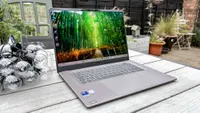
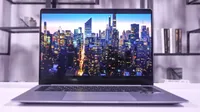
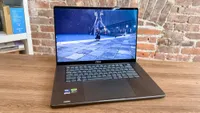
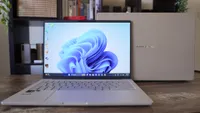
We test and review dozens of Windows laptops every year, and they can't all be the best — but just because they don't all make this list doesn't mean they aren't good machines worth checking out.
Below, I've gathered all the great laptops we've tested that don't quite make this list, but are still good alternatives well worth considering if they meet your unique needs, or if you can't find your first choice on sale.


FAQs

How much RAM do I need?
It's hard to count on a Windows laptop doing everything you might need it to, without issue, for years to come, if you don't have at least 16GB of RAM.
While you can get away with just 8GB, anything lower will almost certainly cause a seriously frustrating slowdown when multitasking or trying to run demanding apps.
But while 16GB of RAM is more than enough for multitasking in Windows 11 and running basic apps, modern PC games demand more.
So if you're buying one of the best gaming laptops (or just a laptop you plan to play modern games on), I recommend you review the system requirements of the game(s) you want to play and make sure you have at least the minimum (ideally the recommended) RAM.
In general, 16GB of RAM is enough to scrape by, while 32GB of RAM is more ideal, especially for serious gaming.
What accessories deliver the most bang for my buck?
If you want to be more productive on your laptop without doing serious damage to your neck and spine, I seriously recommend you invest in a decent laptop stand because looking down at your laptop for more than a few minutes at a time can do real harm to your back and neck.
We have a detailed guide to choosing the best laptop stand for your needs, and you don't have to spend a lot to see real results. After all, this $45 laptop stand revolutionized how I work and seriously cut down on my fatigue while working.
I also recommend you invest in a good mouse you like, because relying on the trackpad is less than ergonomic and can lead to real pain and hand issues over time. Check out our guide to the best mouse for all sorts of use cases and budgets for some ideas and advice on how to choose the perfect mouse for your needs.
Last but not least, if your laptop doesn't have many ports, you might consider getting a good USB hub so you can plug in more accessories when you need them. This is really key to getting the most out of slim ultraportables like the MacBook Air and Dell XPS 13, since they typically have a pair of USB-C ports and that's it.
Should I get Windows 11 Home or Windows 11 Pro?
Good question! Microsoft would prefer you to pay for Windows 11 Pro since it costs more, but most people don't need to bother.
First and foremost, you don't get much more in Windows 11 Pro than you don't already get in Windows 11 Home. You can check out our in-depth Windows 11 Home vs. Pro feature for a blow-by-blow breakdown of the key differences, but the main thing to know is that some of Pro's most valuable features are only useful if something bad happens to your laptop.
That's because one of the key things you get for paying to upgrade from Windows 11 Home to Pro (which costs roughly $60 last time I checked) is BitLocker device encryption, a powerful way to safeguard your laptop's storage. This is an extra layer of security on top of the existing Windows 11 safeguards, and it's something you can choose to enable at any time in Windows 11 Pro.
This can put anxious minds at ease, but keep in mind that the extra encryption comes with extra hassle, as you can require your Windows 11 Pro laptop to enter a password or even insert a physical USB drive in order to decrypt (and thus access) your laptop's data.
This might be great if you use your laptop for serious Pro-grade work or are worried about your data, but make sure to back up your recovery key! If you don't, you risk losing it and thus losing access to all of your data when it comes time to decrypt your drive.
How to choose the best laptop for you
Performance: If performance isn't important to you, say because you only need a laptop for browsing the web, you can save a lot of money by choosing a cheap Windows laptop with an Intel Core i3 processor or Snapdragon X, like the Lenovo IdeaPad Slim 3x. But if speed and performance are important to you, pick a laptop with starting specs such as a better CPU, 16-32GB of RAM and at least a 1TB SSD, like the Samsung Galaxy Book 6 Ultra.
Size: Consider how mobile you want your Windows machine to be. Notebooks like the Dell XPS 14 are incredibly light and slim, while gaming-focused laptops like the Asus ROG Zephyrus G14 have real heft to them but offer real power in exchange.
Flexibility: The 2-in-1 category of Windows laptops is an exciting market of devices with hinges capable of rotating all the way around to lay the screen flat on the back of the laptop, turning it into a Windows tablet. If the idea of having a laptop that doubles as a tablet is exciting to you, Windows notebooks like the Asus Zenbook Duo are a great choice.
Graphics and gaming: Most Windows laptops feature integrated graphics as part of the CPU, which means they can handle games like Minecraft or World of Warcraft. But with Intel and AMD's latest offerings, these are now able to play AAA games like Cyberpunk 2077 at high settings! And yes, that means these are now good for more video editing and creative work. For more power, though, you'll want a laptop with a discrete graphics card, like the Asus ROG Zephyrus G14.
How we test the best Windows laptops

To determine which laptops deserve to be counted among the best Windows laptops, we run every machine we review through a rigorous suite of benchmarks and real-world tests to gauge how it will perform during everyday use.
These tests cover the speed and capabilities of the laptop, as well as its display capabilities. We carefully measure the average brightness and color quality of each laptop's display using our in-house Klein K10-A light meter and colorimeter.
To evaluate overall performance, we then run our machines through tests that include Geekbench 6 (CPU performance), as well as various AI-focused tests and some 3DMark tests to measure graphics capabilities. We also run our own custom file transfer test to measure how fast a machine's hard drive is, and a custom battery test that has the machine browse the internet over Wi-Fi until it runs out of juice.
When testing all laptops, we benchmark gaming performance running Sid Meier's Civilization VI: Gathering Storm. For testing dedicated gaming laptops, we also run benchmarks for a number of other popular games, from Cyberpunk 2077 and Red Dead Redemption 2.
All of these lab tests are complemented by our hands-on review process, in which reviewers spend time putting each laptop through its paces while working, watching movies, listening to music, and playing games.
For more information on our testing process, check out our guide to how we test products at Tom's Guide.
