




Finding the best Windows laptop in 2026 is no simple task: What size is best? Should I get a touchscreen? Intel or Snapdragon CPUs? Is Nvidia RTX Spark worth it? Dual screen? There's a lot of deciding to do, but our computing experts at Tom's Guide are here to make it easier in this guide.
Windows laptops now cover far more than the everyday notebook, from slim machines built for commuting and study to powerful models for gaming, creative work and local AI work. The challenge is working out which features are worth paying for, and we've done the hands-on testing to figure this out.
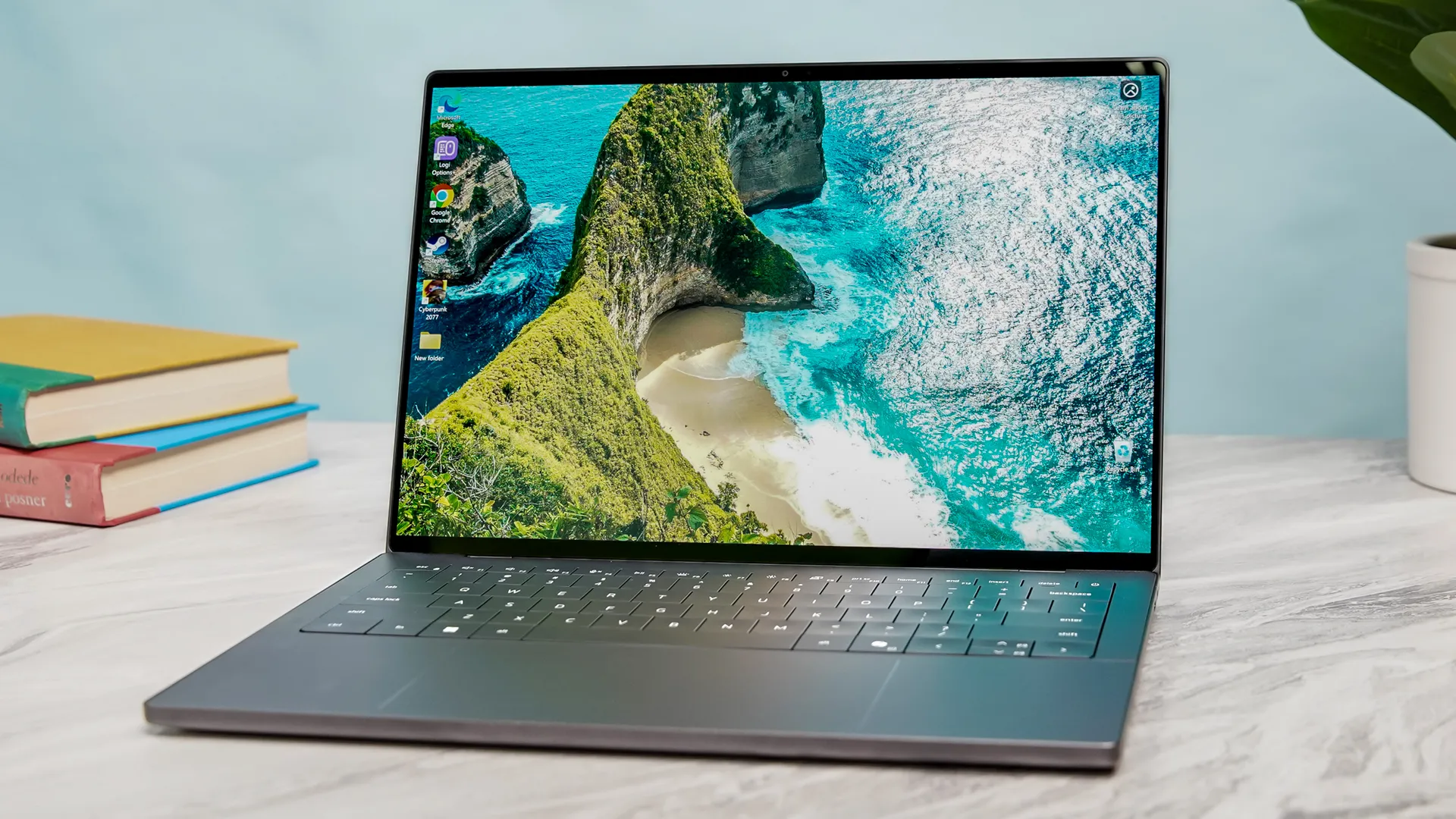
Currently, the Dell XPS 14 (2026) is our top Windows laptop for most people, with its fast performance, slim design and long-lasting battery life. The Dell XPS 13 (2026) offers strong value if you're just looking for an affordable laptop for everyday work and entertainment, along with the HP OmniBook 5 14 for outstanding battery life. For gaming and portable power, look no further than the Asus ROG Zephyrus G14.
A new wave of Windows laptops featuring Nvidia RTX Spark chips is here, and we recommend laptops like the Microsoft Surface Laptop Ultra and Asus ProArt P16 if you're looking for mighty performance and local AI tasks. But these won't be for everyone. For our top picks worth your money, follow this guide to find the right Windows laptop for you.

I've tested my fair share of laptops, and many of my favorite machines have all been Windows. There are so many different types that suit everyone's needs, and I've seen them soar throughout the years thanks to the latest chip and graphics card advancements from Intel, AMD, Qualcomm and Nvidia. But what's best for you? That's what my team of computing experts and I are here to help you with.
The best Windows laptops you can buy right now
Why you can trust Tom's Guide Our writers and editors spend hours analyzing and reviewing products, services, and apps to help find what's best for you. Find out more about how we test, analyze, and rate.
Best Windows laptop overall



"The Dell XPS 14 (2026) is a true return to form. Like many others, I wasn’t exactly enthused when the company decided to rebrand its iconic laptop line as “Dell Premium.” Thankfully, it didn’t take long for the company to rethink its strategy. XPS is back, and arguably better than ever."
I have an easy time recommending the Dell XPS 14 as the best Windows laptop for most folks because it sports a new design that ditches many of the controversial parts of prior models. It also packs a serious punch thanks to its Intel Core Ultra 3 Panther Lake chip.
It's no coincidence that this XPS takes design cues from MacBooks, with the chassis featuring softer, rounded corners and the machine clocking in at a light 3 pounds. We also get the return of physical function keys and a haptic touchpad with clearly identifiable boundaries.
Then there's the gorgeous 2880 x 1800 InfinityEdge tandem OLED touch panel. Thanks to it, you get incredible contrasts, vivid colors, and vibrant HDR that makes other panels look dull in comparison.
Performance is just as impressive thanks to Intel’s Panther Lake architecture. Built on the 18A node, this chip delivers strong performance for everyday work and even gaming. The latter is especially noteworthy for a laptop featuring an integrated graphics card. You get the best of both worlds here.
For all these reasons and more, this is the Windows laptop we recommend most often to those in the market for a new notebook for work, school or play. Now, if you're after an even bigger display to get more out of Dell's marvelous OLED, the Dell XPS 16 (2026) is well worth your time.
- Read our full Dell XPS 14 (2026) review
Best value Windows laptop

"The Dell XPS 13 (2026) is the best budget Windows laptop right now. I knew someone would eventually come to challenge the MacBook Neo, but I didn't expect it to happen this fast or this well. By bringing the finest aspects of the XPS laptop line to an affordable laptop, Dell has delivered a winner. For $699, this is a laptop that's hard to deny."
It’s outstanding what Dell has managed with the XPS 13 (2026) for well under $1,000 — a slim, 2.2-pound laptop with battery life that lasted 14 hours and 29 minutes in our test. Right out of the box, the XPS 13 feels like a true travel companion: slim, durable and light enough to disappear in a bag, so you’re never weighed down on the move.
Inside, you get practical specs that hit the sweet spot for everyday tasks. The Intel Core 5 320 Wildcat Lake processor and 8GB of RAM (configurable up to 32GB) handled our typical workload, up to 15 Chrome tabs and a background YouTube video, without a hitch. Storage starts at a fine 512GB, so you’re not pressed for space even if you work with lots of documents, photos or class projects.
What pushes the XPS 13 ahead of most value laptops is its touchscreen display. Our reviewer, Tony, found touch controls as responsive as the touchpad’s, with every gesture registering instantly. That's a rare win at this price. Whether you’re scrolling through spreadsheets or swiping between windows, it just works, and helps the XPS 13 feel more modern than most sub-$1,000 competitors.
Compared to competitors like the Dell XPS 14 or the Samsung Galaxy Book 6 Ultra, the XPS 13 is both more affordable and easier to carry. You’ll give up some extras (no OLED panel, fewer ports, and a less powerful CPU), but you’re saving hundreds of dollars.
You will have to live with just two USB-C ports and no headphone jack, and the webcam is merely passable for video calls. But if you want the best blend of price, portability and proven all-day performance, the Dell XPS 13 (2026) is the value pick we’d recommend for work, school, or everyday use.
- Read our full Dell XPS 13 (2026) review
Best premium Windows laptop



"The Surface Laptop Ultra is a remarkable piece of hardware. The utilitarian design, brilliantly clever magnetic USB-C port and communicative haptic touchpad prove that Microsoft’s hardware engineering is operating at the highest level. And as it should, because the RTX Spark chip inside is a bit of a breakthrough for the local agentic future of computing, as well as a monster for creators, developers and gamers alike."
The Microsoft Surface Laptop Ultra is our pick for buyers who demand the ultimate Windows laptop experience. This is a machine that instantly signals its premium status with a gorgeous, color-accurate PixelSense mini-LED display and a sturdy yet commanding utilitarian design. Open it up, and you’re greeted by the power of Nvidia’s RTX Spark N1X chipset, which is a true step forward for creative professionals and power users, making it feel right at home on a designer’s desk or in a boardroom.
Where the Surface Laptop Ultra pulls ahead is in raw performance. The RTX Spark chip inside doesn’t just benchmark well; it breezes past Apple’s M5 Pro, AMD’s Ryzen AI Max 395+ and even demolishes Intel’s Core Ultra X9 in local AI token generation. In our experience, gaming performance is right up there with RTX 5070-class gaming laptops, which is remarkable for a device this refined. We even managed to automate our daily admin, like emails and tasks, using Hermes Agent and reinforcement learning, freeing up real time for creative work (or, as our reviewer put it, to make breakfast).
But there are trade-offs, and they’re the price of top-tier hardware. It's a premium laptop, after all, but at this price, we'd expect better battery life that goes over its 10-hour limit, and the mini-LED display isn't quite as sharp or vivid as its OLED rivals. We also noticed it can get quite hot under heavy loads, which is something to look out for, but not a complete deal breaker.
Either way, what seals the deal for premium buyers is the feel of the Surface Laptop Ultra in daily use. The keyboard delivers a satisfying click, the massive haptic touchpad feels natural and responsive, and the magnetic USB-C charging port is one of the smartest design choices we’ve seen in years. Even after weeks of daily use, Jason didn't feel the urge to return to a MacBook Pro, which says a lot!
If you want a luxury Windows laptop that offers next-level multitasking, gaming and local AI performance on a single chip, this is the one to beat.
- Read our full Microsoft Surface Laptop Ultra review
Best Windows gaming laptop

"Building on the strengths of its predecessor, the RTX 50-series really unlocks some big performance gains that truly shine on that crispy OLED display. And provided you’re always somewhere that has a plug or two (pricing in that battery life) you’re guaranteed a great time with this."
This one is still hard to top. The Asus ROG Zephyrus G14 (2025) doesn't need another yearly update, even if we were expecting it, as it already boasts some of the strongest specs you'll find in a gaming laptop of this size and price.
To get its problem out of the way, battery life isn't this laptop's strong point, with under two hours when gaming, and around six hours for general use. But really, that can be said for all Windows gaming laptops. Other than that? It's a triumph.
From its beautiful 14-inch (2880 x 1800) OLED display with a 120Hz refresh rate and speedy 0.2ms response time to its mighty Nvidia RTX 50-series performance (all the way up to an RTX 5080), this laptop will conquer the visuals, speeds and demands of the most demanding PC games on the market. That's also backed by its AMD Ryzen AI 9 HX 370 CPU, up to 64GB of RAM and 2TB for previous storage.
From Cyberpunk 2077 to Black Myth: Wukong at their highest settings, you can expect to reach 50 frames per second (FPS). Oh, but that's with Nvidia's DLSS turned off. Really, expect frame rates to reach 150 FPS and higher, depending on the games you play and the settings you tweak.
It's also a beauty to look at, with its CNC-milled aluminum chassis, glass-topped trackpad and chiclet keyboard. Its design isn't screaming that it's a gaming laptop, either, and it's nicely compact to take with you wherever you go.
For gamers after a reliable, portable gaming machine, the Asus ROG Zephyrus G14 continues to be our champion that doesn't disappoint.
- Read our full Asus ROG Zephryus G14 review
Best 2-in-1 Windows laptop

"I don’t want the Intel Core Ultra X9 388H to overshadow the fact that this is a great dual-screen notebook that brings the idea of two panels on the go much more into the mainstream. The Zenbook Duo has gone through a thoughtful glow-up, given two glorious OLED panels and ergonomic uplifts that make it a thoroughbred of a productivity machine."
We're at a point where dual-screen laptops have become mainstream, and the Asus Zenbook Duo (2026) is the best of its class. This really puts the "two" in 2-in-1 laptops, as this gorgeous machine gives you a variety of ways to use it. Even better, thanks to its mighty Intel Core Ultra X9 388H CPU, it can be used for just about anything.
This one is pricey at $2,099, but what you get in return is a premium-built, powerful laptop boasting dual 14-inch 3K OLED touch displays with a 120Hz refresh rate. As you can imagine, the display is a feast for the eyes (as our reviewer rightfully puts it), with impressive brightness and color coverage for those rich, deep visuals.
Its premium-feeling form factor (although on the thicker side, understandably) can be easily utilized to swap between a normal clamshell laptop and an amazing dual-screen setup, with a movable keyboard deck that feels great to type on. So, that makes it ideal for productivity, but it's also a fine machine for creative work and gaming.
Think playing Cyberpunk 2077 at over 60 frames per second (with Intel's integrated XeSS 3 tech), and breezing through multiple apps and tabs. Despite its dual screens, this laptop also comes with a long 14 hours of battery life, too.
If you've got the money to spend, the Asus Zenbook Duo (2026) aims to last you for years to come. Plus, you won't need to hand over an extra bit of cash for a second monitor, and this one comes with you on the move.
- Read our full Asus Zenbook Duo (2026) review
Best Windows laptop for creators

"The Asus ProArt P16 is an outstanding laptop for creativity, with its legacy continuing with the might of Nvidia's RTX Spark N1X. With an even slimmer design that's light enough to bring with you anywhere, a knockout OLED touchscreen with amazing brightness and colors, the right ports and battery life that can (finally) get you past a workday and still have juice left, Asus has done its creator laptop justice."
The Asus ProArt P16 with the mighty Nvidia RTX Spark N1X chip isn't just about excellent performance for 3D work and local AI tasks; it's designed for creators who demand true color accuracy and high-resolution visuals. Its 16-inch UHD+ (3840 x 2400) OLED touchscreen with a 120Hz refresh rate is simply stunning, with the kind of punchy, detailed panel where your edits and color grades look exactly as intended.
It's clear the ProArt P16 is a creative powerhouse. We tested the 20-core RTX Spark N1X CPU paired with a 6144-core GPU (complete with tensor cores), plus up to 128GB of DDR5X RAM. That combination chews through 4K timelines, 3D renders and AI-accelerated workflows without bogging down or freezing up, so you spend less time waiting and more time creating.
Connectivity is another highlight. The ProArt P16 covers the classic creator wish list: three USB4 ports for fast transfers, HDMI for external monitors, a full-size SD card reader for media, USB-A for legacy gear and a headphone jack for listening to tunes. That lets you plug in and work anywhere, without hunting for dongles or adapters.
The main compromise? Battery life is solid at 12 hours and 26 minutes, but it's not the most impressive we've seen compared to the much more affordable HP OmniBook 5. Speaking of, this is one incredibly pricey laptop, so you'll want to know exactly what you'll want to use it for before taking the plunge.
For creators who rely on maximum local performance and a color-accurate screen above all else, the ProArt P16 is the machine worth investing in. Just be sure you’ll take advantage of everything this chip can do.
- Read our full Asus ProArt P16 (RTX Spark) review
Best Windows laptop for battery life
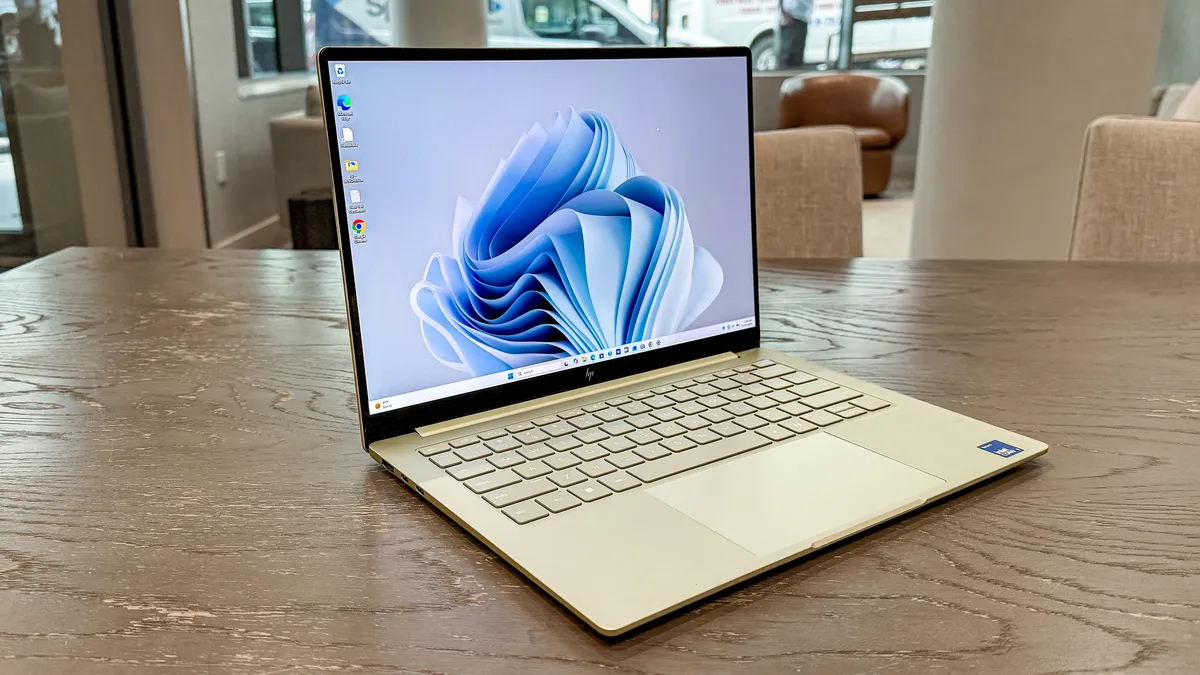
"The HP OmniBook 5 is yet another fantastic MacBook Neo rival for folks looking for a comparable-budget Windows laptop. The sturdy design and long battery life are highlights, while the impressive OLED panel and strong everyday performance make for an all-around solid laptop that won’t break the bank."
The HP OmniBook 5 now stands as the longest-lasting Windows laptop we’ve tested, clocking an impressive 19 hours and 52 minutes in our battery life benchmark. If your top priority is a machine that can handle a full day (and then some) away from the outlet, this is the battery champ to beat.
While this isn't the longest-lasting Windows laptop we've tested, as that goes to both the non-OLED Dell XPS 14 (2026) and Dell 14S at clocking 20 hours and 41 minutes of battery life, the OmniBook 5 lasts nearly 20 hours while being a fraction of the price of those two machines. That's better bang for your buck. What's more, this still comes with a vivid 2K (1920 x 1200) OLED touchscreen!
The OmniBook 5 is also a practical machine, with its lightweight 2.5-pound chassis making it easy to toss in a bag and forget it’s there. With the Intel i5 320 "Wildcat Lake" chip, it was great at balancing day-long stamina with snappy performance. It breezed through real-world productivity — dozens of Chrome tabs, editing photos in GIMP and streaming YouTube in the background didn’t faze it.
For commuters, students or travelers, that mix of efficiency and portability is a real advantage. Typing on the OmniBook 5 is a pleasure thanks to its comfortable, roomy keyboard deck and chunky keycaps. You’ll want to note, though, that while its OLED touchscreen is a great touch, there's no HDR support like its Dell XPS 13 (2026) rival, so it won't look nearly as bright. Plus, its webcam is a grainy mess for video calls.
For some of the longest battery life we've ever seen in a laptop at this price, the HP OmniBook 5 14 is the Windows laptop that's hard to ignore.
- Read our full HP OmniBook 5 14 review
Best Windows laptop for productivity


"At just $849, the Lenovo IdeaPad Slim 5x Gen 11 is an excellent productivity laptop, especially amongst rising tech costs and shortages. It boasts impressive performance and makes great use of the Snapdragon X2 Plus chip, solidifying it as a reliable machine that nails the basics. Aside from performance, you’ll get a device that’s built to last, not just because of its thoughtful design, but also its surprising 15.5-hour battery life that rivals big competitors like the M5 MacBook Air."
Many of us are just looking for a laptop to get things done, without having to pay for all the premium flair that will largely go unused. If that's the case, let me introduce you to the Lenovo IdeaPad Slim 5x, boasting exceptional battery life and an efficient Snapdragon X2 Plus processor for a price that won't break the bank.
Just how long can this laptop last? In our lab tests, it ran for an impressive 15 hours and 24 minutes on a full charge — meaning you can leave your charger behind for all-day meetings or travel without fear of running out of juice.
Drafting articles, firing off emails, organizing spreadsheets, and juggling web tabs all felt zippy and responsive, thanks to the big performance from the Snapdragon X2 Plus chip inside. It's the kind of performance you want when your workflow can’t afford those annoying slowdowns or stutters, especially for more everyday tasks.
That 0.61-inch-thin chassis also makes this one of the most portable 15-inch laptops around — perfect for commuters or anyone who regularly sets up shop in different locations. Plus, connectivity is another strong point: two USB-A ports, two USB-C ports (including DisplayPort support), HDMI 2.1, a headphone jack and a microSD card reader — pretty much all you could want.
Still, it’s not perfect. Video calls are a weak spot, as the built-in webcam delivers grainy, laggy images in every app our reviewer, Dylan, tried. If crystal-clear conference calls are critical for your work, you might need to budget for one of the best webcams (we highly recommend it). And for power users, this won't be able to keep up.
Prefer reliability and versatility over flashy extras? The Lenovo IdeaPad Slim 5x is the Windows laptop we'd recommend most, especially at this sub-$900 price.
- Read our full Lenovo IdeaPad Slim 5x Gen 11 review
Performance test results
CPU speed isn't everything, but putting a number on it can go a long way towards helping you understand exactly how fast a laptop is in relation to the rest of the options available to you.
We use Geekbench for these tests, as it assigns each laptop a score for its performance in single-core workloads and multi-core workloads. The single-core score is often a little more meaningful because not all apps are optimized for multi-core performance, but many are, so it's good to consider multi-core performance as well.
I know. Windows 11 isn't in the best spot right now, especially when it comes to bringing performance down (thanks to Copilot AI). However, it is getting better, so it's only up from here (fingers crossed).
Best Windows Laptops Performance Test Results
Slide through to see our Geekbench test results
Geekbench (single-core)
| Product | Value |
|---|---|
| Dell XPS 14 2026 (Intel Core Ultra X7 358H) | 2867 |
| Dell XPS 13 2026 (Intel Core 5 320) | 2684 |
| Microsoft Surface Laptop Ultra (Nvidia RTX Spark N1X) | 2604 |
| Asus ROG Zephyrus G14 2025 (AMD Ryzen AI 9 HX 370) | 2929 |
| Asus Zenbook Duo 2026 (Intel Core Ultra X9 388H) | 3031 |
| Asus ProArt P16 (Nvidia RTX Spark N1X) | 2704 |
| HP OmniBook 5 14 (Intel Core 5 320) | 2583 |
| Lenovo IdeaPad Slim 5x (Qualcomm Snapdragon X2 Plus) | 3299 |
Geekbench (single-core) (Toms Guide): Lenovo IdeaPad Slim 5x (Qualcomm Snapdragon X2 Plus) leads at 3299, followed by Asus Zenbook Duo 2026 (Intel Core Ultra X9 388H) at 3031.

Battery life benchmarks
One of the most important aspects of any laptop is its battery life, and you'll be happy to know that many of the Windows laptops we recommend are among the best laptops for battery life. As in, the current winners, the Dell XPS 14 (2026) and HP OmniBook 5 14, last close to a literal 24-hour day.
We run every laptop through our battery test, which consists of setting a laptop's display to 150 nits of brightness and having it endlessly browse the web via Wi-Fi until it shuts down. Of course, this isn't generally how one would use a laptop, especially when working in different apps, streaming shows or playing games.
However, this gives us a good idea of how long a laptop can last while running continuously and shows just how far you can go with one before reaching for a charger. Check out our results below.
Best Windows Laptops Battery Life Results
In our battery test, we set the laptop's display to 150 nits of brightness and have it endlessly browse the web via Wi-Fi until it runs out of juice.
Battery life (hh:mm:ss)
| Product | Value |
|---|---|
| Dell XPS 14 2026 (non-OLED) | 20.683333333333334 |
| Dell XPS 14 2026 (OLED) | 12.383333333333333 |
| Dell XPS 13 2026 | 14.483333333333333 |
| Microsoft Surface Laptop Ultra | 10.25 |
| Asus ROG Zephyrus G14 | 5.5 |
| Asus Zenbook Duo 2026 | 14.383333333333333 |
| Asus ProArt P16 | 12.433333333333334 |
| HP OmniBook 5 14 | 19.866666666666667 |
| Lenovo IdeaPad Slim 5x | 15.4 |
Battery life (hh:mm:ss) (Toms Guide): Dell XPS 14 2026 (non-OLED) leads at 20.683333333333334 hours, followed by HP OmniBook 5 14 at 19.866666666666667 hours.
Also tested
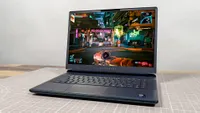
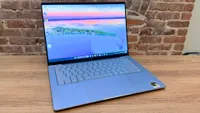
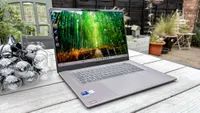
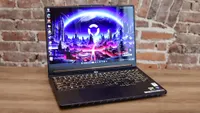
We test and review dozens of Windows laptops every year, and our top recommendations will show you the best you can buy right now. If you're looking for other options, I've gathered all the great laptops we've tested that have their quirks but are still good alternatives worth considering if they meet your unique needs or if you can't find your first choice on sale.



What's coming next

There's always big news in the world of Windows laptops, and we're here to keep you updated on the latest. Here's a look at recent events.
- Qualcomm announced its new Snapdragon C chip, set to bring a new wave of budget laptops priced around $300 to $400. Targeted at students, families and small businesses, laptops with Snapdragon C are made for general tasks, such as web browsing, video streaming and productivity. But we can also expect an integrated NPU for on-device AI tasks. We can expect the first Snapdragon C laptops from HP, Lenovo, and Acer, with one of the first being the Acer Aspire Go 15. We expect these to arrive sometime soon.
Best Windows Laptop: Frequently Asked Questions

How much RAM do I need for a Windows laptop?
For most people buying a new Windows laptop, 16GB of RAM is the sensible target. It gives Windows 11 room for everyday multitasking, such as working across browser tabs, documents and video calls, and should be more useful over the life of the machine than an 8GB configuration.
You can still get by with 8GB for light browsing, writing and streaming, as the Dell XPS 13 (2026) demonstrates, but it is more limiting when multitasking. Consider 32GB or more if you play demanding games, edit high-resolution video, work with large files or regularly run specialist creative software.
Do I need a dedicated graphics card in a Windows laptop?
No, most people do not need a dedicated graphics card. Integrated graphics are sufficient for web browsing, office work, streaming, video calls and lighter games. But also heavier games now, thanks to Intel Panther Lake CPUs and Nvidia RTX Spark. They can also make for thinner, lighter laptops with better battery life, as shown by the Dell XPS 14 (2026), which we recommend for everyday work and even some gaming, along with the mighty Microsoft Surface Laptop Ultra and Asus ProArt P16.
A dedicated GPU, like in the Asus ROG Zephyrus G14, is worth paying for if you want to play demanding modern games at higher settings, or if 3D work, video editing and other graphics-heavy creative tasks are central to your workload. It normally means a higher price, more weight and shorter battery life, so choose it for a clear need rather than as a default.
Is a 2-in-1 or dual-screen Windows laptop worth it?
A 2-in-1 or dual-screen Windows laptop is worth it if its extra flexibility will improve how you work, but it is not the best value choice for everyone. Convertible designs are useful if you want to use the touchscreen as a tablet, while dual-screen models can offer more room for documents, communication apps and creative tools without carrying a separate monitor.
The Asus Zenbook Duo (2026) is our pick for this type of machine because its two 14-inch OLED touch displays and removable keyboard support both conventional laptop and dual-screen use. The trade-offs are a higher price and a thicker chassis, so a standard clamshell remains the simpler choice if portability and value matter most.
Should I buy an ARM-based Windows laptop?
An Arm-based Windows laptop can be a good choice for everyday productivity, only if the software, apps and games you use daily are compatible with it. These models can offer efficient performance and strong battery life, which is why we recommend the Snapdragon X2 Plus-powered Lenovo IdeaPad Slim 5x.
But it won't work for everyone. Many common Windows apps will run, but compatibility and performance can differ from an Intel or AMD laptop, particularly for niche tools and hardware. Choose an Intel- or AMD-based laptop if you can't find out if your must-have software and devices work or are supported.
What accessories are worth buying for a Windows laptop?
The best Windows laptop accessories are the ones that address a limitation in your setup, rather than extras bought by default. A comfortable external mouse (check our best mouse guide) and a laptop stand can make a desk setup more practical, while a USB-C hub is particularly useful for thin models with few ports.
Check the connections on your chosen laptop before buying a hub, monitor or storage device. For example, the Dell XPS 13 (2026) has two USB-C ports and no headphone jack, so a hub or USB-C audio adapter may be useful if you need older USB accessories, an external display or wired headphones. Frequent travellers may also value a compact charger or protective sleeve.
Should I get Windows 11 Home or Windows 11 Pro?
Windows 11 Home is the right choice for most personal laptop buyers, while Windows 11 Pro is mainly worthwhile for people who need its additional security, management or business features. Everyday work, school, web browsing, gaming and media use do not require Pro.
Choose Pro if you specifically need features such as BitLocker drive encryption, Remote Desktop hosting or tools used to manage a work device. Before paying more, check your employer’s requirements and whether the laptop’s configuration already includes the edition you need. If you use encryption, keep your recovery key somewhere safe, since it can be required to regain access to your files.
How to choose the best laptop for you
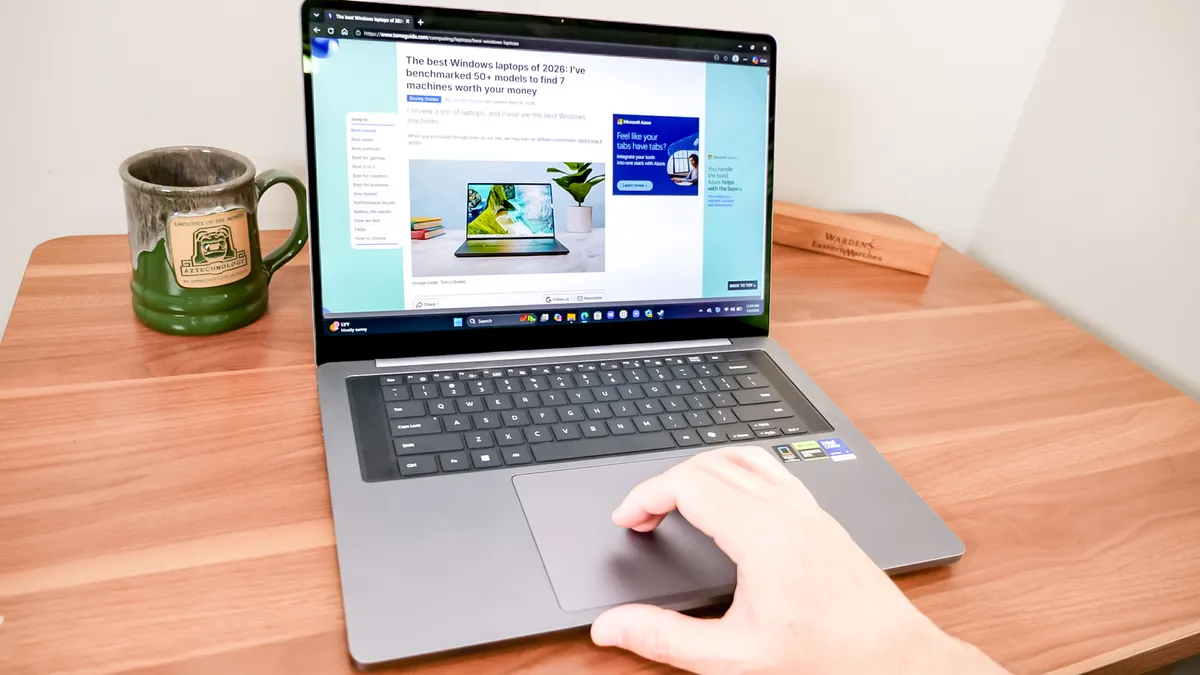
- Performance: If performance isn't important to you, say because you only need a laptop for browsing the web, you can save a lot of money by choosing a cheap Windows laptop with an Intel Core 5 processor, like the Dell XPS 13 (2026). But if speed and performance are important to you, pick a laptop with starting specs such as a better CPU, 24GB to 128GB of RAM and at least a 1TB SSD, like the Microsoft Surface Laptop Ultra.
- Size: Consider how mobile you want your Windows machine to be. Notebooks like the Dell XPS 14 are incredibly light and slim, while gaming-focused laptops like the Asus ROG Zephyrus G14 have real heft to them but offer real power in exchange.
- Flexibility: The 2-in-1 category of Windows laptops is an exciting market of devices with hinges capable of rotating all the way around to lay the screen flat on the back of the laptop, turning it into a Windows tablet. If the idea of having a laptop that doubles as a tablet is exciting to you, Windows notebooks like the Asus Zenbook Duo are a great choice.
- Graphics and gaming: Most Windows laptops feature integrated graphics as part of the CPU, which means they can handle games like Minecraft or World of Warcraft. But with Intel and AMD's latest offerings, these are now able to play AAA games like Cyberpunk 2077 at high settings! And yes, that means these are now good for more video editing and creative work. For more power, though, you'll want a laptop with a discrete graphics card, like the Asus ROG Zephyrus G14.
How we test the best Windows laptops

To determine which laptops deserve to be counted among the best Windows laptops, we run every machine we review through a rigorous suite of benchmarks and real-world tests to gauge how it will perform during everyday use.
These tests cover the speed and capabilities of the laptop, as well as its display capabilities. We carefully measure the average brightness and color quality of each laptop's display using our in-house Klein K10-A light meter and colorimeter.
To evaluate overall performance, we then run our machines through tests that include Geekbench 6 (CPU performance), as well as various AI-focused tests and some 3DMark tests to measure graphics capabilities. We also run our own custom file transfer test to measure how fast a machine's hard drive is, and a custom battery test that has the machine browse the internet over Wi-Fi until it runs out of juice.
When testing all laptops, we benchmark gaming performance running Sid Meier's Civilization VI: Gathering Storm. For testing dedicated gaming laptops, we also run benchmarks for a number of other popular games, including Cyberpunk 2077 and Red Dead Redemption 2.
All of these lab tests are complemented by our hands-on review process, in which reviewers spend time putting each laptop through its paces while working, watching movies, listening to music, and playing games.
For more information on our testing process, check out our guide to how we test products at Tom's Guide.
