Gemini 3 has launched to much fanfare, thanks to built-in features that make it a genuinely helpful assistant and advanced capabilities like its integration with Google’s latest AI image-editing model, which delivers far more precise, studio-quality control than previous tools.
If you’re new to Gemini, you’re in good company as you’ll be joining the rest of us who are also still discovering the ins and outs of the host of new features. If you’ve stuck to ChatGPT so far and are considering making the switch, you may be surprised to hear that Gemini 3 is already beating ChatGPT in key benchmarks.
And given all the new features we’ve been testing we’re not surprised. We’ve collected 5 top Gemini features that can prove to be genuinely powerful with some practice — although some may be easy to miss if you don’t know where to look.
Shopping
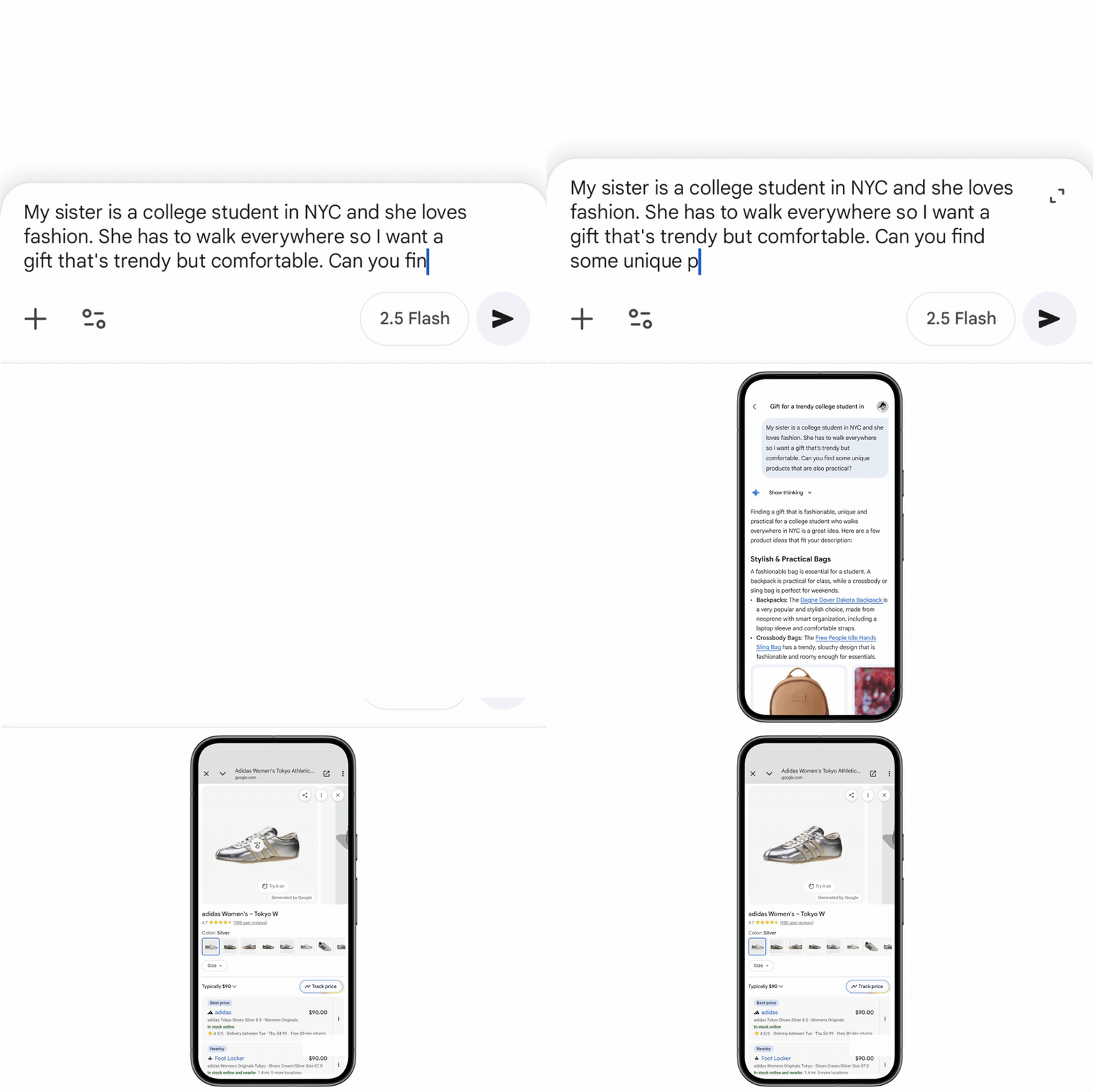
Holiday shopping became a lot easier thanks to Gemini 3’s latest shopping update. Say goodbye to endless scrolling and hello to lists of products that include their price, reviews, and stock levels.
The shopping answers you’ll get in Gemini won’t be restricted to text suggestions. When using the Gemini app you’ll get shoppable product listings, comparison tables, and prices from a range of outlets you can buy the items at. The information you’ll be presented with comes straight from Google’s Shopping Graph, its AI-powered database of billions of products being sold worldwide, updated in real-time.
You can also ask Google to call up stores itself when you need to inquire about whether they have a particular product in stock. Searching for products “near me” on Search should reveal a “Let Google Call” option. Simply tap “get started” and follow the on-screen instructions.
Once Google completes its fact-finding mission, you’ll get an email or text with the store’s reply. Happy shopping!
Agent

Think of Gemini Agent as your AI personal assistant that can ease the burden of your everyday tasks. Jot down what needs to get done and sit back as Agent concocts a plan on how to best combine the features it can access to get the tasks ticked off your to do list. It integrates live web browsing, deep research and your Google apps to get as much as possible on your behalf.
Need draft emails lined up to reply to anything that’s still unread in Gmail? Done! Want to look into car rental deals for your next weekend getaway? Agent’s got you covered.
It works by combining the smarts of Gemini 3 with its ability to browse through websites and to compare different options before presenting a potential way forward. It is however designed to keep you in control as any major steps, such as actually sending an email or confirming a purchase, still need your manual approval.
Nano Banana Pro

Gemini 3 also has access to Nano Banana Pro, the newer version of the viral AI image generator.
You’ll be able to generate crisp images in 4k quality, get consistent characters in different frames and save your images in a variety of aspect ratios. The standout improvement is perhaps Nano Banana Pro’s ability to generate images containing more accurate, legible text. You can also create alternate versions of your image in multiple languages with Gemini handling all the translations for you.
Users can also upload up to 14 images to give visual guides to Nano Banana Pro to help shape the final output, bringing your ideas to life.
It also leverages Gemini 3’s advanced reasoning capabilities to create educational content in the form of visual explainers or infographics. The era of presenting new topics in boring ways or through walls of text is over.
Visual layouts and dynamic view

We’ve been accustomed to chatbots’ responses getting smarter whenever a newer version is released, but Gemini 3 also ushered in two new ways responses are displayed on your screen.
Dubbed visual layout and dynamic view, these two modes present information in the style of a magazine or as an interactive mini-app, respectively. Enabling visual layout means answers are presented in different sections alongside photos — perfect for side-by-side comparisons of products with extended Cyber Monday sales.
The arguably more powerful dynamic view creates mini-experiences in response to your questions. These are usually in the form of small web apps that present information in you can interact with. For example, I asked Gemini to help me learn how blackholes work and it created a small simulation showing me what dangers I face depending on how close I get to it.
What we’re seeing here looks like an early blueprint for fully immersive AI systems in the future, possibly through AI browsers.
Gemini in AI mode on Google
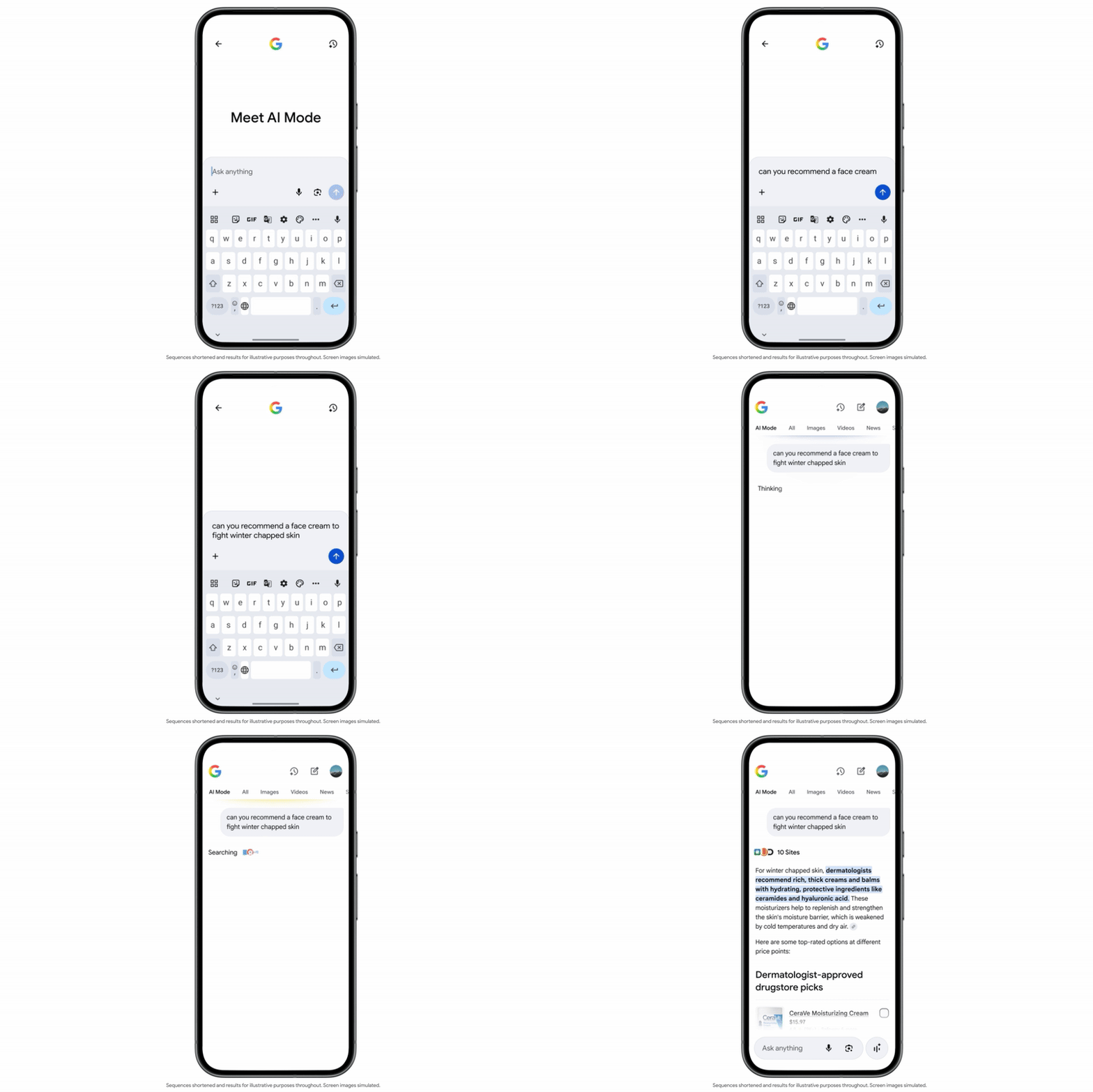
Gemini 3’s AI capabilities are also being directly integrated into Google Search. Head over to the Google homepage, select AI Mode and get direct answers to your questions rather than a list of links to webpage which may not even contain the information you’re looking for.
You can use it just as you would a typical Google search but expect to see lists of relevant vendors when searching for where to buy a lavalier microphone from, comparisons for different options you have to get to the Empire State Building from Times Square, and a draft itinerary when asking for the best way to spend 48 hours in Rome.
If needed you can also enhance your seach by uploading a relevant file or picture.

Follow Tom's Guide on Google News and add us as a preferred source to get our up-to-date news, analysis, and reviews in your feeds.
More from Tom's Guide
- I tried ChatGPT’s new shopping research feature — it found all of the best Black Friday deals in minutes
- 5 AI tools students need to excel in 2025 — without cheating
- Google just launched Gemini 3 Deep Think — its most powerful AI model yet