It's quite important to keep your phone in a protective case. I recently found this out the hard way after letting my iPhone 17 Pro Max fall onto the asphalt and pick up some chips and dents it really didn't need. Buying phone cases is a rather tedious experience, though, and the sheer scale of the phone accessories market means there are countless options at a variety of different price points. Which one do you choose?
This got me wondering whether you actually needed to make a choice at all. I actually purchased a 3D printer at the start of the year, and immediately started looking for ways to justify that purchase to my wife. I've had limited success so far, mostly making plastic trinkets that break far too easily, but what if I used it to print my own cases from scratch?
That way I could get myself a new phone case in a single afternoon, without having to spend money or wait for it to be delivered. Not to mention the fact that if I can do this regularly, I may end up slightly reducing the environmental impact of getting future cases sent out to me.
Getting the right materials

I'm still fairly new to 3D printing, so everything I've done has involved me learning as I go, making many, many mistakes in the process. Thankfully one of those mistakes was not just 3D printing a case without thinking, using the basic PLA (polylactic acid) filament I purchased with my printer. While useful for a lot of things, this is rigid and fairly brittle plastic.
Not only would this offer very poor shock protection, the lack of flexibility means you're not actually going to be able to get your phone into the case itself. You would have to utilize an elaborate multi-part design that locks together around your phone.
And don't even think about printing a case around your phone. The material coming out of the nozzle is molten plastic, and PLA is heated to over 300 degrees Fahrenheit during the printing process. That's definitely not something you want near your pricey smartphone.

Much of the consensus online was that TPU (Thermoplastic Polyurethane) was the best option for home case printing. TPU is flexible thanks to some rubber-like qualities, and that means the final print is not locked into a rigid position like PLA.
That means it has better resistance to impact, tearing, and other damage your phone might suffer throughout its life. Plus it's a relatively cheap filament, and you can stretch it around your device without suffering any ill effects.
There are downsides to TPU, though, like the fact the material has a habit of absorbing moisture from the air. Too much moisture affects the quality of the filament, and while fixable it's not ideal for anyone that lives in a humid area like I do. I should also note that TPU is not suitable for all case designs, since they need some rigidity to function properly.
There are other issues to be aware of, but I'll get to those later, since I experienced them first hand.
Which cases do I print?

Unless you're a dab hand with CAD software, or have access to a 3D scanner, you're going to have to source the printing files from one of the many 3D printing repositories on the net. That's certainly the easiest option for the 3D printing noobs like myself, and depending on where you look you should be able to find something suitable for your phone.
I went to Thingiverse and picked out cases for the iPhone 17 Pro Max (by Moridith) and Galaxy Z Fold 7 (by rstarin) — both of which are available under a Creative Commons license.
Both of these cases are very different, and the creators have advice on what kind of filament you should use. Moridith's iPhone case recommends using TPU, while rstarin notes that the Z Fold 7's half-case was designed with PLA in mind.
While I did listen to this advice, I ended up printing both cases in TPU and PLA. That way I could see for myself just how different the two materials are, and why it's important to make sure you have the right filament.
PLA's hardness can be a blessing and a curse


The first print was making the iPhone 17 Pro Max case out of PLA, just to see how it would fare if I did try to put an iPhone 17 Pro Max into it. The print itself came out rather well, which is a little annoying considering this case was never intended to be used.
There are some printing errors in various places, including the base of the sides and some unwanted stringing around the top lip. In hindsight I should have added some supports to the design before attempting to print — but considering this was intended as an experiment that would have just wasted extra filament.
Needless to say the iPhone 17 Pro Max does not fit into this case. There isn't even a way to force it in, because the hard plastic lip is in the way. If that wasn't bad enough, the buttons are rock solid, and totally unusable. Even if you could squeeze the 17 Pro Max into here, those buttons would need to be cut out first.
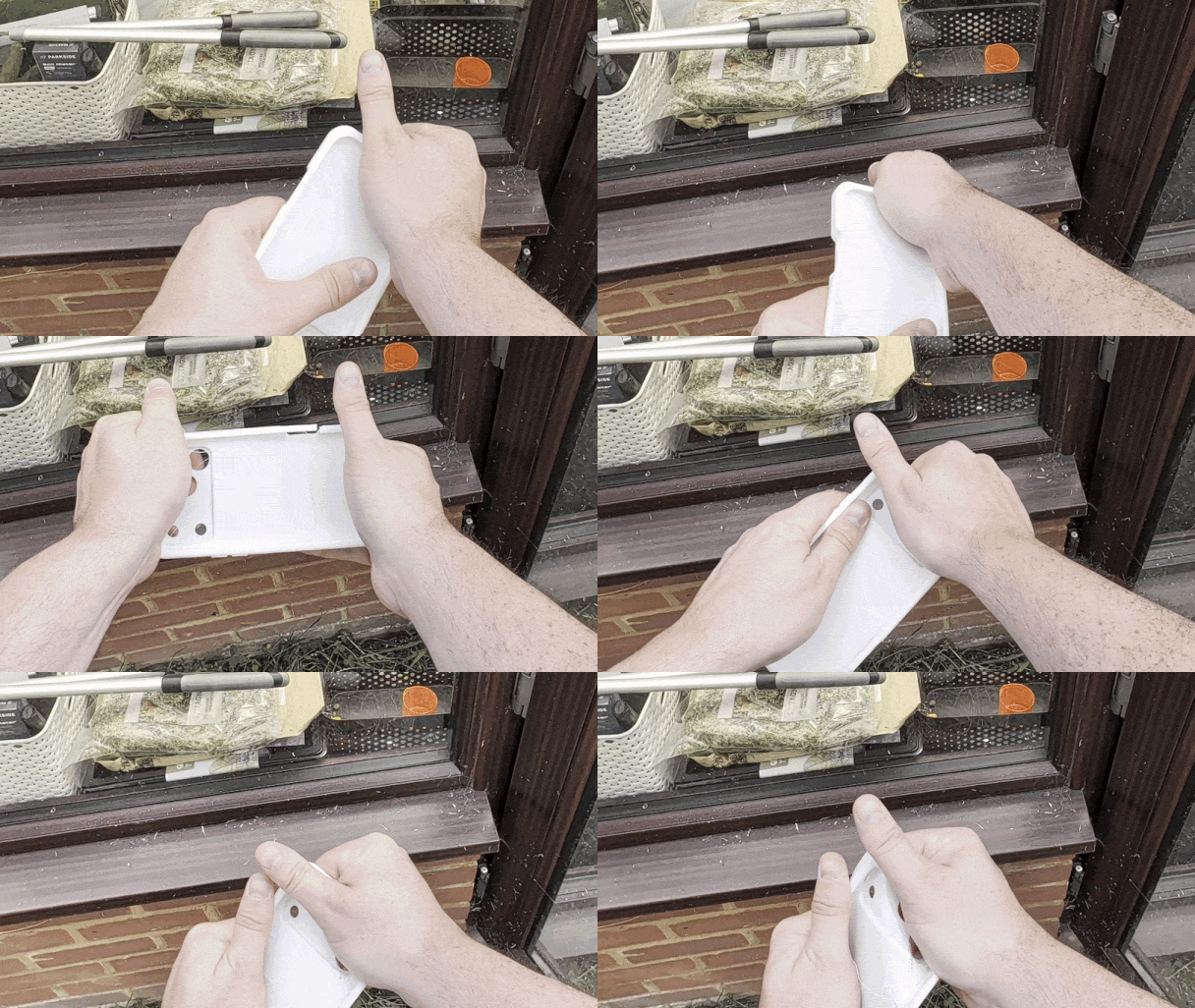
The case was stronger than I anticipated, though. I'd printed it with a gyroid infill, which is known for its relative strength, and decided I'd see how easy it was to break the PLA case. It ended up being harder than I thought, on account of the case's thickness, and while I was able to break it with my bare hands it took a fair bit of repeated effort to do so.
The Z Fold 7 case, on the other hand, is an open design that's designed to clip into the back of the phone — rather than wrap around it. You see a lot of foldable cases like this, since the dual-sided design doesn't really fit well with a lot of other more protective case designs.


Snap on it did, and while the design only covers half of the phone it shows that you can still print out your own hard plastic cases and make full use of them. I will caveat by saying that attempting to take it off was tricky, and I ended up snapping the thinner material around the mic hole.
The minimal thickness of the design and rigidity of the plastic suggests to me that this design will not offer much meaningful drop protection. But that's also true of any thin phone case, regardless of how it came into this world.
TPU was a better all-rounder — with some drawbacks
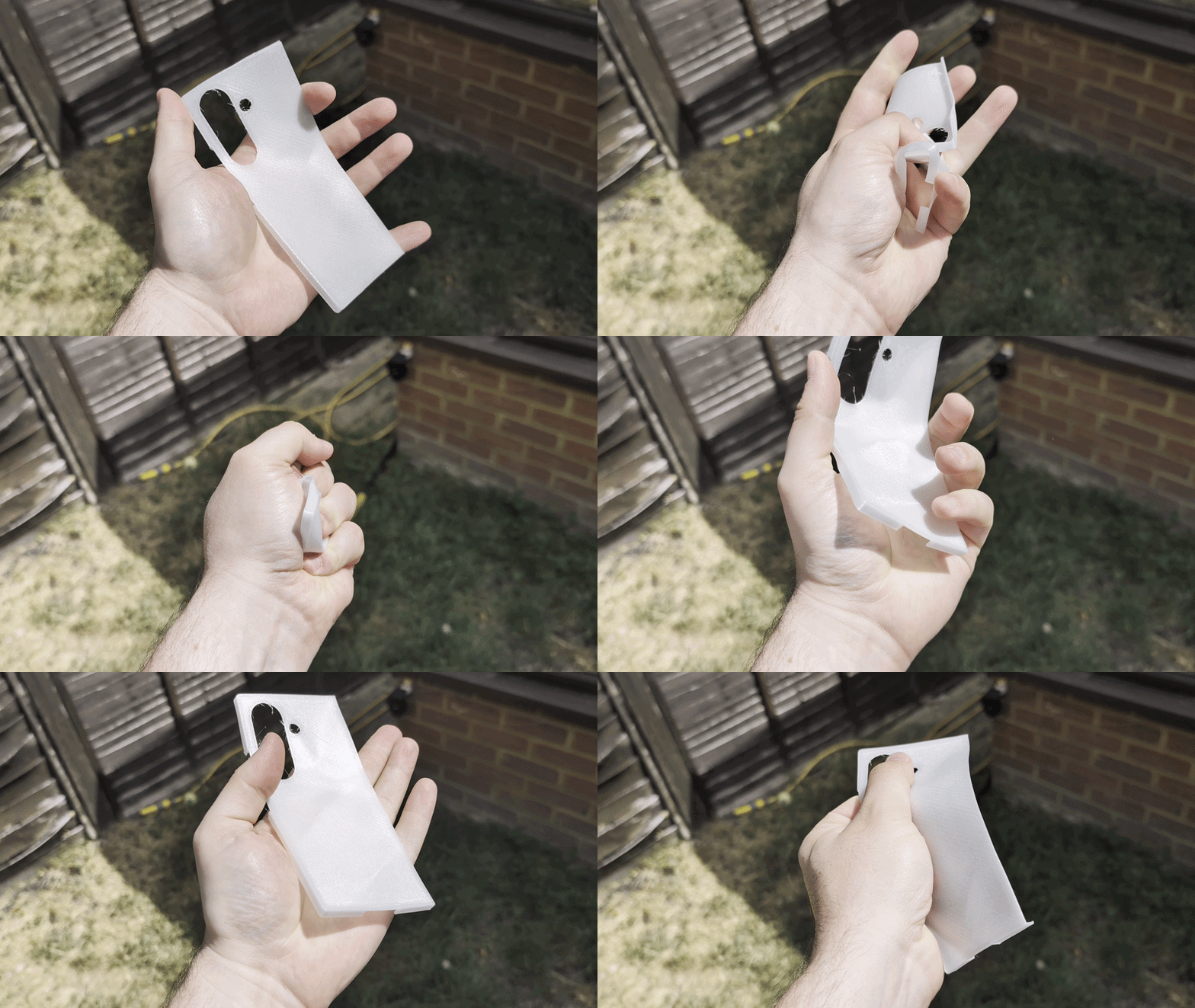
Printing a Z Fold 7 case made out of the flexible TPU turned out to be a total waste of time. The design is too thin and the flexibility means it just flops around like a fish out of water. That lack of sturdiness and friction also means that this case is not going to stay attached to your phone for very long.
That said, for a more encompassing case, TPU proved to be a better option for the iPhone 17 Pro Max. I will admit that I did make a bunch of rookie mistakes in the process of printing my first one, though.
The most obvious mistake I made is that I totally forgot to change the filament type in my 3D printer's companion software. This meant that my printer thought it was working with PLA instead of TPU. The consequence of this was that the printer was working much faster than it should have, and left countless web-like strings of filament all over the case.
I also forgot to add support to the print, which means that various attributes like buttons and the lip around the edge of the case's front didn't come out as neatly as they could have done. Thankfully, all of these issues were cosmetic, and didn't actually detract from the functionality of the case itself.


Cosmetic is putting it lightly though, and my initial description of this case was "ugly as sin." Thankfully, this doesn't change the fact the flexible material allows the case to wrap around my iPhone 17 Pro Max. It feels soft and cushioned compared to PLA, and is capable of returning to its original form after being squashed and twisted around in my hands.
But herein lies the problem of printing with TPU: printing it properly is an exceedingly slow process. To put it into perspective, the PLA version of the iPhone case was finished in under two and a half hours. In the same amount of time, printing the final version of the TPU was just past the halfway point.
Overall, the TPU print took 4 hours 37 minutes, and was so long that the timelapse footage I shot was nearly 10 minutes in length.
Slow printing is an issue for two reasons. The first is that you have to physically wait longer, which is no good if you're an impatient type. Likewise the longer a print takes, the more opportunity there is for something to go catastrophically wrong. It can and does happen, and nothing is worse than getting close to the end of a multi-hour print and finding yourself having to repeat the whole thing.


Thankfully, printing out slowly seems to have (mostly) fixed the webbing issue. There are still some stray strands of filament that need cutting, but the majority of them are totally gone. Likewise, the case itself does look a lot better thanks to the slow printing keeping the look a lot neater.
It wasn't error free, especially where the support connects to the case, but for the most part it looks like a very good (albeit bulky) phone case. That may not be to everyone's tastes, but I personally couldn't care less — especially given the size of the 17 Pro Max.
Just be aware that you need some good pliers to rip out all the internal supports. it's fiddly, and you'll end up with little strands of used filament all over the place if you're not careful.
How much did it cost me to print both cases?

Ignoring the fact that I had to pay for the 3D printer in the first place, just how much did I end up paying for these cases? Both rolls of filament were 1 kilogram (2.2 pounds) each, with PLA costing me £18/$24 and the TPU costing £12/$16.
This means the actual cost of PLA was £1.80 per 100g of filament or £0.018 per gram. Meanwhile TPU cost £1.20 per 100g, or £0.012 per gram.
The Galaxy Z Fold 7 case wasn't very large, and used up roughly 13.75 of filament. The iPhone 17 Pro Max case was obviously a lot larger, and used 54.35 grams of filament. With this information I can calculate that the two cases used up a respective £0.25 and £0.65 worth of their respective filament.
I printed off multiple versions of these cases, each with slight variations in the amount of filament they used. But even if you add them all together, the total cost of the filament pales in comparison to the cost of buying a case. Especially if you're looking at ultra premium options, like Apple's $59 TechWoven case for iPhone 17 Pro Max.
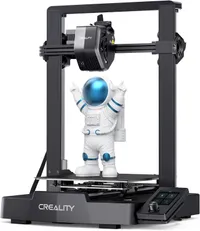
Obviously, it's a little more complicated than just the raw material costs. I needed to pay for electricity to power the 3D printer, as well as the 3D printer itself. I should mention that the model I have, the Creality Ender 3 V3 SE, is a pretty cheap option, and is currently on sale for $186 at Amazon — or $197 with four rolls of PLA filament.
Final thoughts: The problem with 3D printing phone cases

If you have a lot of phones lying around and need a way to protect them all quickly and cheaply, then 3D printing isn't such a bad option — so long as you have a printer handy. But that isn't the case for most of the people reading this, since you will only have one phone.
Unless you have a super-old or super obscure phone, you're spoiled for choice when it comes to picking a case. If you're looking for practicality, fashionable designs, or the absolute bare minimum of protection to keep your phone safe from stray falls, there is something out there for you. Odds are it isn't going to cost you much money either.
Unless you are a skilled and experienced 3D printer, then making your own cases at home comes with some obvious pitfalls. The main one being that 3D printed cases look like they've been 3D printed, and stylishness is not going to be high on your list of priorities. You also need to find the right type of case files for your phone, and the equipment needed to produce it.
The more experienced 3D printers among you will likely be able to make a bunch of elaborate and fanciful designs. Using multiple colors, adding magnets, tweaking the design so you can't see the print lines as easily and things of that nature. But those people are certainly in the minority, and presumably have been in the 3D-printed case game for a long time.
This process works for me and the many phones I have to utilize as part of my job as a Phones Editor. But I'm not saying you should go out and buy a 3D printer just so you can save money on making your own phone cases. That said, if you have a 3D printer or were already interested in picking one up soon, then you might as well give this a go.
Who knows, you might even prefer things this way.
Follow Tom's Guide on Google News and add us as a preferred source to get our up-to-date news, analysis, and reviews in your feeds.

More from Tom's Guide