This past May, Amazon launched a personalized AI assistant tool primarily meant for shopping called “Alexa for Shopping.” And since its introduction to the Amazon app and site, it has emerged as an extremely helpful tool that can fulfill a wide range of requests.
With a combination of product knowledge, information gathered from across the web and shopping capabilities powered by a user’s preferences, shopping history & past conversations, Alexa for Shopping stands out as one of the best tools sitting inside the Amazon app and site. Being able to tap into that AI assistant to compare product options, find the best deals, track prices, actually purchase a product, etc., has shown why Alexa for Shopping is such an efficient tool.
With the holiday shopping season almost upon us, it’s no surprise that Amazon has sought to make it even better and make the online shopping experience even less of a hassle.
Here are some of the newly added 100+ features that are now available within Alexa for Shopping and the ones I can’t wait to put into action when the time is right.
Alexa for Shopping’s newest capabilities
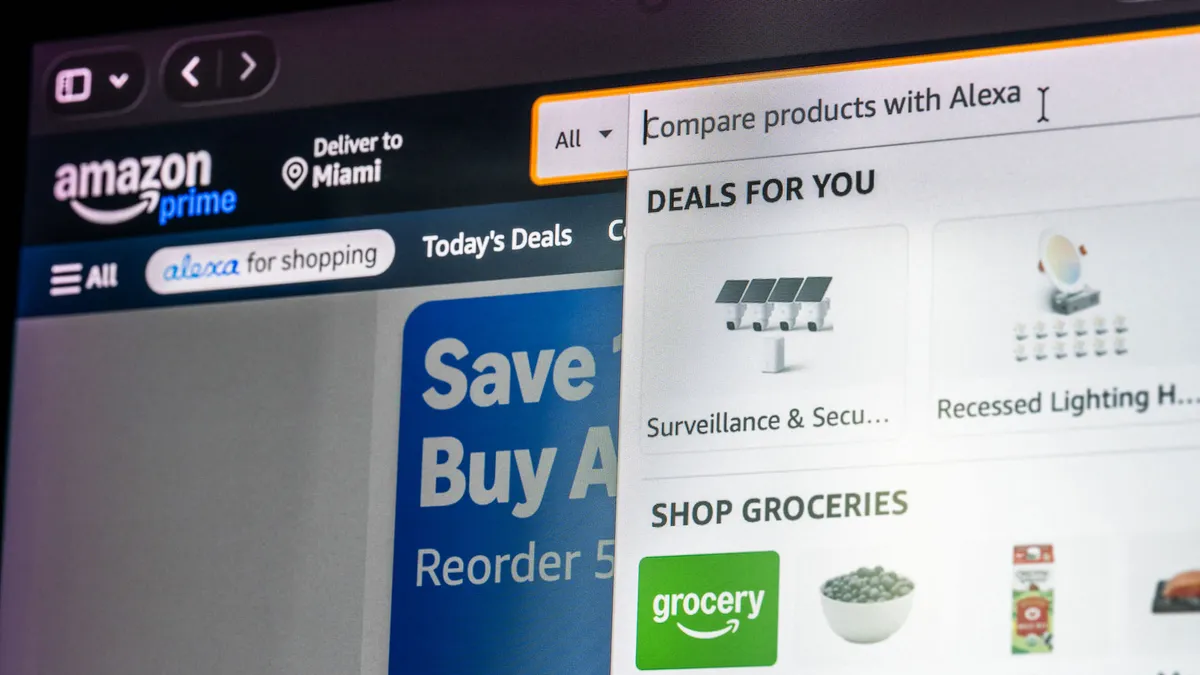
Amazon announced that Alexa for Shopping has over 100 new capabilities that are geared towards making shopping on Amazon so much easier. Some of the more prominent upgrades worth mentioning are:
- Creating lists: Alexa for Shopping now lets you create, expand and edit your lists and registries. Simply asking it to “Create a new shopping list” or “Add all to my baby registry” works to make new lists and add additional items to them.
- Inquiring about your Amazon subscriptions and benefits: Now you can ask Alexa for Shopping about your Amazon-themed subscriptions, such as “What are my Prime benefits?” and “How much have I saved with Prime this year. I’ll be sure to use this feature to find out more about my Audible, Music Unlimited and Luna Premium subscriptions.
- Manage subscriptions: Now you can tell Alexa for Shopping to “Skip my next delivery” or “Change my delivery to every [number] months to alter your ongoing Amazon subscriptions. I’m sure this applies to Amazon’s recurring delivery service for household, grocery, and personal care items.
- Update instructions for deliveries: If you want to tell Alexa for Shopping to modify your account’s delivery instructions, it’s as easy as telling it “Change the delivery instructions on my account” and “Add delivery instructions on my [city] address.”
- Get to the bottom of billing and payment questions: Telling Alexa for Shopping to “Show my gift card balance,” notifying it that “I have an unrecognized charge on my account” and asking it “Where is my refund?” is now possible—resolving any billing and payment errors you may have is thankfully now a thing with Amazon’s AI shopping assistant.
A month prior, Amazon launched another useful feature that improved Alexa for Shopping. “Update Me When” update has given users personalized notifications that alert them when something new or relevant happens around a new product release. Simply telling it “Update me when a new Kindle Paperwhite launches” sets up a weekly announcement check-in that will only notify users when something major happens on that front. Right now, all of those aforementioned Alexa for Shopping features are available to all US Amazon customers.
Bottom line
Amazon is my go-to online shopping site and I’ve gotten even more out of its massive lineup of items thanks to Alexa for Shopping’s assistance. After inquiring about how much I saved with Prime, Alexa for Shopping put everything into an easily understandable format that proves the AI shopping assistant’s latest upgrades are amazing:
- Over the past 12 months, you’ve saved $30.00 with the Prime Annual Membership. Here’s the breakdown:
- Free delivery: $27.00 saved on delivery fees
- Deals & Savings: $3.00 saved through Prime-exclusive deals, Prime Day, and Whole Foods member savings
- Prime Visa Cashback: $0.00
- Your Prime Annual plan costs $139/year — keep in mind there’s still plenty of value in benefits like Prime Video, Amazon Music Prime, Prime Gaming, and more that aren’t always reflected in your figures.

Follow Tom's Guide on Google News and add us as a preferred source to get our up-to-date news, analysis, and reviews in your feeds. Subscribe to Tom's Guide on YouTube and follow us on TikTok.
More from Tom’s Guide
- Google just unveiled Genie 4 and it could change video games forever
- Police are using AI to track where you drive — and your next road trip could raise a red flag
- Hackers breached 25 servers, including U.S. government-linked systems — and AI tools may have helped