Source: Tom's Guide US | Keywords: more, stuff, for, back, to, school | Themes: Audio/Video Players, Desktop Computers, Digital Entertainment, Display Panels and Monitors, Laptops and Notebooks, Networking
- 1. Back to School Part 2
- 2. Lexmark Z1420 Wireless Color Printer
- 3. Zalman CNPS8700LED CPU Cooler
- 4. Neuros OSD Media Streaming Playback Device
- 5. Myvu Made For iPod Fully Loaded
- 6. EDimensional AudioFX Pro 5+1 By Ben Heck
- 7. SanDisk Sansa C200 MP3 Player
- 8. NetGear Digital Entertainer HD EVA8000
- 9. NEC MultiSync LCD2470WNX
- 10. Samsung SyncMaster XL20
- 11. Logitech MX Air Mouse
- 12. Seagate Barracuda 7200.10 Desktop Hard Drives
- 13. HP Pavilion Dv6000z
- 14. Dell Inspiron 1501
- 15. Toshiba Satellite P205
- 16. Asus MyPal A696 GPS PDA
- 17. Garmin Nuvi 350
- 18. Nyko Desktop Multi-Hub
- 19. Titan TTC-G4TZ Aluminum Notebook Cooler
- 20. D-Link DIR-655 Xtreme N Gigabit Router
- 21. Gigabyte GeForce 8600GT Silent Pipe II Graphics Card
- 22. Razer Krait Gaming Mouse
- 23. SuperTalent ReadyBoost Flash Exelerator
13. HP Pavilion Dv6000z
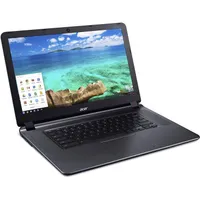
The HP Pavilion dv6000z is a 15.4" notebook PC that comes equipped with an AMD Sempron or Turion64 x2 processor. Currently, units ship with a free upgrade from 512 MB to 1 GB of DDR2 667 RAM. Given that these same units also ship with Windows Vista installed (normally this would be Windows Vista Home Basic, but HP also offers a free upgrade to Windows Vista Home Premium as well). The unit also includes an 80 GB 5,400 RPM Seagate ST9120821AS hard disk, as well as an LG GSA-4084N dual-layer DVD player/burner. A free upgrade to the Zen pebble garden inspired HP Imprint finish will also add some visual pizzazz to the dv6000z, for those who like that kind of thing.

The dv6000z is both attractive and extremely solid in look and feel.
The unit we examined included an optional 256 MB Nvidia GeForce Go 7200 graphics module ($35 charge). This will certainly confer more graphics oomph than would the default Go 6150, which depends on shared memory to handle graphics under the hood. The unit included a 2.0 GHz Turion TL-60 processor, which adds more general zip for a relatively modest $75 extra charge. Our unit also came equipped with the top-of-the-line 802.11a/b/g/n WLAN and Bluetooth network adapter (adds $55 to the base price). This added $165 to the base $600 cost, for a total of $765 for overall charges. To bump disk capacity to 120 GB (which we would probably do for a personal or gift unit), you’d want to spend another $40, which brings the total to just over $800.
You can upgrade the three-hour six-cell battery to a higher-capacity, six-cell model that adds another hour to battery life for $29, or switch to a 12-cell lithium battery that ups battery life to just under six hours for $49. Purchasing an additional 12-cell battery will set you back $129, and HP doesn’t offer pricing on purchasing a second six-cell model, though you can find them on the aftermarket for around $60. With the six-cell battery installed, the unit weighs 6.6 lbs or7.1 lbs with the 12-cell model, instead. Overall dimensions are 14" x 10.2" x 1" (1.5" with the 12-cell battery).
When it comes to software on HP notebooks nowadays, nearly everything is a la carte. You do get Microsoft Works 8.0 bundled with the unit, but recovery media will cost you $19 and Microsoft Office Home and Student go for $149. The ear bud headphones, Express Card TV Tuner and remote control you might want to add to make the most of this unit’s multimedia capabilities will set you back $7 and $100, respectively.
Nevertheless, the dv6000z is a good notebook for the price, and should put a smile on your favorite student’s or educator’s face. For more information about the dv6000z, see the vendor’s