Score! Amazon's knocking $100 off a new Lenovo Legion Go gaming handheld
Snag this sweet deal on one of the best gaming handhelds
Here at Tom’s Guide our expert editors are committed to bringing you the best news, reviews and guides to help you stay informed and ahead of the curve!
You are now subscribed
Your newsletter sign-up was successful
Want to add more newsletters?
Daily (Mon-Sun)
Tom's Guide Daily
Sign up to get the latest updates on all of your favorite content! From cutting-edge tech news and the hottest streaming buzz to unbeatable deals on the best products and in-depth reviews, we’ve got you covered.
Weekly on Thursday
Tom's AI Guide
Be AI savvy with your weekly newsletter summing up all the biggest AI news you need to know. Plus, analysis from our AI editor and tips on how to use the latest AI tools!
Weekly on Friday
Tom's iGuide
Unlock the vast world of Apple news straight to your inbox. With coverage on everything from exciting product launches to essential software updates, this is your go-to source for the latest updates on all the best Apple content.
Weekly on Monday
Tom's Streaming Guide
Our weekly newsletter is expertly crafted to immerse you in the world of streaming. Stay updated on the latest releases and our top recommendations across your favorite streaming platforms.
Join the club
Get full access to premium articles, exclusive features and a growing list of member rewards.
There's never been a better time to be interested in PC gaming on the go, because the state of gaming handhelds has never been better. And right now you can get one of the best for a sweet discount.
I say that because the Lenovo Legion Go with Ryzen Z1 Extreme is $599 at Amazon. That's a cool $100 off the usual $699 asking price, making this one of the better times of year to buy one of this killer Windows 11 gaming handheld. You could probably get it for up to $100 cheaper if you waited until the end-of-year sales blitz, but there's no guarantee and those November sales are a long way away. So why wait?

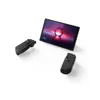
The Lenovo Legion Go is a great gaming handheld thanks to its AMD Ryzen Z1 Extreme chip and 16GB of RAM, which can run most games good to great on the 8.8-inch 144Hz display. Plus, it has detachable controllers and a built-in kickstand (a la the Nintendo Switch) for quick multiplayer action on the go. Just watch your game install sizes, because you only get a 512GB SSD on this model.
Read through our Legion Go review and you'll see why we call it one of the best handheld gaming consoles you can buy right now: pure performance. The AMD Z1 Extreme chip and 16GB of RAM give it enough muscle to run many of the best PC games at good to great framerates on the nearly 9-inch display
Admittedly, the high resolution (2560 x 1600 pixels) feels like overkill on the small display, and running demanding games at that resolution on the Z1 Extreme can be dicey, so I recommend you lower the resolution of games and use upscaling tech when possible to get the smoothest gaming experience on this killer handheld.
Sure, it's a bit big compared to some other handhelds, but you get a sturdier kickstand than on the Nintendo Switch and two detachable controllers on the sides for comfort and ergonomics. You can even put one of the sticks into an included base and use it as a mouse, which can come in handy when you're just navigating Windows 11 on this handheld.
In fact, you could conceivably use it as a full-blown laptop and not just a gaming handheld if you were willing to plug in a keyboard and use a USB-C to HDMI adapter to hook it up to an external monitor. It's a versatile little gaming handheld, and right now's a great time pick one up for $100 off — money you could save or re-invest in some more games to play, if you hurry!
Get instant access to breaking news, the hottest reviews, great deals and helpful tips.

Alex Wawro is a lifelong tech and games enthusiast with more than a decade of experience covering both for outlets like Game Developer, Black Hat, and PC World magazine. A lifelong PC builder, he currently serves as a senior editor at Tom's Guide covering all things computing, from laptops and desktops to keyboards and mice.
You must confirm your public display name before commenting
Please logout and then login again, you will then be prompted to enter your display name.