I'm far from a good videographer (which is one of the reasons I've remained a writer-first in this era of Reels, TikToks, and Shorts). But that doesn't mean I don't record videos on my phone. Whenever I'm at a concert, a game, or any kind of event, I still find myself pulling out my phone to capture the moment.
The problem is that I'm terrible at keeping the camera locked on my subject. Filming a performer from way out in a crowd is quite difficult, especially when you're zoomed in.
Samsung's new foldable phones come with a new Galaxy AI video tracker feature that is designed to solve exactly that problem. I spent some time trying it on my Galaxy Z Fold 8, and I can confidently say it made filming way easier — even if there's still one thing I'd like Samsung to improve.
How Samsung's My FanCam AI feature actually works

What My FanCam essentially does is take away the stress of trying to keep a moving subject perfectly framed throughout a video. Instead of manually tracking someone while you're recording, Galaxy AI can detect a person in your video after you've finished filming and automatically follow them throughout the clip.
The end result is a new video that stays focused on that one person, almost as if someone had tracked them with the camera the entire time.
Using it is fairly straightforward. First, record a video using the Camera app on your Galaxy phone as you normally would. Once you're done, open the video in the Samsung Gallery app, tap the Galaxy AI icon, and select My FanCam.

Galaxy AI will then scan the video and detect the different people in the frame. Once it's finished, you'll see touch targets appear over each detected person. Simply tap the subject you want Galaxy AI to follow.
Before exporting the video, Samsung also lets you choose the aspect ratio. For vertical videos, 9:16 is selected by default, but you can also choose options like 1:1, 3:4, and a few others.

Once you've made your selection, tap Follow, and Galaxy AI will generate a brand-new video that keeps your chosen subject in frame throughout the clip. You can then preview the result and, if you're happy with it, Save Copy to your gallery.
My FanCam worked far better than I expected during my testing
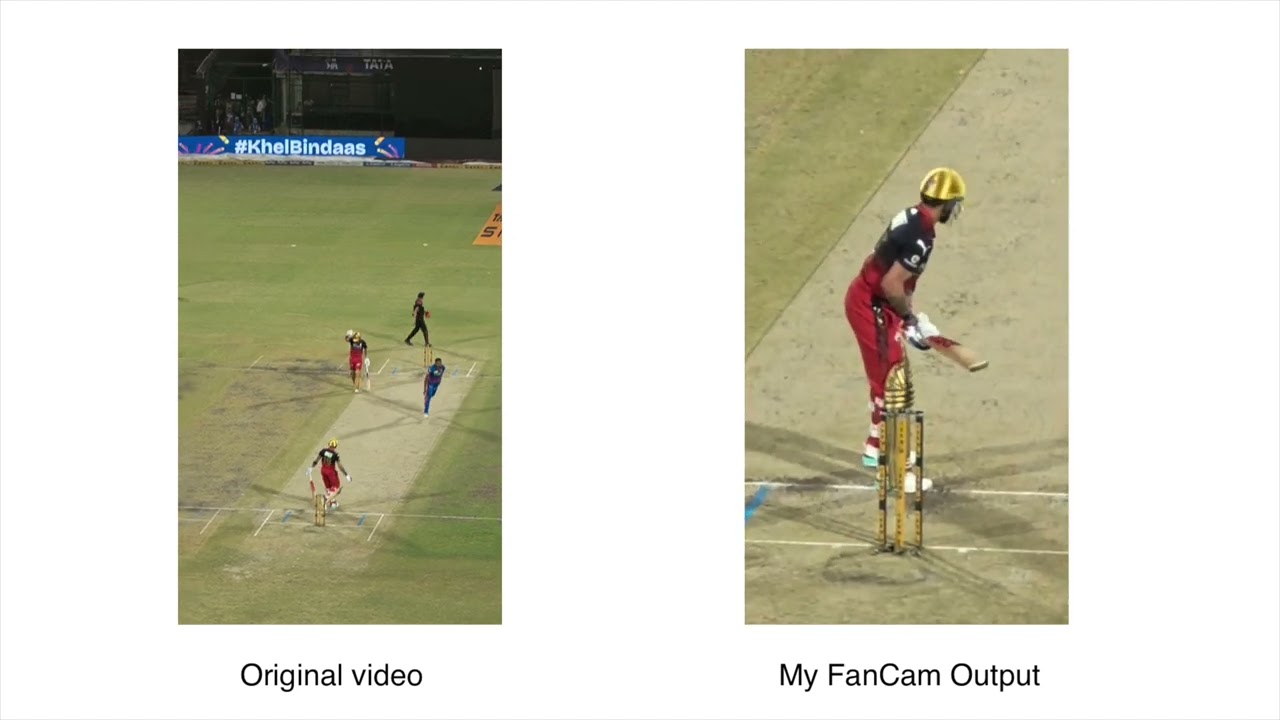
In my testing, the feature worked great and kept track of my subject impressively well. In a way, it reminded me of Apple's Center Stage, except instead of working during live video calls, My FanCam works on pre-recorded videos, and it works on multiple people in the same clip.
The AI processing itself is also fairly quick. Samsung says the processing time depends on the length of the clip, but all of the videos I tested were processed within a matter of seconds.
Another nice touch is that it works on older videos already sitting in your gallery, so you're not limited to footage you shot after you got your new phone. This means you can go back and create FanCam videos from footage you've already captured.

My biggest complaint right now is that it's exclusive to the Galaxy Z8 series phones. And the cameras, at least on the regular Galaxy Z Fold 8, aren't the sharpest. That means if you're tracking a subject that's far away, the footage can come out looking slightly pixelated once the feature crops and zooms into your subject.
I think Samsung could take this feature a step further by using Galaxy AI to enhance the final output, especially when the video has been cropped heavily. A little AI sharpening or detail enhancement can take this feature up a notch.
Even so, I still love the feature in its current form. The fact that Samsung is using AI to automatically track a subject after you've already recorded the video is incredibly useful. I also think it would make even more sense on higher-end Galaxy phones like the Galaxy S26 Ultra, where the better camera hardware would give the AI much more detail to work with.

Follow Tom's Guide on Google News and add us as a preferred source to get our up-to-date news, analysis, and reviews in your feeds. Subscribe to Tom's Guide on YouTube and follow us on TikTok.
More from Tom's Guide