With every iPhone release, Apple hypes up camera performance through a blend of new hardware and computational photography improvements. Even now, I still dream about a phone that could replace my dedicated mirrorless body — and the iPhone 18 Pro and 18 Pro Max certainly put that dream to the test.
For years, carrying a heavy mirrorless kit was the only way to obtain genuine optical depth of field and true creative control. Apple’s iPhone 18 Pro Max comes dangerously close to changing that reality by introducing a physical variable-aperture system to its 48MP main camera. Because of this, the phone is no longer entirely reliant on software-simulated background blur because the optics finally deliver natural focus falloff.
Paired with a revamped interface packed with Apple’s new Pro Controls, it’s a massive leap forward that puts more creative power directly into shooters' hands. Here’s what I found.
Why aperture matters
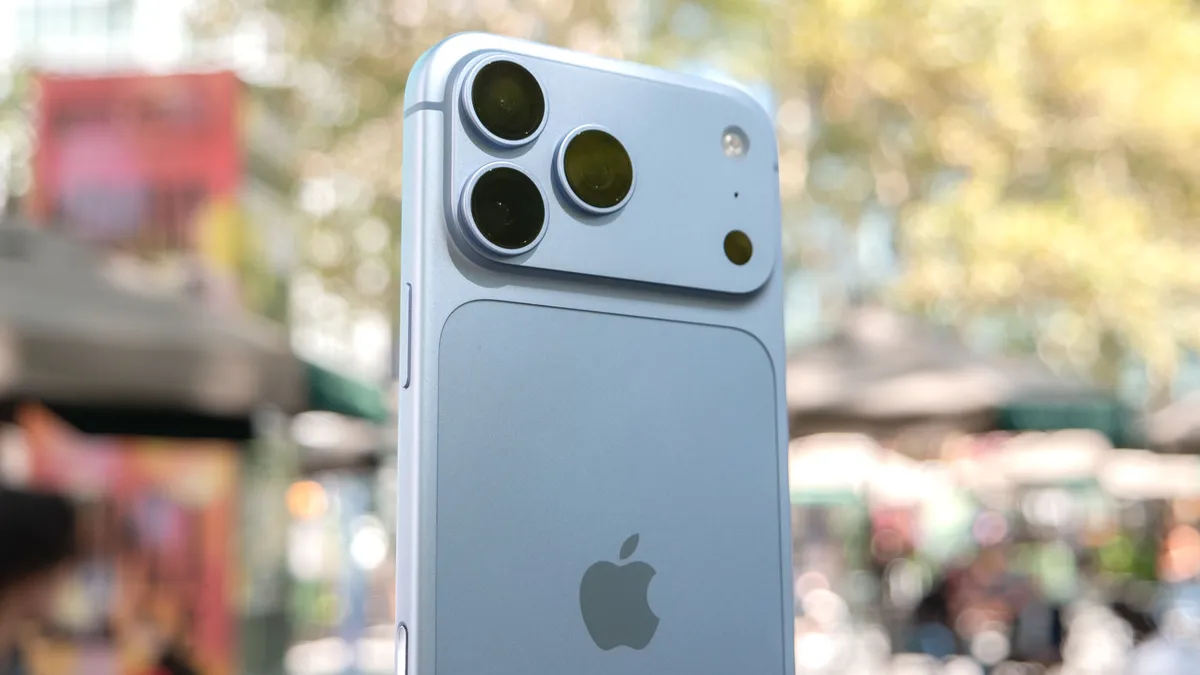
Most people don’t have the urge to dig into camera specs, but breaking down the differences between the iPhone 18 Pro and iPhone 17 Pro is important this time around. On top of introducing a mechanical variable aperture, Apple made another critical upgrade: swapping in a faster f/1.48 lens. That alone is a meaningful leap over the fixed f/1.78 aperture found on the 48MP main cameras of the previous generation.
With access to a wider f/1.48 lens, the iPhone 18 Pro draws significantly more light into the sensor than the 17 Pro’s fixed glass. This improvement delivers cleaner low-light exposures, faster shutter speeds, and authentic optical depth of field — without leaning on artificial Portrait mode blurring algorithms.
In low-light situations, a faster aperture shortens exposure times in Night mode. Because you need to stay as still as possible, any handshake can easily blur a shot. By having a faster lens, it helps prevent motion blur better while also keeping digital noise from creeping into the shadows.
Authentic background blur


The iPhone 18 Pro and 18 Pro Max offer four different aperture values to choose from: f/1.48, f/1.8, f/2.8, and f/4. Depending on the look you’re going for, each delivers a distinct result. I’d typically use f/1.48 for portraits and close-ups when I want to isolate my subject, giving backgrounds that creamy, blurred-out look. Meanwhile, I’d switch to f/4 when I want to keep the entire frame sharp.
You can see from the shots of my colleague above how these two extremes perform when shot from a slight distance. If you zoom in on the wall art in the far background, you’ll notice that at f/1.48, the words are soft and blurred — whereas at f/4, they’re crisp and legible.
What makes the f/1.48 shot stand out over Portrait Mode is that it doesn’t rely on software to guess edge boundaries, which often leads to messy cutouts. Instead, this wider physical aperture delivers the natural optical falloff I’d expect from a dedicated mirrorless camera.
Distance plays a roll with the bokeh intensity


If you really want the background to be blurred out, distance plays a crucial role. Take the other shots of my colleague above, which illustrate the effect at varying distances. The first set shows the disparity between shooting at f/1.48 and f/4 at roughly three feet away, with the former blurring the background dramatically — while at f/4, more of the frame remains in focus.
Stepping back to five feet, the effect is still quite noticeable because the food menus directly behind Mark remain soft and blurred at f/1.48. It’s a genuine optical blur — and I can tell because the planter off to the left, which sits much closer to Mark than the menus do, stays noticeably sharper.
Finally, at seven feet away, there's virtually no noticeable difference between the two aperture settings, proving that depth of field and bokeh intensity are heavily dictated by your distance to the subject.
You also get control when recording video


The variable aperture isn't just for stills — you get direct control over those blades when shooting video, too. This has been a long time coming; the historical lack of granular manual controls prevented me from using an iPhone as my dedicated B-camera, often pushing me toward Samsung’s flagships instead.
As you can see from the screenshots above, adjusting the lens aperture slider lets me toggle between settings on the fly, right alongside the other Pro Controls. At f/1.8, the lens opens wide to isolate the DualSense controller, softening the background cabinets and shelving with smooth, genuine optical blur.
Switching to f/4.0 stops the mechanical iris down, visibly deepening the field of focus. The wood grain along the table stays sharp much further back, and background details gain noticeably clearer definition. Having the ability to manually control the aperture gives me exact control over the cinematic aesthetic I want for any given scene.
Bottom line
Apple has come a long way to finally give enthusiasts like me the meaningful tools we’ve been demanding for years. The addition of a true variable aperture gives me the optical control to dial in a very specific look — delivering authentic background separation and natural focus falloff that almost makes me want to leave my mirrorless camera behind.
The only real catch is that this system is strictly limited to the 48MP main camera, leaving the telephoto lens stuck with a fixed aperture. Telephoto focal lengths naturally compress a scene and crave genuine depth-of-field control even more for tight framing. If Apple could bring this variable aperture system to the zoom lens next, it would add unprecedented depth and versatility that I wouldn’t have thought possible just a few years ago.

Follow Tom's Guide on Google News and add us as a preferred source to get our up-to-date news, analysis, and reviews in your feeds. Make sure to click the Follow button!
More from Tom's Guide